Create a video

ModelSeedance 2.5 Edit

Configured for this template

Cheba Man reference · 17.1s

Main character · Photo 1

Cheba Man AI Video Generator

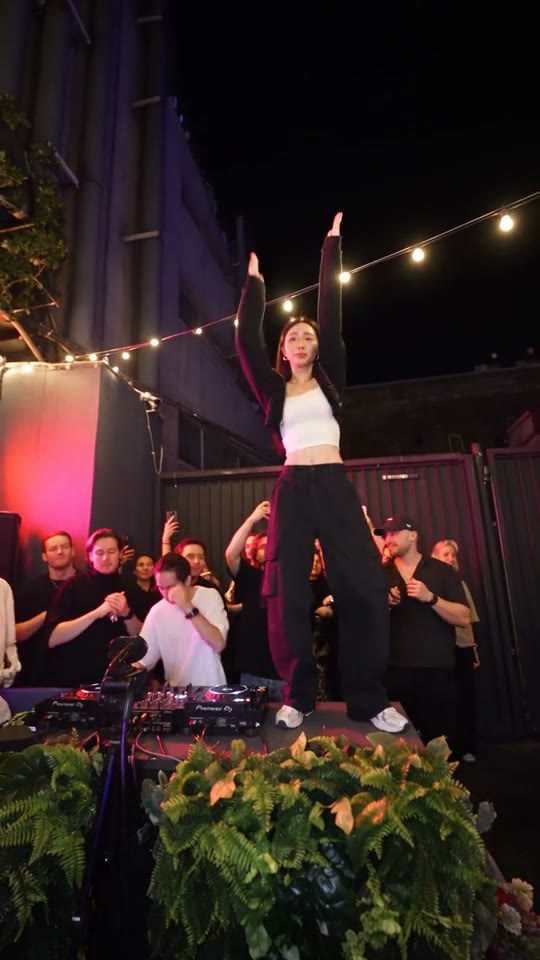
Take the red-lit stage with Cheba Man AI and one photo. Replace the central dancer in this Cheba Man performance while keeping the crowd, choreography, and original soundtrack.

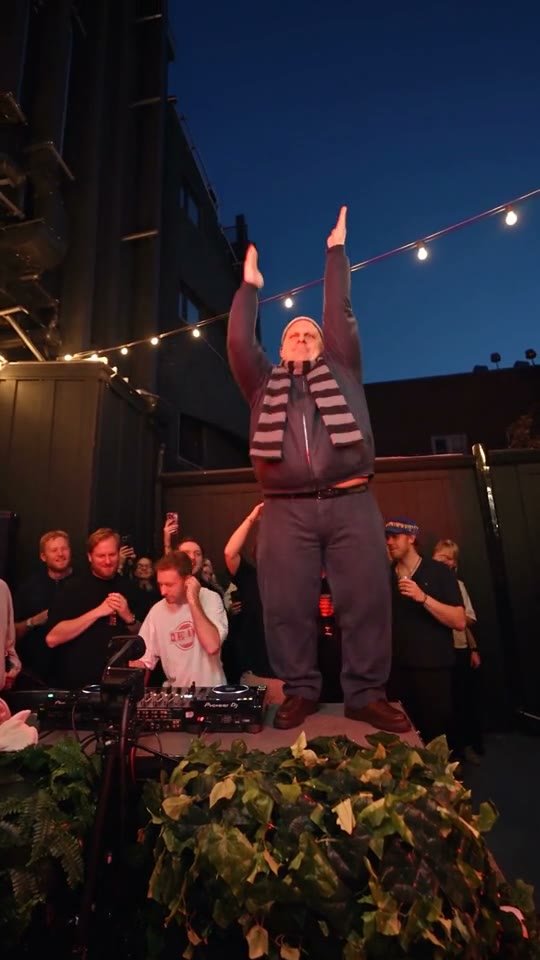
Central dancer under red light with spectators filming around the stage

Cheba Man AI guide: choose your photo, follow the steps, and review the dance.

What is Cheba Man AI?

Cheba Man AI turns a photo of one person into the lead performer in the dance shown here. The loaded clip has a central dancer under red light, strings of lights overhead, and spectators recording the performance on their phones. Your photo supplies the new face, hair, clothes, and overall appearance; the video supplies the movement and scene. Cheba Man AI aims to recast only the lead, keeping the people around him in their original roles.

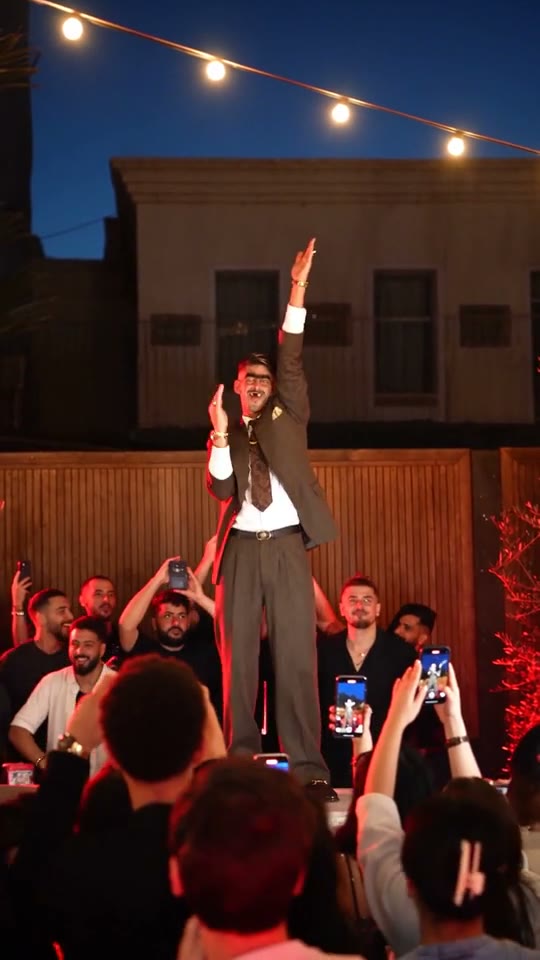
Cheba Man AI dance with a central performer wearing a suit and tie

Make a Cheba Man AI video in three steps

The reference and default prompt are already prepared. Start with your character photo.

  1. STEP 1

    Preview the dance

    Play the loaded reference to check the routine, framing, and soundtrack.

  2. STEP 2

    Upload one person photo

    Add a clear image of the person you want on the stage. Check the thumbnail and choose a resolution. Keep the built-in prompt for the preset’s single-character replacement.

  3. STEP 3

    Generate and review

    Sign in, review the displayed credit estimate, and select Generate. Your result appears in My creations. Watch the full dance with sound before downloading the video.

One performer changes, the dance keeps its setting

Explore Cheba Man AI character ideas: a flowing dress, a casual outfit, or a distinctive scarf. The generator above keeps your selected 17-second reference.

Your photo takes the Cheba Man AI lead role

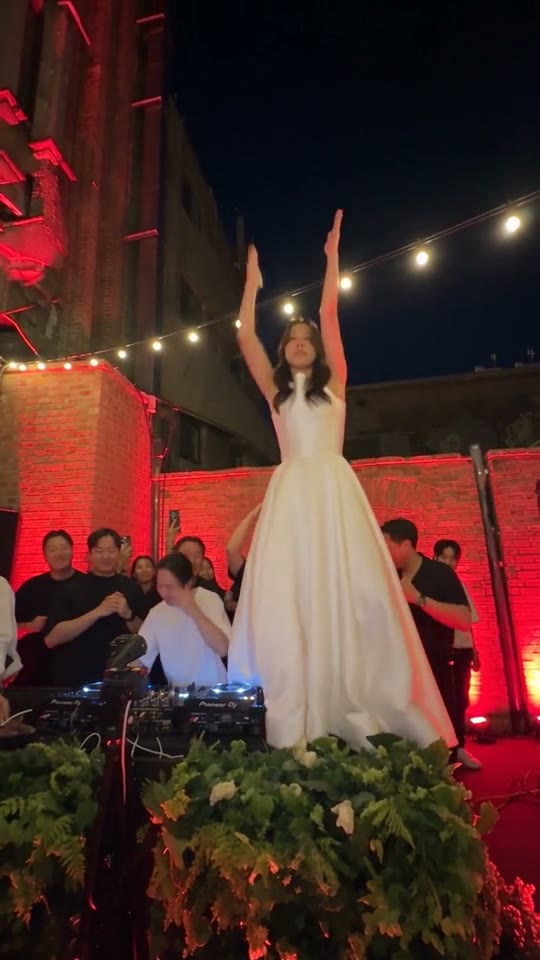
In Cheba Man AI, the person in Photo 1 becomes the single main dancer. The white-dress Cheba Man AI example shows how a new outfit changes the silhouette. Use a photo with a clear face, hairstyle, and full outfit. The people holding phones and watching from the sides do not need separate photos. The default prompt keeps their placement and appearance while directing your reference identity to the central character alone.
Your photo takes the Cheba Man AI lead role

Keep the Cheba Man AI moves and party atmosphere

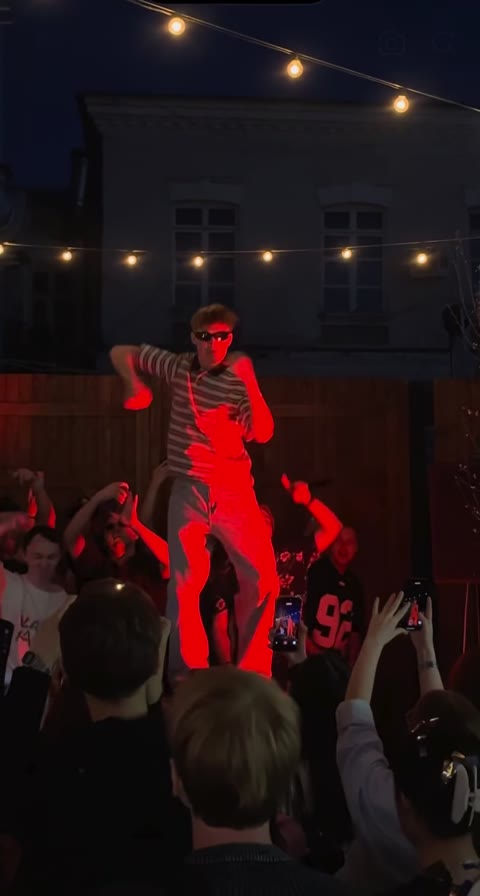
The reference includes raised arms, outward gestures, head-level poses, and shifts in body position through one continuous performance. Watch the arm gestures in the casual-outfit Cheba Man AI example. Your loaded reference guides the timing, pacing, framing, and camera movement. Fast hand movements, faces partly covered by arms, and overlapping spectators can still challenge a video model, so watch those moments in the finished result.

Keep the Cheba Man AI moves and party atmosphere

Cheba Man AI with the original soundtrack

A scarf or distinctive outfit can give your Cheba Man AI character a recognizable silhouette. Your finished clip follows the roughly 17-second reference and includes its soundtrack. The page handles the music step for you, so there is no separate audio upload or editing task to complete. Preview the result in My creations before downloading it.

Cheba Man AI with the original soundtrack

Choose Cheba Man AI for a ready-made performance

Cheba Man AI is designed for someone who likes this exact dance and wants to put a new person in the central role. If your idea needs a different crowd, setting, or routine, use the Motion Transfer homepage to upload your own reference video and photos and adjust the prompt for that material.

Make a personal dance clip

Use Cheba Man AI to try the routine with your own photo, without filming a performance. A recognizable face and outfit make the result feel connected to the picture you chose.

Put a friend in the spotlight

With their permission, use a friend’s photo for a shared joke, a birthday message, or a short social post. Pick a flattering, well-lit image and review the face before sending it.

Try a character with a clear silhouette

A full or three-quarter body view gives the model more clothing and proportion information than a tiny headshot. Keep hands away from the face and avoid strong motion blur.

Choose your Cheba Man AI settings

Keep the ready-made performance and adjust the inputs that matter for your result.

One character photo

Only Photo 1 is required.

480p, 720p, or 1080p

Choose the output resolution in Settings and check the updated estimate. Higher resolution changes output size and cost; it cannot guarantee a better likeness or repair unclear features in the uploaded photo.

A prepared prompt

The default text assigns your image to the central dancer and asks to keep the surrounding people, choreography, and camera. Custom prompt is optional. If you edit it, keep the character assignment clear and avoid instructions that contradict the reference.

A fixed model and soundtrack

This page uses Seedance 2.5 Edit with the reference soundtrack added to the finished video. Preview playback may start muted; turn on playback sound to listen.

Check your Cheba Man AI estimate

Cheba Man AI uses the loaded reference duration and your selected resolution. The Generate estimate is the price for this request; plan examples may use other models and settings.

Starter

For your first ideas.

$8.3/month

$100.0 charged yearly

2,400 credits/year

Up to 400 images

GPT Image 2Nano Banana Pro

Up to 240 videos

Seedance 2.5Kling 3.0 Motion Control
  • Up to 4K images and HD videos, depending on the model
  • Image editing, video creation & motion transfer
  • Watermark-free image & video downloads
  • Generation history in your account
Popular40% OFFSave $238.8

Pro

For a steady creative flow.

$30.0/month$49.9/month

$360.0 charged yearly

21,600 credits/year

Up to 3,600 images

GPT Image 2Nano Banana Pro

Up to 2,160 videos

Seedance 2.5Kling 3.0 Motion Control
  • Up to 4K images and HD videos, depending on the model
  • Image editing, video creation & motion transfer
  • Watermark-free image & video downloads
  • Generation history in your account
  • Use credits across image and video models
Best Value50% OFFSave $599.8

Business

For more creations, more often.

$49.9/month$99.9/month

$599.0 charged yearly

48,000 credits/year

Up to 8,000 images

GPT Image 2Nano Banana Pro

Up to 4,800 videos

Seedance 2.5Kling 3.0 Motion Control
  • Up to 4K images and HD videos, depending on the model
  • Image editing, video creation & motion transfer
  • Watermark-free image & video downloads
  • Generation history in your account
  • Use credits across image and video models

Basic

$0

Try before you subscribe

  • 18 one-time signup credits
  • Generation history included
  • Watermarked previews & downloads
  • Up to 3 images or 1 video
  • Watermark-free downloads require payment

Prices in USD; taxes and total shown at checkout. Subscriptions renew automatically; cancel in Billing settings. Subscription credits expire each period; one-time credits never expire.

Refunds: request within 72 hours. Used purchased credits and applicable non-refundable processing costs (up to 6%) are deducted. Terms · Refund Policy

Cheba Man AI questions

Photos, movement, sound, settings, and your finished video.

How many photos does Cheba Man AI need?

Upload one photo of a single person into Photo 1. Avoid a collage or several people in one image: the model needs a clear identity for the only role being replaced.

Will Cheba Man AI change everyone in the crowd?

The Cheba Man AI prompt applies your photo only to the central main character. It asks to preserve the surrounding people and their relative positions. That is the intended edit, rather than a guarantee of perfect preservation. Check nearby faces and any moment when an arm or a phone passes across the dancer before sharing.

What kind of photo works best for Cheba Man AI?

Choose a sharp, evenly lit photo where the face is large enough to recognize and the hairstyle and clothes are visible. Avoid heavy filters, covered faces, tiny subjects, and screenshots with text across the person.

Does Cheba Man AI include the original music?

Yes, the workflow adds the original reference soundtrack to the generated picture and returns a video with sound. You do not need to upload a song or turn on audio generation.

How long is a Cheba Man AI video?

Cheba Man AI follows the supplied performance, which is about 17 seconds long. It keeps the reference’s tall vertical framing. There is no duration selector on the dedicated page.

Do I need a Cheba Man AI prompt?

No. Leave Custom prompt off to use it. If you choose to edit, start from that wording and keep Photo 1 assigned to the main dancer.

Can I customize the Cheba Man AI background or crowd?

The dedicated Cheba Man AI preset is the convenient option for keeping this performance. For a broader edit, open Motion Transfer on the homepage, upload your own reference video and images, and adapt the prompt to your scene. Available inputs depend on the chosen model, and complex changes may take experimentation.

Will my Cheba Man AI character stay consistent?

Cheba Man AI results can vary, even with the same inputs. A clear photo helps, but fast movements, raised arms, shadows, and people overlapping can affect facial features, hands, or clothing. Watch the whole clip and compare it with your photo. Adjust an unclear reference or conflicting prompt before deciding whether to generate again; another attempt is not guaranteed to fix every detail.

Is Cheba Man AI free to generate?

You can inspect the reference and choose your photo before generating. Creating a video requires signing in and enough credits for the displayed estimate. Selecting or replacing a photo does not start a paid request; generating a new version is a separate request.

Where can I download my Cheba Man AI video?

Open My creations or your video history after generation.

Which model does Cheba Man AI use?

Cheba Man AI uses Seedance 2.5 Edit for this workflow.

Can I share my Cheba Man AI clip?

Use a photo you own or have permission to edit, and get consent when depicting another person. The template does not grant music or footage rights, so share the soundtrack only where you have permission and follow the destination platform’s rules for AI-created media.

Make your Cheba Man AI dance video

Choose one clear character photo and take the central role in the loaded performance.

Cheba Man AI dance with a woman in a flowing white dress