Create a video

Lead singer · required
Saxophonist · optional
Keyboard player · optional
Backing singer · left · optional
Backing singer · right · optional
Settings
Mode
Video length19s
Resolution

Tiny Desk AI Video Generator

Your singer. Your band. One desk-side performance. Upload a lead photo and optionally add four bandmates to bring their complete looks and outfits into Tiny Desk AI, with sound.

0:00 / —:—

Tiny Desk AI video ideas

Explore community remixes of this performance. Open a video for a closer look.

What is Tiny Desk AI?

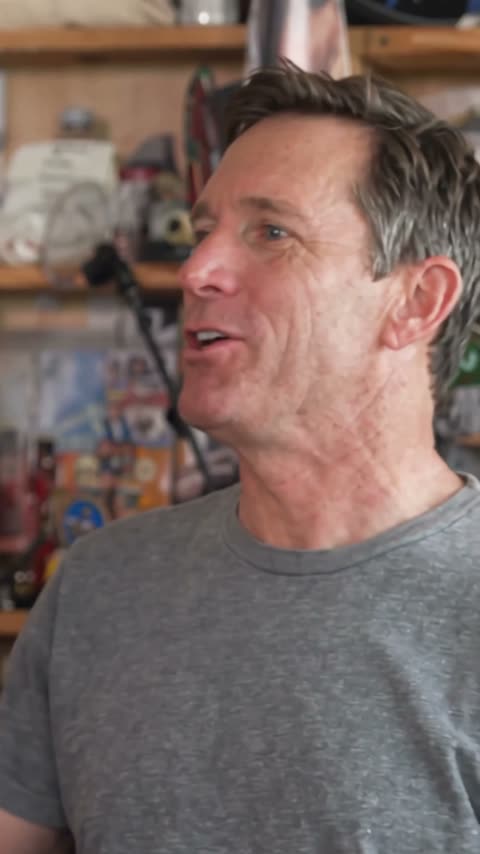
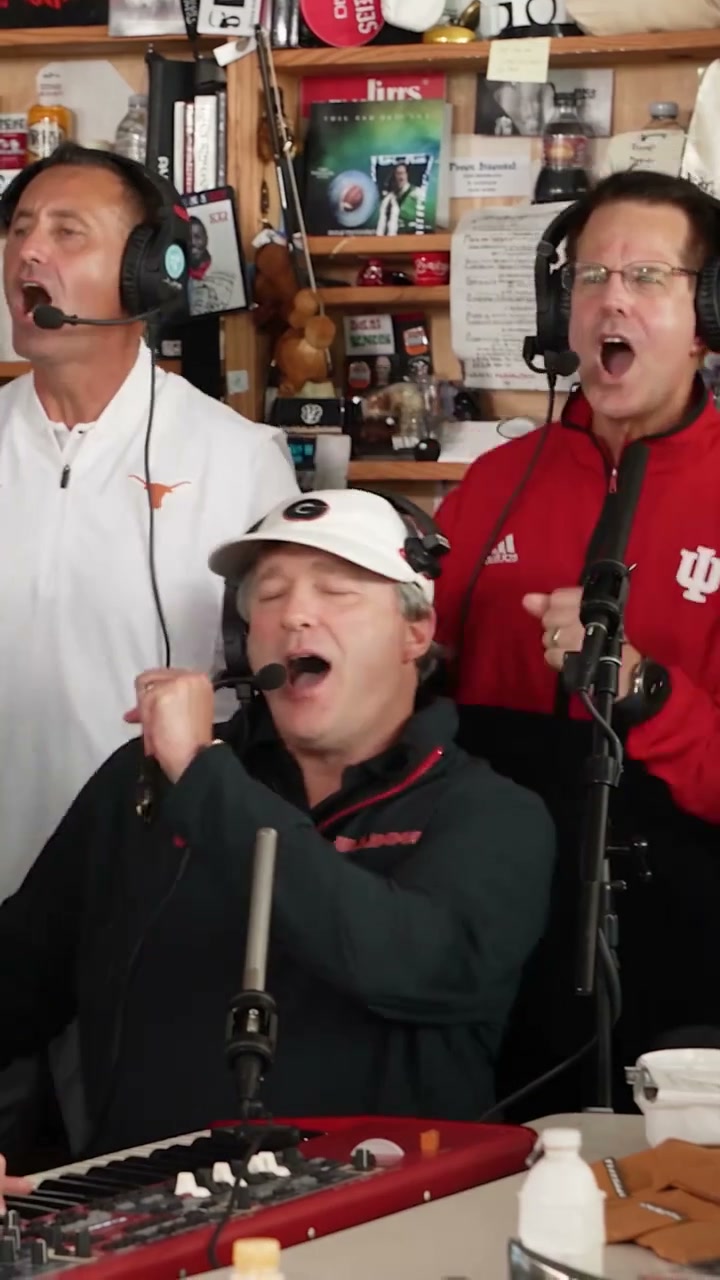
Tiny Desk AI turns character photos into a small-room band performance: a lead singer reacts in close-up, a keyboard player keeps the group moving, two backing singers join in, and a saxophonist gets a solo. On Motion Transfer, Tiny Desk AI uses the prepared video shown above and one required lead photo. Four optional photos let you choose the other performers separately. Each photo supplies a complete appearance and outfit, while the room, instruments and performance come from the reference. The finished clip includes reference sound. No singing, instrument skills or group shoot is needed.

A desk-side band with a lead singer, keyboard player, saxophonist and two backing singers

How to make a Tiny Desk AI video

Choose your cast, review the mode and generate your band performance.

  1. STEP 1

    Upload your Tiny Desk AI lead

    Choose a clear photo with one person’s head, hair and outfit visible. Add optional saxophone, keyboard and backing-singer photos only for the roles you want to change.

  2. STEP 2

    Choose a Tiny Desk AI mode

    Choose Economy, Standard or Original in Settings, then select an available resolution. Watch the selected mode’s preview and check the credit quote before signing in and generating.

  3. STEP 3

    Review your Tiny Desk AI result

    Open My creations, watch each performer across the camera cuts, listen to the sound and download the finished clip. Check that every uploaded character stays in the assigned role.

One singer or a whole new band

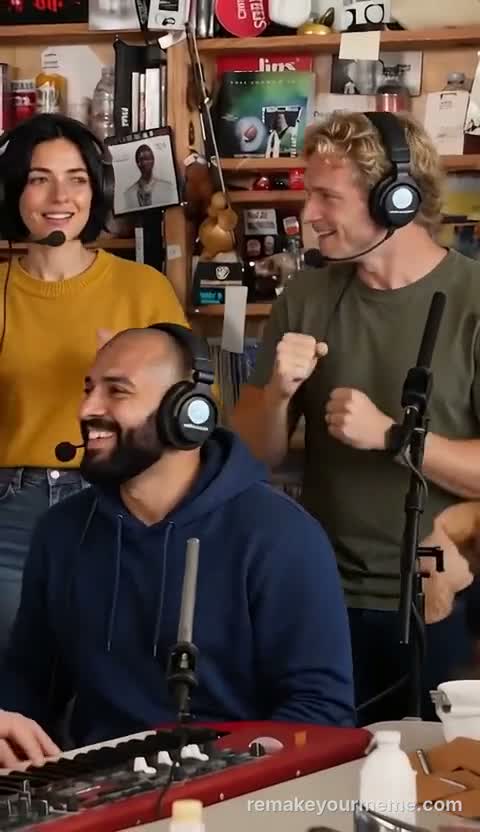
Community remixes illustrate different casting choices. Preview the prepared sequence above before choosing your own performers.

Give your Tiny Desk AI performance a recognizable lead

Put yourself, a friend or an original character at the center of the performance. Tiny Desk AI carries the lead’s complete appearance into the opening and the expressive close-up: hair, clothing and accessories matter alongside facial features. Choose an everyday look or a coordinated band outfit; the reference’s red cap and black hoodie are optional. Start with this image alone to keep the existing bandmates. Tiny Desk AI aims to keep the chosen character recognizable when the shot changes, though small details may vary.
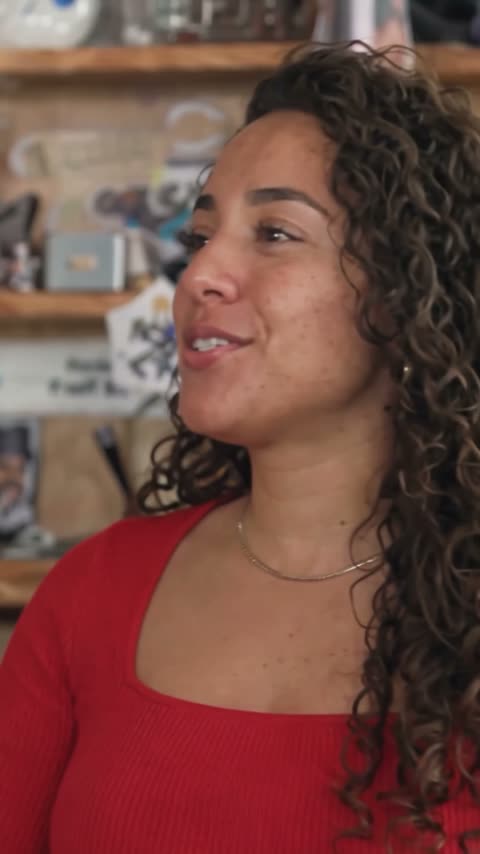
Give your Tiny Desk AI performance a recognizable lead

Choose the bandmates who matter to your idea

Make a Tiny Desk AI duet with a friend on saxophone, or add a keyboard player for a three-person group. The saxophonist, keyboard player and two backing singers have separate optional slots. Fill any combination, including only the last backing-singer slot, without supplying the earlier optional photos. Empty slots retain the corresponding reference performers. Left and right refer to the viewer’s view of the two singers standing behind the seated keyboard player. This keeps your Tiny Desk AI casting explicit even when the camera changes angle. Use separate, single-person images for your chosen roles.

Choose the bandmates who matter to your idea

Build a complete Tiny Desk AI moment around the music

The charm of Tiny Desk AI comes from the exchange between performers: the group view establishes the band, the lead’s close-up adds personality, and the saxophone shot gives another character a turn. That makes Tiny Desk AI useful for a friend-group greeting, a playful team introduction or a character-band concept. Add your own caption after downloading. The template includes the reference soundtrack; uploading a photo does not clone that person’s voice or create a newly recorded song. Different generation modes can interpret gestures and timing differently.

Build a complete Tiny Desk AI moment around the music

What you control in Tiny Desk AI

Choose the cast and generation mode; the prepared performance supplies the setting and musical sequence.

One to five character photos

Tiny Desk AI needs the lead singer photo. Each of the four remaining roles is optional and independent. Unfilled roles keep their reference performers.

Full sequence or prepared highlight

Original follows the roughly 19-second Tiny Desk AI reference. Economy and Standard use a prepared roughly 15-second highlight from the same video, including the lead, saxophone and return to the group. You do not need to trim a video or choose timestamps.

Appearance from each image

Tiny Desk AI uses each character’s own clothing, hair and accessories. Choose clear, separate subjects and distinct outfits when you want the roles to be easy to recognize. The instruments, desk and room remain part of the prepared scene.

Tiny Desk AI credits and plans

Creating a video requires an account and sufficient credits. The Generate button shows the quote for your selected mode and resolution; plan examples may use different models or durations.

Starter

For your first ideas.

$8.3/month

$100.0 charged yearly

2,400 credits/year

Up to 400 images

GPT Image 2Nano Banana Pro

Up to 133 videos

Seedance 2.5Kling 3.0 Motion Control
  • Up to 4K images and HD videos, depending on the model
  • Image editing, video creation & motion transfer
  • Watermark-free image & video downloads
  • Generation history in your account
Popular40% OFFSave $238.8

Pro

For a steady creative flow.

$30.0/month$49.9/month

$360.0 charged yearly

21,600 credits/year

Up to 3,600 images

GPT Image 2Nano Banana Pro

Up to 1,200 videos

Seedance 2.5Kling 3.0 Motion Control
  • Up to 4K images and HD videos, depending on the model
  • Image editing, video creation & motion transfer
  • Watermark-free image & video downloads
  • Generation history in your account
  • Use credits across image and video models
Best Value50% OFFSave $599.8

Business

For more creations, more often.

$49.9/month$99.9/month

$599.0 charged yearly

48,000 credits/year

Up to 8,000 images

GPT Image 2Nano Banana Pro

Up to 2,666 videos

Seedance 2.5Kling 3.0 Motion Control
  • Up to 4K images and HD videos, depending on the model
  • Image editing, video creation & motion transfer
  • Watermark-free image & video downloads
  • Generation history in your account
  • Use credits across image and video models

Basic

$0

Try before you subscribe

  • 18 one-time signup credits
  • Generation history included
  • Watermarked previews & downloads
  • Up to 3 images or 1 video
  • Watermark-free downloads require payment

Prices in USD; taxes and total shown at checkout. Subscriptions renew automatically; cancel in Billing settings. Subscription credits expire each period; one-time credits never expire.

Refunds: request within 72 hours. Used purchased credits and applicable non-refundable processing costs (up to 6%) are deducted. Terms · Refund Policy

Tiny Desk AI questions

Inputs, band roles, modes and the finished performance.

Can I make Tiny Desk AI with only one photo?

Yes. The lead singer is the only required role. Leave all optional slots empty to retain the saxophonist, keyboard player and two backing singers. You can add any of those performers later in a new generation.

Which photos work best for Tiny Desk AI?

Use a sharp, well-lit image of one person, with their head, hair, torso and outfit unobstructed. Avoid collages and heavy filters. More visible clothing gives the model better guidance; details outside the photo have to be inferred.

Can I replace only one Tiny Desk AI backing singer?

Yes. The left and right backing singers are independent optional roles. Left means the singer in a white shirt behind the keyboard player, as seen by the viewer; right means the singer in red. Unfilled roles keep the reference performer.

Does Tiny Desk AI include the music?

The completed video includes sound from the prepared reference. The preview can begin muted, so use the sound control to listen. This page does not accept a new song, lyrics or a voice recording, and it does not clone the voices of uploaded people.

Why do Tiny Desk AI modes have different lengths?

Original uses the full reference sequence. Economy and Standard use a shorter prepared excerpt from that same source. Their preview shows the footage used by that mode. Generated motion can vary, so choose Original when the full sequence is important to your idea.

Can Tiny Desk AI change the room or instruments?

This fixed template keeps the intimate room and the existing band roles. It has no background, instrument or camera controls. If your idea needs a different performance, choose another trend or use the general Motion Transfer studio with your own permitted reference.

What should I check before sharing my Tiny Desk AI result?

Watch the lead’s close-up and the return to the group for appearance changes. Check hands on the keyboard and saxophone, headset placement, clothing and which person occupies each role. AI can distort overlapping objects or change details between shots; a reference is guidance, not a guarantee.

Is Tiny Desk AI an official concert service?

This is an independent AI remix tool. The name does not imply official endorsement. Use photos and music you have permission to share, especially for public or commercial projects.

Where do I download my Tiny Desk AI video?

The completed result appears in My creations, where you can play it and download the video. Replay it to check the sound and performance before sharing.

Make your Tiny Desk AI band

Start with a lead photo. Add the bandmates you want and let the prepared performance bring them together.

A desk-side band with a lead singer, keyboard player, saxophonist and two backing singers