
Alors on Danse AI Video Generator
Two photos, one Alors on Danse AI duet. Choose who plays the keyboard and who steals the close-up. Bring both people’s full appearance and outfits into the gestures, reactions and final dance, with the original sound.
0:00 / —:—
Alors on Danse AI video ideas
Explore community remixes of this performance. Open a video for a closer look.
Costume duo
Leather duo
Cat remix
What is Alors on Danse AI?
Alors on Danse AI puts two people from separate photos into a keyboard-and-dance performance in a white studio. Photo 1 becomes the keyboard player; Photo 2 becomes the expressive partner beside the laptop. Each image defines one performer’s full appearance and clothing, while the prepared clip supplies the gestures, interactions and camera sequence. The finished 30-second landscape video includes the original soundtrack.
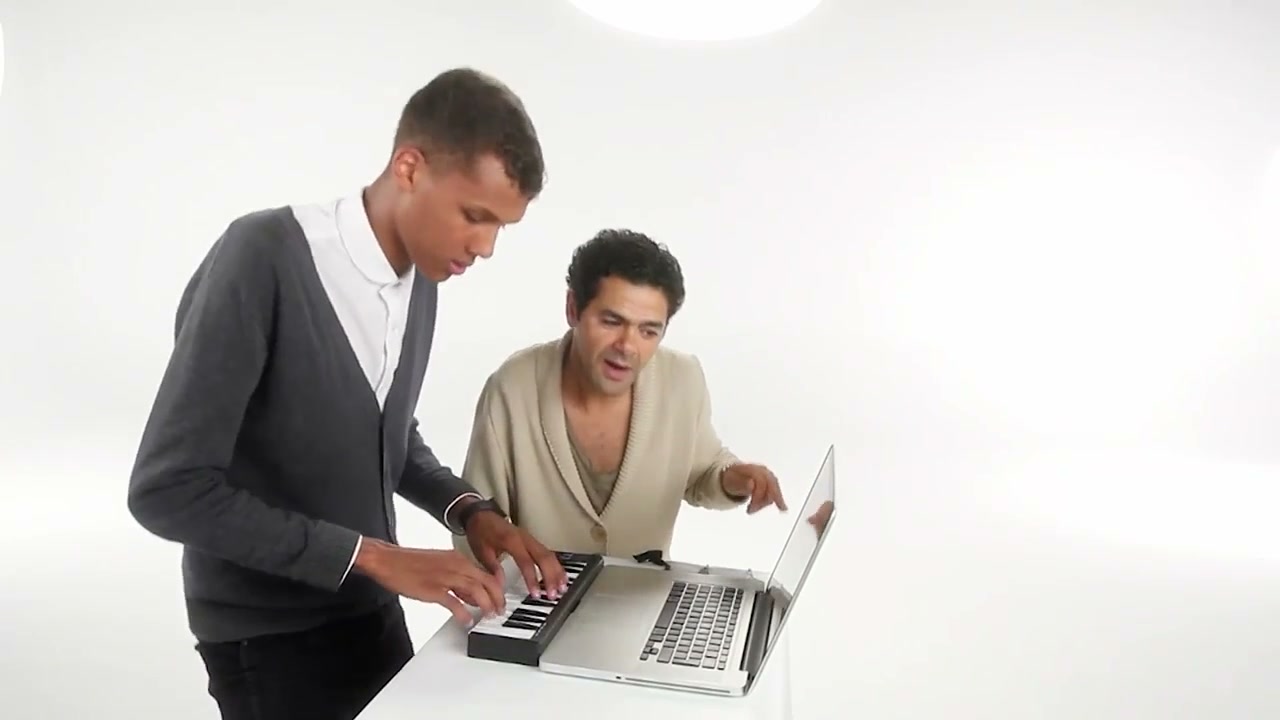
How to make your Alors on Danse AI video
The Alors on Danse AI performance is ready. You choose the duo.
STEP 1
Upload a photo for each role
In Alors on Danse AI, Photo 1 supplies the keyboard player and Photo 2 the expressive partner. Use one person per image, with their hair and outfit clearly visible.
STEP 2
Generate your Alors on Danse AI duet
Play the preview with sound, choose an available resolution in Settings, and review the quote on Generate. Sign in when you are ready to submit.
STEP 3
Watch both people through the finish
Find your Alors on Danse AI result in My creations. Check the keyboard hands, partner’s close-up and final dance with sound, then download the video.
Make Alors on Danse AI your own
Choose both performers, join the white-studio routine and get the complete duet with its original sound. The videos illustrate community interpretations.
Who gets the keyboard, and who gets the close-up?
Cast yourself and a consenting friend in Alors on Danse AI, choosing a different person for each role. Photo 1 takes the keyboard; Photo 2 reacts beside the laptop and approaches the camera. The two separate photos let you choose each performer’s complete look and clothing without having to appear together in the same picture.
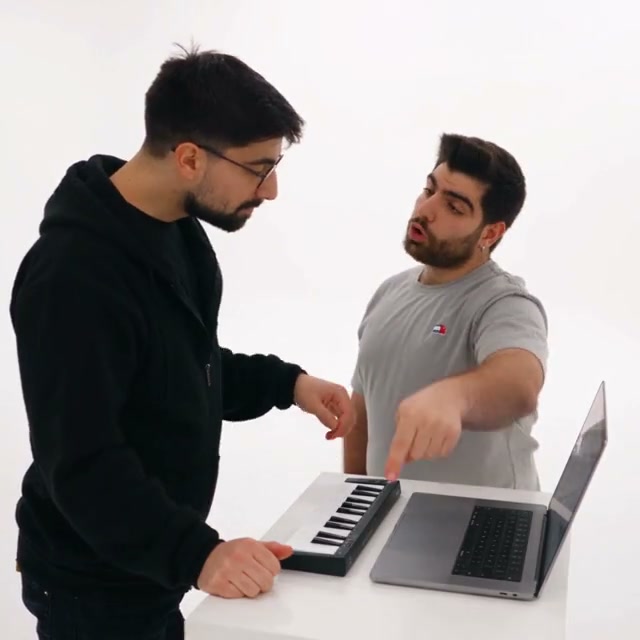
Join the performance without filming a duet
Alors on Danse AI takes your duo from keyboard gestures and exaggerated reactions to the close-up and final dance. The reference provides the white studio, instruments, camera movement and timing, so you do not need a keyboard, a shared filming location or a recording of the routine. Your photos choose the cast for that prepared performance.
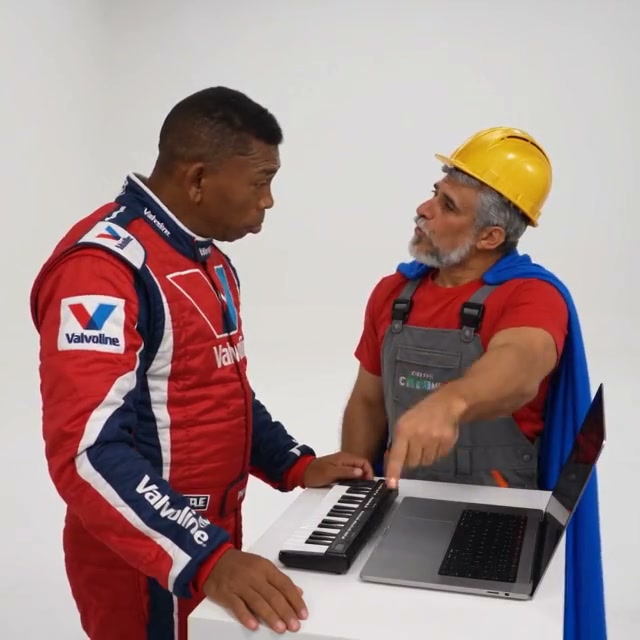
Get the complete duet with its original sound
Your Alors on Danse AI result follows the 30-second landscape performance and includes its original soundtrack. Preview both roles through the partner’s close-up and the final dance, then download the clip for your own AI duet post or a message to your co-star. No separate music upload or audio-editing timeline is needed.
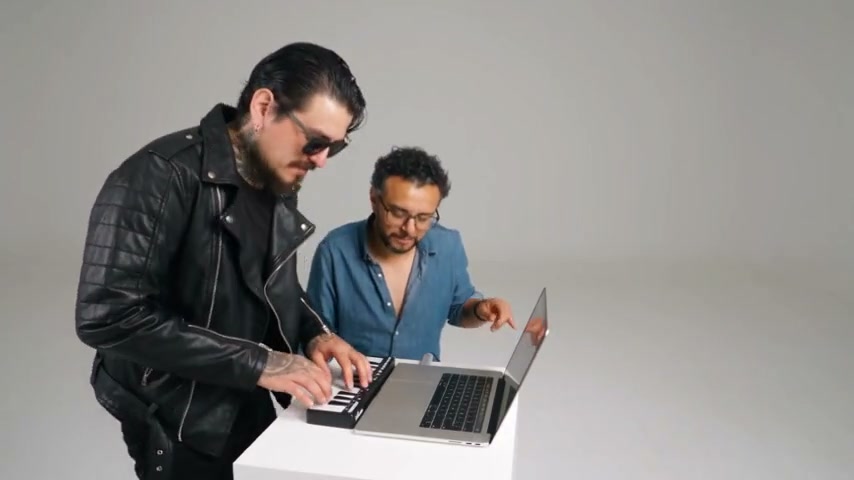
What Alors on Danse AI includes
Two photo roles keep the setup simple.
Full appearance and clothing
Each Alors on Danse AI image defines one performer’s complete look. The instructions keep both identities and roles consistent, including the partner’s close-up.
The original performance
Alors on Danse AI retains the white studio, table, keyboard and laptop. Gestures, expressions, lip movements and the final dance follow the reference.
30 seconds with original sound
Alors on Danse AI uses a 30-second landscape reference. Visual generation runs without new audio, then the original audio is restored.
Alors on Danse AI credits and plans
Generation requires an account and sufficient credits. The quote reflects the 30-second reference and selected resolution. Plan examples below may use different video lengths or models.
Starter
For your first ideas.
$8.3/month
$100.0 charged yearly
2,400 credits/year
Up to 400 images
GPT Image 2Nano Banana Pro
Up to 133 videos
Seedance 2.5Kling 3.0 Motion Control
- Up to 4K images and HD videos, depending on the model
- Image editing, video creation & motion transfer
- Watermark-free image & video downloads
- Generation history in your account
Popular40% OFFSave $238.8
Pro
For a steady creative flow.
$30.0/month$49.9/month
$360.0 charged yearly
21,600 credits/year
Up to 3,600 images
GPT Image 2Nano Banana Pro
Up to 1,200 videos
Seedance 2.5Kling 3.0 Motion Control
- Up to 4K images and HD videos, depending on the model
- Image editing, video creation & motion transfer
- Watermark-free image & video downloads
- Generation history in your account
- Use credits across image and video models
Best Value50% OFFSave $599.8
Business
For more creations, more often.
$49.9/month$99.9/month
$599.0 charged yearly
48,000 credits/year
Up to 8,000 images
GPT Image 2Nano Banana Pro
Up to 2,666 videos
Seedance 2.5Kling 3.0 Motion Control
- Up to 4K images and HD videos, depending on the model
- Image editing, video creation & motion transfer
- Watermark-free image & video downloads
- Generation history in your account
- Use credits across image and video models
Basic
$0Try before you subscribe
- 18 one-time signup credits
- Generation history included
- Watermarked previews & downloads
- Up to 3 images or 1 video
- Watermark-free downloads require payment
Prices in USD; taxes and total shown at checkout. Subscriptions renew automatically; cancel in Billing settings. Subscription credits expire each period; one-time credits never expire.
Refunds: request within 72 hours. Used purchased credits and applicable non-refundable processing costs (up to 6%) are deducted. Terms · Refund Policy
Alors on Danse AI questions
Choose the right photos and know what to expect from the duet.
How do I make the Alors on Danse AI video with two photos?
Upload one photo for the keyboard player and a second for the expressive partner beside the laptop. The tool uses their full appearances and clothing in the prepared studio performance. Review the credit quote and generate; you do not need to film together or write a prompt.
Who gets the close-up in Alors on Danse AI?
Photo 2 is the expressive partner who approaches the camera. Photo 1 remains the keyboard player. To reverse the casting, swap the two uploaded photos before submitting. The instructions keep these roles consistent throughout the performance.
Does Alors on Danse AI need two separate photos?
This preset requires two separate photo inputs, one person per image. It does not offer a mode that changes only one performer. Choose a clear photo for each role so the model can distinguish their appearances and clothing.
What photos work best for Alors on Danse AI?
Use sharp, well-lit photos with one unobstructed person in each. Show their hair and outfit, and include as much of the body as practical for the ending dance. Photo 2 also needs a clear view of the face for the close-up. Avoid group shots, heavy filters and hands covering facial features.
Will Alors on Danse AI follow the original gestures?
The prompt asks for the original gestures, expressions, lip movements, interactions, timing and camera work, with no role swaps or extra people. AI results can still vary. Review fingers at the keyboard, clothing details and the partner’s approach to the camera before sharing.
Does Alors on Danse AI include the original sound?
Yes. The tool generates the visuals without new audio, then restores the reference soundtrack. The preview starts muted; click to hear it. There is no music picker or voice-cloning option. If a completed result offers audio recovery, use that action without starting a new generation.
What format does Alors on Danse AI generate?
Your result follows the 30-second, 16:9 reference, with resolution options in Settings. Community examples have their own framing; open one to see the full video. They do not change your generation reference. This tool is configured for two people; the cat remix shows a broader community variation.
Is Alors on Danse AI free, and can I download the result?
You can watch the reference and examples without creating a paid task. Generating requires an account and enough credits for the displayed quote. Once complete, open the result in My creations to play and download it. Use photos you have permission to edit and check the audio rights for your intended use.
Cast your Alors on Danse AI duo
Choose a keyboard player and an expressive partner. Two photos bring both looks to the studio.