Create a video

Hotel Lobby performance
Left person
Right person

Hotel Lobby AI Video Generator

Turn two character photos into a Hotel Lobby AI duet. Add your left and right performers, use the ready-made motion template, and make the scene your own.

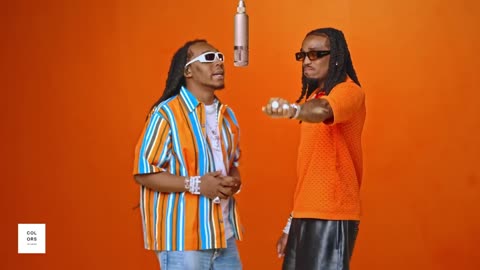
Two characters performing beneath a hanging microphone in the orange Hotel Lobby studio

What is Hotel Lobby AI?

Hotel Lobby AI recreates the two-person COLORS-style performance with characters from your photos. An orange studio, hanging microphone, and conversational gestures define the scene. Your two images supply the performers; a ready-made video provides the movement and camera reference. Start with two clear photos and explore your own version of the duet, without recording a performance yourself.

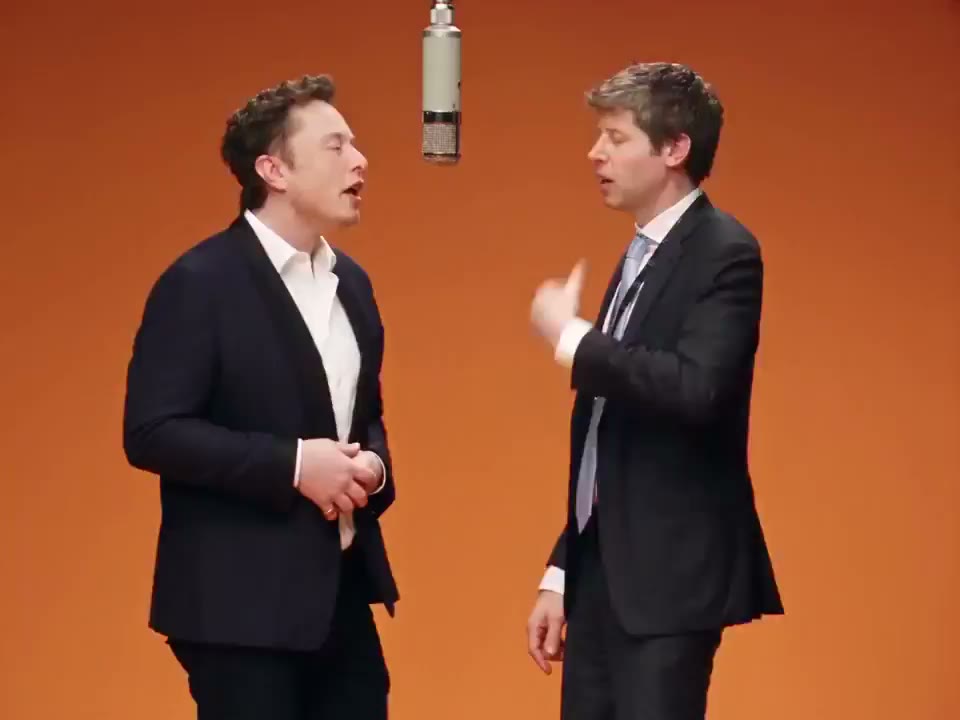
AI-generated Hotel Lobby duet example shared by Nate Herk, with two suited characters in an orange studio

How to make a Hotel Lobby AI video

The Hotel Lobby template is already selected. Bring your two photos and start from the performance shown above.

  1. STEP 1

    Preview the template

    Watch the Hotel Lobby AI example and check the reference clip. The default setup uses the full performance with a 23-second output. You can review the scene before adding any photos.

  2. STEP 2

    Upload both performers

    Add Photo 1 for the left performer, then Photo 2 for the right. Choose one person per image and check both previews. Replace a photo whenever you want to change that character.

  3. STEP 3

    Generate and review

    Adjust the settings, check the credit estimate, and sign in to generate. Your Hotel Lobby AI video appears under My creations, where you can play the result and access its download options.

Make the Hotel Lobby duet your own

Explore the performance, then choose a character for each side. These references show how appearance and motion work together in a Hotel Lobby AI video.

Two familiar faces, one recognizable performance

Create a playful duet with yourself and a friend, pair two original characters, or explore a new look for a recurring creative duo. Hotel Lobby AI starts from the same performance, so you can concentrate on casting instead of describing an entire scene. Watch the example to decide whether its gestures and studio setting suit your idea.
Two familiar faces, one recognizable performance

Choose the person on the left

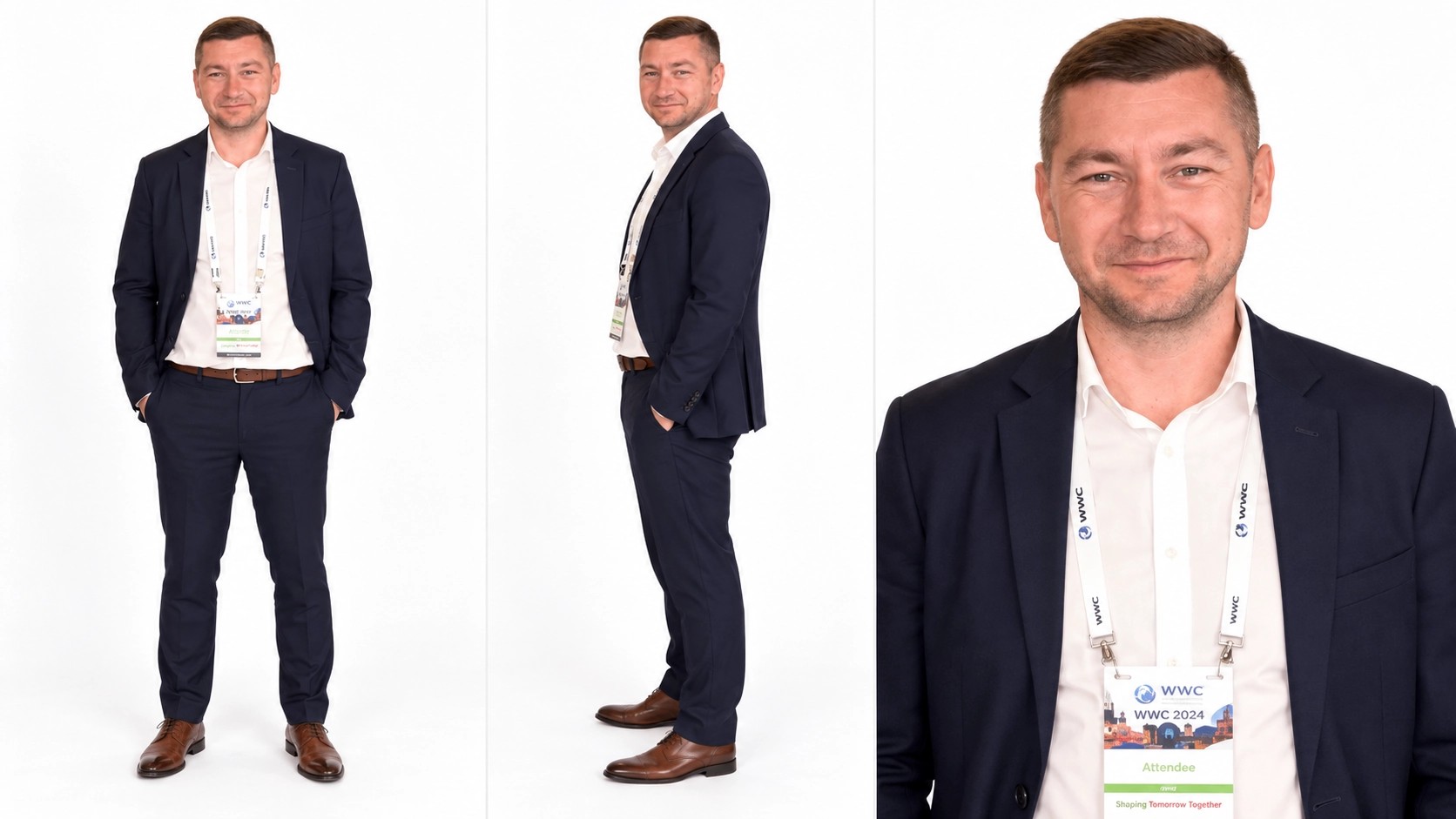
Photo 1 supplies the left performer in your Hotel Lobby AI video. Use a clear image of one person with a visible face, hairstyle, and outfit. A waist-up or full-body view provides more appearance detail for standing gestures than a tightly cropped face. The example character sheet shows useful appearance details, but a single photo is enough. Use Replace to try a different look while keeping the other performer in place.

Left character reference showing a navy suit, full-body view, and face detail

Give the duet a second character

Photo 2 supplies the right performer. Choose a separate image so Hotel Lobby AI has a clear appearance reference for each role. Distinct outfits and unobstructed faces make the pair easier to tell apart when you review the result. Different photo backgrounds are fine: the template provides the studio setting. Check both previews before generating, especially with similarly dressed characters.

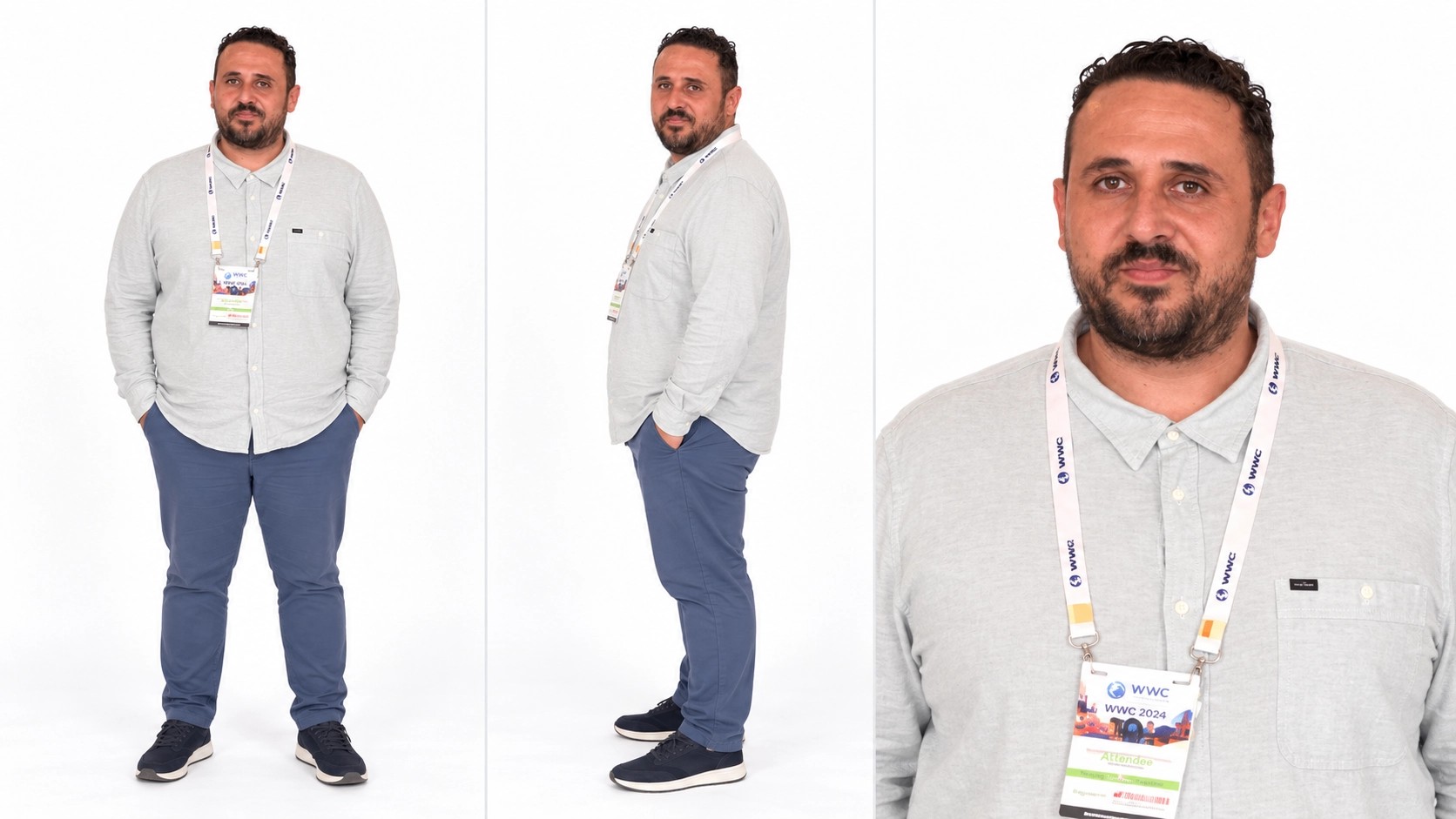
Right character reference showing a light gray shirt and several views

Why create with Hotel Lobby AI?

Hotel Lobby AI brings the performance reference, character photos, and output choices together in one workspace.

Skip the scene setup

The performance is ready when you arrive. Hotel Lobby AI gives you a starting composition, movement reference, and prompt, so you can spend your time choosing the people and appearance you want to explore.

Cast each role separately

Two labeled photo slots keep the casting clear. Try different pairs or change one outfit without replacing both images. Your Hotel Lobby AI setup stays easy to review before you spend credits on a generation.

Keep creative control

Choose a clear photo for each performer; the performance instructions are prepared for you. Duration, resolution, and sound remain available in Settings. Review the current estimate before generating each Hotel Lobby AI variation.

Fine-tune your Hotel Lobby AI video

Use the default setup for a first attempt, or adjust the choices that matter to your final clip.

Ready-made performance instructions

Hotel Lobby AI prepares the role and motion instructions automatically. Add a person to each labeled slot and check the previews. You can concentrate on the photos without writing a prompt or describing the studio performance yourself.

Choose your output length

Seedance 2.5 offers output lengths from 4 to 30 seconds. Hotel Lobby AI starts at 23 seconds. A shorter output may cover fewer gestures; review the whole clip before choosing a final take.

Select the resolution

Choose 480p, 720p, or 1080p for your Hotel Lobby AI output. Higher resolution changes the credit estimate and file detail. It does not guarantee a closer identity or movement match.

Control the sound option

Sound starts off. Turn it on in Settings if you want audio generation with your Hotel Lobby AI video. The option does not guarantee the reference recording or exact mouth synchronization.

Compare before you submit

Check both photo previews and review the template while preparing your Hotel Lobby AI scene. Uploading a file never starts a generation; you decide when the setup is ready.

Review your creations

Switch from Examples to My creations to follow your job and play a completed Hotel Lobby AI video. Check both characters across the clip before downloading or deciding to try another pair.

Plans for your Hotel Lobby AI creations

Choose a plan for your wider video projects and use the estimate beside Generate for this specific Hotel Lobby AI clip. Example video counts below use the model and settings named on each card; a two-person reference-video job can cost more.

Pro yearly: 40% OFF · Save $238.80

Starter

For your first ideas.

$8.33/month

$100.00 billed yearly

2,400 credits/year

Up to 240 videos

Grok Imagine Video · 6s output · 480p

Seedance 2.5Kling 3.0 Motion Control

What you get

  • 2,400 credits upfront (valid 1 year)
  • Up to 1080p, depending on the model
  • Kling, Wan, Seedance & MiniMax video models
  • One character photo and one motion video
  • Generation history in your account
Recommended40% OFF

Pro

For a steady creative flow.

$30.00/month$49.90/month

$360.00 billed yearly · Save $238.80

21,600 credits/year

Up to 2,160 videos

Grok Imagine Video · 6s output · 480p

Seedance 2.5Kling 3.0 Motion Control

What you get

  • 21,600 credits upfront (valid 1 year)
  • Up to 1080p, depending on the model
  • Kling, Wan, Seedance & MiniMax video models
  • One character photo and one motion video
  • Generation history in your account
  • Download completed videos
Best Value

Business

For more videos, more often.

$49.92/month

$599.00 billed yearly

36,000 credits/year

Up to 3,600 videos

Grok Imagine Video · 6s output · 480p

Seedance 2.5Kling 3.0 Motion Control

What you get

  • 36,000 credits upfront (valid 1 year)
  • Up to 1080p, depending on the model
  • Kling, Wan, Seedance & MiniMax video models
  • One character photo and one motion video
  • Generation history in your account
  • Download completed videos

Basic

Explore the workflow before upgrading

$0

  • One-time signup gift credits
  • Upload one portrait and one reference video
  • Adjust settings before signing in

Prices in USD; taxes and total shown at checkout. Subscriptions renew automatically; cancel in Billing settings. Subscription credits expire each period; one-time credits never expire. Terms · Refund Policy.

Hotel Lobby AI questions

Photo requirements, creative options, and what to expect from your first duet.

How many photos does Hotel Lobby AI need?

Upload two separate photos, with one person in each. Photo 1 is the left performer and Photo 2 is the right performer. A group photo makes the intended identity less clear. Choose your own images in both upload slots.

Which photos work best for Hotel Lobby AI?

Choose sharp, well-lit photos with a clearly visible face and enough of the body to show the outfit. Avoid heavy face obstruction, extreme crops, and multiple people in one image. Full-body and waist-up photos are useful for this standing performance. Use images you have permission to upload and transform.

Can I replace one Hotel Lobby AI performer?

Yes. Use Replace beside the photo you want to change. The other photo stays selected. To clear both slots, remove Photo 2 first, then Photo 1. Check the new preview before generating another Hotel Lobby AI variation.

Do I need to upload a Hotel Lobby AI reference video?

The page loads the performance reference for you. Wait for it to appear in the video slot, then add your two photos. You can inspect the clip before generating. If you return through a saved draft, its existing inputs take priority, so check the restored reference and photos before continuing.

Will Hotel Lobby AI preserve both faces exactly?

Identity consistency varies with the photos and the generated result. The prompt asks for two distinct performers, but faces, clothing, hands, or positions can drift during movement. Review the beginning, middle, and end, especially moments when the performers overlap. A clearer reference or another attempt may help; exact matching is not guaranteed.

Does Hotel Lobby AI include the reference soundtrack?

The default setup has sound off. Enabling Sound uses the selected model’s audio option, without promising the original recording or precise mouth synchronization. Preview the audio and video together before sharing. If you add music in an editor afterward, use audio you have permission to include.

Can I change Hotel Lobby AI length and quality?

Yes. Open Settings to choose a supported duration and resolution. The page starts with Seedance 2.5, 23 seconds, and 480p. A different length may change how much of the performance fits into the result. Review the updated credit estimate before submitting your Hotel Lobby AI job.

Is Hotel Lobby AI free to use?

You can explore the page and prepare your inputs before signing in. Video generation requires an account and sufficient credits. Check your available balance and the estimate beside Generate; the current plans are listed above. A longer or higher-resolution clip can require more credits than a shorter output.

Where can I download my Hotel Lobby AI video?

Open My creations and wait for the job to complete. Play the video to check both performers, then use the result’s available download controls. Download versions and any watermark follow your account’s current entitlements. Available jobs also appear in your video history.

How is this different from a general AI video generator?

Hotel Lobby AI starts with a specific two-person performance and an orange studio setting. Use it when you want to recast that duet. The AI video generator is a better starting point for an original scene described in text or built from an image. The Motion Transfer home offers other motion templates.

Your next duet starts with two photos

Choose your cast and create a Hotel Lobby AI performance with the ready-made template.

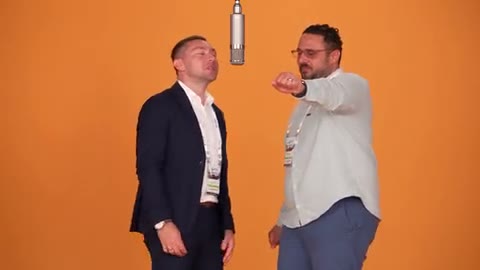
Example of a two-character Hotel Lobby AI duet in an orange studio