Create a video

ModelSeedance 2.5 Edit

Configured for this template

Gas station dance reference · 17.7s

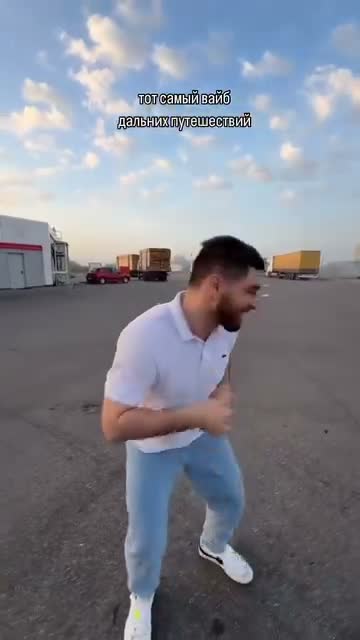
Opening dancer · Photo 1
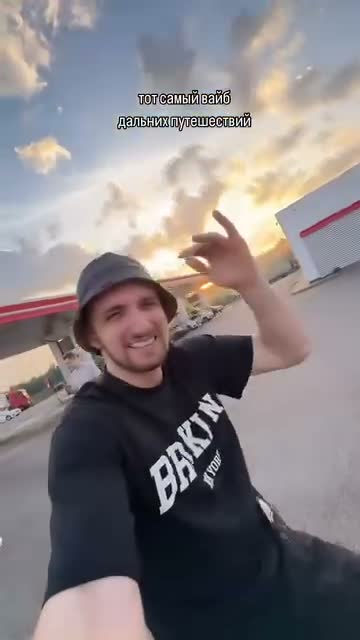
Selfie operator · Photo 2
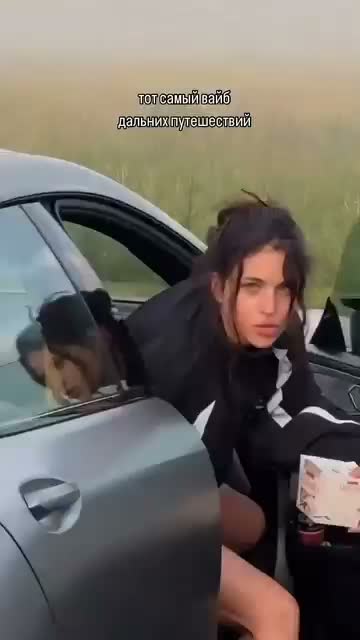
Car-side performer · Photo 3

Gas Station Dance AI Generator

Make a gas station dance AI video with three character photos. Photo 1 is the opening dancer, Photo 2 is the selfie operator who comes back at the end, and Photo 3 is the performer beside the car.

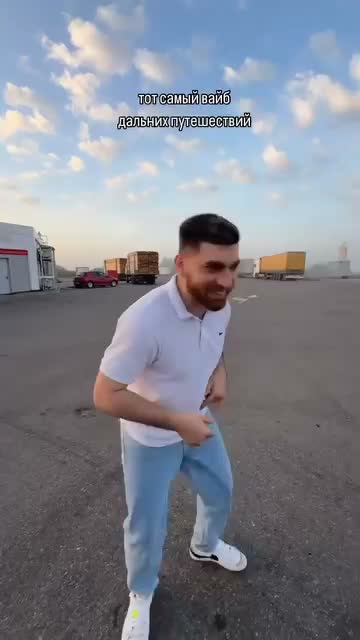
Opening dancer in a light shirt on a gas-station lot in the supplied vertical source clip

What is gas station dance AI?

Gas station dance AI puts your cast into a vertical dance in a fuel-station lot. The camera moves from an opening dancer to a selfie, turns toward a third person at a car, then returns to the selfie operator. Upload one photo per role; no filming is needed. The gas station dance AI template includes the reference performance and soundtrack. This preview shows the supplied source, not a result generated on our site.

Supplied gas-station source with a performer beside an open car door and the original caption still visible

Make a gas station dance AI video in three steps

The video and the role order are fixed. You bring three photos and confirm them before generating.

  1. STEP 1

    Upload the three photos in order

    Add three gas station dance AI reference photos: Photo 1 for the opening dancer, Photo 2 for the selfie operator, and Photo 3 for the person at the car.

  2. STEP 2

    Check the preview and the quote

    Play the reference, confirm the photo order, and read the estimate beside Generate. Changing a setting does not start a job.

  3. STEP 3

    Generate and review the download

    Sign in to make your gas station dance AI video. Find it in My creations and review the opening, both selfies, and the car-side scene before downloading.

Cast your gas station dance AI video

The performance is already loaded. Match each photo to the person it replaces, then read the estimate.

The lot, the cars, and the camera stay

Your gas station dance AI video follows the reference choreography, camera turns, and timing, with the same setting and original soundtrack. Your three photos guide the cast and their outfits. The roughly 18-second vertical format suits a dance remix with friends or original characters. Check each person as the camera turns: faces, clothes, and contact with the car can vary in a generated result.
Motion reference · about 17.7 seconds

Photo 1 is the opening dancer

Photo 1 replaces the opening dancer in a light shirt, pale jeans, and white shoes. For your gas station dance AI edit, choose one clearly visible person with their intended outfit. A full-body photo shows trousers and shoes that a headshot leaves out. Use even light and an unobstructed face. The nearby frame identifies the source role; upload your own authorized character image.

Source frame marking the opening dancer on the gas-station lot, with the original caption left in place
Photo 1 · opening dancer · source position, not an upload sample

Photo 2 returns with the camera

Photo 2 replaces the camera operator in both selfie appearances, including the ending. In the source this person wears a dark T-shirt and bucket hat. Choose a readable face, visible hairstyle, and the upper-body outfit you want; avoid sunglasses or heavy filters. Gas station dance AI uses Photo 2 for both appearances. Review the first and last selfie together for changes in the face, hair, or collar.

Source selfie of the camera operator in a dark shirt and bucket hat, caption still visible
Photo 2 · selfie operator · appears twice

Photo 3 is beside the car

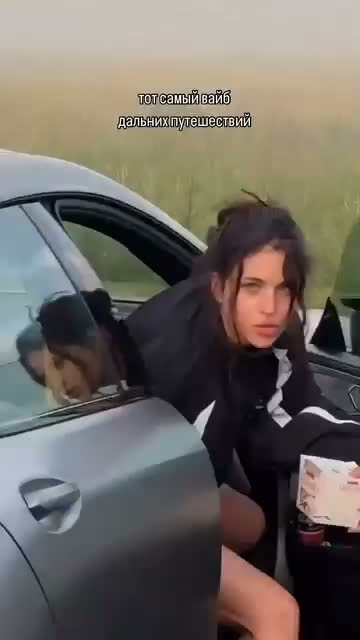
Photo 3 replaces the car-side performer in your gas station dance AI video, including the lean against the open door. Choose a single-person image with a clear outfit and silhouette; you do not need a matching background. Keep this photo in the third slot. Check hands, feet, and garment edges where the performer touches the door or turns out of view, as those details can drift.

Source frame of the car-side performer leaning at an open door, original caption still visible
Photo 3 · car-side performer · source position, not an upload sample

Your cast, one familiar performance

Gas station dance AI gives three friends or original characters a turn in the same clip. Choose a cast whose outfits and silhouettes are easy to tell apart.

The return stays with Photo 2

The gas station dance AI template assigns both selfie appearances to the same photo. Choose one character for the camera operator; no fourth image is needed for the ending.

Clothes come from your photos

Style your gas station dance AI cast with the clothes shown in their photos. Use coordinated colors for a group look or contrasting outfits to make each role easy to follow.

Limits are stated before you pay

Check the credit estimate before starting your gas station dance AI edit. Each new generation uses credits; changing a photo alone does not submit a job.

Gas station dance AI options

You choose the cast and the export size. The performance and the role order stay fixed.

Fixed role mapping

Keep the gas station dance AI photo order when replacing a cast member: opening dancer, selfie operator, then car-side performer.

Resolution

Export your gas station dance AI video at 480p, 720p, or 1080p. Higher resolution changes the estimate; the low-resolution reference still limits fine detail.

Sound

Your gas station dance AI video includes the reference soundtrack. Listen to the finished clip before sharing, and use music only where you have permission.

Before you spend credits

Review the reference, all three photo previews, and the current estimate. Uploading photos does not start a generation.

Gas station dance AI pricing

Check your gas station dance AI estimate beside Generate. Plan video counts below cover different models and settings; this clip may cost more.

Starter

For your first ideas.

$8.3/month

$100.0 charged yearly

2,400 credits/year

Up to 600 images

GPT Image 2Nano Banana Pro

Up to 240 videos

Seedance 2.5Kling 3.0 Motion Control
  • Up to 4K images and HD videos, depending on the model
  • Image editing, video creation & motion transfer
  • Watermark-free image & video downloads
  • Generation history in your account
Popular40% OFFSave $238.8

Pro

For a steady creative flow.

$30.0/month$49.9/month

$360.0 charged yearly

21,600 credits/year

Up to 5,400 images

GPT Image 2Nano Banana Pro

Up to 2,160 videos

Seedance 2.5Kling 3.0 Motion Control
  • Up to 4K images and HD videos, depending on the model
  • Image editing, video creation & motion transfer
  • Watermark-free image & video downloads
  • Generation history in your account
  • Use credits across image and video models
Best Value50% OFFSave $599.8

Business

For more creations, more often.

$49.9/month$99.9/month

$599.0 charged yearly

48,000 credits/year

Up to 12,000 images

GPT Image 2Nano Banana Pro

Up to 4,800 videos

Seedance 2.5Kling 3.0 Motion Control
  • Up to 4K images and HD videos, depending on the model
  • Image editing, video creation & motion transfer
  • Watermark-free image & video downloads
  • Generation history in your account
  • Use credits across image and video models

Basic

$0

Try before you subscribe

  • 18 one-time signup credits
  • Generation history included
  • Watermarked previews & downloads
  • Up to 4 images or 1 video
  • Watermark-free downloads require payment

Prices in USD; taxes and total shown at checkout. Subscriptions renew automatically; cancel in Billing settings. Subscription credits expire each period; one-time credits never expire. Refund requests: within 72 hours. Eligible refunds deduct used purchased credits and, where permitted, actual non-returned processing fees. Processing fees are capped at 6% of the original purchase amount, excluding separately charged taxes. Terms · Refund Policy.

Gas station dance AI questions

Photo order, outfits, sound, credits, and sharing.

How many photos does gas station dance AI need?

Upload three separate photos, one per role. Fill all three slots and wait for the reference to load. You also need to sign in and have enough credits. No fourth photo is required.

Who does Photo 2 replace?

In gas station dance AI, Photo 2 replaces the camera operator in the selfie and again when the clip returns to that person at the end. Use one photo for both appearances. Do not assign the ending to Photo 1 or Photo 3.

Will gas station dance AI keep my outfits?

Your photos guide each character’s face, hair, build, clothing, and accessories. Show the whole outfit where possible, including trousers and shoes. Clothing is not guaranteed to match exactly: garments can shift during a turn or the lean against the car.

Can I choose 15 or 20 seconds?

The gas station dance AI template follows the full reference: about 17.7 seconds in a vertical frame. This page has no separate length selector. You can trim a downloaded result in your own editor if you need a shorter clip.

Does gas station dance AI include music?

Yes, the result uses the original reference soundtrack. Page previews start muted, so turn on the player’s sound to listen. If a finished clip is missing sound, open My creations and use its audio retry option. Publish the music only where you have permission.

Why does the gas station dance AI preview look soft?

The original video is low resolution at 360×640, so the preview can look soft on a large screen. Choosing a larger export does not guarantee sharper source detail. The reference also contains an existing caption; this template does not offer a caption-removal control.

Are the stills examples of photos I should upload?

The gas station dance AI stills identify the three roles in the original video. They are source frames, not upload samples or results generated on this site. Bring your own authorized photos: clear faces, visible clothing, and one person per image.

Is gas station dance AI free to try?

Watching the reference and preparing photos is free. Generating requires an account and enough credits for the estimate beside Generate. Check that amount before buying; signup credits may not cover this clip.

Whose photos and audio can I use?

For gas station dance AI, use yourself, a consenting adult, or a character you have permission to transform. Do not impersonate someone or upload a private person’s photo without consent. Access to this template does not grant rights to publish the source performance or music; check those permissions before sharing.

How is this different from Raindance or Hotel Lobby?

Gas station dance AI has three roles and a returning selfie in a vertical parking-lot performance. Raindance and Hotel Lobby each recast two performers in a different setting. Choose the clip whose movement suits your idea, or use the AI video generator for a new scene.

Start your gas station dance AI edit

Choose your opening dancer, returning selfie character, and car-side performer. Upload three photos to begin.

Vertical gas-station dance reference with the opening dancer full length in frame