
Talk Dirty Dance AI Video Generator
Take the lead in the stage performance. Talk Dirty Dance AI uses one full-person photo for your appearance and outfit, with colorful backup dancers, fire columns and the reference sound.
0:00 / —:—
Talk Dirty Dance AI video ideas
Explore community remixes of this performance. Open a video for a closer look.
Third-party AI remake
What is Talk Dirty Dance AI?
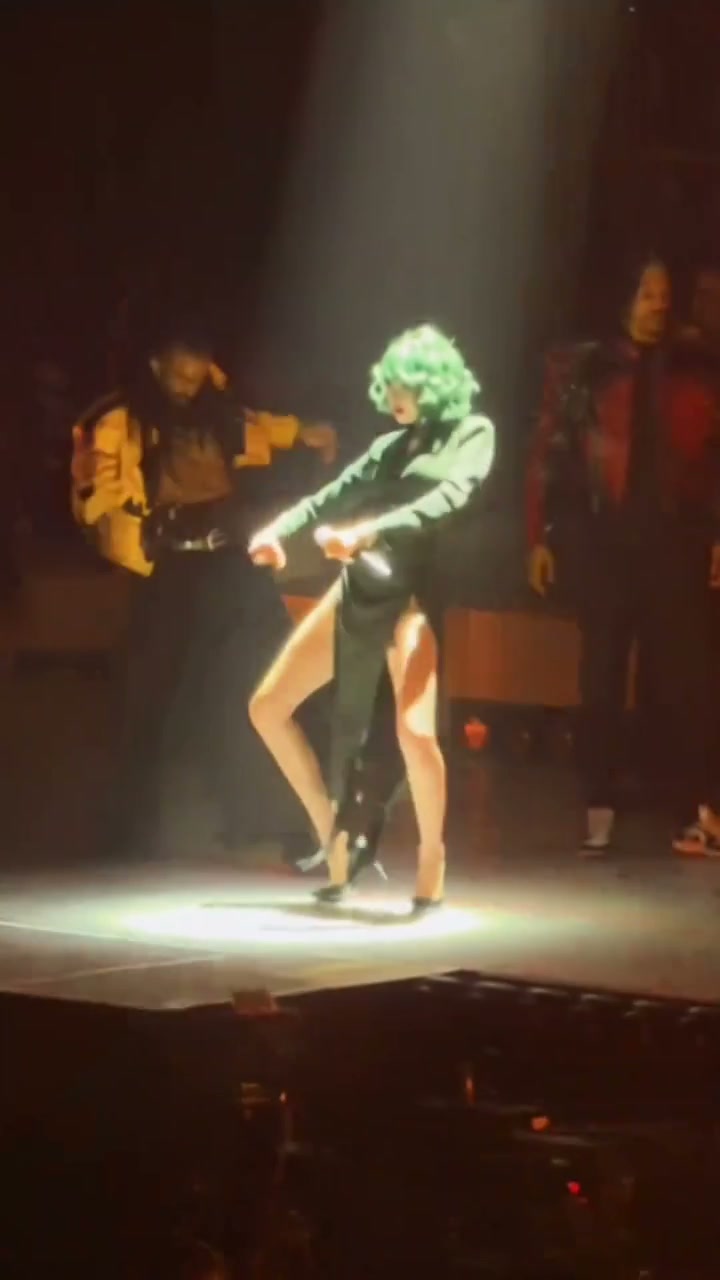
Talk Dirty Dance AI is a concert-stage dance built around a central lead, colorful backup performers, moving spotlights and bursts of flame. The lead follows coordinated steps, arm gestures and a forward-leaning rhythm while the supporting cast fills the stage. On Motion Transfer, you upload one full-person photo to replace the central dancer's complete appearance and outfit. Talk Dirty Dance AI produces a fifteen-second portrait video using the prepared choreography, camera movement and reference audio. The photograph chooses the lead; the stage and surrounding performers come from the fixed reference.
How to create a Talk Dirty Dance AI video
Choose the lead, review the prepared performance and generate.
STEP 1
Choose your Talk Dirty Dance AI lead
Upload one clear, full-person photo showing the face, hairstyle, outfit and shoes. Use a photo you have permission to use.
STEP 2
Generate the Talk Dirty Dance AI performance
Preview the reference, choose a resolution in Settings, check the credit quote and sign in to submit.
STEP 3
Review your Talk Dirty Dance AI video
Open My creations, check the lead's movement and appearance with sound, then download your finished clip.
What you can make with Talk Dirty Dance AI
The videos shown are third-party demonstrations and AI remakes. The two showcase examples are silent; the generation reference includes audio.
Make the Talk Dirty Dance AI lead your own
Put your own look at the center of a concert-style performance without assembling a cast or filming on a stage. Talk Dirty Dance AI uses the person in your image, including their hair, body and clothing, so you can choose the character of the entrance before generating. The lead remains the focus within the group formation. Use Talk Dirty Dance AI for a personal introduction, a playful birthday message or a character edit where the chosen person's appearance carries the idea.
Follow the group rhythm with Talk Dirty Dance AI
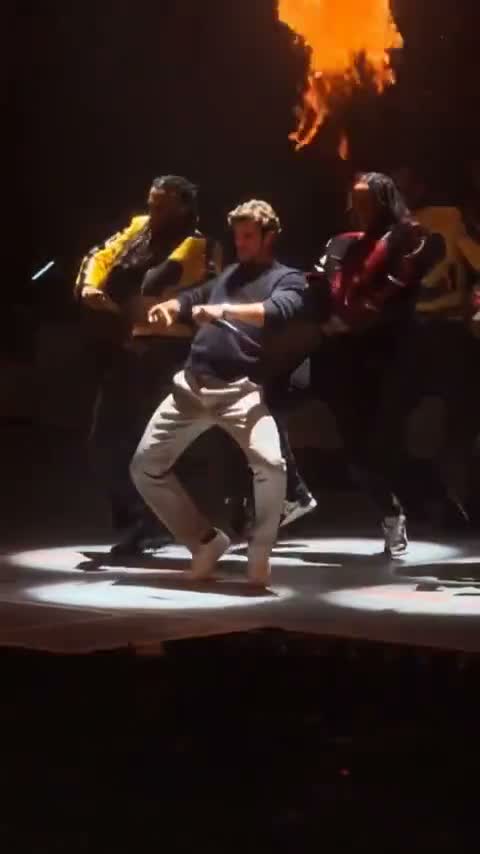
Create a moving dance sequence without recording yourself performing the routine. Talk Dirty Dance AI follows the reference's steps, upper-body gestures and changes of posture while the backup dancers maintain the stage context. You supply the person image, and the prepared video supplies the movement to follow. Preview the full Talk Dirty Dance AI sequence to decide whether its pace and confident delivery suit your intended character. The page keeps this particular routine, so there is no need to pick or arrange individual dance moves.
Give your short video a concert-stage setting
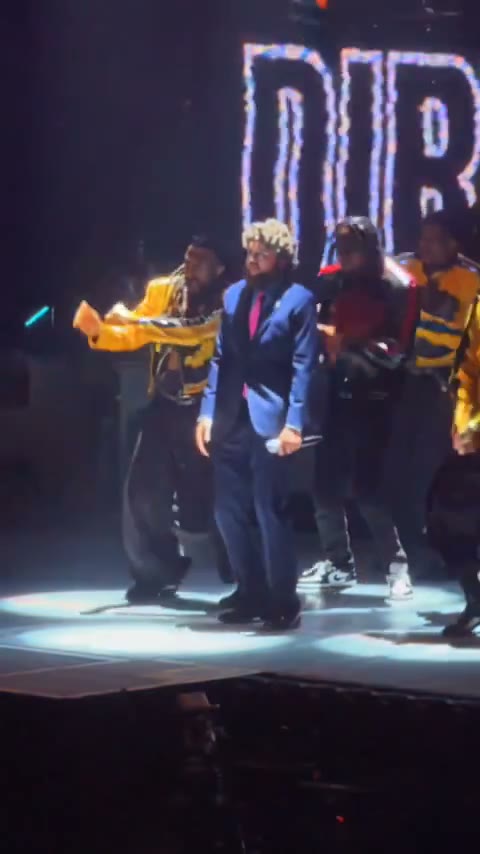
Turn a personal reveal into a compact performance with a supporting cast, spotlights and fire columns already in the scene. Talk Dirty Dance AI keeps the supplied audio with the finished video, allowing the dance and sound to play together. The fifteen-second portrait format can work as a standalone greeting or as the energetic opening of a longer edit. Review your Talk Dirty Dance AI result before sharing, then add any permitted caption or other finishing touches in your usual editor.
Is Talk Dirty Dance AI right for your video?
Choose the stage routine when you want one personal lead within an existing group performance.
One photo controls the central role
Talk Dirty Dance AI maps your image to the lead dancer. The supporting performers stay in the prepared scene, so you do not need separate photos for the backup dancers or band.
Your complete look follows the routine
Choose clothing and hairstyle in the source photo. Talk Dirty Dance AI uses that complete appearance through the dance; the page has no separate wardrobe, hair-color or accessory selector.
A fixed scene with a clear duration
The reference provides a fifteen-second portrait performance with stage lights and fire effects. Talk Dirty Dance AI keeps its composition and sound while Settings offers the available output resolutions.
Talk Dirty Dance AI credits and plans
Sign in with enough credits to generate. Check the workspace quote for this reference and resolution; general plan examples may use other models or durations.
Starter
For your first ideas.
$8.3/month
$100.0 charged yearly
2,400 credits/year
Up to 400 images
GPT Image 2Nano Banana Pro
Up to 133 videos
Seedance 2.5Kling 3.0 Motion Control
- Up to 4K images and HD videos, depending on the model
- Image editing, video creation & motion transfer
- Watermark-free image & video downloads
- Generation history in your account
Popular40% OFFSave $238.8
Pro
For a steady creative flow.
$30.0/month$49.9/month
$360.0 charged yearly
21,600 credits/year
Up to 3,600 images
GPT Image 2Nano Banana Pro
Up to 1,200 videos
Seedance 2.5Kling 3.0 Motion Control
- Up to 4K images and HD videos, depending on the model
- Image editing, video creation & motion transfer
- Watermark-free image & video downloads
- Generation history in your account
- Use credits across image and video models
Best Value50% OFFSave $599.8
Business
For more creations, more often.
$49.9/month$99.9/month
$599.0 charged yearly
48,000 credits/year
Up to 8,000 images
GPT Image 2Nano Banana Pro
Up to 2,666 videos
Seedance 2.5Kling 3.0 Motion Control
- Up to 4K images and HD videos, depending on the model
- Image editing, video creation & motion transfer
- Watermark-free image & video downloads
- Generation history in your account
- Use credits across image and video models
Basic
$0Try before you subscribe
- 18 one-time signup credits
- Generation history included
- Watermarked previews & downloads
- Up to 3 images or 1 video
- Watermark-free downloads require payment
Prices in USD; taxes and total shown at checkout. Subscriptions renew automatically; cancel in Billing settings. Subscription credits expire each period; one-time credits never expire.
Refunds: request within 72 hours. Used purchased credits and applicable non-refundable processing costs (up to 6%) are deducted. Terms · Refund Policy
Talk Dirty Dance AI questions
Photo preparation, the stage roles, sound and your finished video.
What photo works best for Talk Dirty Dance AI?
Use one sharp full-person photo showing the face, hairstyle, outfit and shoes. Talk Dirty Dance AI needs one identifiable lead; avoid collages, group shots and heavy blur.
Does Talk Dirty Dance AI change the complete outfit?
Your photo supplies the lead's face, hairstyle, body and clothing, including shoes and visible accessories. The green hair and black outfit in the reference belong to its current lead and do not define your required look. Fine fabric patterns, jewelry and fingers can vary during motion; choose an image with clear, readable details.
Can Talk Dirty Dance AI replace the backup dancers too?
The photo controls only the central lead. The colorful-jacket dancers and band stay in the reference scene. To control more people, choose a template with the corresponding photo roles.
Do I need to dance or upload a video for Talk Dirty Dance AI?
You only upload the person photo. The prepared video supplies the steps, gestures and camera movement. Preview it to check whether the fixed routine suits your idea.
Does Talk Dirty Dance AI include the reference sound?
Yes. The generated result uses the audio from the fixed reference. Your image does not create a new voice or song, and there are no lyrics or music-composition controls. Turn on the reference player's sound to hear the supplied track. The two third-party showcase videos are silent and only demonstrate the visual performance.
Can I remove the fire columns in Talk Dirty Dance AI?
The stage, lighting, supporting cast and fire columns belong to the prepared reference. This page has no separate background or effects controls. Use the preview to assess the entire setting before generating. For a different permitted video and scene, the Motion Transfer homepage offers a workflow using your own motion reference.
How long is a Talk Dirty Dance AI video?
The fixed reference lasts fifteen seconds in portrait format. Its duration and framing carry through the prepared performance, while output resolution is selectable in Settings. A higher resolution changes the requested output size; it does not add dance moves, extend the clip or recover details absent from your source photo.
How much does Talk Dirty Dance AI cost?
Sign in with enough credits for the quote shown on Generate. The quote reflects your selected resolution and this reference; general plan examples may use different models or durations.
What should I check in a Talk Dirty Dance AI result?
Watch the lead from the opening steps through the group movement and later forward-leaning poses. Check that their identity and clothing remain coherent, feet meet the stage naturally, and hands stay separate from nearby performers. Review the fire-column moments for visual overlap, then play the complete video with sound before downloading.
Were the Talk Dirty Dance AI examples generated on Motion Transfer?
The videos are third-party demonstrations and AI remakes. The green-haired version is the motion reference; the other clips illustrate the routine. They are not verified results generated on Motion Transfer.
Create your Talk Dirty Dance AI video
Choose your lead and bring their look to the stage.