
Migos Carpool AI Video Generator
Put your four-person crew into a Migos Carpool AI singalong. Choose the driver, front passenger and both rear-seat characters; their complete looks and outfits follow the prepared car performance and original soundtrack. Preview the source clip below.
0:00 / —:—
Migos Carpool AI video ideas
Explore community remixes of this performance. Open a video for a closer look.
Make it a themed singalong
What is Migos Carpool AI?
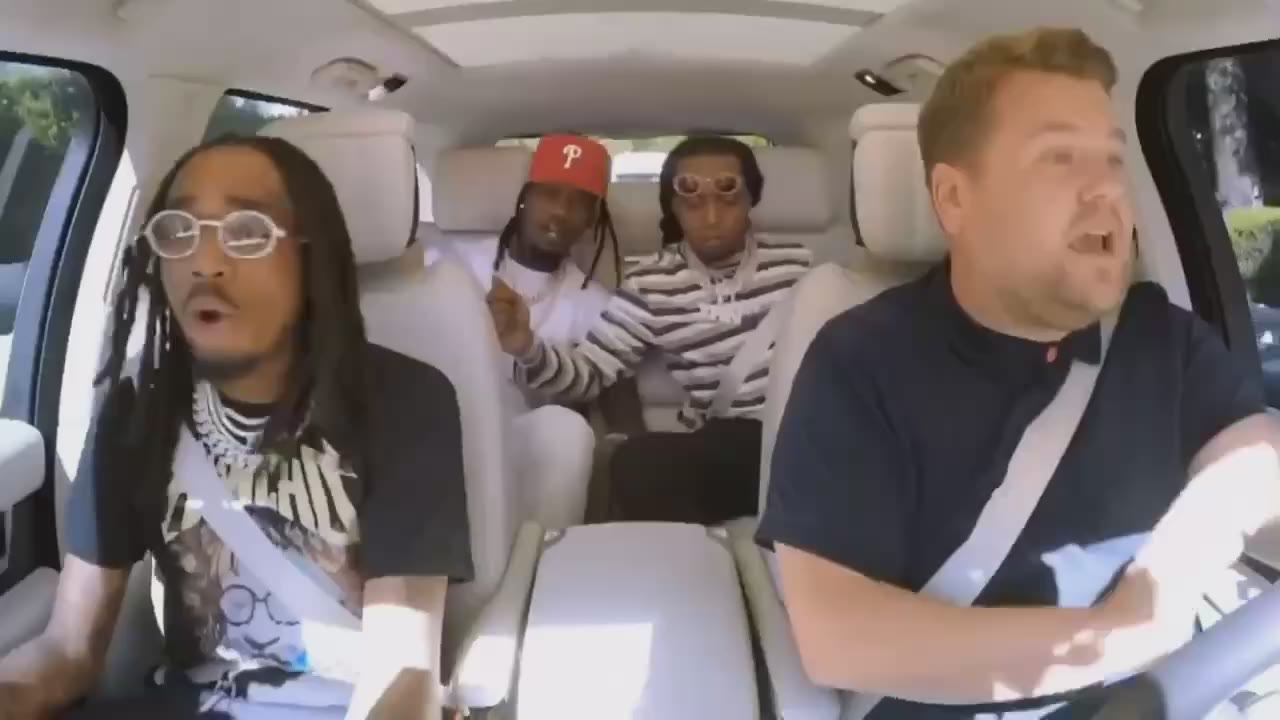
Migos Carpool AI turns four separate character photos into a prepared in-car singalong. Photo 1 replaces the driver, Photo 2 the front passenger, Photo 3 the rear passenger originally wearing a red cap, and Photo 4 the rear passenger originally wearing a striped top. Each upload contributes the complete appearance and outfit. Migos Carpool AI follows the roughly 20-second landscape reference, including head bobs, hand gestures, visible lip movements and cuts between cabin views. The car interior, seat belts, windows, daylight and original audio remain part of the requested scene. This four-seat carpool performance has its own setup, separate from the Hotel Lobby dance.
How to make a Migos Carpool AI video
Assign four seat photos, preview the original performance and review every character.
STEP 1
Cast the driver and three passengers
Migos Carpool AI requires four separate photos. Photo 1 is the driver, Photo 2 the front passenger, Photo 3 the rear red-cap role, and Photo 4 the rear striped-top role. Choose one adult character per image, with a clear face and the clothing you want in the scene.
STEP 2
Play the reference and check the quote
Preview the Migos Carpool AI performance with sound. Open Settings for available resolution choices, then check the quote on Generate. Sign in and confirm your account has enough credits before submitting.
STEP 3
Review the seats and close-ups
Find the completed Migos Carpool AI video in My creations. Check all four seat identities across cuts, the front passenger’s hands and face, the driver’s seat belt and the two rear characters. Play the soundtrack and download your result. A new submission creates a separate generation and uses credits.
Four seats, four parts in the same performance
Migos Carpool AI gives each character a fixed seat while the reference cuts between the wider cabin and closer passenger views.
Choose a place for everyone in your crew
Migos Carpool AI gives four friends or original characters a role in the same car, with no group photograph or driving footage to record. You decide who sits behind the wheel, who gets the front-passenger moments, and who reacts from each rear seat. Migos Carpool AI requests hair, proportions, clothing and accessories from the uploaded references. The red cap and striped top help identify the two original rear roles; your own cast can wear different outfits. Assign each photo before submitting so the intended character stays in the same seat through every camera cut.
Keep each character’s part through the cuts
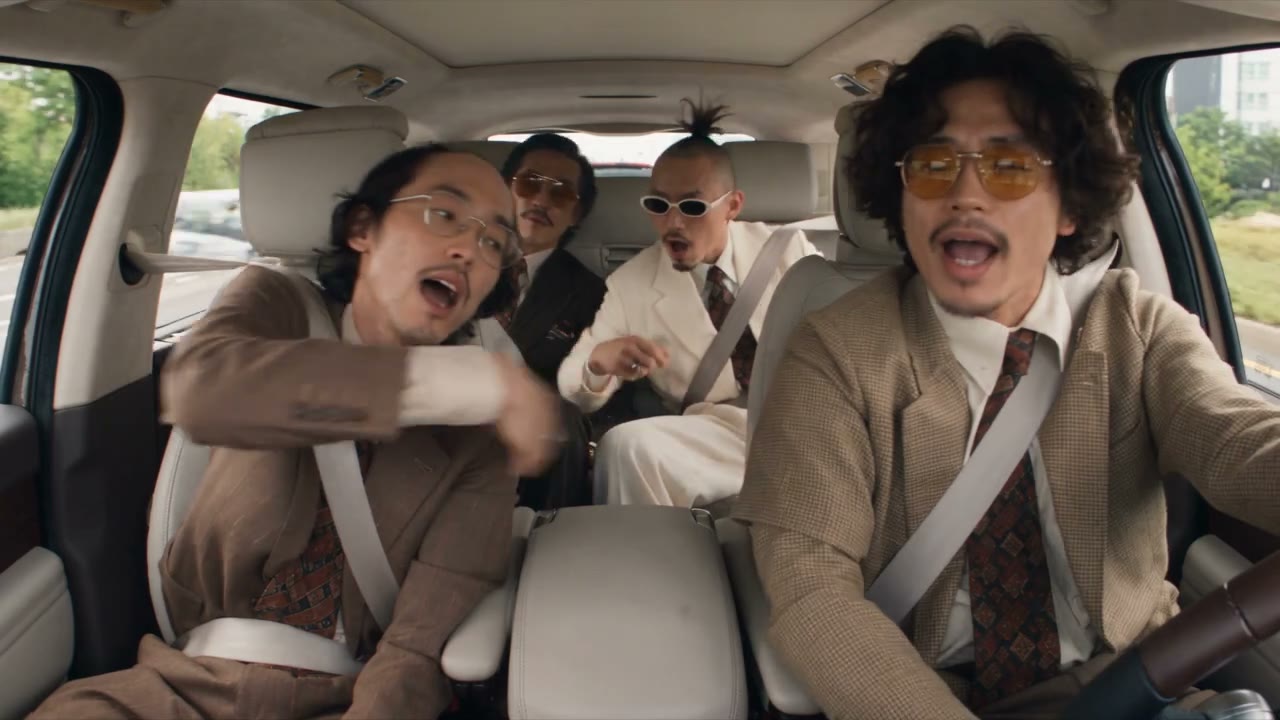
The interplay gives Migos Carpool AI its appeal: the driver joins in, the front passenger gestures toward the camera, and both rear passengers remain part of the performance. Closer shots change who gets attention without changing the seat assignments. Migos Carpool AI follows the individual head movements, hand gestures and lip motion from the supplied clip. Check both the wide views and the close-ups in your result. A recognizable face in the opening shot is only one checkpoint; clothing, hair and seat identity should also remain consistent when the camera returns to that person.
Bring the car singalong into a group remix
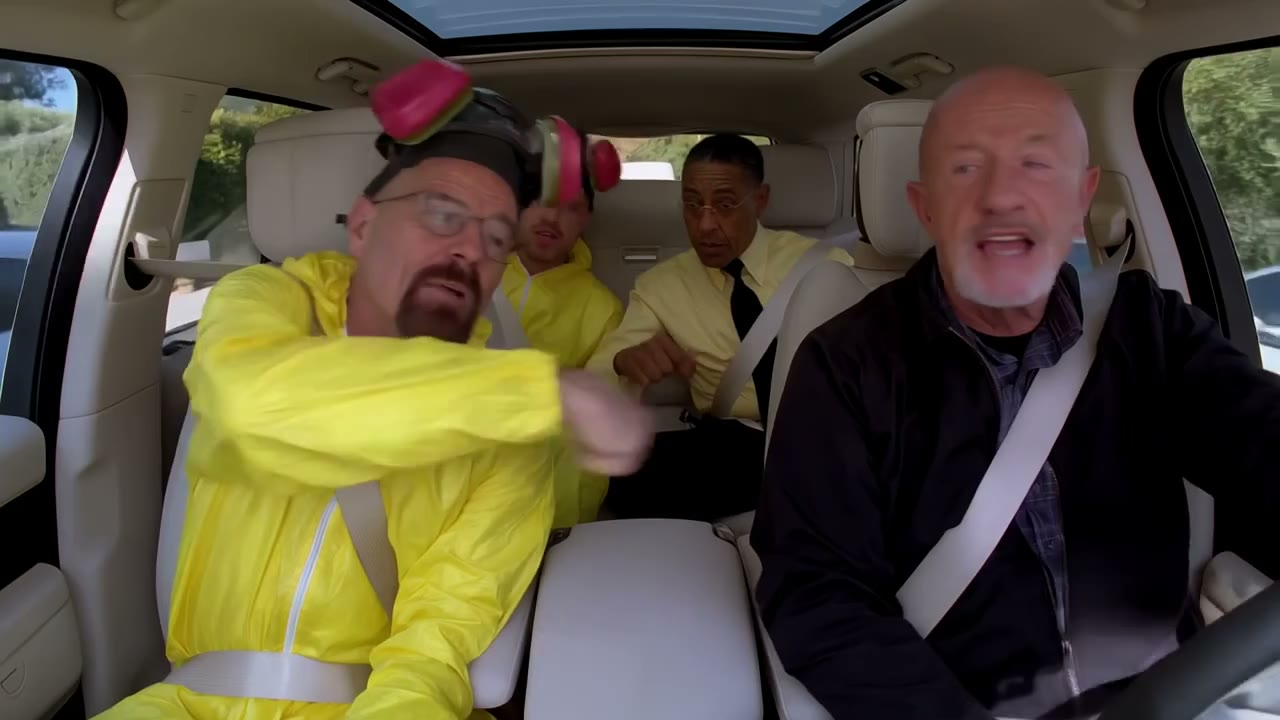
Migos Carpool AI keeps the supplied cabin and soundtrack around your selected cast, making the result a shared performance with four recognizable parts. The landscape frame preserves the front row and the rear-seat interactions in the wider shots. Use a Migos Carpool AI video as a playful message for your crew or a clearly labeled fan remix. Watch with sound before sharing, especially when a hand passes over a face or the driver’s seat belt crosses their clothing. The preset keeps the reference audio; your photo does not create a new recording of your own voice.
What you choose in Migos Carpool AI
Your photos choose the four appearances; the prepared clip supplies the seats, gestures and shot sequence.
Four distinct seat references
Migos Carpool AI requires all four image slots. Clear faces and visible upper-body outfits are especially useful for this seated scene. Choose a reference for each role before you start; separate recognizable characters make the four-seat interaction easier to follow.
One landscape reference performance
Migos Carpool AI follows the approximately 20-second carpool singalong. The page has no choreography, location or camera-angle selector. Use the Motion Transfer studio with another reference when you want a different performance.
Original audio and a live credit quote
Migos Carpool AI retains the supplied reference soundtrack. Your photos provide appearances, with no voice cloning from a still image. The generator displays available resolution choices and the current credit quote before submission.
Migos Carpool AI credits and plans
Watching the original reference does not start a generation. Making a Migos Carpool AI video requires an account and sufficient credits for the displayed quote. Reference length and selected resolution affect the quote. Plan examples below may describe other durations or models.
Starter
For your first ideas.
$8.3/month
$100.0 charged yearly
2,400 credits/year
Up to 400 images
GPT Image 2Nano Banana Pro
Up to 133 videos
Seedance 2.5Kling 3.0 Motion Control
- Up to 4K images and HD videos, depending on the model
- Image editing, video creation & motion transfer
- Watermark-free image & video downloads
- Generation history in your account
Popular40% OFFSave $238.8
Pro
For a steady creative flow.
$30.0/month$49.9/month
$360.0 charged yearly
21,600 credits/year
Up to 3,600 images
GPT Image 2Nano Banana Pro
Up to 1,200 videos
Seedance 2.5Kling 3.0 Motion Control
- Up to 4K images and HD videos, depending on the model
- Image editing, video creation & motion transfer
- Watermark-free image & video downloads
- Generation history in your account
- Use credits across image and video models
Best Value50% OFFSave $599.8
Business
For more creations, more often.
$49.9/month$99.9/month
$599.0 charged yearly
48,000 credits/year
Up to 8,000 images
GPT Image 2Nano Banana Pro
Up to 2,666 videos
Seedance 2.5Kling 3.0 Motion Control
- Up to 4K images and HD videos, depending on the model
- Image editing, video creation & motion transfer
- Watermark-free image & video downloads
- Generation history in your account
- Use credits across image and video models
Basic
$0Try before you subscribe
- 18 one-time signup credits
- Generation history included
- Watermarked previews & downloads
- Up to 3 images or 1 video
- Watermark-free downloads require payment
Prices in USD; taxes and total shown at checkout. Subscriptions renew automatically; cancel in Billing settings. Subscription credits expire each period; one-time credits never expire.
Refunds: request within 72 hours. Used purchased credits and applicable non-refundable processing costs (up to 6%) are deducted. Terms · Refund Policy
Migos Carpool AI questions
Answers about seat order, uploaded outfits, the soundtrack and the difference from Hotel Lobby.
Does Migos Carpool AI require four photos?
Yes. Migos Carpool AI needs four image inputs, one per seat role. Photo 1 is the driver, Photo 2 the front passenger, Photo 3 the red-cap rear role and Photo 4 the striped-top rear role. All four performers are recast; there is no one-person mode that automatically preserves the other source people.
How do I identify the two Migos Carpool AI rear seats?
Use the source clothing markers: Photo 3 replaces the rear passenger in the red cap, while Photo 4 replaces the rear passenger in the striped top. Migos Carpool AI keeps those assigned characters in their own seats across the cuts. Your photos supply their new clothing, so they do not need a red cap or striped shirt.
Which photos should I upload for Migos Carpool AI?
Choose sharp individual photos of adults who agree to the edit, with clear faces, hair and visible upper-body clothing. Even lighting helps distinguish facial details. Avoid group images, heavy filters, large sunglasses or objects hiding the face. You do not need to sit in a car or mimic a singing pose for the reference.
Does Migos Carpool AI change clothing as well as faces?
Migos Carpool AI requests each uploaded character’s full appearance, proportions, clothes and accessories. The original cast’s outfits identify roles without defining your new wardrobe. Inspect necklaces, sleeves, hands and the driver’s seat belt where they overlap, because those small details can vary in an AI result.
Does Migos Carpool AI include the original song?
Migos Carpool AI retains the supplied reference soundtrack. Play the preview to hear the exact clip used here. There is no song selector, lyric editor or voice-cloning control. Check the rights to the footage, audio and people before public or commercial use; choosing this template does not grant those rights.
Is Migos Carpool AI the same as Hotel Lobby AI?
They are separate prepared scenes. Migos Carpool AI casts four people in a car and follows seat-based singalong gestures and cabin cuts. Hotel Lobby uses its own dance setting and character arrangement. Pick the reference that matches the scene you want before uploading your photos.
Can I change the Migos Carpool AI length or framing?
This page follows the approximately 20-second landscape carpool reference. Resolution changes detail, with no longer performance or new camera angle. A vertical crop can remove a rear passenger or part of the driver. Use the Motion Transfer studio with another motion reference if you want a different shot sequence.
Is the preview a generated example, and where is my result?
The Migos Carpool AI preview is the original supplied reference, with no claim that it was generated by this page. Your completed video appears in My creations for playback and download; Video history lists available past tasks. Likeness, lip motion and hands can vary, so check every seat. Submitting again creates a new task and uses credits.
Cast your Migos Carpool AI crew
Give four characters a seat in one shared performance. Choose the photos, check the reference and make your carpool remix.