Create a video

Foreground lead · required
Rear partner · optional
Settings
Mode
Video length11s
Resolution

End of Watch AI Video Generator

Make an End of Watch AI locker-room scene with your photo. Replace the lead’s complete look and outfit, optionally add a rear partner, and keep the reference sound.

0:00 / —:—

End of Watch AI video ideas

Explore examples of this effect. Open a video for a closer look.

What is End of Watch AI?

End of Watch AI puts your chosen character into a short locker-room performance: the lead addresses a close camera, glances toward a partner and presents a series of props. This End of Watch AI tool uses the roughly eleven-second sequence shown above. One required photo replaces the foreground lead’s complete appearance and clothing; a second, optional photo replaces the partner behind them. The prepared clip supplies the room, camera movement, prop order and soundtrack. Preview the scene before choosing photos.

A foreground lead and a rear partner perform a short prop sequence in a locker room

How to make your End of Watch AI video

The reference and instructions are ready. Prepare your photos, choose your settings and review the result.

  1. STEP 1

    Choose your End of Watch AI cast

    Upload a clear lead photo. Add a separate Rear partner photo only if you want that person replaced too. Include the desired clothing in each image; no video upload or prompt writing is needed.

  2. STEP 2

    Choose mode and resolution

    Select Economy, Standard or Original in Settings. Check the displayed length and credit quote before submitting. End of Watch AI uses the same short reference in all modes; generated movement may vary.

  3. STEP 3

    Review your End of Watch AI video

    After generation, open My creations. Check the lead, optional partner, prop transitions and sound, then download the clip.

Make the End of Watch AI scene your own

These reference stills illustrate the roles and moments in the prepared sequence.

Give the close-up a recognizable lead

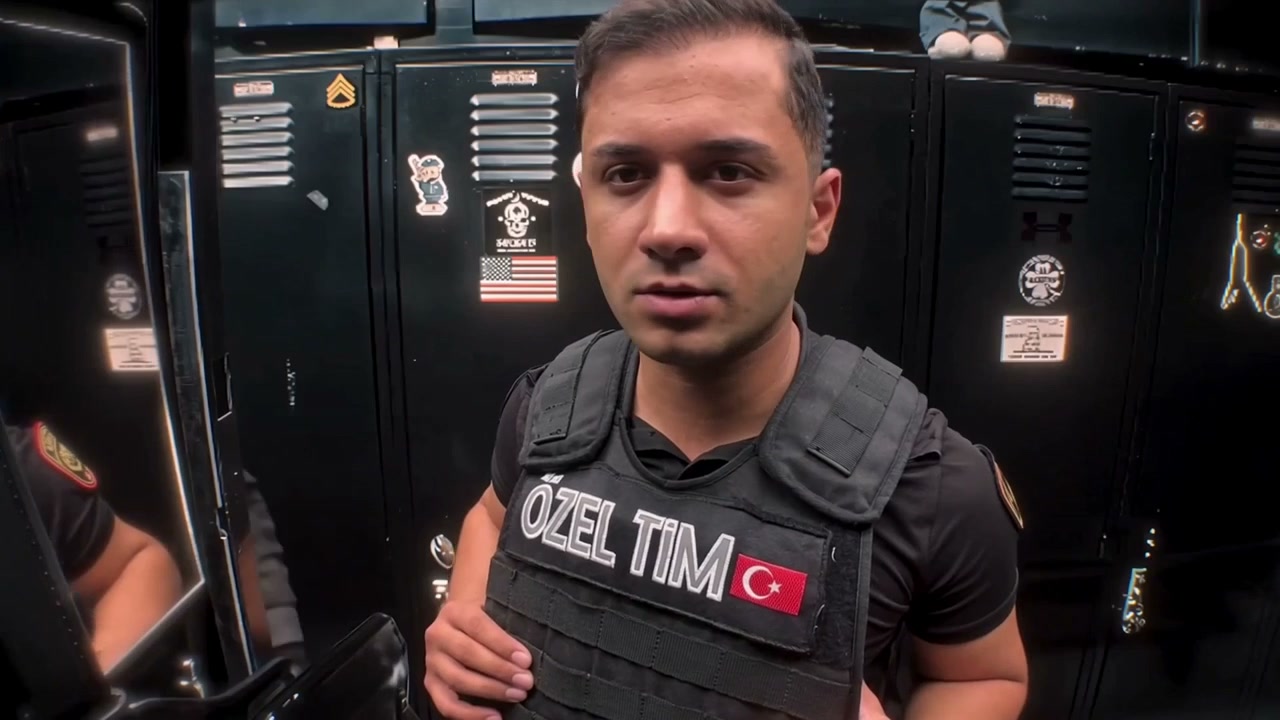
End of Watch AI makes the foreground character the focus of the scene. Choose a clear photo with the hairstyle and upper-body outfit you want to carry into the performance. The close framing favors an unobstructed face and visible shoulders. End of Watch AI supplies the expressions and hand movements.
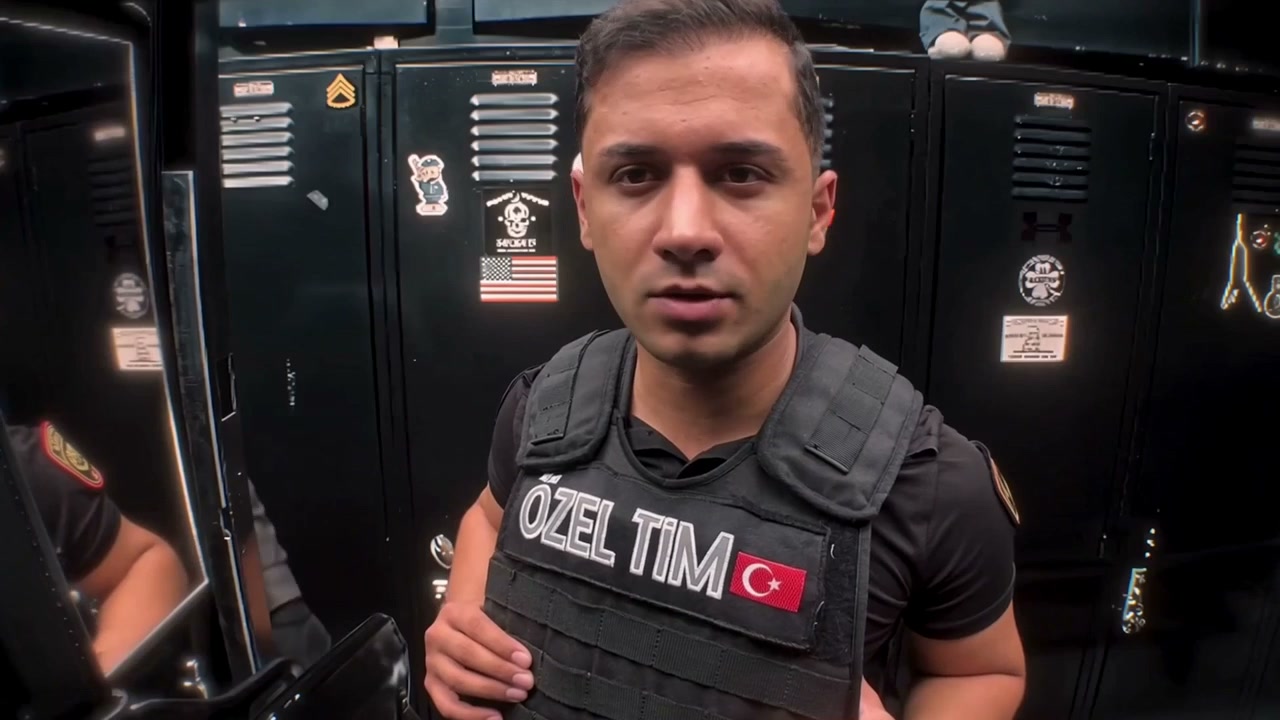
The foreground lead looks toward the close camera in the locker room

Bring a second character into the exchange

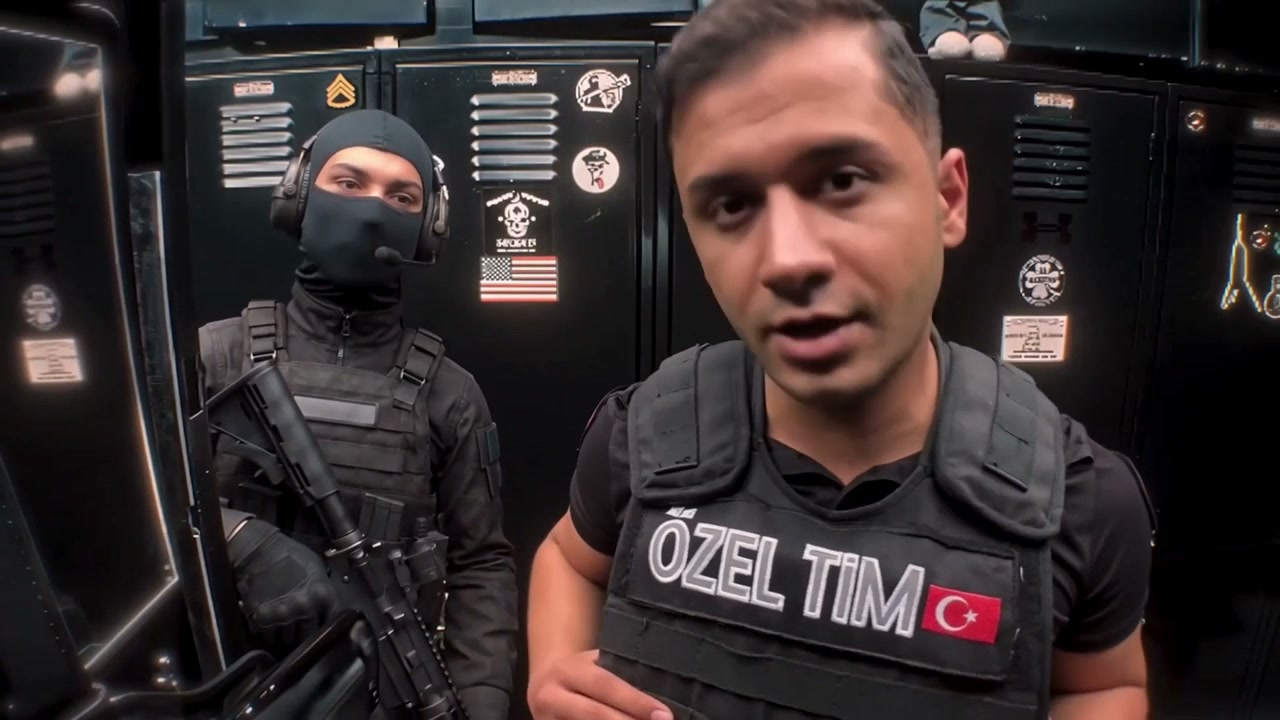
You can make End of Watch AI with just the lead photo. Leave Rear partner empty to retain the person behind the lead, or upload a separate image to personalize that role too. The optional slot maps to the viewer-left partner in the opening frame. Use one person per photo. End of Watch AI asks the model to preserve each person’s complete look and clothing, while keeping the original positions and interaction.

The lead turns toward the rear partner on the left of the frame

Keep a complete, short scene ready to share

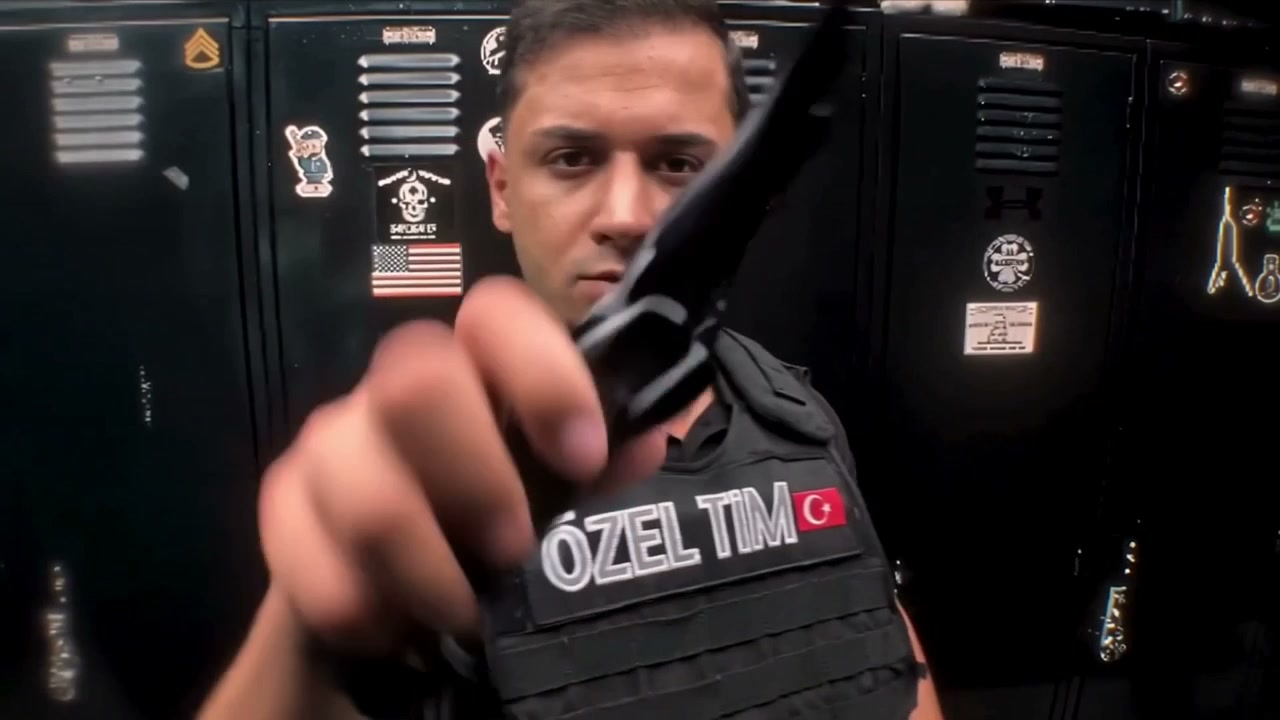
The End of Watch AI performance moves through a flashlight-equipped handgun, handcuffs, wallet and radio before its closing gesture. The prepared order provides a complete short scene. The original sound accompanies the result. Use End of Watch AI for a fictional character introduction or a playful exchange between friends. Review the prop transitions: hands, objects and clothing can change during generation. You can add a personal caption after downloading.

The lead presents a prop toward the camera during the prepared sequence

What you choose in End of Watch AI

Your photos define the cast. The prepared reference supplies the performance and setting.

Required lead, optional partner

End of Watch AI supports one or two separate person photos. The first controls the foreground lead; the second controls only the rear partner. A group photo does not automatically assign both roles.

A prepared sequence in every mode

All End of Watch AI modes use the complete roughly 11.2-second reference. Original follows its source timing; Economy and Standard use a twelve-second output setting and may reinterpret timing. There is no trimming step.

Your cast in the original setting

The locker room, props and camera work come from the reference. End of Watch AI has no room or prop upload slots. The reference soundtrack is restored to the generated clip; uploading a person photo does not provide a new voice.

End of Watch AI credits and plans

Check the quote on Generate for your chosen mode and resolution. An account and sufficient credits are required; the general plan examples below may use different models or lengths.

Starter

For your first ideas.

$8.3/month

$100.0 charged yearly

2,400 credits/year

Up to 400 images

GPT Image 2Nano Banana Pro

Up to 133 videos

Seedance 2.5Kling 3.0 Motion Control
  • Up to 4K images and HD videos, depending on the model
  • Image editing, video creation & motion transfer
  • Watermark-free image & video downloads
  • Generation history in your account
Popular40% OFFSave $238.8

Pro

For a steady creative flow.

$30.0/month$49.9/month

$360.0 charged yearly

21,600 credits/year

Up to 3,600 images

GPT Image 2Nano Banana Pro

Up to 1,200 videos

Seedance 2.5Kling 3.0 Motion Control
  • Up to 4K images and HD videos, depending on the model
  • Image editing, video creation & motion transfer
  • Watermark-free image & video downloads
  • Generation history in your account
  • Use credits across image and video models
Best Value50% OFFSave $599.8

Business

For more creations, more often.

$49.9/month$99.9/month

$599.0 charged yearly

48,000 credits/year

Up to 8,000 images

GPT Image 2Nano Banana Pro

Up to 2,666 videos

Seedance 2.5Kling 3.0 Motion Control
  • Up to 4K images and HD videos, depending on the model
  • Image editing, video creation & motion transfer
  • Watermark-free image & video downloads
  • Generation history in your account
  • Use credits across image and video models

Basic

$0

Try before you subscribe

  • 18 one-time signup credits
  • Generation history included
  • Watermarked previews & downloads
  • Up to 3 images or 1 video
  • Watermark-free downloads require payment

Prices in USD; taxes and total shown at checkout. Subscriptions renew automatically; cancel in Billing settings. Subscription credits expire each period; one-time credits never expire.

Refunds: request within 72 hours. Used purchased credits and applicable non-refundable processing costs (up to 6%) are deducted. Terms · Refund Policy

End of Watch AI questions

Photos, roles, settings and what to expect from the finished clip.

How do I make an End of Watch AI video?

Upload the lead photo, optionally add the rear partner, and choose a mode and resolution. Review the current credit quote, sign in and generate. End of Watch AI already includes the reference and instructions. The completed clip appears in My creations.

Which photo should I use for End of Watch AI?

Use a sharp image of one person with their face, hair, shoulders and intended outfit visible. Avoid large objects covering the face. You do not need the same pose or a locker-room background: End of Watch AI takes those from the video.

Can End of Watch AI replace both people?

Yes. Lead is required and Rear partner is optional. Upload two separate pictures to replace both complete appearances and outfits. With one picture, End of Watch AI preserves the original rear partner.

Where is the optional End of Watch AI partner?

The second slot maps to the person behind the lead, on the viewer’s left in the opening shot. It does not create a new foreground character. Compare the roles in the preview before uploading.

Does End of Watch AI use the clothes in my photo?

The photo guides the full appearance, including hair, body and clothing. Choose the intended outfit before uploading. Small accessories, text and hidden areas may vary; End of Watch AI cannot recover details that your photo never shows.

Can I change the End of Watch AI room or props?

This prepared tool keeps the locker-room setting and existing prop sequence. It has no separate background, weapon or equipment uploads. Preview the scene first. Choose a different template if you want a performance with a different setting or action.

How long is an End of Watch AI result?

Original uses the full reference, approximately 11.2 seconds. Economy and Standard use that same reference with a twelve-second output setting. The selected length appears in Settings. You do not choose a start time or edit the source clip yourself.

Does End of Watch AI include sound?

The reference soundtrack is included with the result. It does not create a new speaking voice from your photo, and lip movement can vary between modes. Listen to the preview before generating, then replay the downloaded result to assess the combined picture and sound.

What should I check in End of Watch AI?

Watch the lead’s appearance during the sideways glance, the rear partner’s position, and the hands as each object enters the frame. Clear photos help; fine prop details and continuity can still vary.

Is End of Watch AI free to generate?

Generation requires an account and sufficient credits. The quote on Generate reflects your chosen mode and resolution; each new attempt uses credits. You can preview the reference before deciding. Download the completed video from My creations when it is ready.

Create your End of Watch AI video

Bring your photos to the prepared scene and preview the current generation quote.

End of Watch AI