Create a video

Centre dancer · Photo 1
Settings
Mode
Video length15s
Resolution

Michael Jackson Dangerous AI Dance Video Generator

Take the centre of a red-studio trio. Michael Jackson Dangerous AI Dance uses one person photo for the lead, keeping the two supporting dancers, prepared choreography and sound.

0:00 / —:—

What is Michael Jackson Dangerous AI Dance?

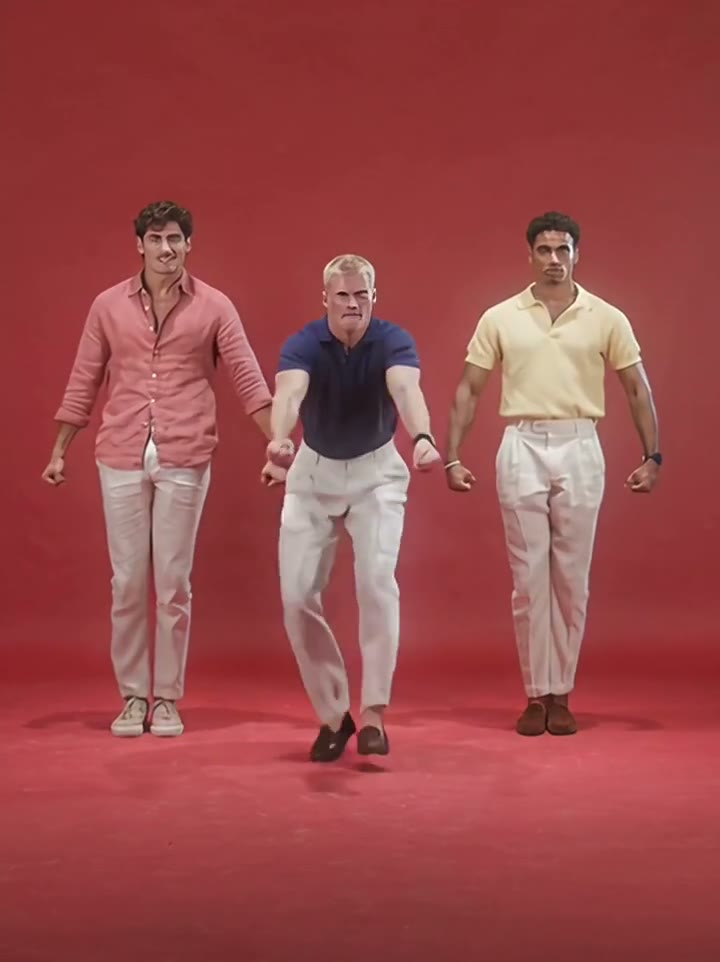
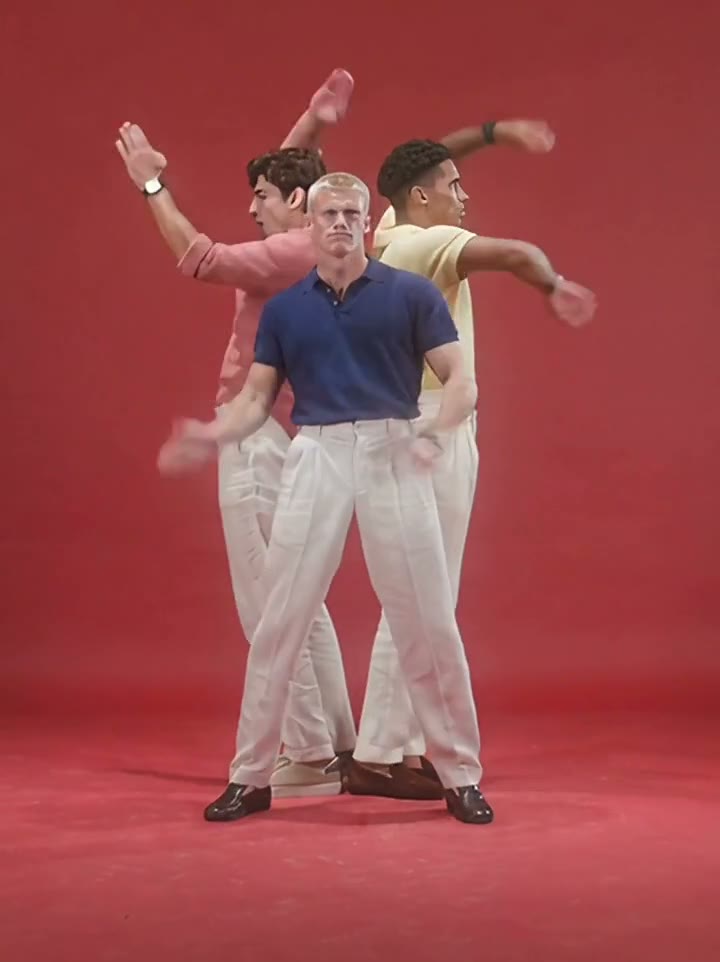
Michael Jackson Dangerous AI Dance is a photo-to-video tool for a Dangerous-inspired dance remake. The reference used here shows three dancers in a red studio, with the centre performer leading a sequence of turns, bent-knee steps and sharp arm movements. Upload one photo to replace that centre performer’s full appearance and clothes. The two supporting dancers stay in the scene. Michael Jackson Dangerous AI Dance follows this prepared remake; the preview is not footage of Michael Jackson performing. There is one lead input and no separate solo, duo or trio selector.

The centre lead standing between two supporting dancers in the red studio

How to create a Michael Jackson Dangerous AI Dance video

The reference is ready. Choose your photos, review the settings and generate.

  1. STEP 1

    Add your Michael Jackson Dangerous AI Dance photo

    Upload one clear subject photo. Show the hairstyle, body and outfit you want in the scene. No motion recording or written prompt is required.

  2. STEP 2

    Choose your Michael Jackson Dangerous AI Dance settings

    Select Economy, Standard or Original and an available resolution. The video length is prepared for this scene. Review the credit quote on Generate before submitting.

  3. STEP 3

    Review your Michael Jackson Dangerous AI Dance result

    Open the finished video in My creations. Watch the entire performance with sound, check the subject and movement, then download the result using the available download options.

What you can create with Michael Jackson Dangerous AI Dance

The prepared sequence supplies the movement. Your photos supply the characters.

Lead the trio with your own look

Michael Jackson Dangerous AI Dance places your chosen person in the centre role, including moments when the formation turns and the lead faces a different direction. A standing photo showing your clothes and shoes gives the model a useful reference for the full-body choreography. The red studio and two supporting performers are supplied by the scene. You can use an everyday outfit or a dressed-up look from your image. The page does not automatically put the lead into a named performer’s costume.
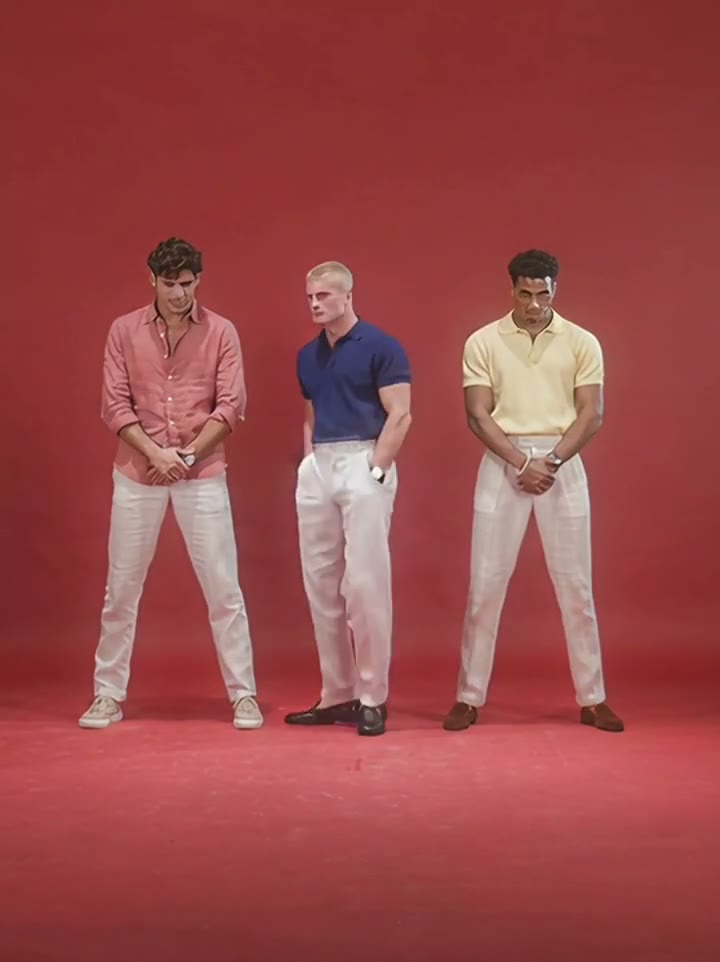
The centre lead standing between two supporting dancers in the red studio

Keep the formation and musical accents

The appeal of Michael Jackson Dangerous AI Dance is the combination of a distinct lead and coordinated movement around them. The reference supplies the steps, arm hits, changes of direction and spacing between dancers. You do not need to record yourself dancing or assemble three recordings. The supporting dancers remain unchanged, helping preserve the composition. Review overlaps during the turns: the generated lead can temporarily blend into a nearby body or lose a clothing detail. The intended assignment stays with the centre performer throughout the routine.

The trio performing coordinated bent-knee steps

Make a short performance with sound

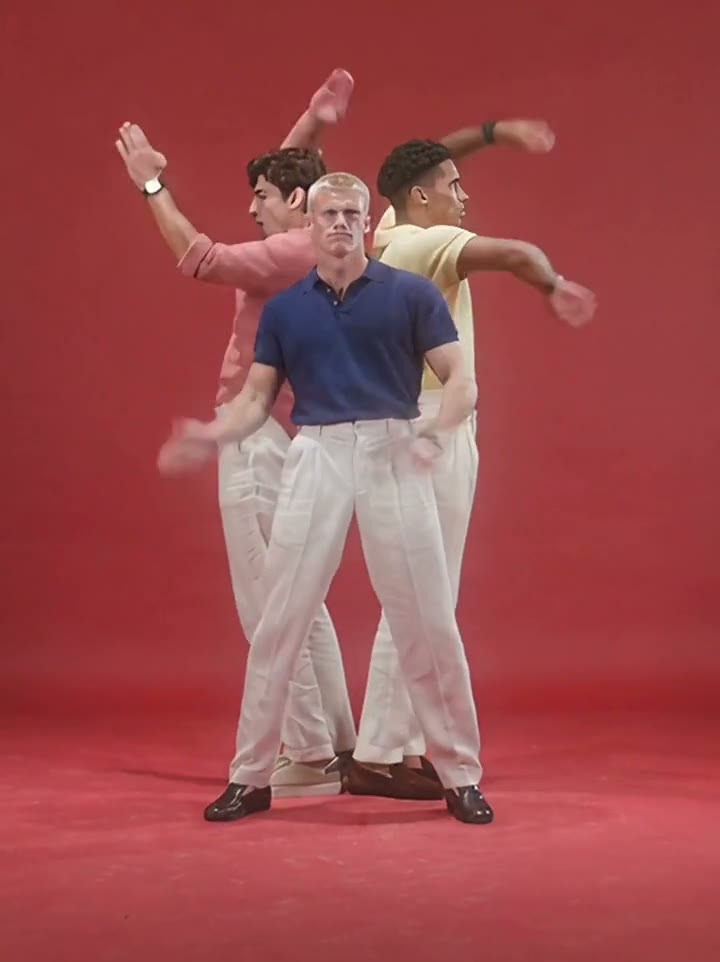
Michael Jackson Dangerous AI Dance produces a compact studio dance clip with the matching reference audio added. It works as a character showcase, an outfit performance or a playful dance edit. The shot remains centred on the trio rather than becoming a concert montage. No choreography editor or music selector is needed to start. Watch the preview to decide whether this particular red-studio routine fits your idea, and check feet, hands and final poses in the finished result before posting it.

The dancers changing direction while keeping the red studio formation

Your choices in Michael Jackson Dangerous AI Dance

Choose the appearance and generation settings while the scene stays prepared.

1 required photo

Michael Jackson Dangerous AI Dance has one subject slot. The image guides the full replacement appearance, including hair, body and visible clothing. There are no optional background or prop uploads.

Three generation modes

Original, Standard and Economy use the same 15-second reference. Output timing can vary, and the two reference modes use an output length rounded up to 15 seconds. There is no manual trimming or duration picker.

Resolution and a live quote

Michael Jackson Dangerous AI Dance shows the available resolutions and current credit quote in the tool. Choose what fits your use and balance. Reference sound is included; there is no separate audio-generation setting.

Michael Jackson Dangerous AI Dance credits and plans

Sign in with enough credits to submit. The quote on Generate applies to the selected mode and resolution; plan examples may use different lengths or models.

Starter

For your first ideas.

$8.3/month

$100.0 charged yearly

2,400 credits/year

Up to 400 images

GPT Image 2Nano Banana Pro

Up to 133 videos

Seedance 2.5Kling 3.0 Motion Control
  • Up to 4K images and HD videos, depending on the model
  • Image editing, video creation & motion transfer
  • Watermark-free image & video downloads
  • Generation history in your account
Popular40% OFFSave $238.8

Pro

For a steady creative flow.

$30.0/month$49.9/month

$360.0 charged yearly

21,600 credits/year

Up to 3,600 images

GPT Image 2Nano Banana Pro

Up to 1,200 videos

Seedance 2.5Kling 3.0 Motion Control
  • Up to 4K images and HD videos, depending on the model
  • Image editing, video creation & motion transfer
  • Watermark-free image & video downloads
  • Generation history in your account
  • Use credits across image and video models
Best Value50% OFFSave $599.8

Business

For more creations, more often.

$49.9/month$99.9/month

$599.0 charged yearly

48,000 credits/year

Up to 8,000 images

GPT Image 2Nano Banana Pro

Up to 2,666 videos

Seedance 2.5Kling 3.0 Motion Control
  • Up to 4K images and HD videos, depending on the model
  • Image editing, video creation & motion transfer
  • Watermark-free image & video downloads
  • Generation history in your account
  • Use credits across image and video models

Basic

$0

Try before you subscribe

  • 18 one-time signup credits
  • Generation history included
  • Watermarked previews & downloads
  • Up to 3 images or 1 video
  • Watermark-free downloads require payment

Prices in USD; taxes and total shown at checkout. Subscriptions renew automatically; cancel in Billing settings. Subscription credits expire each period; one-time credits never expire.

Refunds: request within 72 hours. Used purchased credits and applicable non-refundable processing costs (up to 6%) are deducted. Terms · Refund Policy

Michael Jackson Dangerous AI Dance questions

Understand the inputs, scene and result before you begin.

How many photos does Michael Jackson Dangerous AI Dance need?

One person photo is required for the centre lead. The two supporting dancers remain in the prepared scene. This page does not expose optional supporting-role uploads or a three-person casting mode.

Is Michael Jackson Dangerous AI Dance using Michael Jackson performance footage?

The preview is a three-person red-studio remake. It is the sequence this tool uses for movement and setting. Your photo supplies the replacement lead; the page does not ask you to upload a photograph of Michael Jackson.

Can Michael Jackson Dangerous AI Dance change all three dancers?

This version changes only the centre performer. If you need to cast a group, choose a tool with separate photo slots for those roles. A three-person photo in the single input does not assign three independent characters.

Does Michael Jackson Dangerous AI Dance preserve my clothes?

The centre lead’s full appearance and visible clothing come from your image. Include trousers and shoes if you want those details represented during the steps. Small logos and jewellery may vary. The surrounding dancers retain their reference outfits.

What should I check in a Michael Jackson Dangerous AI Dance result?

Follow the centre lead through each turn and overlap. Confirm that the replacement has not moved onto a supporting dancer. Watch the feet during the steps, the fingers during arm gestures and the outfit as the body rotates. Exact pose timing and fine details can vary between generations.

How do I start using Michael Jackson Dangerous AI Dance?

Add the required photos, choose a mode and resolution, then check the quote. Sign in with enough credits to submit. Michael Jackson Dangerous AI Dance includes the reference and instructions; no video upload or written prompt is needed.

How long is the Michael Jackson Dangerous AI Dance video?

The prepared reference is about 15 seconds. Original follows that reference length; Economy and Standard request an output of 15 seconds using the same source. The generated timing can vary. You do not choose a clip or change the duration on this fixed-play page.

Does Michael Jackson Dangerous AI Dance include the reference sound?

Yes. Michael Jackson Dangerous AI Dance adds the matching reference audio to your result. Preview it with sound before starting. The audio does not become your real voice; there is no song picker.

Can I use Michael Jackson Dangerous AI Dance without CapCut?

Yes. Michael Jackson Dangerous AI Dance runs in your browser with the scene already prepared. Use an editor after download if you want captions, different music or a longer montage.

Is Michael Jackson Dangerous AI Dance free to generate?

Michael Jackson Dangerous AI Dance uses credits. Check the displayed quote and your balance before submitting. Previewing the reference and changing settings are free; each new generation has its own charge.

Where do I download my Michael Jackson Dangerous AI Dance video?

Open your finished Michael Jackson Dangerous AI Dance result in My creations and use its download options. Check the whole clip with sound before sharing. Replaying a result does not generate another video.

Create your Michael Jackson Dangerous AI Dance video

Bring your chosen appearance into the prepared scene. Preview it above, then add your photos to begin.

The centre lead standing between two supporting dancers in the red studio