
Window Peeper AI Video Generator
Give your pet or character the most awkward snack break. Window Peeper AI turns one photo into a window-side burger scene with a stare and a curtain pull. The photo defines the whole character; the reference supplies the scene and sound.
0:00 / —:—
Window Peeper AI video ideas
Explore community remixes of this performance. Open a video for a closer look.
Caught mid-snack
What is Window Peeper AI?
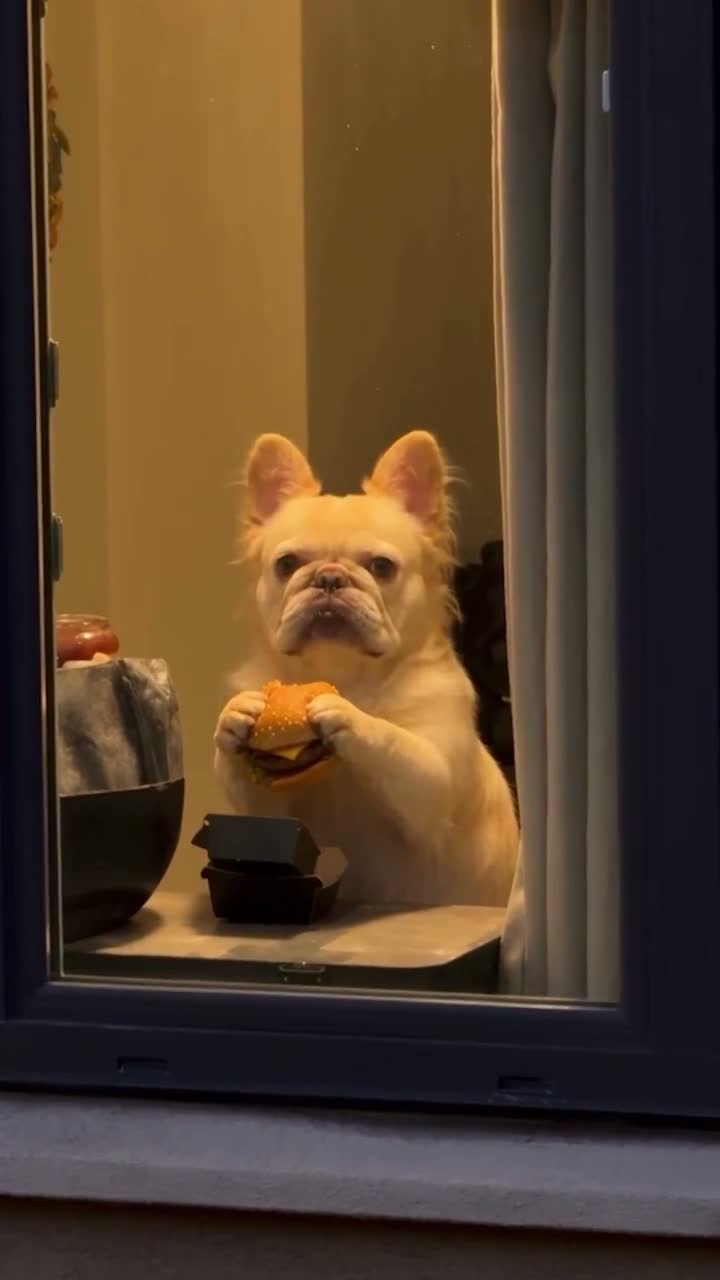
Window Peeper AI recreates a comic scene viewed from outside a building: the camera approaches a lit window, catches a character eating a burger, and watches them notice the intrusion and pull the curtain. On Motion Transfer, upload one pet or character photo to replace the sole subject inside. The image guides their face, fur or hair, body and any visible outfit. You receive a vertical video of about 13 seconds with the reference sound. Window Peeper AI keeps the apartment, meal, camera approach and sequence of reactions, so your chosen character becomes the center of the same small encounter.
How to create Window Peeper AI
Choose your character and use the prepared scene. No filming or written action prompt is required.
STEP 1
Choose a pet or character
Upload one clear photo for Window Peeper AI. Keep the face, fur or hair and body outline visible, with any outfit you want carried into the scene.
STEP 2
Review the window reference
Watch the Window Peeper AI preview and check Settings. The burger, room, portrait frame and curtain action are already part of the reference.
STEP 3
Generate and review
Sign in with sufficient credits and check the Generate quote. Watch your Window Peeper AI result with sound, then download the version you want to keep.
Your Window Peeper AI snack-break scene
One character, one interruption and a curtain between them and the outside world.
Give a familiar character an unexpected private moment
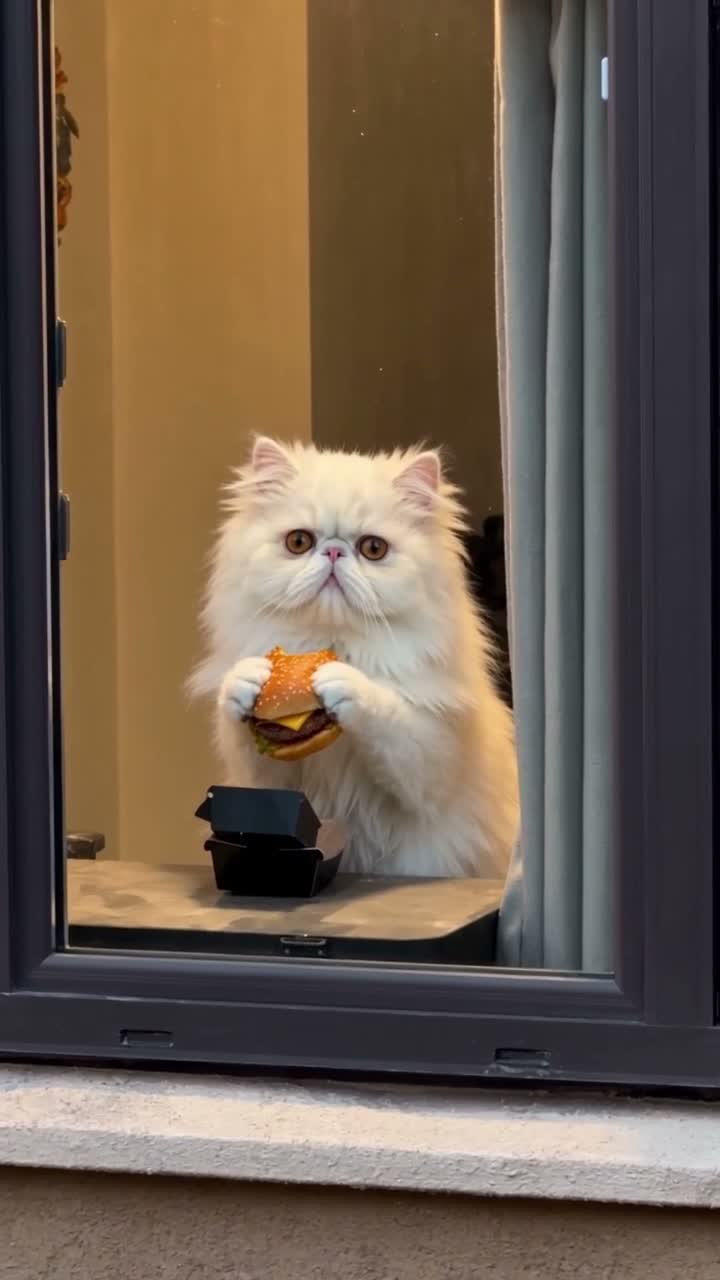
A recognizable pet makes the scene feel personal before anything dramatic happens. Window Peeper AI uses one image for the complete character, letting a cat, dog or permitted character design take the place at the window. A pet portrait can become a playful reaction clip for friends; a mascot can play a short comic role. The image carries markings, silhouette and visible clothing into the scene, while the prepared movement supplies the performance. Window Peeper AI keeps a single subject throughout, so the joke stays focused on whoever you choose. You do not need to photograph them at a window or persuade an animal to handle food.
Let the pause and curtain pull deliver the joke
The humor comes from the change in attention: a quiet meal becomes an uncomfortable moment of eye contact. Window Peeper AI follows the approach, eating, pause and curtain movement in their supplied order. That gives your character a setup and ending without filming several takes or assembling a timeline. The camera remains outside while the subject reacts from within the room. Use Window Peeper AI when that observer-and-subject relationship fits your idea, such as a pet guarding its snack or a character wanting a little privacy. The template has one prepared reaction; it does not offer a different ending or a custom action script.
Make a short reaction clip with its own ending
A snack break with a clear visual punchline works as a brief message or a playful social post. Window Peeper AI keeps the portrait framing and reference soundtrack, giving the moment a consistent rhythm from the approach to the curtain. Add your own caption after downloading if you want to give the stare a different meaning. The same clip can answer an interruption, celebrate a quiet evening or introduce a character with an attitude. Review the full Window Peeper AI result before sharing, especially the food grip and curtain contact. Small movements and character details can vary, and a caption cannot change the generated action.
What your Window Peeper AI photo changes
Your image controls the subject while the supplied video controls the encounter.
The complete character
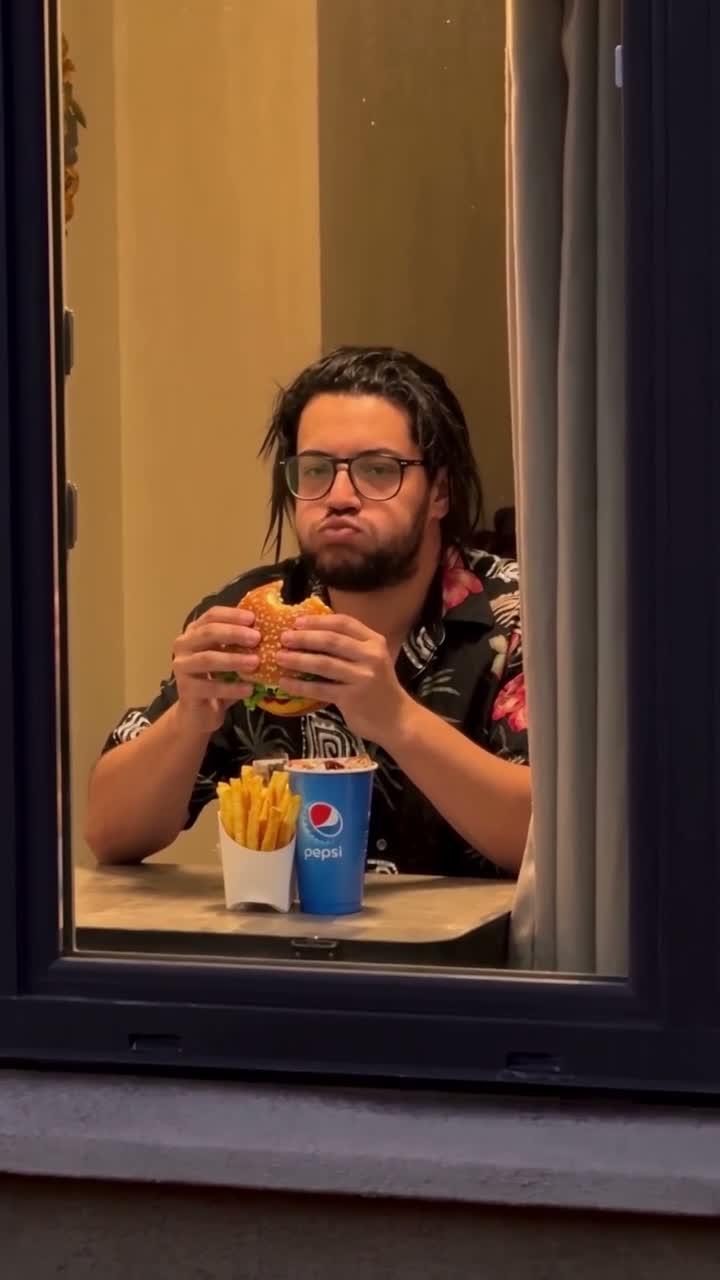
Window Peeper AI uses the pet or character’s full appearance, including body proportions, markings, hair and visible clothing. Choose one clearly separated subject.
The meaning of the reaction
A familiar face or pet can make the Window Peeper AI stare feel affectionate, suspicious or comic. Choose a character that suits the caption you plan to add later.
A prepared scene
Window Peeper AI keeps the meal, interior, camera movement and timing. There is no food upload, second character slot, room selector or editable action prompt.
Window Peeper AI credits
An account and sufficient credits are required. Check the live quote for your selected resolution before generating; shared plan examples may use different models or video lengths.
Starter
For your first ideas.
$8.3/month
$100.0 charged yearly
2,400 credits/year
Up to 400 images
GPT Image 2Nano Banana Pro
Up to 133 videos
Seedance 2.5Kling 3.0 Motion Control
- Up to 4K images and HD videos, depending on the model
- Image editing, video creation & motion transfer
- Watermark-free image & video downloads
- Generation history in your account
Popular40% OFFSave $238.8
Pro
For a steady creative flow.
$30.0/month$49.9/month
$360.0 charged yearly
21,600 credits/year
Up to 3,600 images
GPT Image 2Nano Banana Pro
Up to 1,200 videos
Seedance 2.5Kling 3.0 Motion Control
- Up to 4K images and HD videos, depending on the model
- Image editing, video creation & motion transfer
- Watermark-free image & video downloads
- Generation history in your account
- Use credits across image and video models
Best Value50% OFFSave $599.8
Business
For more creations, more often.
$49.9/month$99.9/month
$599.0 charged yearly
48,000 credits/year
Up to 8,000 images
GPT Image 2Nano Banana Pro
Up to 2,666 videos
Seedance 2.5Kling 3.0 Motion Control
- Up to 4K images and HD videos, depending on the model
- Image editing, video creation & motion transfer
- Watermark-free image & video downloads
- Generation history in your account
- Use credits across image and video models
Basic
$0Try before you subscribe
- 18 one-time signup credits
- Generation history included
- Watermarked previews & downloads
- Up to 3 images or 1 video
- Watermark-free downloads require payment
Prices in USD; taxes and total shown at checkout. Subscriptions renew automatically; cancel in Billing settings. Subscription credits expire each period; one-time credits never expire.
Refunds: request within 72 hours. Used purchased credits and applicable non-refundable processing costs (up to 6%) are deducted. Terms · Refund Policy
Window Peeper AI questions
Choose the right photo and understand what stays fixed before you start.
Can Window Peeper AI use a cat or a dog?
Yes. Use a sharp pet photo with the eyes, ears, fur pattern and body outline visible, preferably facing forward or slightly sideways. Check the generated paws and their contact with the food and curtain.
Does Window Peeper AI also work with a character photo?
Use one permitted person or character image. It defines hair, body proportions and clothing; the reference defines the actions. Avoid group pictures. Unusual anatomy may make handling the burger or curtain less convincing.
Can I change the food in Window Peeper AI?
There is no food upload or meal selector. The reference supplies the burger and table arrangement. Different props in community remixes are not selectable options, so this page cannot specify a particular meal or package.
How long is a Window Peeper AI video?
The reference runs for about 13 seconds vertically, including the approach, eating, eye contact and curtain movement. Settings offers resolution choices, with no duration or landscape control. Another sequence requires a different suitable reference.
Does Window Peeper AI include the original sound?
The clip uses the displayed reference sound. Listen before generating and review your download with sound enabled. There is no song upload, speech script or voice cloning. Check soundtrack permissions before publishing.
Can Window Peeper AI show two characters?
There is one required image for the sole character inside the window, with no second role. Group photos do not assign multiple subjects. Choose a multi-character template with separate slots for a shared performance.
What should I check in my Window Peeper AI result?
Check the eyes, burger grip and curtain contact, then follow the fur, hair, clothing and body shape as the camera approaches. Small details can drift or blend with props, even when the input is clear.
How do I save and share a Window Peeper AI clip?
Watch the result in My creations and download it. Add captions or trim it in your editor, keeping the pause and curtain movement for the punchline. Share permitted material and identify potentially misleading clips as AI-created.
Create Window Peeper AI with your character
Choose the face behind the window and give the quiet snack break a personal twist.