
Fridge POV AI Video Generator
Caught coming back for another spoonful. Fridge POV AI puts your photo into the inside-fridge tiramisu scene: take a bite, close the door and return. One character, a short vertical video and the reference sound.
0:00 / —:—
Fridge POV AI video ideas
Explore community remixes of this performance. Open a video for a closer look.
One more bite
What is Fridge POV AI?
Fridge POV AI is a photo-to-video effect filmed from the viewpoint of a camera inside a refrigerator. A person reaches toward a tray of tiramisu, takes a few bites, closes the door and comes back for more. On Motion Transfer, one photo supplies that person’s complete appearance, hair, body and clothing. A prepared reference supplies the scene, spoon movements and return visit. Your Fridge POV AI result follows the roughly ten-second vertical sequence and includes the reference sound. You can create the small late-night joke without placing a camera in your fridge or filming yourself eating.
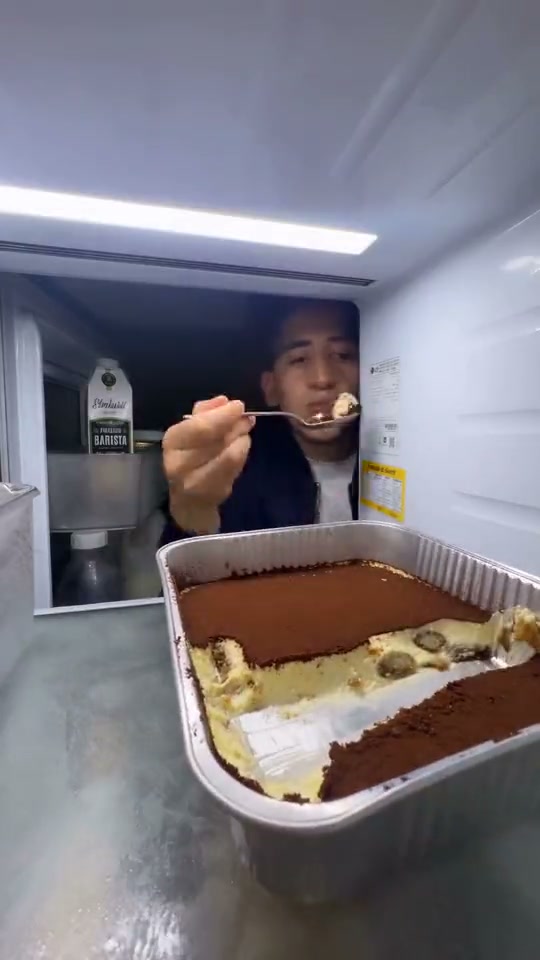
How to create a Fridge POV AI video
The fridge scene is ready. You provide the main character.
STEP 1
Choose your Fridge POV AI photo
Upload one sharp photo of one person, with their hair, face and upper-body clothing visible. Use a picture you have permission to edit; no fridge recording is needed.
STEP 2
Review and generate
For Fridge POV AI, choose an available resolution in Settings, check the credit quote on Generate and sign in to submit. Uploading a photo alone does not start a paid generation.
STEP 3
Watch both visits and download
Open your Fridge POV AI result in My creations. Watch the spoon contact, door closure and return with sound. Download the completed clip when you are happy with it.
Make the Fridge POV AI scene personal
Bring your own look to the late-night dessert joke. Two short community previews show the bite, the pause and the return.
Give Fridge POV AI your own recognizable look
Cast yourself or a consenting friend as the person who cannot leave dessert alone. Fridge POV AI uses the whole subject in your photo, including hairstyle and visible clothing, so the scene can carry a familiar look beyond a facial expression. The same photo defines the character before and after the door closes; you do not need a second portrait for the return. Send the clip to a dessert-loving friend or use it in a playful personal post. Review the appearance across both visits, since AI can reinterpret details.
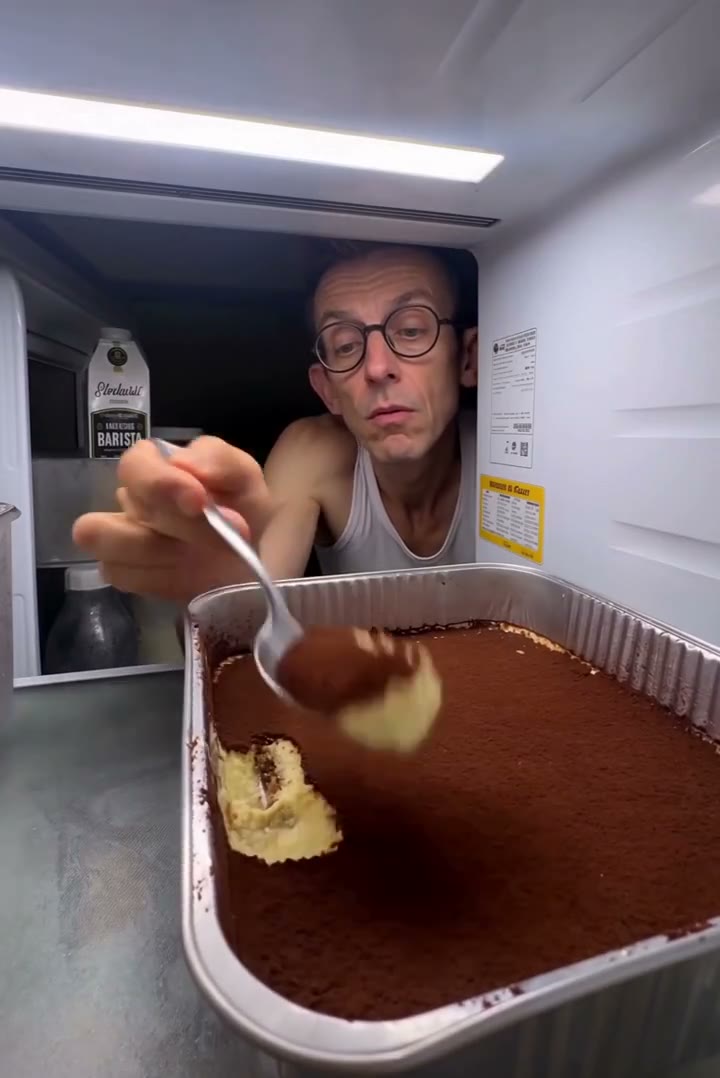
Keep the pause that makes the second visit funny
The return is the payoff: the door closes, the picture briefly goes dark, and the same person reappears for another bite. Fridge POV AI follows that prepared sequence without asking you to time separate shots or stage a second take. Dessert remains in the tray at the end of this short reference. Fridge POV AI therefore suits the “just one more bite” idea; it does not offer a longer story in which the entire dessert disappears. Watch the reference to decide whether its timing fits your joke.
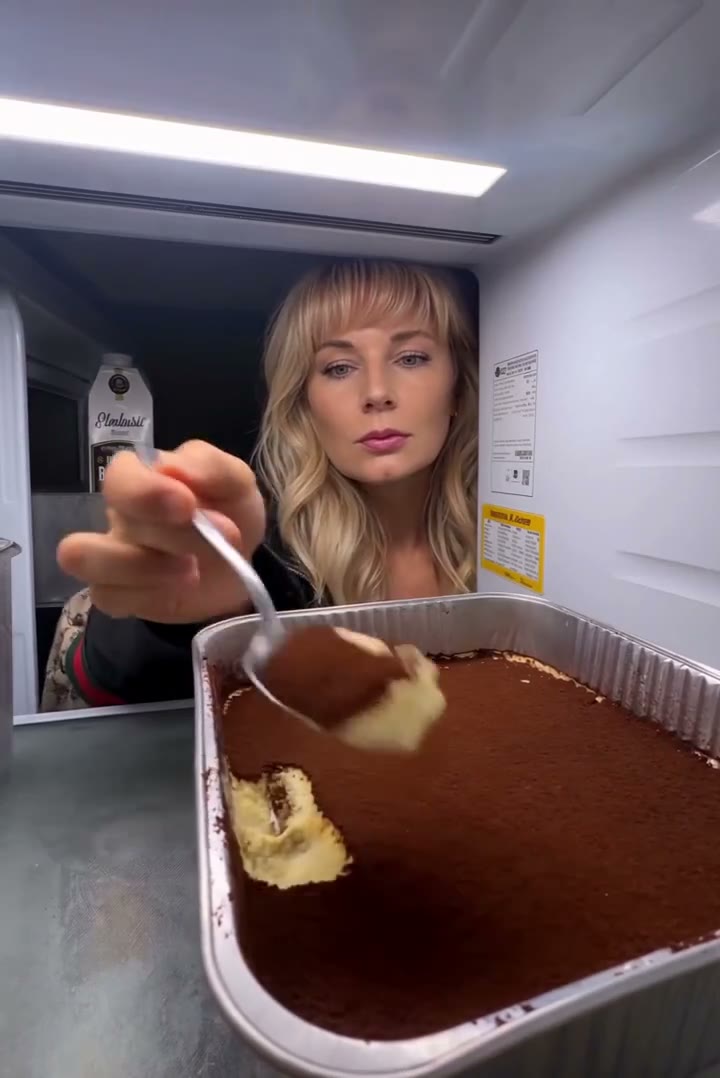
Get the vertical scene with its reference sound
Fridge POV AI gives you a portrait-format clip with the sound from the prepared reference. Preview it with audio, then download it for a message or short video post. No separate music file or editing timeline is needed. The 9:16 framing keeps the dessert close to the camera, with the character behind it. Fridge POV AI keeps this framing rather than offering a landscape crop. Keep added captions away from the spoon and mouth, where the joke happens. The community previews show short interpretations of this scene; your result follows the fixed reference above.
Is Fridge POV AI the right scene for you?
Use the prepared scene when its particular joke matches your idea.
A personal dessert reaction
Fridge POV AI works around one recognizable character and a familiar snack habit. Your photo changes the subject’s complete look; the fridge, dessert and camera position come from the reference.
A short return visit
Fridge POV AI follows the supplied roughly ten-second sequence. It has one photo slot, with the same character on both visits, and no independent duration or second-character control.
A different scene needs a different reference
For your own kitchen, a different dessert or another camera angle, use the Motion Transfer homepage with a reference video you can use. This fixed page does not accept a background or food photo.
Fridge POV AI credits and plans
Fridge POV AI generation requires an account and sufficient credits. The Generate button quotes the selected resolution and reference duration. Plan examples below may describe other models or video lengths.
Starter
For your first ideas.
$8.3/month
$100.0 charged yearly
2,400 credits/year
Up to 400 images
GPT Image 2Nano Banana Pro
Up to 133 videos
Seedance 2.5Kling 3.0 Motion Control
- Up to 4K images and HD videos, depending on the model
- Image editing, video creation & motion transfer
- Watermark-free image & video downloads
- Generation history in your account
Popular40% OFFSave $238.8
Pro
For a steady creative flow.
$30.0/month$49.9/month
$360.0 charged yearly
21,600 credits/year
Up to 3,600 images
GPT Image 2Nano Banana Pro
Up to 1,200 videos
Seedance 2.5Kling 3.0 Motion Control
- Up to 4K images and HD videos, depending on the model
- Image editing, video creation & motion transfer
- Watermark-free image & video downloads
- Generation history in your account
- Use credits across image and video models
Best Value50% OFFSave $599.8
Business
For more creations, more often.
$49.9/month$99.9/month
$599.0 charged yearly
48,000 credits/year
Up to 8,000 images
GPT Image 2Nano Banana Pro
Up to 2,666 videos
Seedance 2.5Kling 3.0 Motion Control
- Up to 4K images and HD videos, depending on the model
- Image editing, video creation & motion transfer
- Watermark-free image & video downloads
- Generation history in your account
- Use credits across image and video models
Basic
$0Try before you subscribe
- 18 one-time signup credits
- Generation history included
- Watermarked previews & downloads
- Up to 3 images or 1 video
- Watermark-free downloads require payment
Prices in USD; taxes and total shown at checkout. Subscriptions renew automatically; cancel in Billing settings. Subscription credits expire each period; one-time credits never expire.
Refunds: request within 72 hours. Used purchased credits and applicable non-refundable processing costs (up to 6%) are deducted. Terms · Refund Policy
Fridge POV AI questions
Photo choices, the fixed scene, sound and checking your result.
How many photos does Fridge POV AI need?
Fridge POV AI needs one photo of one person. The same image defines the character on both visits. Avoid collages or group shots that leave the intended subject unclear.
What picture should I upload to Fridge POV AI?
Choose a sharp, evenly lit upper-body photo with visible face, hair and clothing. Fridge POV AI has less appearance detail to work with in a tightly cropped selfie. Avoid heavy blur or hands covering the mouth.
Does Fridge POV AI change my outfit too?
The photo defines the complete appearance and outfit. Fridge POV AI asks for the same look across both visits. Clothing beyond the photo crop has to be inferred; the tray can also obscure the body during the scene.
Does Fridge POV AI include sound?
Yes. Fridge POV AI includes the supplied reference audio. Use the preview sound control to listen. There is no music picker, and the audio does not become a personalized voice recording of your chosen person.
Why does the Fridge POV AI reference briefly go dark?
The person closes the door before returning. Fridge POV AI keeps this short dark interval as part of the scene. A completed video should continue after it, so watch through the return when reviewing your result.
Can Fridge POV AI empty the entire tray or add another person?
The short reference finishes with dessert still present. Fridge POV AI has one character slot and no extra-visit setting. It does not combine two portraits or extend the dessert challenge. Bring a different reference to the homepage for another sequence.
Can I change the Fridge POV AI video length or shape?
Fridge POV AI follows the roughly ten-second, 9:16 reference. You can choose an available resolution in Settings. For a landscape shot or longer performance, use a different motion reference on the homepage.
What should I check in a Fridge POV AI result?
Watch the spoon-to-mouth contact, fingers and appearance after the door reopens. Fridge POV AI can produce artifacts in these interactions. Check clothing continuity too; reference-guided instructions do not guarantee perfect details in every frame.
Is Fridge POV AI free to generate?
You can inspect the reference first. Fridge POV AI generation requires an account and enough credits for the quote. Each new generation is a separate task; replaying or downloading a completed result does not start another.
Can I post a Fridge POV AI video?
Download the completed clip, check it with sound and follow the destination platform’s AI labeling rules. Use photos you have permission to edit. Fridge POV AI does not grant additional rights to reference footage or its audio; check those rights for your intended use, especially promotional or commercial posts.
Create your Fridge POV AI return visit
Choose one photo and put a familiar character into the tiramisu scene.