Create a video

ModelSeedance 2.5 Edit

Configured for this template

Money Spread reference · 15.2s

Main character · Photo 1

Money Spread AI Video Generator

Turn one character photo into a Money Spread AI video. Keep the cash-stack reveal, money-fan gestures, and original sound while bringing your own look to the performance.

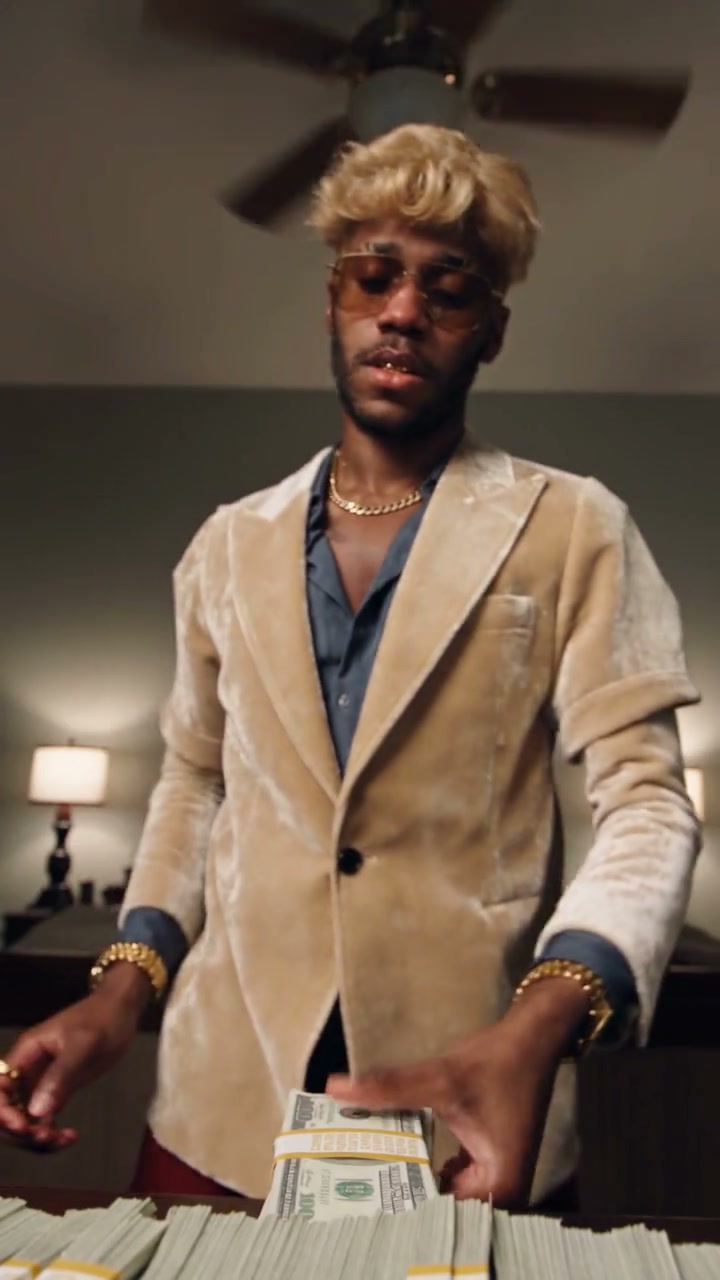
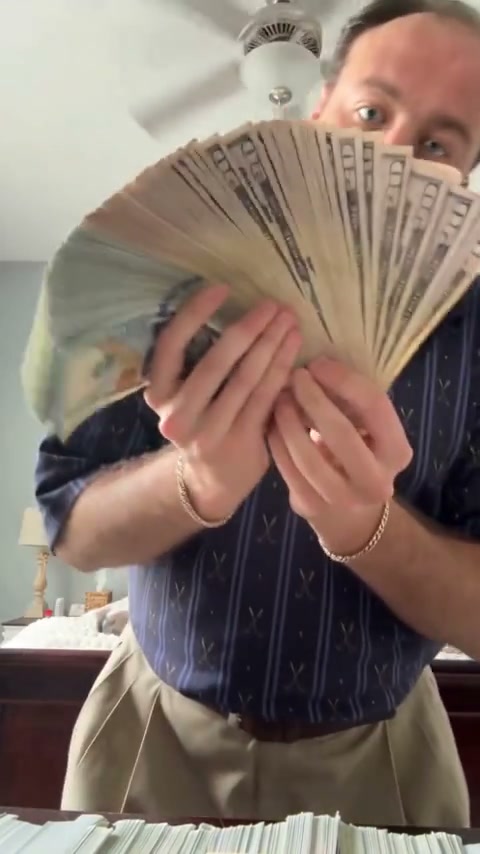
Money Spread reference performance with one person displaying stacks of cash and a fan of bills in a bedroom

What is Money Spread AI?

Money Spread AI puts a character from your photo into a short cash-display performance. The person in the reference first shows a curved stack of money, then brings another stack toward the camera and opens the bills into a wide fan. Your photo supplies the replacement person; the clip supplies those movements. This is a moving, vertical video with the original sound, so you do not need to film the gestures yourself or hold any cash for your input photo.

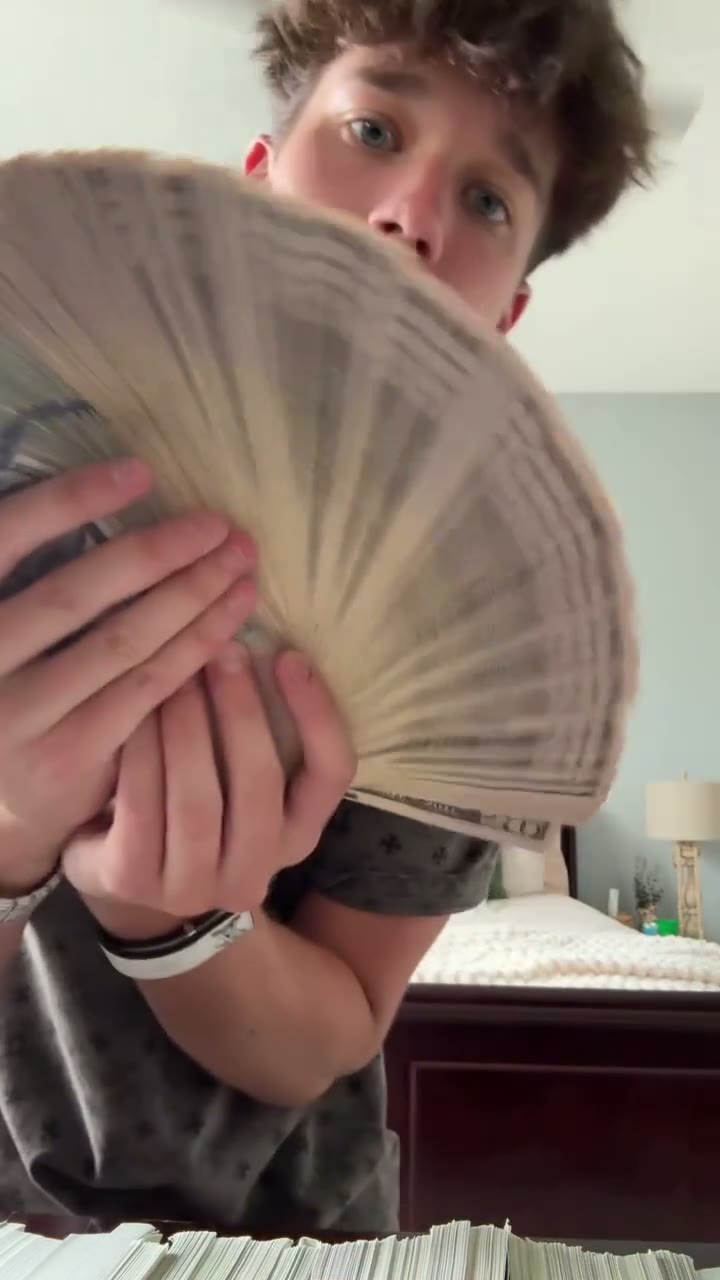
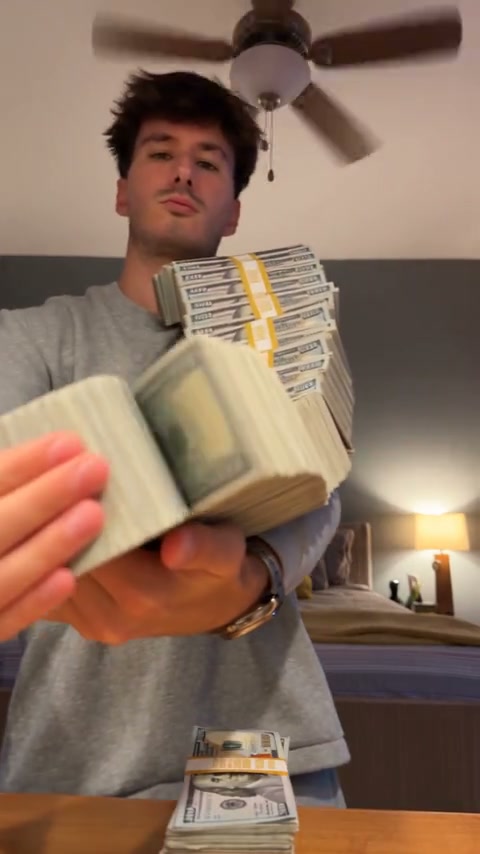
Money Spread AI community example with a grey-sweater character displaying cash stacks and opening a money fan

Make a Money Spread AI video in three steps

The reference performance is already loaded. You only need the character photo.

  1. STEP 1

    Upload one character photo

    Choose a single person with a clear face and visible outfit. Add the photo in Photo 1, or use Replace if you want a different look before generating.

  2. STEP 2

    Generate your Money Spread AI video

    Sign in and select Generate when your photo is ready. The credit cost is shown on the button. Choosing a picture alone does not start a paid request.

  3. STEP 3

    Preview and download

    Open My creations, play your Money Spread AI result with sound, and download the version you want to keep. Watch the hands and the final money-fan reveal.

One photo, the Money Spread AI performance

See the character, props, and final reveal before choosing the photo for your edit.

Your complete look in Money Spread AI

Choose one sharp photo of the person you want to see. Include the face, hairstyle, shoulders, clothes, and as much of the upper body as practical. Money Spread AI uses that picture for the whole character, including the outfit and accessories. The original patterned shirt and jewelry are not the intended look unless your picture includes them. A simple portrait without cash is enough; the reference already contains the props. A group photo or a collage leaves the target person unclear.
Your complete look in Money Spread AI

Keep the money spread and hand movements

The cash is part of the performance. Money Spread AI asks the edit to keep the stacks, the way they bend, and the fan that opens near the end. Your character follows the original grip, posture, and gestures. These close interactions can be difficult: fingers may merge with a bill, a stack may change shape, or an edge may disappear. Preview the moment the money approaches the camera, not just the opening frame, before choosing a result to download.

Keep the money spread and hand movements

The same room, timing, and original sound

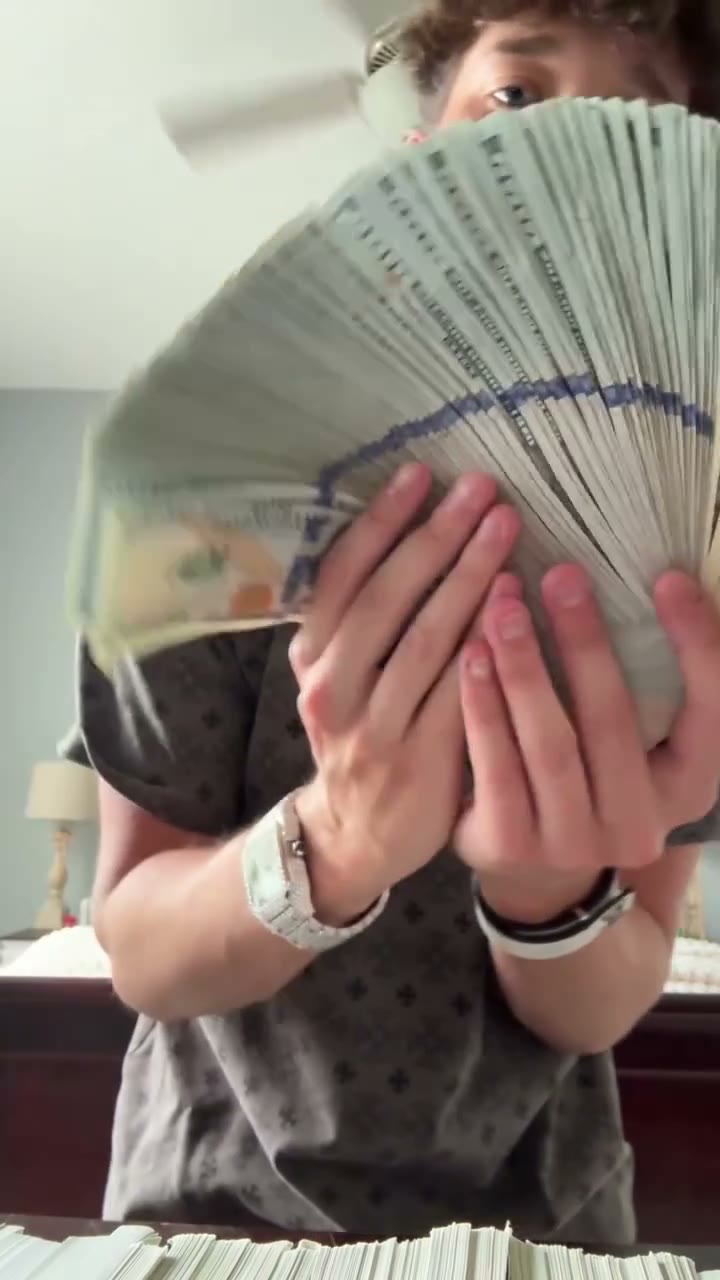
The Money Spread AI template follows this roughly 15-second vertical performance. The bedroom, bed, lamps, framing, and camera movement are meant to remain. The finished clip uses the original soundtrack without a separate song upload. Near the end, the fan of bills partly covers the face; the character should keep the same appearance through that overlap. Check that reveal in motion. This preset does not offer a new location, custom soundtrack, or a different sequence of money tricks.

Money fan partly covering the source performer’s lower face near the end
Final money-fan reveal · reference frame

When to choose Money Spread AI

Choose this ready-made scene when the cash-display performance is the result you want. A different setting or an entirely new action needs a different reference.

A playful cash-flex clip

Use your own photo or a consenting friend’s photo for an entertainment edit. Money Spread AI supplies the performance. Label shared clips as AI-edited; avoid presenting them as evidence of someone’s wealth or a real event.

Try a character’s style

Bring a character image you have permission to edit into the same scene. Choose the desired clothes in the image first. One generation uses one appearance reference, without batch wardrobe variations.

Need another kind of money image?

Money Spread AI makes a moving performance, rather than a still money-fan portrait. Use the Motion Transfer homepage for your own footage. This template does not change denominations, count banknotes, or create financial documents.

Money Spread AI at a glance

The controls focus on the character and the finished clip, with the performance ready to use.

One appearance reference

Photo 1 defines the person from face to outfit. There is no second clothing slot or cast to arrange. Avoid cropped-off hairstyles and hidden faces.

A fixed cash-fan sequence

Money Spread AI follows the progression from stacks to the fan reveal. Play the preview to check whether that movement suits your idea; choreography instructions are already prepared.

Original soundtrack included

The reference sound accompanies the finished Money Spread AI clip. Page examples play muted. Open your completed video in My creations to check its soundtrack. This page does not record your voice, clone a voice, or offer a music library.

Return to saved results

Open completed Money Spread AI videos in My creations or video history. Previewing or downloading an existing result does not launch another generation.

Money Spread AI credits and plans

Generation uses credits. The loaded clip and your selected resolution determine the cost shown on Generate. Plan examples may use other models or durations.

Starter

For your first ideas.

$8.3/month

$100.0 charged yearly

2,400 credits/year

Up to 400 images

GPT Image 2Nano Banana Pro

Up to 240 videos

Seedance 2.5Kling 3.0 Motion Control
  • Up to 4K images and HD videos, depending on the model
  • Image editing, video creation & motion transfer
  • Watermark-free image & video downloads
  • Generation history in your account
Popular40% OFFSave $238.8

Pro

For a steady creative flow.

$30.0/month$49.9/month

$360.0 charged yearly

21,600 credits/year

Up to 3,600 images

GPT Image 2Nano Banana Pro

Up to 2,160 videos

Seedance 2.5Kling 3.0 Motion Control
  • Up to 4K images and HD videos, depending on the model
  • Image editing, video creation & motion transfer
  • Watermark-free image & video downloads
  • Generation history in your account
  • Use credits across image and video models
Best Value50% OFFSave $599.8

Business

For more creations, more often.

$49.9/month$99.9/month

$599.0 charged yearly

48,000 credits/year

Up to 8,000 images

GPT Image 2Nano Banana Pro

Up to 4,800 videos

Seedance 2.5Kling 3.0 Motion Control
  • Up to 4K images and HD videos, depending on the model
  • Image editing, video creation & motion transfer
  • Watermark-free image & video downloads
  • Generation history in your account
  • Use credits across image and video models

Basic

$0

Try before you subscribe

  • 18 one-time signup credits
  • Generation history included
  • Watermarked previews & downloads
  • Up to 3 images or 1 video
  • Watermark-free downloads require payment

Prices in USD; taxes and total shown at checkout. Subscriptions renew automatically; cancel in Billing settings. Subscription credits expire each period; one-time credits never expire.

Refunds: request within 72 hours. Used purchased credits and applicable non-refundable processing costs (up to 6%) are deducted. Terms · Refund Policy

Money Spread AI questions

Photo choice, cash props, sound, and the finished video.

How many photos does Money Spread AI need?

One clear picture of a single character in Photo 1. No extra cash, room, or clothing photos are needed. Choose a single-person picture over a group photo.

Do I need to hold money in my photo?

No. The video provides the cash and hand movements. A photo without props leaves more of the face and outfit visible; matching the original pose is unnecessary.

Will Money Spread AI use my clothes?

The prepared instruction uses your reference for the complete appearance, including clothing and accessories. Show the outfit clearly in your photo. Very small jewelry, fabric patterns, and logos can still change in the generated video; inspect them if they matter to your character.

Can Money Spread AI preserve every banknote?

The edit is asked to preserve the original cash props and their movement, but exact bill designs, written numbers, stack counts, and finger contact are not guaranteed. Treat the clip as entertainment. Do not rely on it for currency details or proof of an amount of money.

What happens when the money covers the face?

The same character should continue behind the money fan. Partial occlusion can cause changes around the eyes, mouth, hands, or outfit. Watch the transition into and out of the covered view to judge consistency, rather than checking only a still thumbnail.

Does Money Spread AI include sound?

Yes, the finished video uses this reference’s original soundtrack. There is no need to upload audio or enable a separate sound option. Page examples play muted. Open your completed video in My creations to check its soundtrack. Access to this tool does not itself grant rights to a soundtrack for every use.

How long is the Money Spread AI video?

About 15 seconds, in a vertical frame, following the loaded reference. The page does not offer a duration or aspect-ratio picker. Choose a different source through the main Motion Transfer workspace if you need a longer performance or a landscape scene.

Which model does Money Spread AI use?

Seedance 2.5 Edit is selected for this template. To explore other models, open the main workspace and choose a workflow compatible with your own inputs.

Do I need to write a Money Spread AI prompt?

No. The prepared prompt assigns your one photo to the complete character and preserves the cash performance and room. Start with that instruction. If you customize it, keep the person and props clearly separated so your changes do not accidentally target the money or background.

Is Money Spread AI free to use?

Previewing the reference is free. Creating a clip requires signing in and enough credits for the displayed cost. Uploading your picture alone does not start a paid request.

Where can I download the result?

After generation, open My creations or video history and choose your completed result. Preview the full clip with sound before downloading. If the hands, face, or money look wrong, use a clearer appearance photo for a new attempt rather than assuming the thumbnail represents the whole video.

Can I share my Money Spread AI result?

Use photos and footage you have permission to edit, and check the soundtrack rights for your intended use. Follow the destination platform’s AI-media rules. Avoid presenting a generated cash display as a genuine event, someone’s financial situation, an endorsement, or evidence for a transaction.

Make your Money Spread AI video

Pick one clear character photo and bring your own look to the cash-stack and money-fan performance.

Money Spread reference performance with one person displaying stacks of cash and a fan of bills in a bedroom