
Create a video

Crowd dance reference
Lead photo
Crowd & background photo

STORM II AI Video Generator

Place your lead in front of a synchronized crowd. Add a photo for the lead and one for the group and setting, then generate with the ready-made motion template.

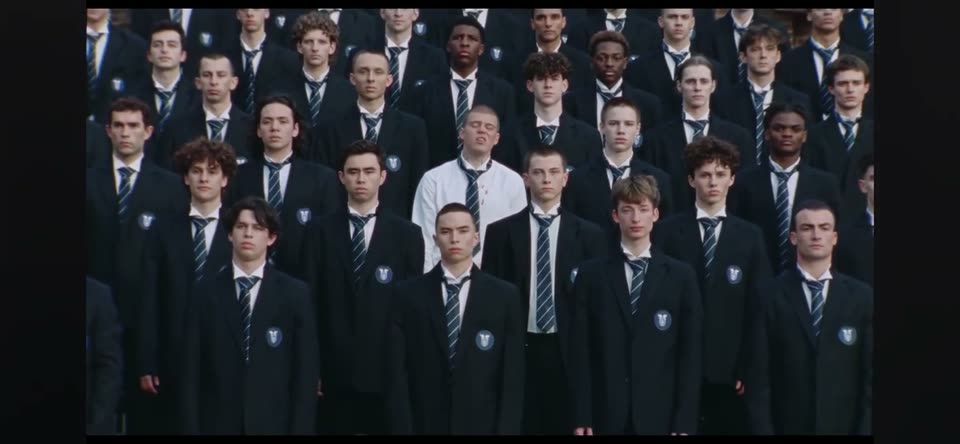
Wide formation of performers in matching dark jackets and ties, with one person in a white shirt standing in front

What is STORM II AI?

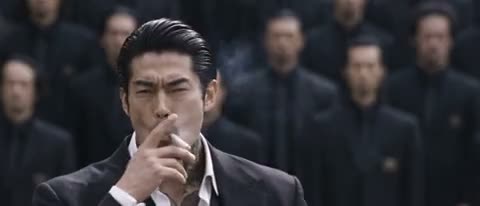
STORM II AI puts one foreground lead in a synchronized crowd-dance shot. The video here is a community example and was not generated on this site. Your first photo guides the lead; your second guides the crowd and setting. The motion clip already loaded above supplies the choreography and camera. You do not need to film a dance or write performance instructions. Your result can differ from the example.

Community example of a suited lead in front of a dark-clothed crowd

How to make a STORM II AI video

The crowd template is already selected. Bring a lead photo and a crowd-and-background photo.

  1. STEP 1

    Preview the template

    Watch the community example and the motion reference. The workspace starts on Seedance 2.5 with a 29-second output, 480p, and sound off. Looking at the clips does not submit a STORM II AI job.

  2. STEP 2

    Add both photos

    Upload the lead first, then a photo of the crowd and setting. Use Replace to keep each image in its role. The motion reference stays loaded. If a saved draft opens, check its restored files and settings before you continue.

  3. STEP 3

    Check the estimate, then generate

    Open Settings for duration, resolution, or sound. Read the credit estimate beside Generate and sign in to submit. The finished STORM II AI video appears under My creations, where you can play it and use its download options.

Formation, example, and original lead photo

The motion reference, the community example, and the original lead photo are separate files. None of them was generated on this site.

The motion reference is a separate clip

The clip below is the motion file the workspace loads. It is not the community example above. A wide formation wears matching dark jackets and ties, with one person in a white shirt in front. The rows hold together, then bow as a group, while the framing stays on the crowd. The reference runs for about 28 seconds. STORM II AI starts the output at 29 seconds so that reference can fit without a video upload from you.
The motion reference is a separate clip

Two photos guide the cast and setting

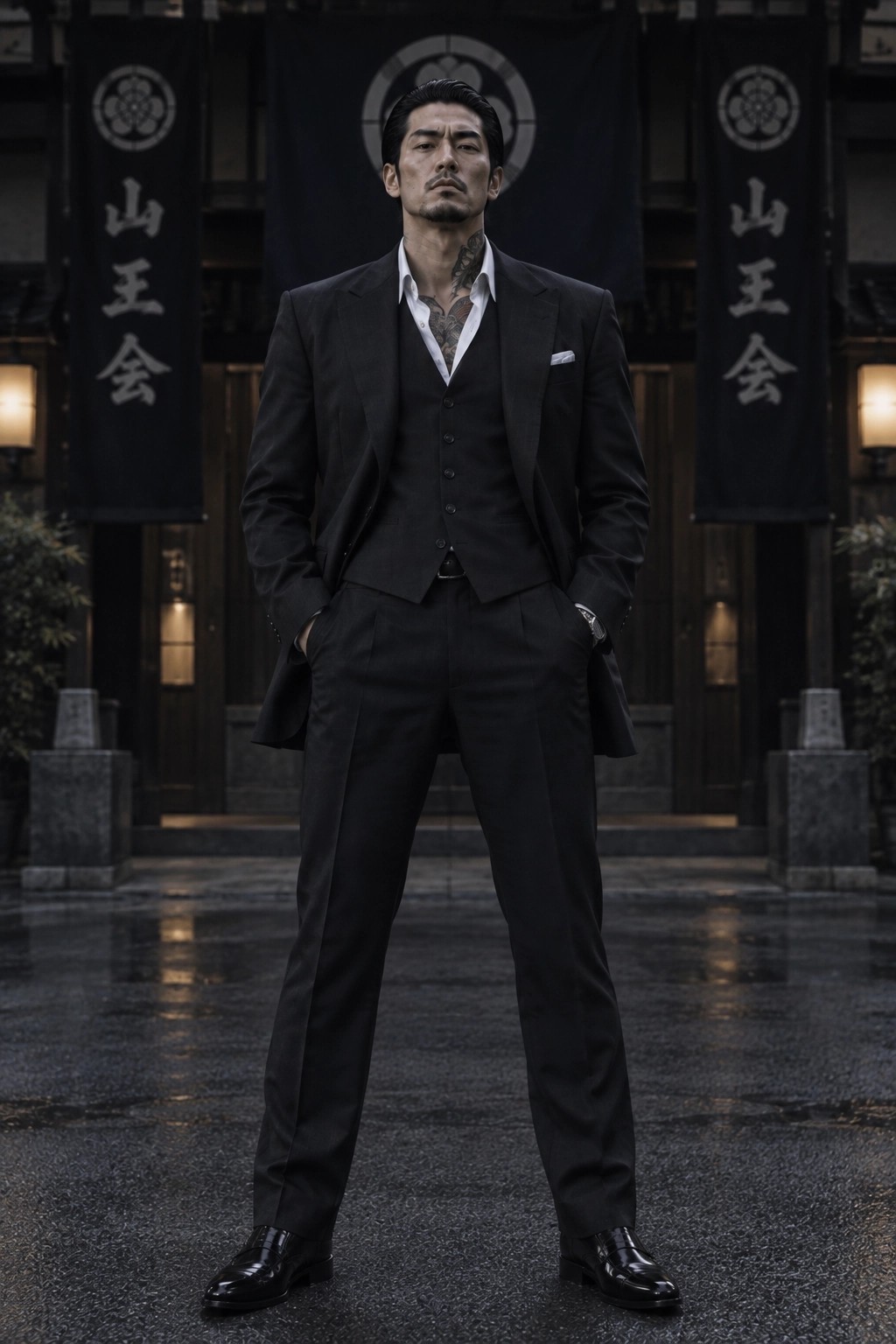
This full-body picture of a man in a black three-piece suit is the original lead reference from the community example. It is not placed in your upload slot. Upload a clear photo of the person you want in front, then a separate photo showing the surrounding people and background you want. The second photo guides their appearance and setting; it does not replace the motion clip. Faces, clothes, and spacing can still change in the result.

Full-body community reference of a man in a black three-piece suit

Why start from this STORM II AI template?

The crowd choreography is already chosen. You can guide who stands in front and how the group and setting look.

Skip the scene description

The motion reference already defines the rows, bow, and camera. STORM II AI recasts this formation without a scene description.

Guide the lead and the crowd separately

The first slot is for the lead. The second is for the surrounding performers and background, which can come from a group shot. Replace either image without setting the motion template up again.

Choose the file before you spend credits

Duration, resolution, and sound stay in Settings. The model shown for this template is Seedance 2.5. Read the estimate for the combination you picked before you spend credits.

Controls for this STORM II AI clip

The template fixes the choreography. These choices change the file you receive.

Ready-made performance

The template tells Seedance to use your first photo for the lead, your second for the crowd and setting, and the motion clip for the dance. Check the result before sharing it.

Output length

Seedance 2.5 offers 4 to 30 seconds. STORM II AI starts at 29 seconds, beside a motion reference of about 28 seconds. A shorter setting can end before the group bow. Watch the whole clip before you keep it.

Resolution

Choose 480p, 720p, or 1080p. The page starts at 480p. A higher resolution changes the credit estimate and the file detail. It does not make the face or the formation a closer match.

Sound

Sound starts off. Turn it on to request audio from the selected model with your STORM II AI video. That switch does not include a recording from the reference and does not lock mouth movement to speech or music.

Examples and My creations

Examples keeps the template preview available. My creations follows the job you submit. Changing tabs, uploading photos, or reloading the template does not start a STORM II AI render.

Plans for STORM II AI renders

Choose a plan for later videos, and use the estimate beside Generate for this clip. Example counts on the cards use the model and settings named there. A 29-second reference-video job can cost more than those examples.

Pro yearly: 40% OFF · Save $238.80

Starter

For your first ideas.

$8.33/month

$100.00 billed yearly

2,400 credits/year

Up to 240 videos

Grok Imagine Video · 6s output · 480p

Seedance 2.5Kling 3.0 Motion Control

What you get

  • 2,400 credits upfront (valid 1 year)
  • Up to 1080p, depending on the model
  • Kling, Wan, Seedance & MiniMax video models
  • One character photo and one motion video
  • Generation history in your account
Recommended40% OFF

Pro

For a steady creative flow.

$30.00/month$49.90/month

$360.00 billed yearly · Save $238.80

21,600 credits/year

Up to 2,160 videos

Grok Imagine Video · 6s output · 480p

Seedance 2.5Kling 3.0 Motion Control

What you get

  • 21,600 credits upfront (valid 1 year)
  • Up to 1080p, depending on the model
  • Kling, Wan, Seedance & MiniMax video models
  • One character photo and one motion video
  • Generation history in your account
  • Download completed videos
Best Value

Business

For more videos, more often.

$49.92/month

$599.00 billed yearly

36,000 credits/year

Up to 3,600 videos

Grok Imagine Video · 6s output · 480p

Seedance 2.5Kling 3.0 Motion Control

What you get

  • 36,000 credits upfront (valid 1 year)
  • Up to 1080p, depending on the model
  • Kling, Wan, Seedance & MiniMax video models
  • One character photo and one motion video
  • Generation history in your account
  • Download completed videos

Basic

Explore the workflow before upgrading

$0

  • One-time signup gift credits
  • Upload one portrait and one reference video
  • Adjust settings before signing in

Prices in USD; taxes and total shown at checkout. Subscriptions renew automatically; cancel in Billing settings. Subscription credits expire each period; one-time credits never expire. Terms · Refund Policy.

STORM II AI questions

Photo requirements, the loaded motion reference, and what the result does not promise.

How many photos does STORM II AI need?

Upload two photos: one clear photo of the foreground lead, then a separate photo showing the crowd and background you want behind them. The second image may be a group shot. The suited reference picture lower on this page only illustrates the lead role; it is not inserted into either upload slot.

Which photos work best for STORM II AI?

For the lead, use a sharp, well-lit photo with the face and outfit visible. A full-body or waist-up view gives more appearance detail than a face-only crop. For the second slot, choose a clear view of the performers and setting; the model may interpret rather than copy individual faces. Use images you have permission to upload and transform.

Can I replace either STORM II AI photo?

Yes. Use Replace on the corresponding photo slot to change the lead or the group and setting. The motion reference stays in place. Both photos are required before Generate becomes available. Check the previews before you submit.

Do I need to upload a STORM II AI dance video?

No. The page loads the motion reference for you. Wait until that clip appears, then add your photos. If it does not load, use Reload template. A saved draft is restored before that automatic load, including any video the draft already has, so confirm the restored clip before you generate.

Will STORM II AI keep the face and the crowd the same?

No guarantee is offered. The first image guides the foreground lead; the second guides the crowd and setting. Faces, clothes, hands, spacing, background details, and the bow can drift. The community example uses a different lead from the motion reference. It was not generated on this site and is not a measurement of your result. Review the opening, the wide formation, and the bow before you download.

Does STORM II AI include the reference audio?

Sound starts off. Turning Sound on requests audio from the selected model. It does not promise audio stored with the motion reference, a published track, or mouth movement matched to a beat. Play the file before you share it. If you add music later, use audio you have permission to include.

Can I change the STORM II AI length and quality?

Yes. Settings lists supported durations and the resolutions 480p, 720p, and 1080p. The page starts at Seedance 2.5, 29 seconds, and 480p. A different length or resolution updates the credit estimate. Confirm that estimate before you submit.

Is STORM II AI free to use?

You can open the page, watch both references, and prepare both photos before signing in. Rendering requires an account and enough credits. The plans above are the current offers. The number beside Generate is the estimate for the settings you selected. A longer or higher-resolution clip can cost more.

Where can I download my STORM II AI video?

Open My creations and wait until the job finishes. Play the clip, then use the download control on that result. The available file, and whether a watermark is present, follows your account entitlements. Finished jobs also appear in your video history.

How is STORM II AI different from other video tools here?

This page uses one photo for the lead and another for the crowd and setting inside this formation. The AI video generator is where you describe an original scene from text or start from an image. Hotel Lobby AI is a two-person duet with a left photo and a right photo. The Motion Transfer home lists other motion templates when this formation is not the performance you want.

Your lead, your crowd

Add both photos and render a STORM II AI video from the motion template already on this page.

Motion reference of a uniformed crowd formation with a foreground person in a white shirt