
Give your cat a tiny suit of armor
The small knight is the focus of the opening shot. A sword, silver armor and a fluttering cape frame the cat’s face. Upload a clear image of your cat so the model has its fur and facial markings to work from.
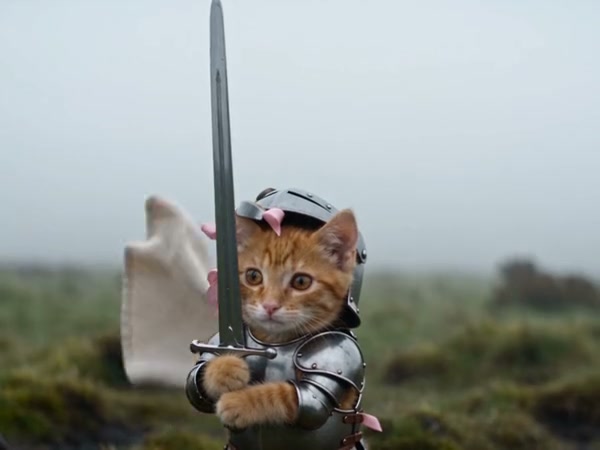
Turn your cat into a tiny armored knight with one photo. The preview is a third-party community example; your generated cat and scene can vary.
Knight Cat AI places your cat in a small knight’s role. The reference begins with a kitten in silver armor holding an upright sword, then reveals a much larger person nearby in a misty field. One cat photo guides the tiny knight.
Start with one cat photo and the prepared reference.
STEP 1
Choose a clear photo of the cat you want to see as the tiny knight.
STEP 2
Choose a mode and check the duration and credit estimate.
STEP 3
Generate the scene and find the finished clip in My creations.
Explore community examples of this scene.
The small knight is the focus of the opening shot. A sword, silver armor and a fluttering cape frame the cat’s face. Upload a clear image of your cat so the model has its fur and facial markings to work from.
The camera reveals the kitten beside a much larger person in a misty field. The size contrast is part of the visual joke. The reference guides the scene, but the generated person, armor and surroundings can change.
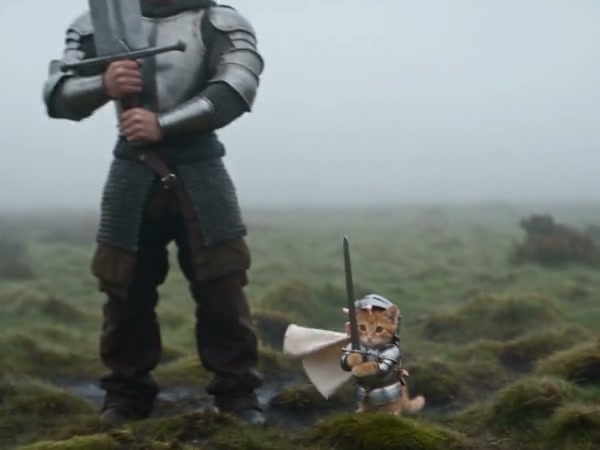
Use an image that shows your cat’s face clearly; a view of the body can help the model interpret its markings. You do not need a costume or a sword in the photo. This template has one cat slot, and the reference supplies the motion.
Your photo guides the cat; the reference guides an armored kitten in a misty field.
One required photo guides the tiny armored cat.
The reference supplies the armor, sword, cape and misty setting.
The community preview shows the idea; generated cat markings and scene details can vary.
Photos, reference and generation settings.
One cat photo is required.
No. The armor, cape and sword are guided by the reference video.
The current template has one image slot, assigned to the cat.
Choose a sharp photo with the face and markings visible. Avoid a crowded frame with multiple animals.
The source has audio, and the template is configured to restore it. Check the result before sharing.
The prepared reference runs about nine seconds. Check the duration shown for the selected mode.
Add one cat photo, choose your settings and create your scene.