Create a video

Station dancer · Photo 1
Settings
Mode
Video length15s
Resolution

Missed Train Dance AI Video Generator

Miss the doors, slide to your knees, then dance it off. Missed Train Dance AI puts your full look and outfit into the prepared station performance from one photo, with sound.

0:00 / —:—

What is Missed Train Dance AI?

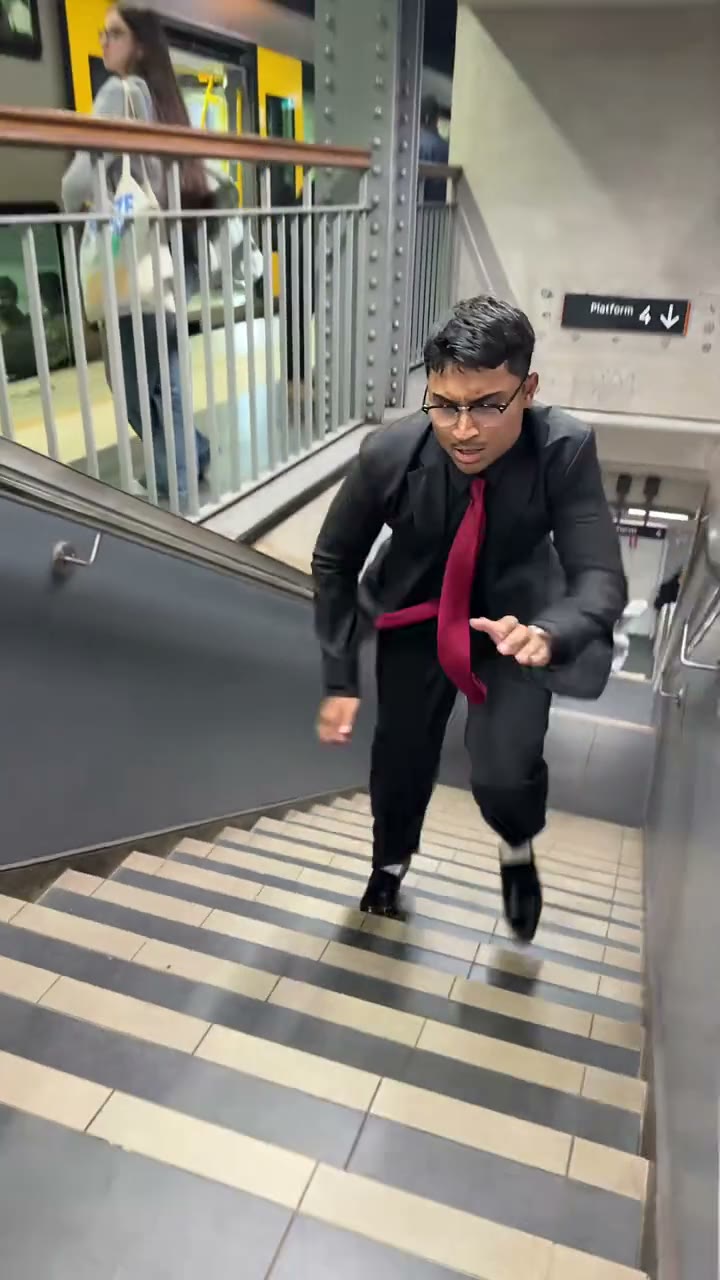
Missed Train Dance AI is a one-photo tool for the station comedy routine: the lead runs down the stairs, reaches the closed yellow train doors, drops into a knee slide and gets back up to dance. Upload one person photo to replace that lead throughout the sequence. The train, station and other commuters remain part of the reference. Missed Train Dance AI gives you the prepared action and soundtrack without asking you to film at a station, perform a slide or edit separate clips together. It follows the version shown in the preview.

The lead approaching the train on the platform

How to create a Missed Train Dance AI video

The reference is ready. Choose your photos, review the settings and generate.

  1. STEP 1

    Add your Missed Train Dance AI photo

    Upload one clear subject photo. Show the hairstyle, body and outfit you want in the scene. No motion recording or written prompt is required.

  2. STEP 2

    Choose your Missed Train Dance AI settings

    Select Economy, Standard or Original and an available resolution. The video length is prepared for this scene. Review the credit quote on Generate before submitting.

  3. STEP 3

    Review your Missed Train Dance AI result

    Open the finished video in My creations. Watch the entire performance with sound, check the subject and movement, then download the result using the available download options.

What you can create with Missed Train Dance AI

The prepared sequence supplies the movement. Your photos supply the characters.

Make the rush to the train your entrance

Missed Train Dance AI starts with a moving full-body view, so your chosen clothes and body silhouette are visible before the reaction. A clear standing portrait works as the identity reference; you do not need to be running in the photo. The prepared stairs, platform and train supply the setting. Use the clip for an everyday bad-timing joke or a personal entrance with a change of mood. The other people in the station are background characters, not additional upload slots.
The lead approaching the train on the platform

Keep the slide and the recovery together

The knee slide gives way to a surprisingly upbeat recovery. Missed Train Dance AI follows both parts as one performance, with the same person and outfit from the stairs through the return to standing. Include trousers and shoes in your photo where possible, because the lower body matters during this action. There is no separate stunt intensity or dance-speed control. Review the knees, feet and contact with the platform in the result; fast motion can create awkward limb shapes even when the overall sequence is recognizable.

The character dropping into the knee-slide reaction

Finish the disappointment with a dance

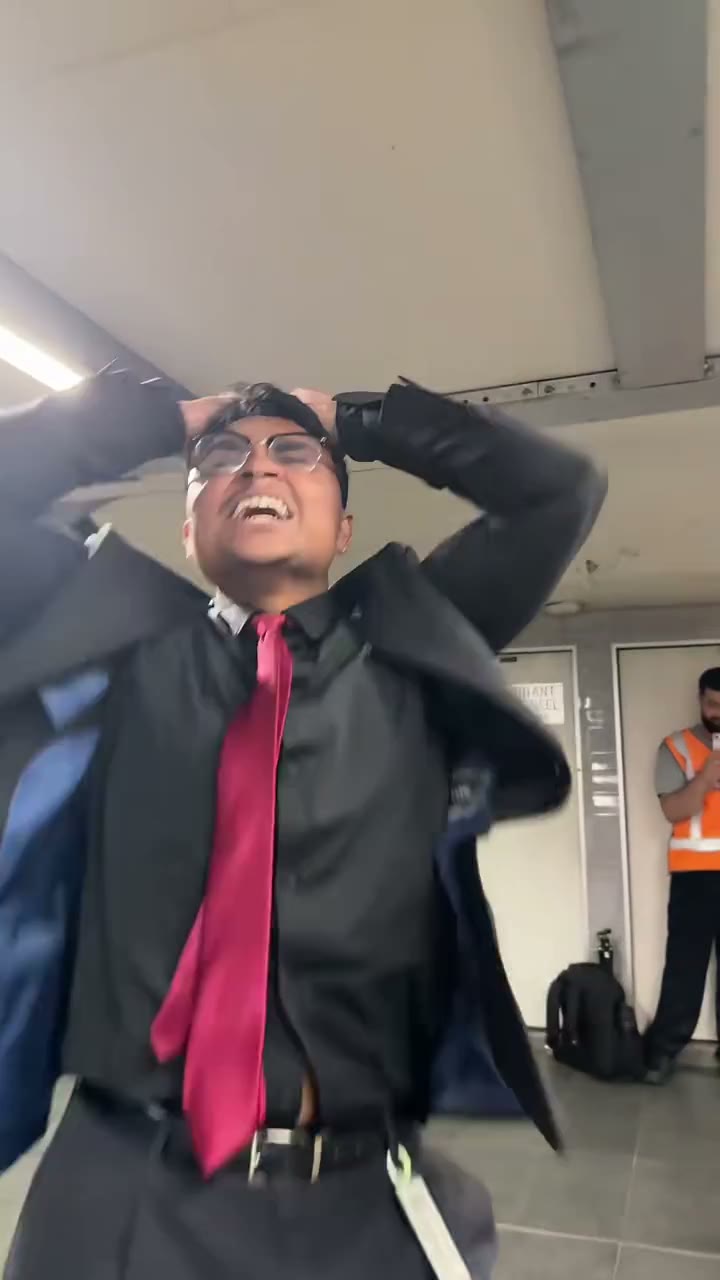
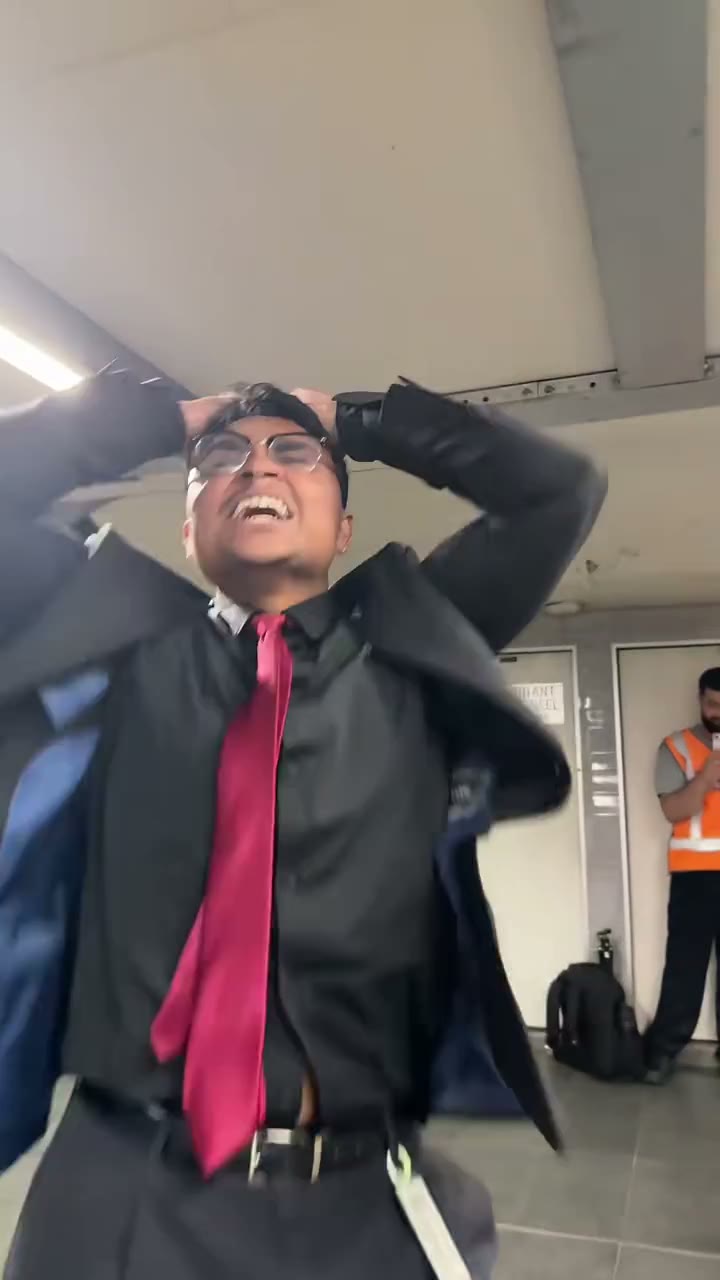
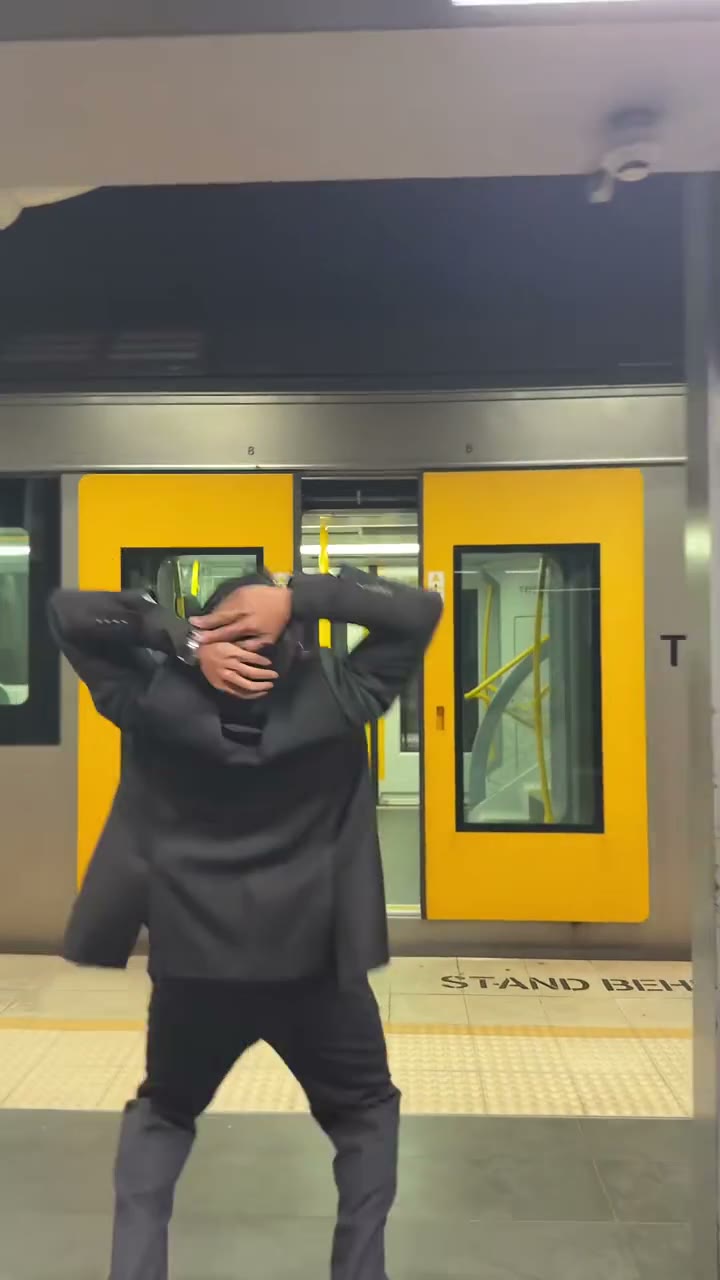
Missed Train Dance AI carries the lead into the near-camera reaction and final platform dance. The source sound is included, connecting the change of mood to the performance. You can use the result as a short reaction post or add your own missed-the-moment caption after download. This tool does not recreate arbitrary train journeys or insert a phone into a train door. Its focus is the complete run, missed door, slide and dance sequence shown above.

The lead dancing after getting back up

Your choices in Missed Train Dance AI

Choose the appearance and generation settings while the scene stays prepared.

1 required photo

Missed Train Dance AI has one subject slot. The image guides the full replacement appearance, including hair, body and visible clothing. There are no optional background or prop uploads.

Three generation modes

Original, Standard and Economy use the same 15-second reference. Output timing can vary, and the two reference modes use an output length rounded up to 15 seconds. There is no manual trimming or duration picker.

Resolution and a live quote

Missed Train Dance AI shows the available resolutions and current credit quote in the tool. Choose what fits your use and balance. Reference sound is included; there is no separate audio-generation setting.

Missed Train Dance AI credits and plans

Sign in with enough credits to submit. The quote on Generate applies to the selected mode and resolution; plan examples may use different lengths or models.

Starter

For your first ideas.

$8.3/month

$100.0 charged yearly

2,400 credits/year

Up to 400 images

GPT Image 2Nano Banana Pro

Up to 133 videos

Seedance 2.5Kling 3.0 Motion Control
  • Up to 4K images and HD videos, depending on the model
  • Image editing, video creation & motion transfer
  • Watermark-free image & video downloads
  • Generation history in your account
Popular40% OFFSave $238.8

Pro

For a steady creative flow.

$30.0/month$49.9/month

$360.0 charged yearly

21,600 credits/year

Up to 3,600 images

GPT Image 2Nano Banana Pro

Up to 1,200 videos

Seedance 2.5Kling 3.0 Motion Control
  • Up to 4K images and HD videos, depending on the model
  • Image editing, video creation & motion transfer
  • Watermark-free image & video downloads
  • Generation history in your account
  • Use credits across image and video models
Best Value50% OFFSave $599.8

Business

For more creations, more often.

$49.9/month$99.9/month

$599.0 charged yearly

48,000 credits/year

Up to 8,000 images

GPT Image 2Nano Banana Pro

Up to 2,666 videos

Seedance 2.5Kling 3.0 Motion Control
  • Up to 4K images and HD videos, depending on the model
  • Image editing, video creation & motion transfer
  • Watermark-free image & video downloads
  • Generation history in your account
  • Use credits across image and video models

Basic

$0

Try before you subscribe

  • 18 one-time signup credits
  • Generation history included
  • Watermarked previews & downloads
  • Up to 3 images or 1 video
  • Watermark-free downloads require payment

Prices in USD; taxes and total shown at checkout. Subscriptions renew automatically; cancel in Billing settings. Subscription credits expire each period; one-time credits never expire.

Refunds: request within 72 hours. Used purchased credits and applicable non-refundable processing costs (up to 6%) are deducted. Terms · Refund Policy

Missed Train Dance AI questions

Understand the inputs, scene and result before you begin.

Do I need a dancing photo for Missed Train Dance AI?

No. A clear standing photo can supply the person and outfit. The reference supplies the running, slide and dance. Show as much of the body as practical, especially trousers and shoes, and keep the face recognizable.

Can Missed Train Dance AI use my own station?

The station and yellow train belong to the prepared reference. There is no second image input for a location. Your photo replaces the lead, while the environment and commuters remain part of the scene.

Does Missed Train Dance AI include the knee slide?

Yes. The selected reference includes the approach to the doors, knee slide, recovery and dance. All three generation modes use this same short source sequence. Motion and timing in a generated result can differ from the preview.

Is Missed Train Dance AI the phone stuck to train effect?

No. This page follows a person missing the doors and dancing on the platform. Phone Stuck to Train is a separate prepared scenario. Choose by the preview when similar train-related names appear in search results.

What should I inspect in my Missed Train Dance AI clip?

Follow the same person from the stairs to the final dance. Watch the knees during the slide, hands close to the lens and shoes when the lead stands again. Confirm that nearby commuters stay separate and that clothing remains consistent through fast camera movement.

How do I start using Missed Train Dance AI?

Add the required photos, choose a mode and resolution, then check the quote. Sign in with enough credits to submit. Missed Train Dance AI includes the reference and instructions; no video upload or written prompt is needed.

How long is the Missed Train Dance AI video?

The prepared reference is about 15 seconds. Original follows that reference length; Economy and Standard request an output of 15 seconds using the same source. The generated timing can vary. You do not choose a clip or change the duration on this fixed-play page.

Does Missed Train Dance AI include the reference sound?

Yes. Missed Train Dance AI adds the matching reference audio to your result. Preview it with sound before starting. The audio does not become your real voice; there is no song picker.

Can I use Missed Train Dance AI without CapCut?

Yes. Missed Train Dance AI runs in your browser with the scene already prepared. Use an editor after download if you want captions, different music or a longer montage.

Is Missed Train Dance AI free to generate?

Missed Train Dance AI uses credits. Check the displayed quote and your balance before submitting. Previewing the reference and changing settings are free; each new generation has its own charge.

Where do I download my Missed Train Dance AI video?

Open your finished Missed Train Dance AI result in My creations and use its download options. Check the whole clip with sound before sharing. Replaying a result does not generate another video.

Create your Missed Train Dance AI video

Bring your chosen appearance into the prepared scene. Preview it above, then add your photos to begin.

The lead approaching the train on the platform