Create a video

Required photos1
Customize more (optional)0/3
Settings
Mode
Video length14s
Resolution

Studio Fashion AI Video Generator

Create a Studio Fashion AI video from one photo of a person wearing the coat that should stay on. Up to three more photos can show that same person and the same coat from other angles. The preview is a community example from a gold studio, not a street walk.

0:00 / —:—

What is Studio Fashion AI?

Studio Fashion AI is gold-studio posing in one coat, with turns under studio light. Your photos supply the person and the coat they keep wearing. The prepared reference supplies the studio, the turns, the timing and the audio, and the result is a short vertical clip you can download without booking the studio or writing a prompt. Extra photos are more angles of that same look. They are not a second garment, and this page does not switch to an outdoor walk.

Studio Fashion AI

How to make a Studio Fashion AI

Upload the look you want to keep, compare the full-length modes, then check the coat before you download.

  1. STEP 1

    Upload the person in the coat

    Use a photo where the coat you want to keep is visible. Add up to three more views only when they show that same person and the same coat.

  2. STEP 2

    Compare the three modes

    All three modes keep the studio turn. Read the duration, resolution and credit estimate beside Generate before you submit.

  3. STEP 3

    Check the coat, then download

    Open the result in My creations. Confirm the garment did not change into a second outfit, play the studio audio, and download the file you want to keep.

One coat, one gold studio

The video and stills are one community example of Studio Fashion AI. Your person, coat and cloth can look different.

Keep one coat through the turns

Photo 1 is the person and the coat that should survive every turn. Include the face, the hair and enough of the garment to show its color and shape. Photos 2, 3 and 4 are optional angles of that same person in that same coat, useful when a sleeve or a back view matters. Leaving them empty does not invent a new outfit. A Studio Fashion AI made from a different garment needs a new photo set, not an extra slot on this one.
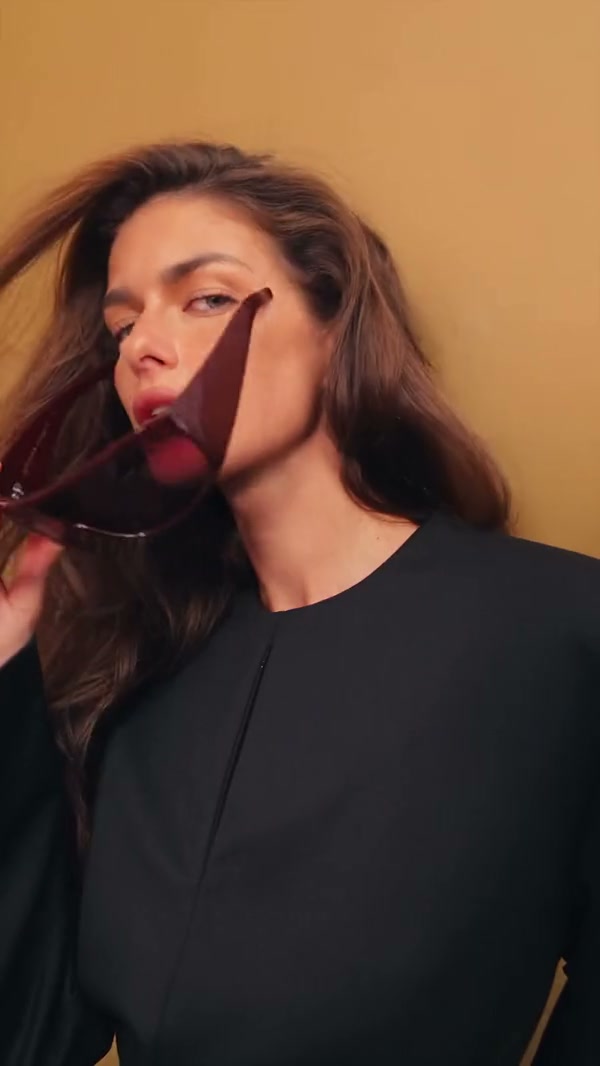
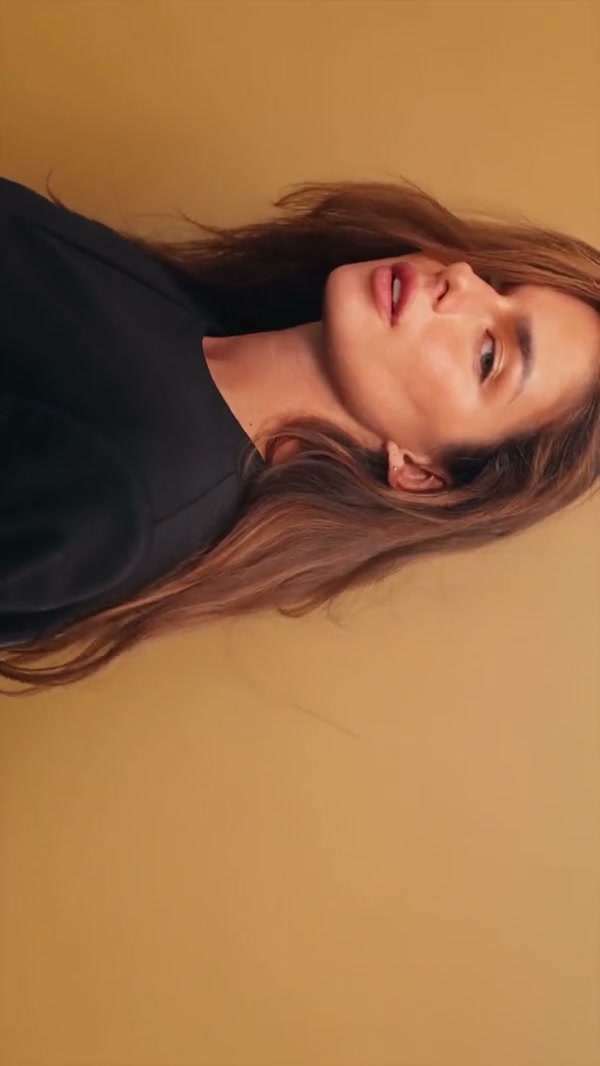
A community example of a person posing in a coat in a gold studio

Stay in the gold studio

The prepared motion stays under the gold light: pose, turn and timing. It does not move the person onto a street or swap the coat halfway through. The video and stills on this page are frames from one community studio example. A separate fur-coat street clip is a different scene and is not the recipe for this Studio Fashion AI. Your face, hair and cloth can still differ from the example.

Stay in the gold studio

Play the full studio turn in every mode

The prepared reference is about 14.2 seconds, already inside the short-mode limit, so Economy, Standard and Original each keep the full Studio Fashion AI. A lower-cost mode does not drop the last turn. The duration beside Generate can show 15 seconds because the output length rounds that source up. Resolution and the credit estimate still follow the mode. The restored audio is the studio track, not a voice created from the photo.

Frame from the same community example showing the coat from another angle

What you control in Studio Fashion AI

The person and the coat come from your photos. The gold studio, the turns and the audio stay with the Studio Fashion AI reference.

Angles of one look

One photo can carry the face and the coat. Extra photos only add angles. They do not introduce a wardrobe change.

A studio you do not redraw

There is no prompt box for an outdoor street, a different coat or a new camera move. The gold set stays prepared.

Studio audio, not a new voice

The result restores the reference audio for the prepared segment. The portrait does not become a spoken script.

Studio Fashion AI questions

The coat, the studio, the modes and what this page will not change.

What photos does Studio Fashion AI need?

One photo of the person in the coat they should keep is required. You may add up to three more photos of that same person and the same coat. Four photos is the maximum. A second garment belongs in a new generation or on the outfit-change page.

Will the coat change during Studio Fashion AI?

The template is built to hold one coat through the studio turns. Optional photos are angles of that look, not successive outfits. Cloth folds and color can still drift, so check the garment in the result before you treat it as a record of one piece.

Is the street fur-coat clip part of Studio Fashion AI?

No. This Studio Fashion AI follows the gold-studio sequence only. A fur-coat walk on a street is a different clip and is not offered as a second scene, a second coat or a prompt you can select.

How do the Studio Fashion AI modes differ?

Economy, Standard and Original each use the full studio reference, about 14.2 seconds. None of them cuts a highlight. The duration beside Generate can read 15 seconds after rounding. Resolution and the credit estimate are what change with the mode.

Does Studio Fashion AI include sound?

Yes. The studio reference has audio, and the result restores that track. You do not upload a song. Listen before you share the clip, especially if you plan to lay a different track over it later.

Can I type a prompt or move the shoot outside in Studio Fashion AI?

No. Studio Fashion AI keeps the gold studio, the turns and the timing. There is no prompt field for a street, a second coat or a different ending. Use AI Outfit Change Video when the task is several outfits, or Arcade Fashion Walk AI when the task is a walk.

Will the face and the cloth match my photos in Studio Fashion AI?

A clear photo helps the model follow the face, hair and coat, but edges and folds can change during a turn. The page does not promise a perfect match. Compare the result with the uploaded look before you download it.

How is Studio Fashion AI different from an outfit-change video?

AI Outfit Change Video is for moving through more than one outfit. This page holds one coat in a gold studio. Use the preview here when the coat should stay and the turn is the point.

How much does Studio Fashion AI cost?

The generator shows a credit estimate for the mode and resolution you select. An account with enough credits is required. Plan details live on the Pricing page.

Where do I download my Studio Fashion AI?

My creations holds the finished clip. Play it with sound, check that the coat is still the one you uploaded, and use the download control on that result.

Create your Studio Fashion AI

Add the photo of the coat you want to keep, review the Studio Fashion AI estimate, and start from the generator.

Studio Fashion AI