
Create a video

Outfit model · Photo 1

Arcade Fashion Walk AI Video Generator

One photo, one complete look. Arcade Fashion Walk AI puts your chosen person and outfit into a courtyard walk, full-body turn and close-up return, with the reference sound.

0:00 / —:—

Arcade Fashion Walk AI video ideas

Explore community remixes of this performance. Open a video for a closer look.

What is Arcade Fashion Walk AI?

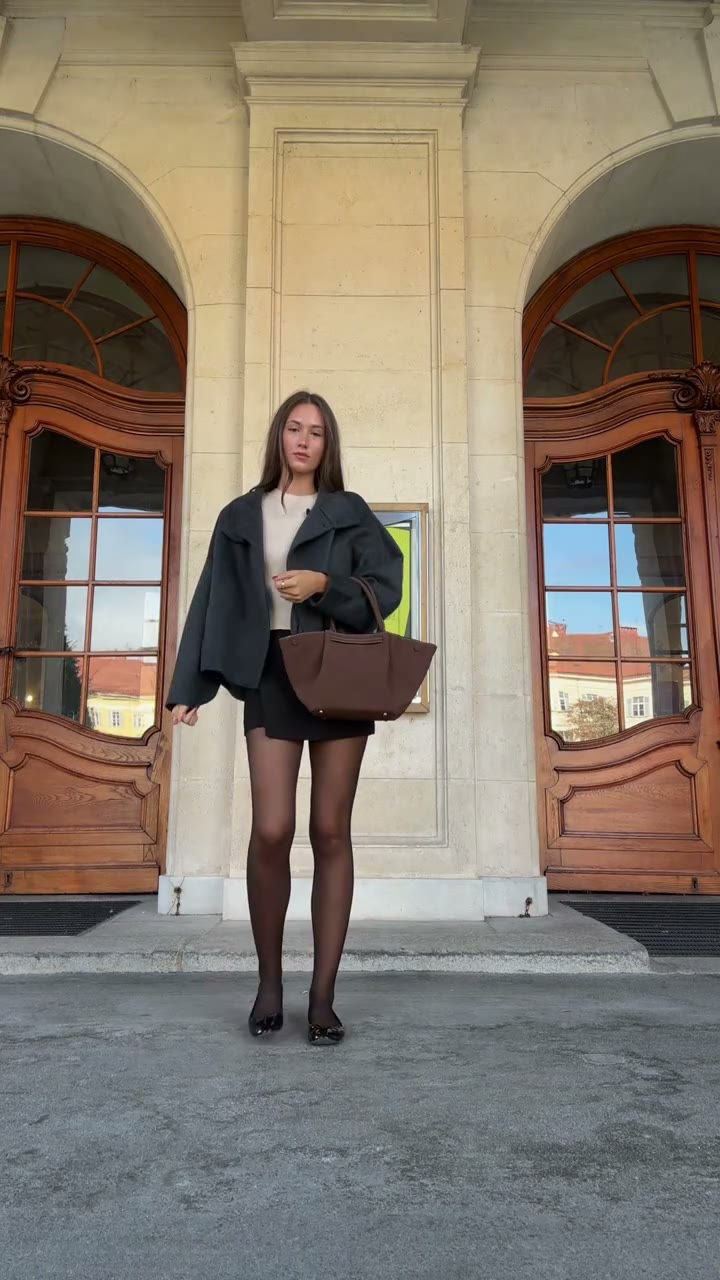
Arcade Fashion Walk AI is a prepared outfit-showcase video set beneath the arches of a courtyard. The performer begins close to the camera, steps back to reveal the whole look, turns to the side and back, then walks forward for another close view. On Motion Transfer, one person photo supplies the model's complete appearance and clothing. Arcade Fashion Walk AI follows the original poses, setting and fifteen-second portrait sequence with the reference sound. It presents one chosen outfit through movement; it does not cycle through several outfits or provide a separate virtual fitting room.

A model stepping back, turning and approaching the camera in a stone courtyard arcade

How to create an Arcade Fashion Walk AI video

Prepare the look and let the reference supply the movement.

  1. STEP 1

    Choose your Arcade Fashion Walk AI outfit

    Upload one clear person photo showing the intended clothing, shoes and visible accessories.

  2. STEP 2

    Generate an Arcade Fashion Walk AI clip

    Preview the walk, select a resolution in Settings, review the credit quote and sign in to submit.

  3. STEP 3

    Review your Arcade Fashion Walk AI video

    Inspect the whole look through the turn and approach in My creations, then download.

Arcade Fashion Walk AI community examples

Explore community interpretations of the same courtyard sequence. These examples show different looks and were not generated on this site.

Show your complete look with Arcade Fashion Walk AI

Arcade Fashion Walk AI brings your chosen person and clothing into a moving presentation without filming a walk or booking a location. Include the whole look because the performer steps back from a close view. Use Arcade Fashion Walk AI for a personal outfit post or character styling concept, with the arches and courtyard as a prepared backdrop.
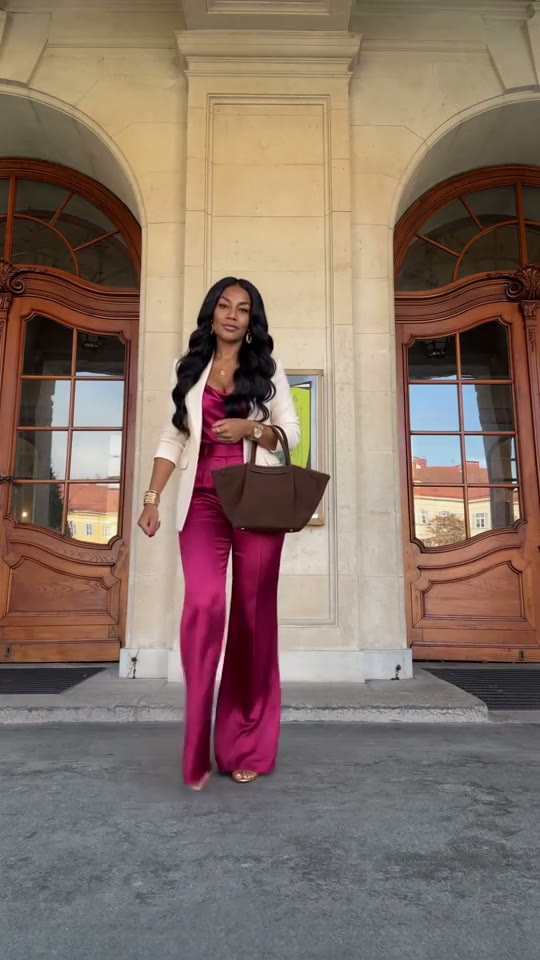
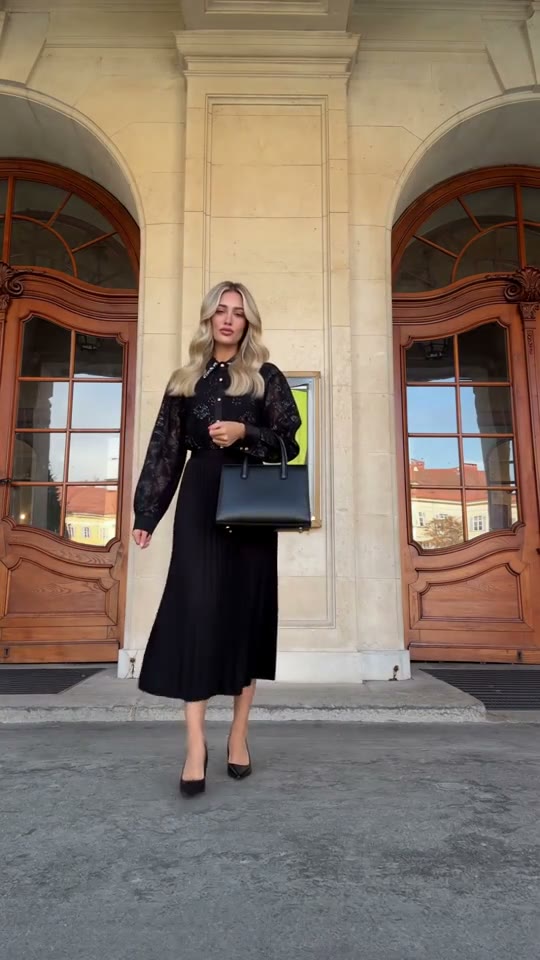
Show your complete look with Arcade Fashion Walk AI

Give the outfit a walk, turn and return

Arcade Fashion Walk AI moves from a close introduction to a full-body reveal, side-and-back turn and return toward the lens. These angles give a still photo more movement while aiming to preserve the hair and garment silhouette. Arcade Fashion Walk AI interprets unseen areas, so the result cannot establish actual fit or back-of-garment construction.

Give the outfit a walk, turn and return

Make a compact fashion edit with Arcade Fashion Walk AI

Introduce an outfit with the complete portrait sequence, or trim it into a longer style montage. Arcade Fashion Walk AI restores the reference audio to the finished clip. Add captions or branding afterward in your own editor. Arcade Fashion Walk AI combines a full silhouette with closer expressions, giving your style post a beginning, reveal and return.

Make a compact fashion edit with Arcade Fashion Walk AI

When to choose Arcade Fashion Walk AI

Match the prepared sequence to the fashion video you want to make.

One outfit as the focus

Arcade Fashion Walk AI suits a single complete look. It keeps the outfit idea together across movement rather than offering a sequence of wardrobe changes.

Close and full-body views

The model moves between the camera and the courtyard. Arcade Fashion Walk AI combines an expressive close view with a wider look at the silhouette in the same short performance.

A creative style presentation

Use Arcade Fashion Walk AI for a personal outfit edit or a character styling idea. Real-world fit, exact textile details and product accuracy require separate evidence.

Arcade Fashion Walk AI credits and plans

Use the workspace quote for this reference and the selected resolution. Sign in with sufficient credits to generate.

Starter

For your first ideas.

$8.3/month

$100.0 charged yearly

2,400 credits/year

Up to 400 images

GPT Image 2Nano Banana Pro

Up to 133 videos

Seedance 2.5Kling 3.0 Motion Control
  • Up to 4K images and HD videos, depending on the model
  • Image editing, video creation & motion transfer
  • Watermark-free image & video downloads
  • Generation history in your account
Popular40% OFFSave $238.8

Pro

For a steady creative flow.

$30.0/month$49.9/month

$360.0 charged yearly

21,600 credits/year

Up to 3,600 images

GPT Image 2Nano Banana Pro

Up to 1,200 videos

Seedance 2.5Kling 3.0 Motion Control
  • Up to 4K images and HD videos, depending on the model
  • Image editing, video creation & motion transfer
  • Watermark-free image & video downloads
  • Generation history in your account
  • Use credits across image and video models
Best Value50% OFFSave $599.8

Business

For more creations, more often.

$49.9/month$99.9/month

$599.0 charged yearly

48,000 credits/year

Up to 8,000 images

GPT Image 2Nano Banana Pro

Up to 2,666 videos

Seedance 2.5Kling 3.0 Motion Control
  • Up to 4K images and HD videos, depending on the model
  • Image editing, video creation & motion transfer
  • Watermark-free image & video downloads
  • Generation history in your account
  • Use credits across image and video models

Basic

$0

Try before you subscribe

  • 18 one-time signup credits
  • Generation history included
  • Watermarked previews & downloads
  • Up to 3 images or 1 video
  • Watermark-free downloads require payment

Prices in USD; taxes and total shown at checkout. Subscriptions renew automatically; cancel in Billing settings. Subscription credits expire each period; one-time credits never expire.

Refunds: request within 72 hours. Used purchased credits and applicable non-refundable processing costs (up to 6%) are deducted. Terms · Refund Policy

Arcade Fashion Walk AI questions

Your outfit photo, the fixed sequence and what to expect.

Which photo works best for Arcade Fashion Walk AI?

Choose a sharp photo of one person wearing the intended outfit. Include trousers or skirt, shoes and accessories because the performer steps into full-body view. Arcade Fashion Walk AI uses this picture for both appearance and clothing; avoid group shots or face-only crops.

Can I upload a separate outfit or back-view image?

This page accepts one person photo for the complete look. It does not have separate identity, garment-front and garment-back slots. Prepare a photo that already shows the person and outfit you want. Arcade Fashion Walk AI can infer unseen areas during the turn, but those areas may differ from the real garment; additional product-image controls are not offered here.

Does Arcade Fashion Walk AI change outfits during the video?

No. The prompt asks for the same outfit through the walk, turn and return. You cannot schedule wardrobe transitions. If clothing changes unintentionally, check whether your photo clearly shows the intended look before trying again.

Will the back of my outfit be accurate?

The model estimates unseen seams, prints and fastenings during the turn. Treat Arcade Fashion Walk AI as a creative interpretation, then check the back view before sharing. It cannot verify details missing from your source photo.

Can Arcade Fashion Walk AI keep a handbag or jewelry?

Visible accessories can help establish the chosen look, and the prompt asks for their consistency alongside the clothing. Fine chains, bag handles, buttons and fingers may still vary as the arms move. Include important accessories clearly in the image and inspect their shape and contact with the hands in the result. This page has no separate accessory editor or exact-product guarantee.

Can I choose a different courtyard or camera move?

Arcade Fashion Walk AI keeps the reference arches, doors, stone floor and camera sequence. For a different setting or movement, use your own permitted motion reference on the Motion Transfer homepage.

How long is an Arcade Fashion Walk AI video?

The supplied reference is approximately fifteen seconds in 9:16 portrait format. Your result follows that duration and framing. Settings offers the available output resolutions, which affect the credit quote. A higher resolution does not add extra poses, extend the walk or reveal reliable details from parts of the outfit that were not shown in your input.

Does Arcade Fashion Walk AI include audio?

The reference soundtrack is restored after video generation. Preview it to hear what your clip will include. Arcade Fashion Walk AI creates no new song or voice; you can add permitted alternative audio in your editor afterward.

How much does Arcade Fashion Walk AI cost?

Sign in with enough credits and review the workspace quote before submitting. It reflects this reference and your selected resolution; general plan examples may describe shorter clips. Preparing your photo or previewing the template does not start a generation.

What should I check in an Arcade Fashion Walk AI result?

Check the face, hair, garment color and cut through the full-body turn and final approach. Watch shoes during foot movements and inspect patterns, pleats, fingers and accessories where the person turns away and returns.

Can I use Arcade Fashion Walk AI for a clothing listing?

Use it to explore a fashion concept. For claims about fit, sizing, fabric behavior or construction, rely on verified product photography. Label generated clips appropriately and check their visible details before including them in a listing or campaign.

How do I save my Arcade Fashion Walk AI video?

Open the completed result in My creations, review it with sound and download. Trim or add captions in your usual editor. Use photos, likenesses and audio with permission; community examples demonstrate interpretations rather than verified onsite results.

Create your Arcade Fashion Walk AI video

Choose the complete look you want in motion.

A model stepping back, turning and approaching the camera in a stone courtyard arcade