
Cinematic Suit AI Video Generator
Give your chosen character a short cinematic introduction. Cinematic Suit AI carries your complete look through doorway, cup-holding and garden scenes, following the prepared expressions, cuts and sound.
0:00 / —:—
Cinematic Suit AI video ideas
Explore community remixes of this performance. Open a video for a closer look.
Community montage · standing ending
What is Cinematic Suit AI?
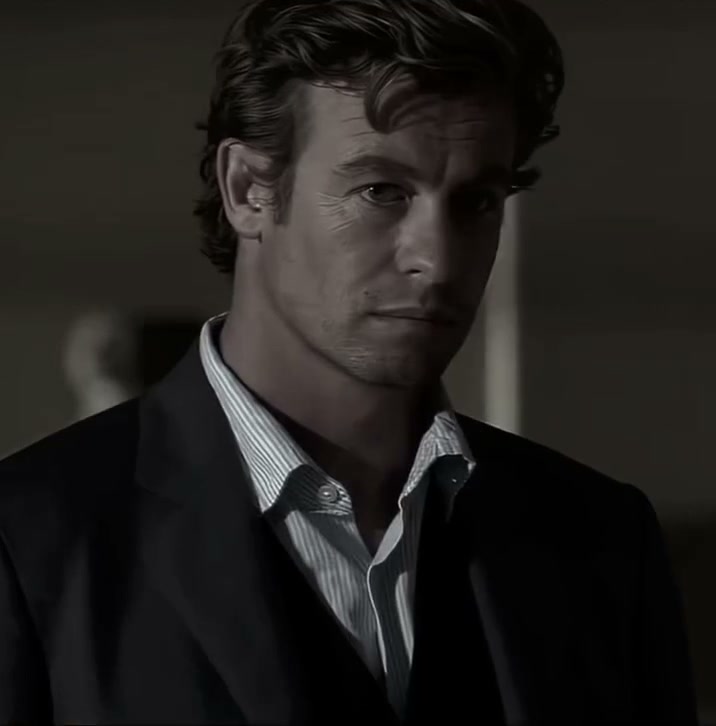
Cinematic Suit AI is a photo-to-video template that places one recurring character across a short montage of entrances, cup gestures, garden movement and close expressions. On Motion Transfer, a single photo supplies the person’s complete face, hair, body, clothing, shoes and accessories. Choose a suited image for a formal look. Other people, props, settings, camera framing and edits follow the reference. The prepared clip lasts 9.92 seconds with near-square framing and reference audio; its original black tail has been removed. The reference defines the generator sequence. Labeled external community montages have longer edits and held ending shots; they are not verified outputs from this page.
How to create a Cinematic Suit AI video
One complete person-and-outfit photo defines the recurring lead.
STEP 1
Choose your Cinematic Suit AI photo
Upload a clear image of one person with their intended outfit. Use a suited photo for a formal look, with accessories and body proportions visible.
STEP 2
Preview the scene and quote
Watch Cinematic Suit AI with sound. Select an available resolution in Settings, review the quote on Generate, then sign in and submit when ready. Selecting a photo alone starts no paid job.
STEP 3
Review your Cinematic Suit AI montage
Open My creations and inspect the person, clothing and hand movements across every cut. Download after checking the full segment; replaying an existing result creates no new generation.
Create a character introduction with Cinematic Suit AI
Carry your full look across scenes, use the prepared performance and finish with a concise montage.
Keep your chosen look at the center of Cinematic Suit AI
Cinematic Suit AI gives one outfit a recurring role across several settings. Your character can enter a room, hold a cup and appear outdoors within the same short introduction, adding context and expression to a still photo. Start with one clear image showing the intended clothing and accessories. Cinematic Suit AI uses that uploaded look throughout, so choose a suit photo if formal tailoring is important to the result. There is no automatic suit catalogue or separate garment upload. Check the jacket silhouette, shirt edges and visible accessories across cuts, because small styling details can change as the pose and camera angle change. This community montage lasts about 13 seconds and ends with a held seated portrait. Its edit and changing jacket layers differ from the prepared 9.92-second reference.
Borrow a cinematic performance without directing each shot
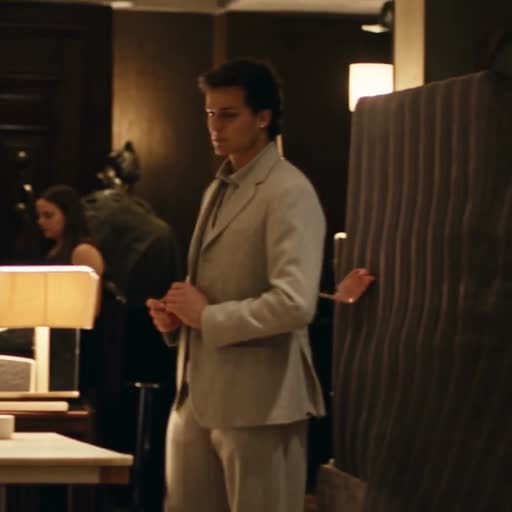
The Cinematic Suit AI reference supplies the entrances, glances, smiles and hand gestures, along with indoor and garden settings. Those ordinary actions can make a personal or fictional character introduction feel more expressive than a static pose. You choose the lead while the sequence provides its established camera views and pacing. Watch Cinematic Suit AI before generating to decide whether those scenes fit your idea. The template does not add dialogue, create a new story or let you rearrange individual shots. Background people and props remain. For another narrative or a different location, begin with your own reference on the Motion Transfer homepage. This community montage lasts about 12.9 seconds, extends the plane-door moment and finishes on a held standing portrait. The display clip does not change the generator duration.
Get a compact montage ready for your next edit
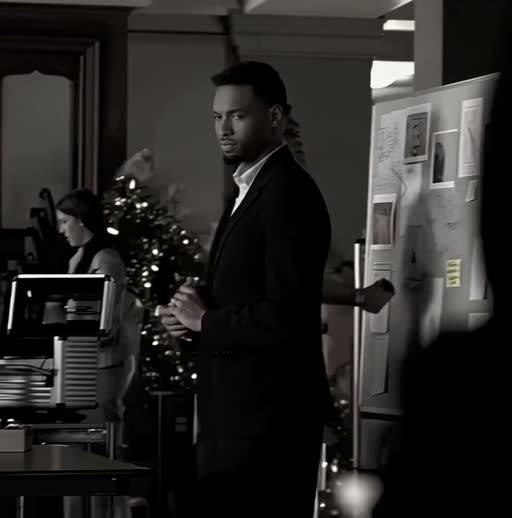
Cinematic Suit AI keeps the usable action in a 9.92-second clip and removes the source file’s black ending. The near-square frame preserves the original mix of close views and wider scenes, with the reference sound included for the same segment. Use your Cinematic Suit AI result as a brief introduction or combine it with other footage in your own editor. Review the cup grip, facial changes and transitions before downloading. The page offers available output resolutions, while duration and framing follow the source. A portrait crop can remove surrounding action, so check every shot if you reframe the result.
Is Cinematic Suit AI right for your idea?
Choose this template for the prepared short character sequence you can preview.
A personal or fictional introduction
Cinematic Suit AI can bring a chosen character into several ordinary moments, from an entrance to an outdoor glance. The photo determines the complete look.
A formal look you choose
Upload the suit you want represented. Cinematic Suit AI keeps the source actions and framing while requesting the clothing and appearance from your photo.
Another reference for another story
Use your own footage on the Motion Transfer homepage when you need different scenes or props. Browse AI Trends for other prepared performances and input roles.
Cinematic Suit AI credits and plans
Generation requires an account and enough credits for the displayed quote. The selected resolution and reference duration affect that quote. General plan examples may use other models or video lengths.
Starter
For your first ideas.
$8.3/month
$100.0 charged yearly
2,400 credits/year
Up to 400 images
GPT Image 2Nano Banana Pro
Up to 133 videos
Seedance 2.5Kling 3.0 Motion Control
- Up to 4K images and HD videos, depending on the model
- Image editing, video creation & motion transfer
- Watermark-free image & video downloads
- Generation history in your account
Popular40% OFFSave $238.8
Pro
For a steady creative flow.
$30.0/month$49.9/month
$360.0 charged yearly
21,600 credits/year
Up to 3,600 images
GPT Image 2Nano Banana Pro
Up to 1,200 videos
Seedance 2.5Kling 3.0 Motion Control
- Up to 4K images and HD videos, depending on the model
- Image editing, video creation & motion transfer
- Watermark-free image & video downloads
- Generation history in your account
- Use credits across image and video models
Best Value50% OFFSave $599.8
Business
For more creations, more often.
$49.9/month$99.9/month
$599.0 charged yearly
48,000 credits/year
Up to 8,000 images
GPT Image 2Nano Banana Pro
Up to 2,666 videos
Seedance 2.5Kling 3.0 Motion Control
- Up to 4K images and HD videos, depending on the model
- Image editing, video creation & motion transfer
- Watermark-free image & video downloads
- Generation history in your account
- Use credits across image and video models
Basic
$0Try before you subscribe
- 18 one-time signup credits
- Generation history included
- Watermarked previews & downloads
- Up to 3 images or 1 video
- Watermark-free downloads require payment
Prices in USD; taxes and total shown at checkout. Subscriptions renew automatically; cancel in Billing settings. Subscription credits expire each period; one-time credits never expire.
Refunds: request within 72 hours. Used purchased credits and applicable non-refundable processing costs (up to 6%) are deducted. Terms · Refund Policy
Cinematic Suit AI questions
Photo requirements, output choices and what to expect before generating.
How many photos does Cinematic Suit AI need?
Cinematic Suit AI uses one photo of one person. That image defines their complete face, hair, body, clothing, shoes and accessories across the montage. Other people keep their original roles; there are no separate background or garment slots.
Will Cinematic Suit AI automatically add a suit?
The template requests the clothing shown in your photo. Upload a suited image if that is the look you want. A face crop leaves much of the outfit and body unspecified, so a clear full-person image gives a stronger starting reference.
Can I change the Cinematic Suit AI scenes?
This fixed template keeps the prepared entrances, cup gestures, garden shots, expressions and cuts. It has no scene picker or timeline editor. Start from your own reference video on the homepage if you want a different story or setting.
Does Cinematic Suit AI include sound?
The finished Cinematic Suit AI video includes the reference audio for the selected action segment. Enable sound in the preview before generating. There is no custom soundtrack upload or music picker; check the permissions needed for your intended use.
Why is the Cinematic Suit AI clip about ten seconds?
Cinematic Suit AI uses the first 9.92 seconds of the supplied video. The original file continues into a black tail, which has been removed from the prepared input. The action, shot order and matching audio remain within that selected segment.
Can Cinematic Suit AI make a vertical video?
The prepared source is 716 by 726 pixels, close to square. Output framing follows that source, with available resolutions in Settings. A vertical crop can be made in your editor, but check that faces, hands and nearby people remain in view across the cuts.
What should I check in a Cinematic Suit AI result?
Inspect the cup-holding hand, doorway movements and close facial expressions. Compare hair, clothing and body proportions between shots, including the garden views. Fine details may drift, and a higher output resolution does not guarantee perfect identity or anatomy.
Is Cinematic Suit AI free to generate?
You can preview Cinematic Suit AI before spending credits. Creating a video requires signing in and having enough credits for the quote shown on Generate. Resolution and source duration affect that quote. Each fresh submission is a separate job; replaying an existing result adds no generation.
Can I share a Cinematic Suit AI video commercially?
Check permission for the person, your photo, the footage and its audio before commercial use. Review altered branding or garment details in the output. The effect is a creative character edit and does not verify product fit, fabric behavior or anyone’s endorsement.
Create your Cinematic Suit AI montage
Choose one photo with the complete look you want and take the lead in the prepared scenes.