
Create a video

Required photos4
Settings
Mode
Video length16s
Resolution

AI Outfit Change Video Generator

Create a mirror-selfie sequence with one person photo and three outfit photos. The third-party example used three outfit photos.

0:00 / —:—

What is AI Outfit Change Video?

An AI Outfit Change Video combines a person image with clothing references in a prepared fitting-room mirror scene. The first image identifies the person; the next three images describe the three desired outfits. The full vertical reference is about 16 seconds. The model interprets those inputs, and exact garment details or their order are not guaranteed.

AI Outfit Change Video

How to make an AI Outfit Change Video

Prepare four images and review the length of the mode you select.

  1. STEP 1

    Add the person photo

    Upload a clear full-body picture as Photo 1. It identifies the person who should appear in the AI Outfit Change Video.

  2. STEP 2

    Add three outfit references

    Upload Photos 2, 3 and 4 for the three intended looks. Use clear images that show the clothing you want the model to interpret.

  3. STEP 3

    Compare lengths and generate

    Economy and Standard use a prepared excerpt of no more than 15 seconds. Check the selected mode, duration and credit estimate before generating.

Three looks in a mirror scene

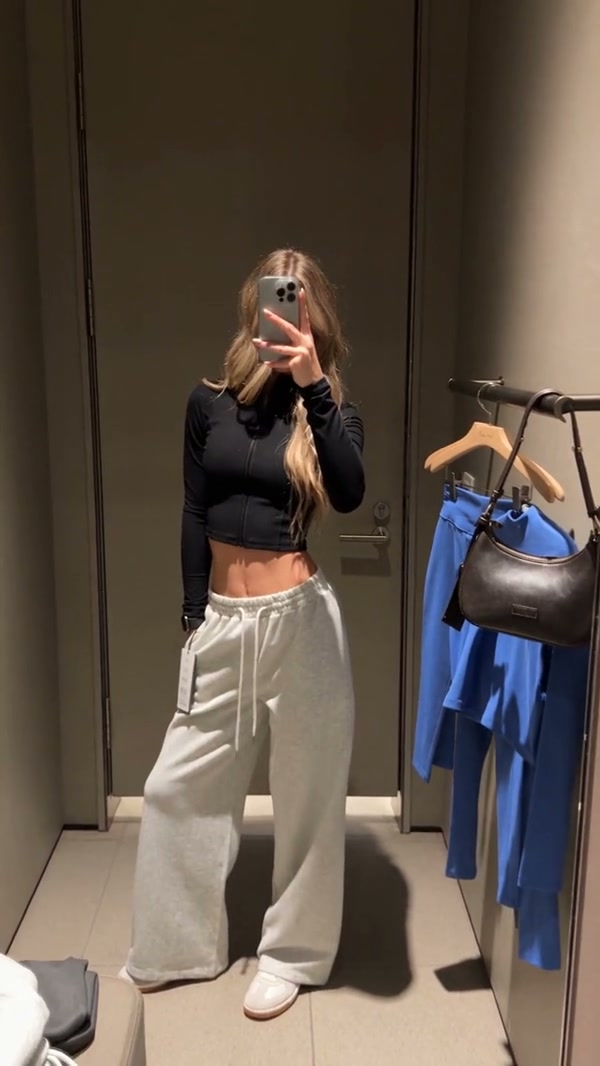
The video and images show one community example. Your result can look different.

Bring one person into the mirror scene

Photo 1 identifies the person who will appear throughout the fitting-room sequence. A clear picture showing their face, hair and body gives the model more information to work with as the outfits change. The prepared reference supplies the mirror framing and room; appearance and background details can vary in the result.
Frame from a community example showing a person holding clothes in front of a mirror

Plan three looks for the same person

Photos 2, 3 and 4 guide the three intended outfits in order. Use clear clothing pictures that make each look easy to distinguish. The reference provides the mirror-selfie changes, while the model interprets your images; garments can blend and small details or the requested order may change.

Plan three looks for the same person

Choose how much of the sequence to use

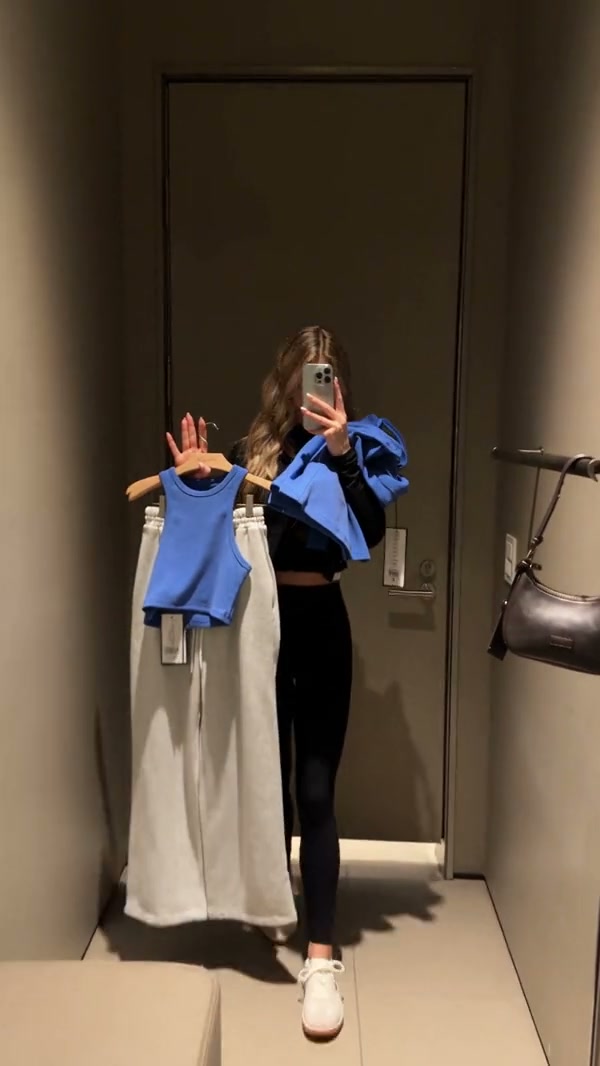
Original uses the full roughly 16-second reference. Economy and Standard use an opening excerpt of up to 15 seconds, so the ending can differ. Compare the duration and credit estimate in the workspace before generating. The community example was made using three clothing photos and illustrates the scene rather than this page’s four-photo setup.

Another frame from the same community mirror-selfie example

What you choose for AI Outfit Change Video

You provide the cast and outfit references; the prepared clip guides the mirror scene.

Four required photos

Add one full-body person photo followed by three outfit photos. All four image slots are required for this template.

Full clip or shorter excerpt

The source lasts about 16 seconds. Economy and Standard use its opening 14.9 seconds, so the final moment may be omitted.

Clothes are interpreted

The model interprets each photo. Exact garments, sequence and visual consistency can vary.

AI Outfit Change Video credits

The generator shows a credit estimate for the AI Outfit Change Video mode and settings you select. An account and sufficient credits are required.

Starter

For your first ideas.

$8.3/month

$100.0 charged yearly

2,400 credits/year

Up to 400 images

GPT Image 2Nano Banana Pro

Up to 133 videos

Seedance 2.5Kling 3.0 Motion Control
  • Up to 4K images and HD videos, depending on the model
  • Image editing, video creation & motion transfer
  • Watermark-free image & video downloads
  • Generation history in your account
Popular40% OFFSave $238.8

Pro

For a steady creative flow.

$30.0/month$49.9/month

$360.0 charged yearly

21,600 credits/year

Up to 3,600 images

GPT Image 2Nano Banana Pro

Up to 1,200 videos

Seedance 2.5Kling 3.0 Motion Control
  • Up to 4K images and HD videos, depending on the model
  • Image editing, video creation & motion transfer
  • Watermark-free image & video downloads
  • Generation history in your account
  • Use credits across image and video models
Best Value50% OFFSave $599.8

Business

For more creations, more often.

$49.9/month$99.9/month

$599.0 charged yearly

48,000 credits/year

Up to 8,000 images

GPT Image 2Nano Banana Pro

Up to 2,666 videos

Seedance 2.5Kling 3.0 Motion Control
  • Up to 4K images and HD videos, depending on the model
  • Image editing, video creation & motion transfer
  • Watermark-free image & video downloads
  • Generation history in your account
  • Use credits across image and video models

Basic

$0

Try before you subscribe

  • 18 one-time signup credits
  • Generation history included
  • Watermarked previews & downloads
  • Up to 3 images or 1 video
  • Watermark-free downloads require payment

Prices in USD; taxes and total shown at checkout. Subscriptions renew automatically; cancel in Billing settings. Subscription credits expire each period; one-time credits never expire.

Refunds: request within 72 hours. Used purchased credits and applicable non-refundable processing costs (up to 6%) are deducted. Terms · Refund Policy

AI Outfit Change Video questions

Photos, reference length, settings and what to expect.

How many photos does an AI Outfit Change Video need?

Four are required: Photo 1 is the full-body person, and Photos 2, 3 and 4 are the three outfit references.

Should the first photo show the full person?

Yes. Choose a full-body photo with the person clearly visible so the model has information about the subject’s appearance across the mirror scene.

Will each outfit appear exactly as uploaded?

The model interprets the clothing images. Individual garments, colors and details may change or blend.

Does every mode use the full 16-second reference?

Economy and Standard use a prepared excerpt of no more than 15 seconds. Review the mode and its displayed reference length; a shorter segment may not contain every moment in the full sequence.

Can I upload fewer than three outfit pictures?

This template requires three outfit references in addition to the person photo. Prepare all four images before generating.

Is the mirror-selfie setting adjustable?

The fitting-room mirror scene comes from the prepared reference. The fixed form does not include a separate setting to choose another location.

What should I do if clothes blend between looks?

Try clearer, visually distinct outfit references and keep the person in the first slot. Results can still vary, so review the sequence before using it.

Where can I see the generation price?

The workspace shows a credit estimate for your chosen mode and settings before submission. Sign in and make sure your account has sufficient credits.

Create your AI Outfit Change Video

Choose your photos, review the settings and start your AI Outfit Change Video.

AI Outfit Change Video