Create a video

ModelSeedance 2.5 Edit

Configured for this template

Put a ring on it dog reference · 17.0s

Pet photo · Photo 1

Put A Ring On It Dog AI Generator

Create a Single Ladies dog AI video from one pet photo. Put your pet center stage with two backup dancers and the original soundtrack. Only the center dog is replaced. Preview the reference below.

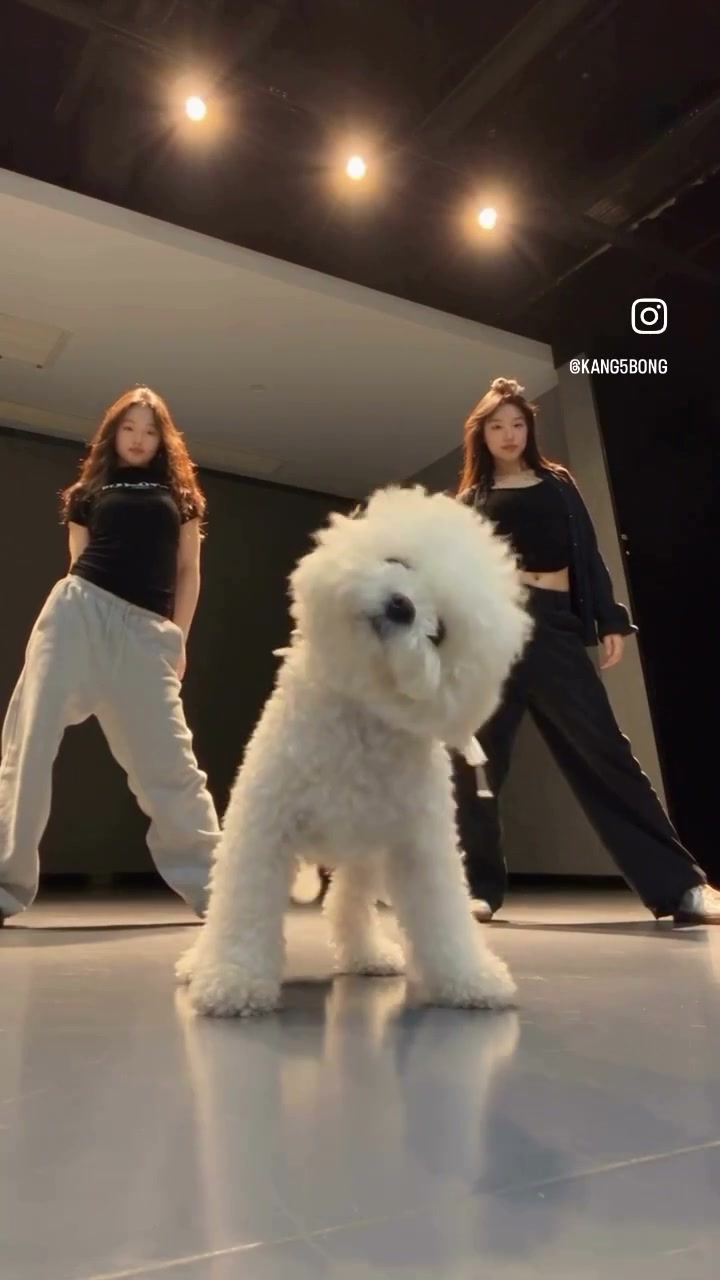
Supplied vertical studio clip with a curly white dog centered in front of two women, watermark still visible

What is a put a ring on it dog video?

A put a ring on it dog video puts your pet at the center of a studio dance, with two backup dancers behind it. You may also know this pet dance trend as Single Ladies dog AI. This community example shows a fluffy white dog taking the lead. Upload one pet photo to create your own version using the 17-second template in the generator above. No filming or extra dancer photos are needed. The community preview is not a result generated on our site. Check your finished edit for changes to the pet or the dancers before sharing.

Community pet dance example with a fluffy white dog in front of two backup dancers

Make a put a ring on it dog video in three steps

Preview the dance, upload a pet photo, and check your result.

  1. STEP 1

    Play the reference

    Watch the put a ring on it dog source, including both dancers and the center dog. Turn on the player if you want to hear the soundtrack. The preview is the supplied clip, not your result.

  2. STEP 2

    Upload one pet photo

    Add one photo of a single pet. Show the face, coat, body, and paws clearly. The put a ring on it dog video supplies the dancers and stage.

  3. STEP 3

    Generate, then check the download

    Sign in and read the estimate beside Generate. Find the clip in My creations. Check the face, coat, paws, and both women before you download or share.

Put your dog in the center

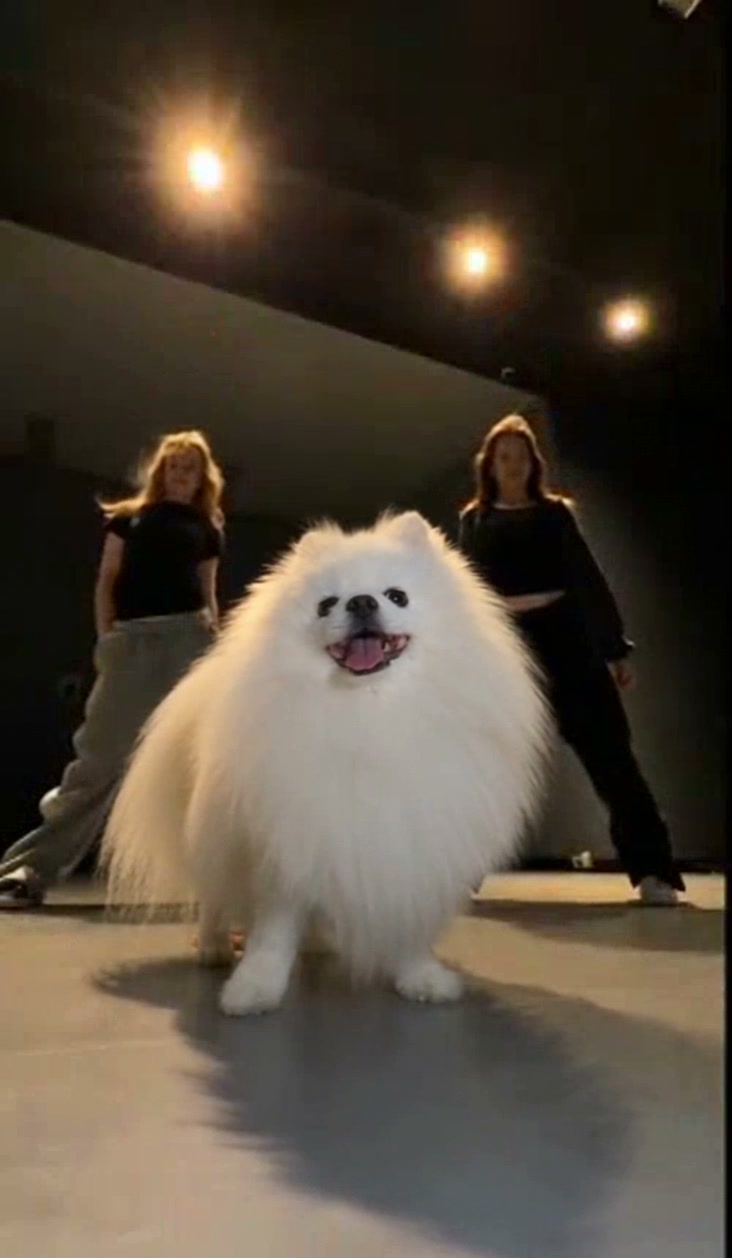
See community pet dances and a real reference photo. These examples vary in length and setting; your 17-second template is loaded above.

Follow the Single Ladies dog dance

The put a ring on it dog reference supplies the choreography, camera angle, and timing. Your photo defines the center pet. The edit is intended to retain the studio, reflective floor, lighting, and both dancers in the same frame. Watch the loaded performance before generating: this template follows that dance rather than inventing a new routine for your photo.
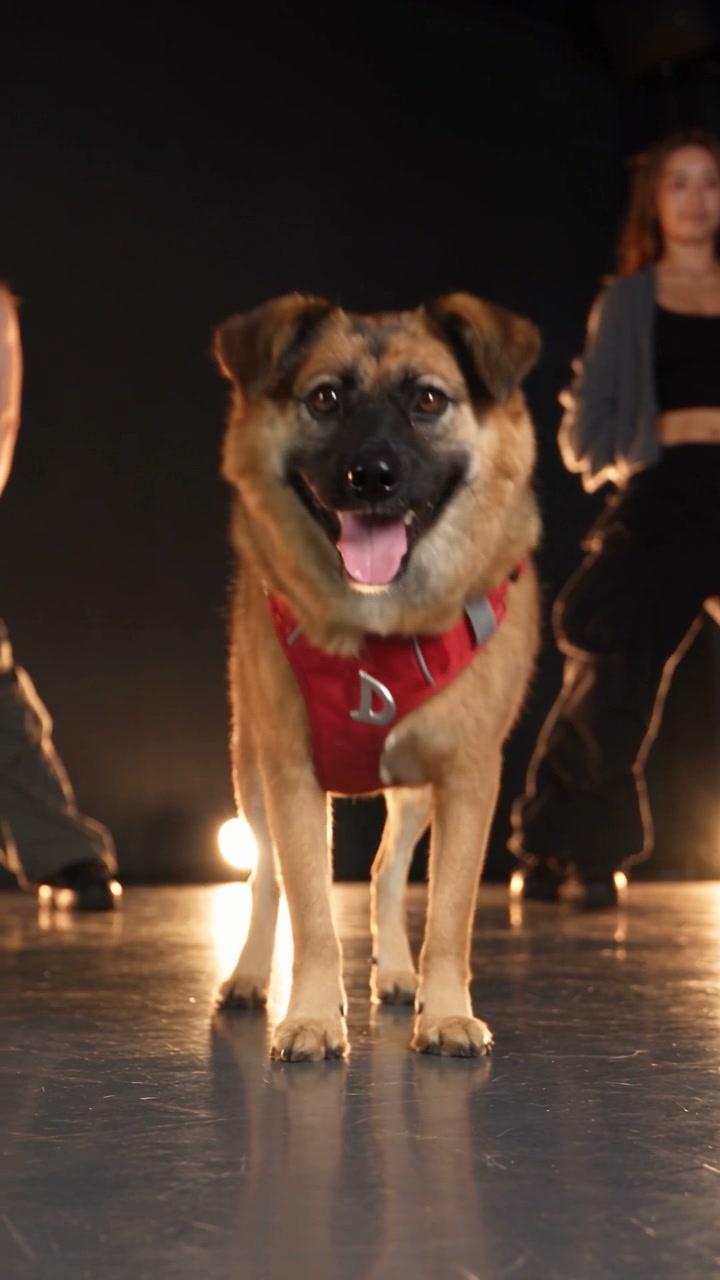
Community dance · dog from the reference photo below

Upload a clear photo of your pet

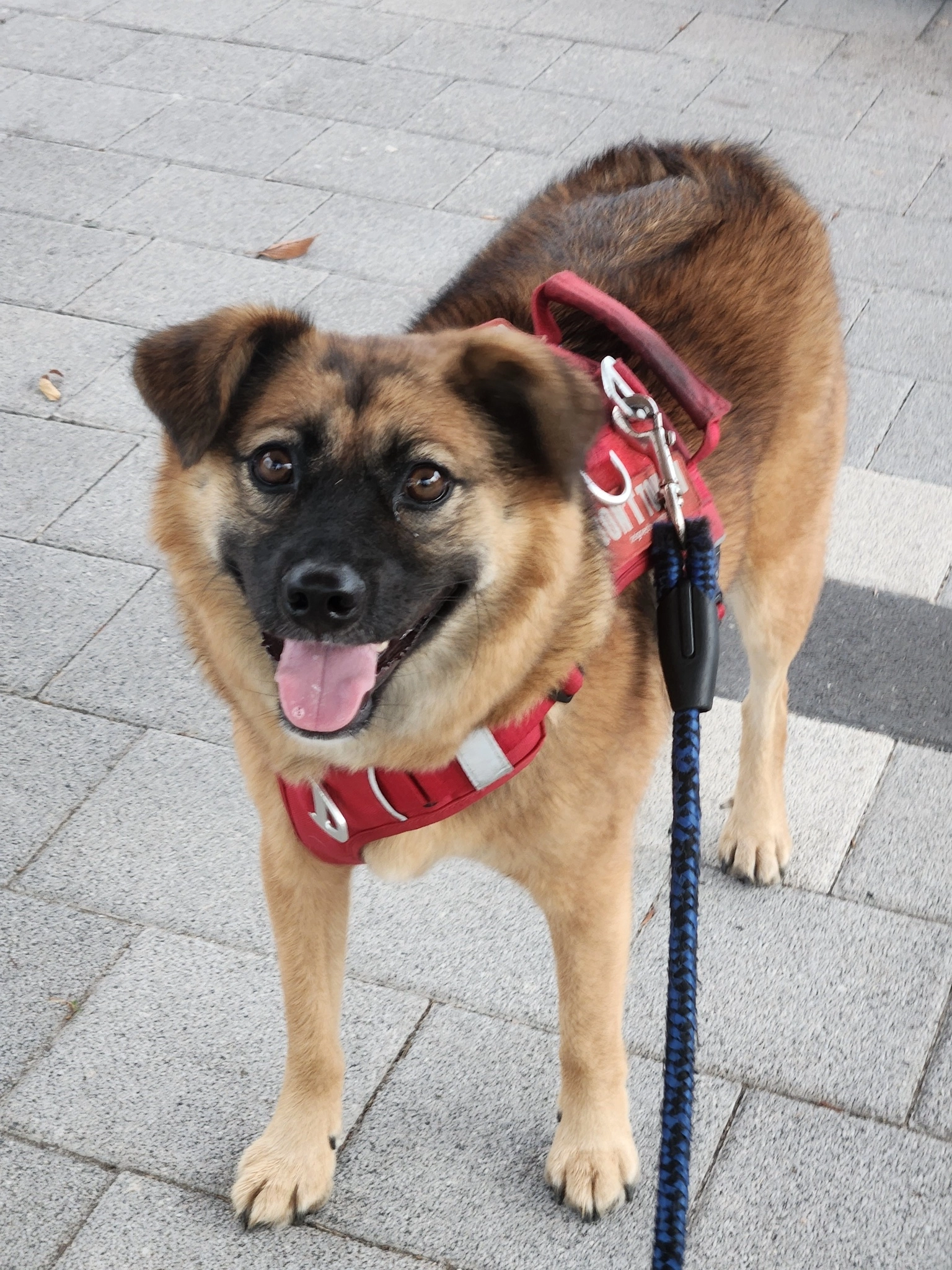
Start your AI dog dance with a photo like this: one pet, a clearly visible face, recognizable coat markings, and its body and paws in view. Use even lighting and leave a little space around the ears and feet. Avoid collages, group photos, motion blur, or anything covering the face. An everyday photo is fine; you do not need a studio background. Your photo replaces only the center dog.

Community input photo of one brown dog in a red harness, with its face, coat, body and paws visible outdoors
Community reference photo · one pet, clear face and paws

Both backup dancers stay themselves

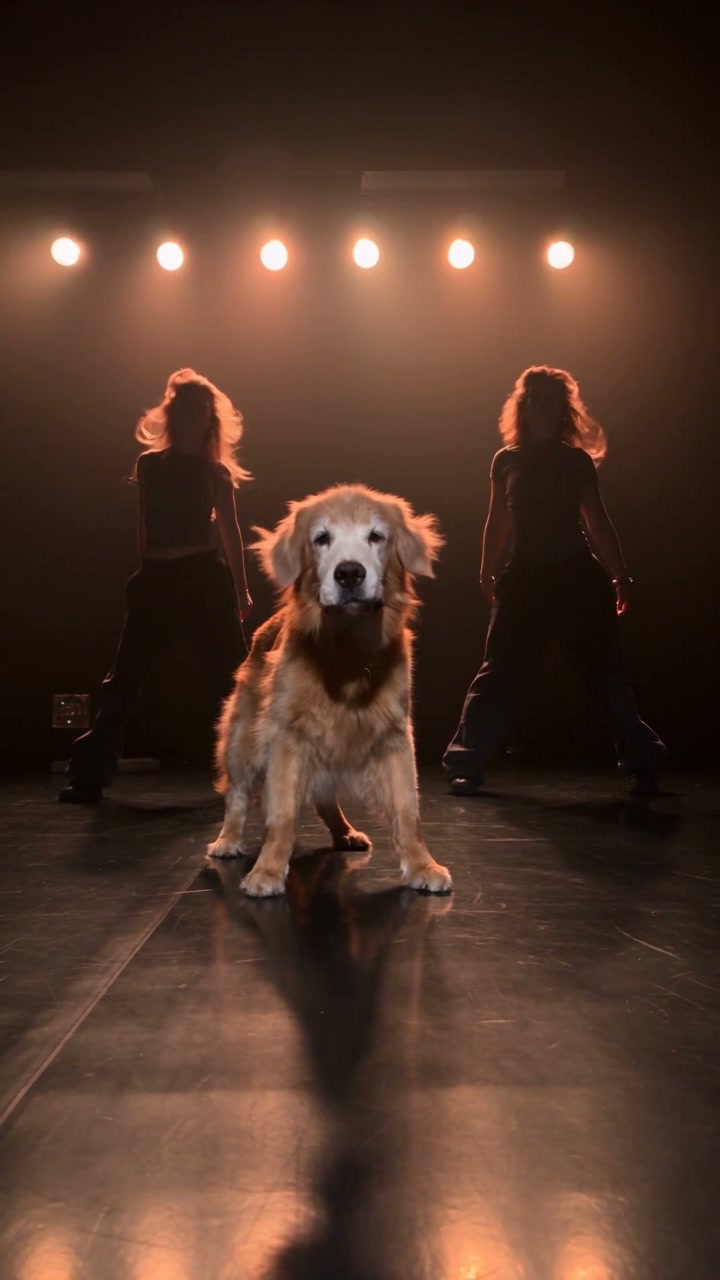
Your pet takes the spotlight in put a ring on it dog while the two women remain the backup dancers. You do not need to upload their photos or choose outfits for them. The template is designed to keep their appearance, dance, and place on the stage. Before sharing, check that both dancers still look right, especially their faces, hands, and clothing when they move behind your pet.

Community example of a golden retriever at center stage with two female backup dancers behind it
Community example · golden retriever with two backup dancers

A short vertical video with original sound

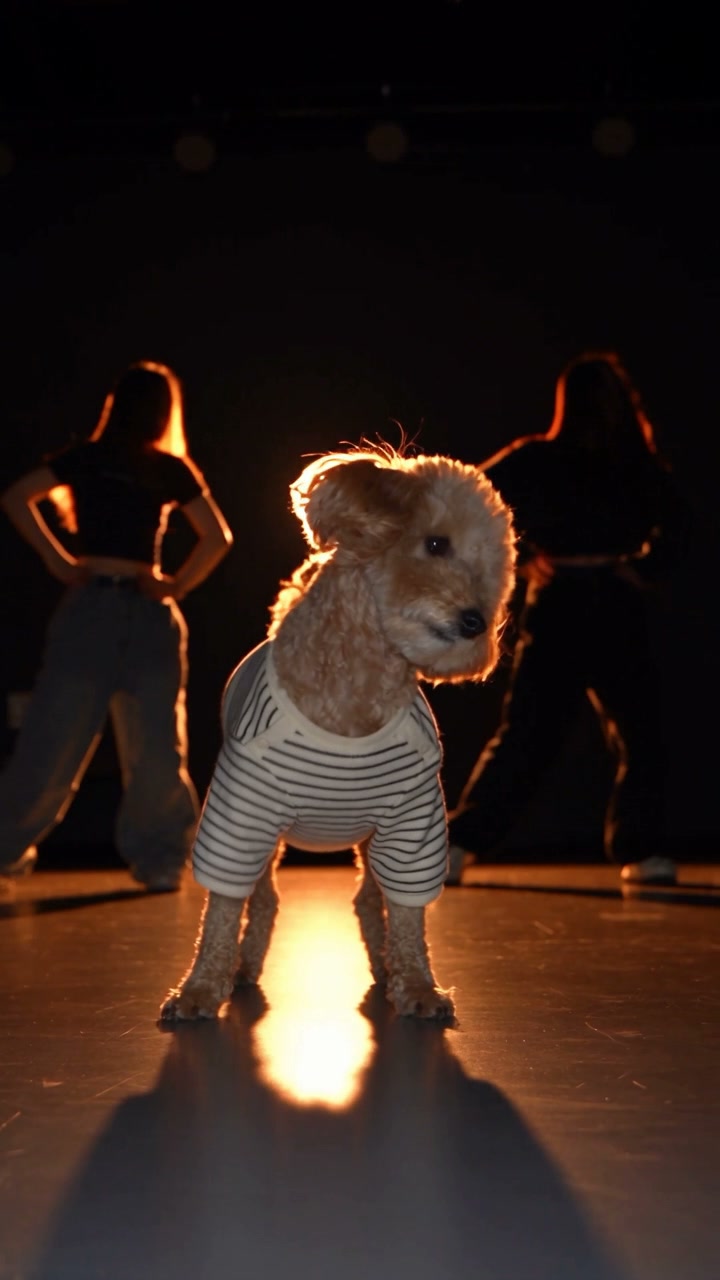
Make a 17-second vertical put a ring on it dog video with the original soundtrack. Preview your pet’s dance in My creations, then download the clip to share with friends or on your pet account. Check the picture and sound before posting, and make sure you have permission to share the music.

Community poodle dance · 24-second example

When to choose put a ring on it dog

Choose this pet dance video when you want your dog with backup dancers in the loaded studio performance. The put a ring on it dog template keeps the two women in their roles. It is a poor fit if you need a new location, a different song, or a cast change for the dancers.

One photo, one center role

Make a short post for a pet account or a clip to share with family. A clear everyday pet photo fills the only slot; you do not need to teach your pet a dance or film a matching stage.

Coat length is a check, not a guarantee

Coat and body shape affect how the replacement fits this performance. Long fur can obscure paws; a slimmer animal has a different outline from the fluffy source dog. Compare these details with your photo and check contact with the floor.

The women are protected on purpose

Other dance templates on this site recast two or three people. This one does not. If you want new performers instead of a new center dog, use Gas Station Dance, Raindance, or Hotel Lobby. Do not expect this page to restyle the backup dancers.

Put a ring on it dog options

Choose your pet photo and resolution; the reference supplies the performance and length.

A single pet slot

The put a ring on it dog template accepts one photo. Generate stays off until that photo is in the slot and the reference has loaded. You can replace or remove that one photo before you submit.

Resolution

Export at 480p, 720p, or 1080p. A higher choice changes the estimate. It does not add fur or paw detail the reference never had, and it does not remove the source watermark.

Sound

The result keeps the reference soundtrack. There is no separate music upload on this page. Previews start muted. Publish the audio only where you have permission.

Before you spend credits

Review the reference, the photo preview, and the current estimate. Uploading a photo does not start a job. Changing the photo after a result means a new generation if you want a new clip.

Put a ring on it dog pricing

Read the estimate beside Generate before you start. The plan examples below cover other models and settings, so this clip may cost a different amount.

Starter

For your first ideas.

$8.3/month

$100.0 charged yearly

2,400 credits/year

Up to 400 images

GPT Image 2Nano Banana Pro

Up to 240 videos

Seedance 2.5Kling 3.0 Motion Control
  • Up to 4K images and HD videos, depending on the model
  • Image editing, video creation & motion transfer
  • Watermark-free image & video downloads
  • Generation history in your account
Popular40% OFFSave $238.8

Pro

For a steady creative flow.

$30.0/month$49.9/month

$360.0 charged yearly

21,600 credits/year

Up to 3,600 images

GPT Image 2Nano Banana Pro

Up to 2,160 videos

Seedance 2.5Kling 3.0 Motion Control
  • Up to 4K images and HD videos, depending on the model
  • Image editing, video creation & motion transfer
  • Watermark-free image & video downloads
  • Generation history in your account
  • Use credits across image and video models
Best Value50% OFFSave $599.8

Business

For more creations, more often.

$49.9/month$99.9/month

$599.0 charged yearly

48,000 credits/year

Up to 8,000 images

GPT Image 2Nano Banana Pro

Up to 4,800 videos

Seedance 2.5Kling 3.0 Motion Control
  • Up to 4K images and HD videos, depending on the model
  • Image editing, video creation & motion transfer
  • Watermark-free image & video downloads
  • Generation history in your account
  • Use credits across image and video models

Basic

$0

Try before you subscribe

  • 18 one-time signup credits
  • Generation history included
  • Watermarked previews & downloads
  • Up to 3 images or 1 video
  • Watermark-free downloads require payment

Prices in USD; taxes and total shown at checkout. Subscriptions renew automatically; cancel in Billing settings. Subscription credits expire each period; one-time credits never expire. Refund requests: within 72 hours. Eligible refunds deduct used purchased credits and, where permitted, actual non-returned processing fees. Processing fees are capped at 6% of the original purchase amount, excluding separately charged taxes. Terms · Refund Policy.

Put a ring on it dog questions

One photo, the dancers, duration, sound, credits, other pets, and sharing.

Is this the Single Ladies dog AI trend?

This page covers the Put a Ring on It pet dance with a dog in the foreground and two backup dancers, also described as Single Ladies dog AI. Different versions of the trend use different scenes and routines. Play this page’s reference first: your edit follows that 17-second performance, with your pet replacing only the center dog.

How do I make a Single Ladies dog AI video?

Upload one clear pet photo into Photo 1 and wait until the reference video has loaded. There is no second slot. Sign in, check the credit estimate, and choose Generate. Review the pet and both dancers in My creations before downloading. A collage or a second animal in the same photo makes the center role harder to follow.

What photo works for put a ring on it dog?

Choose one clearly visible pet with even lighting and recognizable coat markings. A full-body view gives more information than a tight headshot. The background need not match the stage. Avoid filters that hide the face or change the coat color, and check the uploaded thumbnail before generating.

Will the two women be replaced?

No. This put a ring on it dog template is meant to keep both female backup dancers exactly as they appear, including their clothes and their place behind the dog. Only the center dog should change. Generation can still alter a face, hand, or outfit, so compare both women with the source before you publish.

How long is the put a ring on it dog video?

About 17 seconds, following the loaded vertical reference. There is no length selector. You can trim a successful download in your own editor for a shorter post; changing resolution does not change the performance length.

Does put a ring on it dog include the original sound?

Yes, the completed clip uses this reference’s soundtrack. Previews start muted. If a saved result reports an audio-processing failure, use the audio retry offered on that clip in My creations. It retries the soundtrack step for the existing result, without generating another performance.

Do I have to log in, and is it free?

Generating a put a ring on it dog video requires an account and enough credits for the displayed estimate. Previewing the source and selecting a photo do not start a paid generation. Signup credits may not cover the full clip; check the estimate before purchasing credits.

Where do I download the result?

Successful put a ring on it dog clips appear in My creations and video history. Review the pet and both dancers, then download. If the result drifts, consider a clearer photo before spending credits on a new generation. A second attempt is not guaranteed to correct it.

Will this work for a cat or another pet?

You can upload another pet: the prompt refers to the pet in your image, without requiring a name or breed. The put a ring on it dog reference still provides a dog’s movements and proportions. Cat and other animal results have not been verified, so treat those attempts as experiments rather than a guaranteed fit.

What should I check if the dog looks wrong?

Review the put a ring on it dog result at the beginning, middle, and end. Look for stable facial features, coat markings, and the correct number of legs and paws. Confirm the pet remains the center character and neither woman changes identity. These are review checks, not a promise of frame-perfect consistency.

What if my request is still being confirmed?

Check My creations or video history before starting another put a ring on it dog request. A missing browser confirmation does not necessarily mean generation failed. Keep the current draft unchanged while checking. Use the task status and any refund notice shown there; do not assume a new submission is a free retry.

Can I publish the dance and the music?

Use a pet photo you own or have permission to use. Access to the put a ring on it dog template does not grant rights to the source footage or music. Confirm those permissions before posting and add an AI label where required. The original creator watermark is separate from any download watermark controlled by your plan.

How is this different from Gas Station, Raindance, or Hotel Lobby?

Gas Station recasts three people; Raindance and Hotel Lobby recast two. Put a ring on it dog uses one pet photo and leaves the two backup dancers in place. Choose based on which character you want to change, then use that page’s photo slots.

Create your put a ring on it dog video

Upload one pet photo, review the loaded performance, and check the estimate before you generate.

Community dance video with a brown dog wearing a red harness in front of two backup dancers