Create a video

Required photos1
Customize more (optional)0/1
Settings
Mode
Video length30s
Resolution

Selfie Gesture AI Video Generator

Create a Selfie Gesture AI video from one close photo of the person who will talk and gesture. A second photo can be another view of that same person. The preview is a community example. The reference supplies the gestures and audio; there is no custom audio upload or menu of hand signs.

0:00 / —:—

What is Selfie Gesture AI?

Selfie Gesture AI is an indoor close-up of one person talking and making hand signs. Photo 1 is that person. An optional second photo is another view of the same person, not a second speaker. The prepared reference supplies the close framing, the signs, the timing and the audio, and the result is a vertical clip you can download without filming the gestures or typing a prompt. There is no menu for picking a different sign.

Selfie Gesture AI

How to make a Selfie Gesture AI

Add a close photo, choose the full clip or the opening, then check the hands before you download.

  1. STEP 1

    Upload a close photo

    Photo 1 is the person who talks and gestures in the Selfie Gesture AI. Photo 2 is optional and must be the same person, not a second speaker.

  2. STEP 2

    Choose the full clip or the opening

    Original keeps the full reference. Economy and Standard keep the first 14.9 seconds, including the opening signs. Read the credit estimate beside Generate.

  3. STEP 3

    Check the hands, then download

    Open the result in My creations. Watch the signs you actually generated, play the sound, and do not expect a gesture menu.

A close-up of talking and hand signs

The video and stills are one community example of Selfie Gesture AI. Your face, hands and outfit can look different.

Start from a close photo of one person

Photo 1 should show the face, the hair and the outfit clearly, because the framing stays close. Photo 2 is optional and must be the same person, useful when another angle shows the hands or the clothes. It does not add another face. A tiny crop gives Selfie Gesture AI less of the hands to follow.
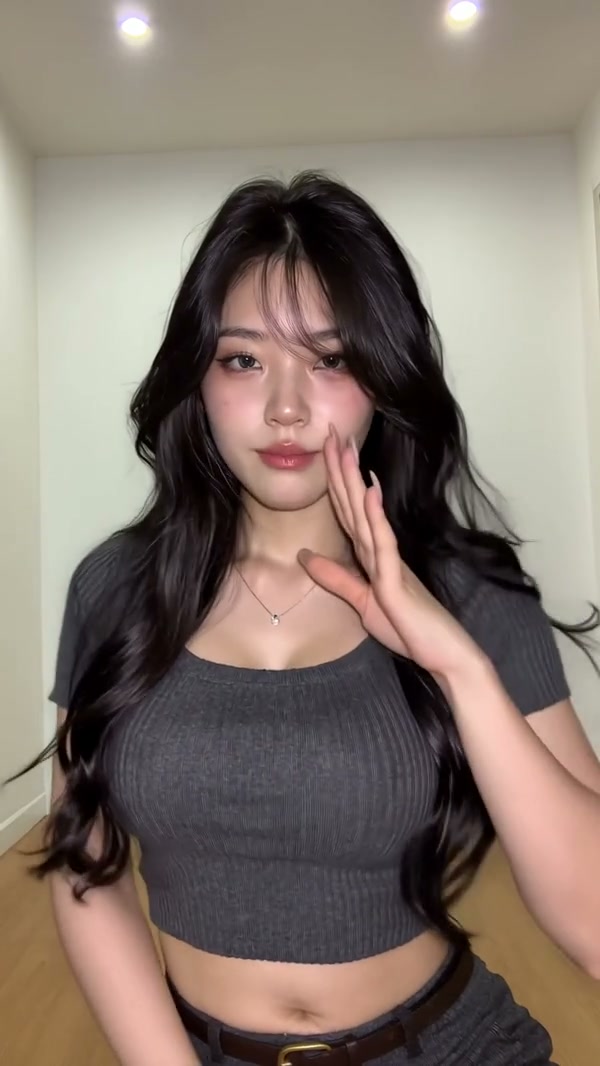
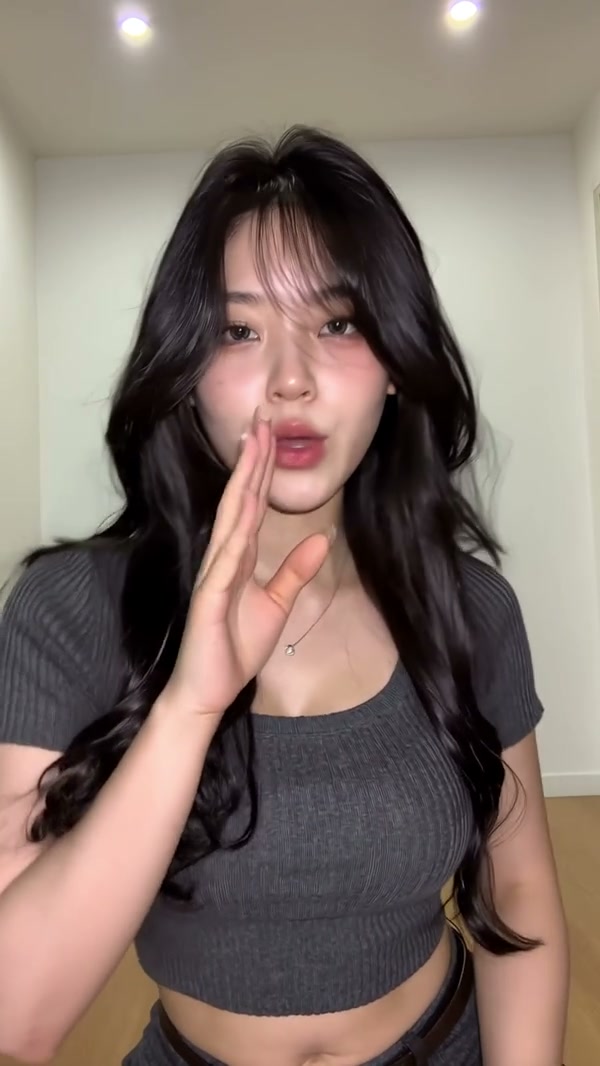
A community example of a close-up talking and hand-sign selfie

Short modes keep the opening signs

The full reference is about 29.8 seconds. Original plays the whole talking close-up. Economy and Standard keep a 14.9 second highlight from the start, so the opening hand signs stay and the later signs do not. The video and stills are frames from one community example. You cannot pick a different sign from a list. The signs are the ones in the prepared clip.

Short modes keep the opening signs

Match the audio to the length you buy

Original restores the reference audio for the full Selfie Gesture AI, and the output length rounds the 29.8 second source to 30 seconds. Economy and Standard restore only the audio from the opening highlight. The credit estimate beside Generate shows which length you are about to buy. The photos do not become a new voice or a caption.

Frame from the same community example as the person speaks

What you control in Selfie Gesture AI

The person comes from your photos. The close-up, the signs and the audio stay with the Selfie Gesture AI reference.

One speaker, two views at most

The second photo is another angle of the same person. It does not add a partner.

Signs you do not pick from a list

There is no prompt box for a different gesture, a caption or a second speaker. The prepared signs stay.

How much of the talk you keep

Original is the full close-up. The other modes stop after the opening highlight and use that opening audio.

Selfie Gesture AI questions

The close photo, the hand signs, the highlight and the sound.

What photos does Selfie Gesture AI need?

One close photo of the person is required. A second photo is optional and must be the same person. It is not a second speaker. Two photos is the maximum.

Can Selfie Gesture AI change the hand signs?

No. There is no gesture menu and no prompt field for a different sign. Economy and Standard keep the opening signs. Original continues through the later signs in the same prepared clip. Watch the preview if you need to know which signs are in the opening.

How do the Selfie Gesture AI modes differ?

Original plays the full reference, about 29.8 seconds, and the output length rounds that to 30 seconds. Economy and Standard keep a 14.9 second highlight from the start. The later talking is only in Original. The credit estimate beside Generate matches the mode you select, and short modes keep only the opening audio.

Does Selfie Gesture AI include sound?

Yes. The reference has audio, and the result restores the track for the segment you generate. You do not upload a song or record a new line. Listen before you share the clip.

Can I type a prompt or add another person in Selfie Gesture AI?

No. Selfie Gesture AI keeps this close-up and these signs. The optional photo cannot be a different person. For a wider room and more of the body, use Hand Gesture Dance AI. For a full-body dance, use AI Hip Sway Dance.

Will the hands match a pose in my photo in Selfie Gesture AI?

The signs come from the reference, not from a pose you upload. Your photo guides the face, hair and outfit. Hands in the result can still look different from both your photo and the example. Check them before you download.

How is Selfie Gesture AI different from the room gesture page?

Hand Gesture Dance AI is a wider room selfie and can take two extra views of the same person. This page stays on the close-up and the hand signs. Use the preview here when the face and the signs are the point.

How much does Selfie Gesture AI cost?

The generator shows a credit estimate for the mode and resolution you select. An account with enough credits is required. Plan details live on the Pricing page. The 30 second mode and the 14.9 second highlight are different lengths, so compare both quotes.

Where do I download my Selfie Gesture AI?

My creations holds the finished clip. Play it with sound, check the face and the hands, and use the download control on that result.

Create your Selfie Gesture AI

Add a close photo, review the Selfie Gesture AI estimate, and start from the generator.

Selfie Gesture AI