Create a video

Required photos1
Customize more (optional)0/2
Settings
Mode
Video length13s
Resolution

Hand Gesture Dance AI Video Generator

Create a Hand Gesture Dance AI video from one photo of the person who will gesture in the room. Up to two more photos are other views of that same person. The preview is a community example, and the extra photos are not a partner.

0:00 / —:—
0:00 / —:—

Hand Gesture Dance AI video ideas

Explore examples of this effect. Open a video for a closer look.

What is Hand Gesture Dance AI?

Hand Gesture Dance AI is a room selfie in which one person dances and gestures. Photo 1 casts that person. Photos 2 and 3 are optional views of the same person, so the outfit can be seen as they turn. The prepared reference supplies the room, the gestures, the timing and the audio, and the result is a short vertical clip you can download without filming the room or typing a prompt. The extra photos do not add a partner, and there is no caption field.

Hand Gesture Dance AI

How to make a Hand Gesture Dance AI

Add the person, add extra views only of that person, then check the gestures before you download.

  1. STEP 1

    Upload the person first

    Photo 1 casts the person in the room. Include the face and the outfit that should carry the gestures.

  2. STEP 2

    Add views, not partners

    Photos 2 and 3 are optional angles of the same person. Leave them empty if you only have one picture. Do not use them for someone else.

  3. STEP 3

    Generate, then check the gestures

    All three modes keep the 13 second clip. After it appears in My creations, watch the hands, play the sound, and download the file you want.

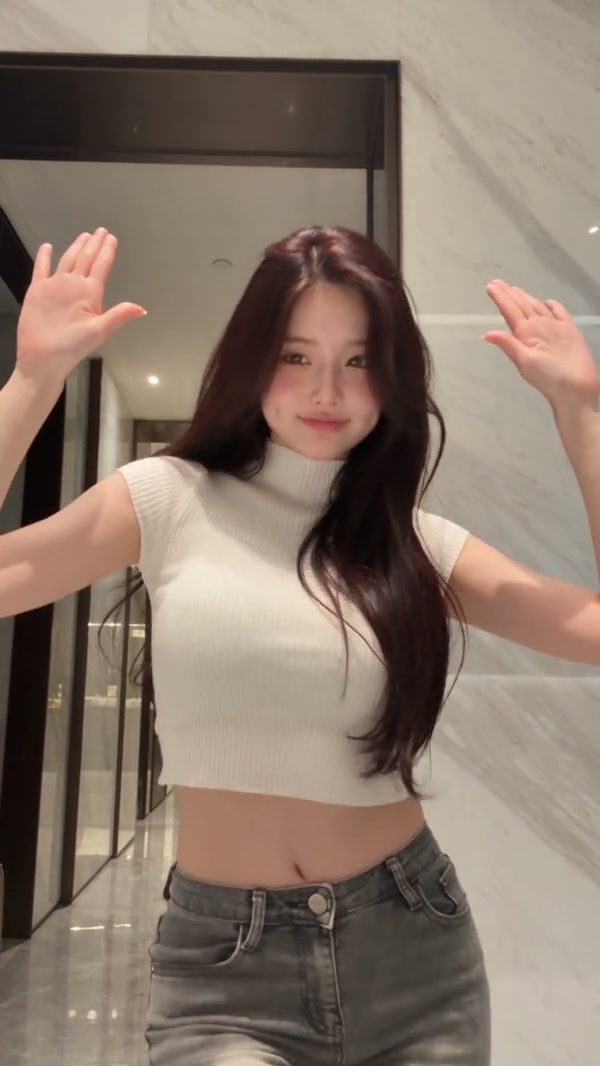
Two community examples of one room sequence

The gallery shows two community examples of Hand Gesture Dance AI with different people. The room sequence and role stay the same; generated faces, outfits and fine gestures can vary.

Extra photos stay on the same person

Photo 1 should show the face, the hair and the outfit that will carry the room. The optional photos are other angles of that person, useful when a turn hides a sleeve or the back of the outfit. They are not a second dancer. Three photos is the maximum. A group shot does not become a cast list for Hand Gesture Dance AI.
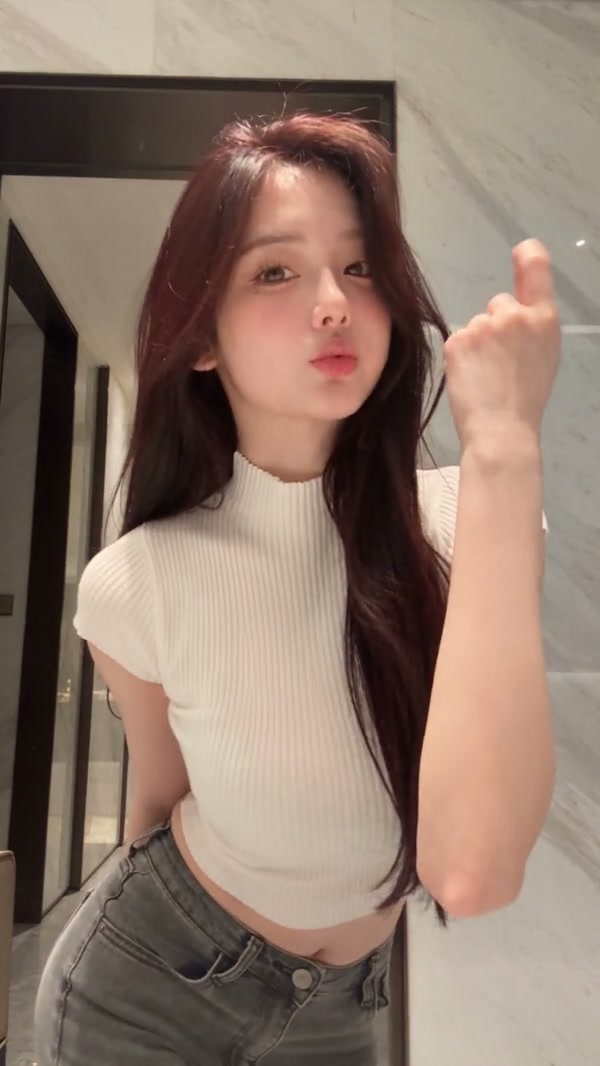
A community example of a room selfie with gestures

Keep the room gestures in one short clip

The prepared reference is 13 seconds, already inside the short-mode limit, so Economy, Standard and Original each play the full room sequence and its audio. A lower-cost mode does not drop the last gesture. You do not upload the room or pick the gestures from a menu. The public gallery includes two community results with different people performing the same room sequence.

Keep the room gestures in one short clip

Hear the room track in every mode

Because the whole Hand Gesture Dance AI fits the short-mode limit, every mode restores the same reference audio. The photo does not become a new voice or a caption. Resolution and the credit estimate still follow the mode you select. The duration beside Generate is the length you will receive for this 13 second clip.

Frame from the same community example during a gesture

What you control in Hand Gesture Dance AI

The person comes from your photos. The room, the gestures and the audio stay with the Hand Gesture Dance AI reference.

Up to two extra views

One photo is enough. The other two slots only show the same person from another angle.

Gestures you do not reprogram

There is no prompt box for a different room, a caption or a second dancer. The prepared gestures stay.

One length in every mode

Economy, Standard and Original all use the full 13 seconds and the same reference audio.

Hand Gesture Dance AI questions

The three-photo limit, the room gestures, modes and sound.

What photos does Hand Gesture Dance AI need?

One photo of the person is required. You may add up to two more photos, and each one must be another view of that same person. Three photos is the maximum. The extra photos are not extra people.

What if I only have one photo in Hand Gesture Dance AI?

Generate with photo 1. The optional views help when a turn hides part of the outfit, but they are not required. The room and the gestures still come from the prepared reference.

Can I choose the gestures or add a caption in Hand Gesture Dance AI?

No. Hand Gesture Dance AI keeps the gestures in the reference. There is no gesture menu and no caption field. If you want a closer talking shot and hand signs, use Selfie Gesture AI instead of trying to rewrite this room.

How do the Hand Gesture Dance AI modes differ?

Economy, Standard and Original each use the full 13 second reference. None of them is a shorter highlight, because the clip already fits the short-mode limit. They can differ in resolution and in the credit estimate shown beside Generate. Read that estimate before you submit.

Does Hand Gesture Dance AI include sound?

Yes. The room reference has audio, and every mode restores that track. You do not upload a song. Listen before you share the clip.

Can I type a prompt or change the room in Hand Gesture Dance AI?

No. The room, the gestures and the timing stay prepared. There is no prompt field for a courtyard, a caption or a second dancer. Use Catel Madatorricelli Dance AI for a courtyard gesture dance, or AI Hip Sway Dance for a full-body indoor dance.

Will the face match photo 1 through the turn in Hand Gesture Dance AI?

A clear photo helps the model follow the face and the outfit, but both can shift as the person turns. Extra angles can give the model more of the clothes to see. The page does not promise a perfect match. Check the result before you download it.

How is Hand Gesture Dance AI different from the close-up gesture page?

Selfie Gesture AI stays on a talking close-up and can run much longer, with a short highlight in the cheaper modes. Hand Gesture Dance AI uses the wider room and finishes in 13 seconds in every mode. Use the preview here when you want the room in frame.

How much does Hand Gesture Dance AI cost?

The generator shows a credit estimate for the mode and resolution you select. An account with enough credits is required. Plan details live on the Pricing page.

Where do I download my Hand Gesture Dance AI?

My creations holds the finished clip. Play it with sound, check the person, and use the download control on that result.

Create your Hand Gesture Dance AI

Add the person photo, review the Hand Gesture Dance AI estimate, and start from the generator.

Hand Gesture Dance AI