
Create a video

Required photos1
Customize more (optional)0/3
Settings
Mode
Video length24s
Resolution

Phone to Car Reveal AI Video Generator

Create a Phone to Car Reveal AI video from one photo of the car you want in the garage. Up to three more photos are other views of that same car. The preview is a community example, not a rental-brand advertisement.

0:00 / —:—

What is Phone to Car Reveal AI?

Phone to Car Reveal AI opens on a phone-style booking screen and then reveals one car in a garage. Your photos supply that car. The prepared reference supplies the screen, the garage, the camera path and the audio, and the result is a vertical clip you can download without filming the garage or typing a prompt. Extra photos are other views of the same car. They are not a 16-image catalog, and the page does not print a rental-company name onto the screen.

Phone to Car Reveal AI

How to make a Phone to Car Reveal AI

Add one car, compare the full reveal with the opening highlight, then check the body before you download.

  1. STEP 1

    Upload the car

    Add one clear photo of the car that should appear in the Phone to Car Reveal AI. Optional photos are other views of that same car, not a catalog.

  2. STEP 2

    Pick full length or the opening

    Original keeps the full reference. Economy and Standard keep the first 14.9 seconds. Read the duration and credit estimate beside Generate.

  3. STEP 3

    Check the car, then download

    Open the result in My creations. Compare paint and wheels with your photos, confirm that no rental badge was added, play the sound, and download the file.

From a phone screen to one garage car

The video and stills are one community example of Phone to Car Reveal AI. Your car, paint and wheels can look different.

Reveal the car you upload

Photo 1 is the car that appears in the garage. A front or three-quarter view gives the paint and the wheels a readable shape. Photos 2, 3 and 4 are optional views of that same car, useful for a side or a rear. Leaving them empty does not add another vehicle. A Phone to Car Reveal AI still has only four image slots, even if a community post attached many more files.
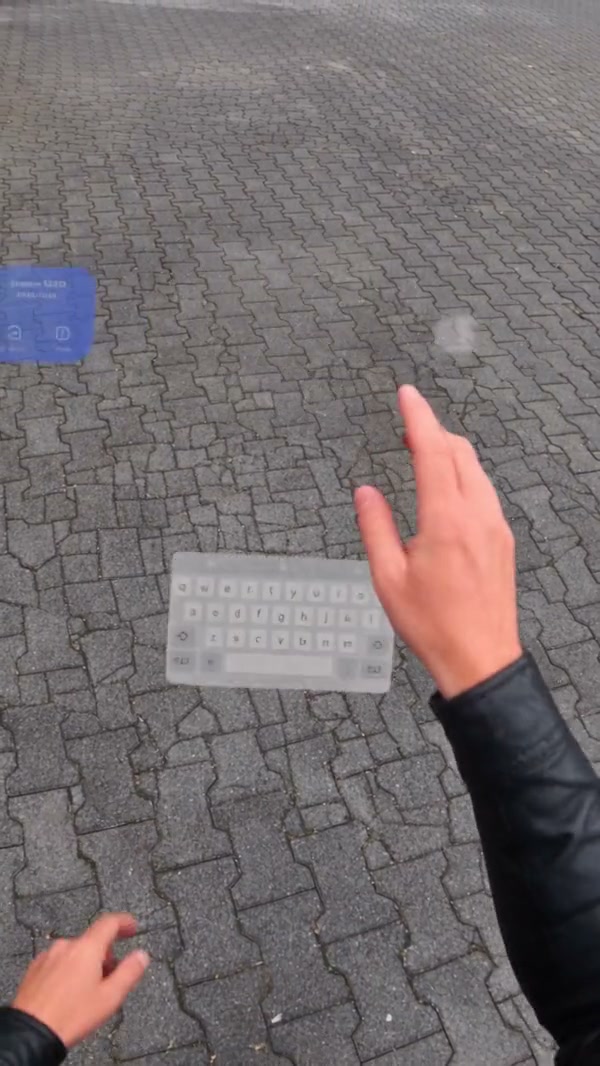
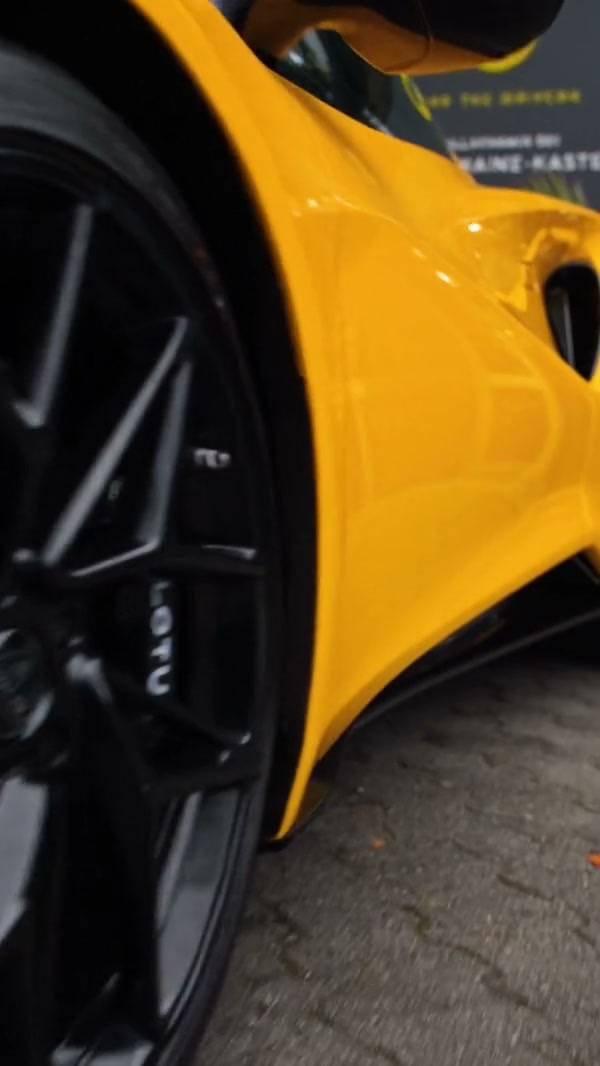
A community example of a phone screen opening into a garage car reveal

Keep the phone opening, then the garage

The prepared motion starts on the phone-style screen and moves into the garage reveal. You do not upload that screen or choose a rental logo for it. The video and stills are frames from one community example of that opening. Short modes keep the beginning of this path. They do not jump straight to the end of the garage shot.

Keep the phone opening, then the garage

Choose how much of the reveal to generate

The full reference is about 24.4 seconds. Original uses that complete Phone to Car Reveal AI, and the output length rounds it to 25 seconds. Economy and Standard use a 14.9 second highlight from the start, so the phone screen and the beginning of the garage stay, and the later seconds do not. The estimate beside Generate shows which length you are about to buy. The restored audio matches that same segment. The photos do not become a new voice.

Frame from the same community example as the car is revealed

What you control in Phone to Car Reveal AI

The car comes from your photos. The phone screen, the garage and the audio stay with the Phone to Car Reveal AI reference.

Up to three extra views

One photo is enough. Extra photos describe the same car. They do not become sixteen different vehicles.

A screen you do not rebrand

There is no prompt box for a rental logo, a second car or a different garage. The opening stays prepared.

How much of the clip you buy

Original is the full reveal. The other two modes stop after the opening highlight and use the audio from that opening.

Phone to Car Reveal AI questions

The four-photo limit, the phone opening, modes and what the screen will not add.

What photos does Phone to Car Reveal AI need?

One photo of the car is required. You may add up to three more views of that same car. Four photos is the maximum. The slots are not a catalog of different cars.

Why not the sixteen images from the community post in Phone to Car Reveal AI?

The community example used far more files than this template accepts. Phone to Car Reveal AI keeps the existing four-image cap. Choose the views that show the paint and the wheels, and leave the rest out.

Will the phone screen show a rental brand in Phone to Car Reveal AI?

There is no control for adding a rental-company name or badge. The model can alter details on the screen or the car, so review the result before using it for a specific brand.

How do the Phone to Car Reveal AI modes differ?

Original plays the full reference, about 24.4 seconds, and the output length rounds that to 25 seconds. Economy and Standard keep a 14.9 second highlight from the start, including the phone screen and the start of the garage. The later part of the reveal is only in Original. The credit estimate beside Generate matches the mode you select.

Does Phone to Car Reveal AI include sound?

Yes. The reference has audio, and the result restores the track for the segment you generate. Short modes keep the audio from the opening, not a new recording. Listen before you share the clip.

Can I type a prompt or change the garage in Phone to Car Reveal AI?

No. Phone to Car Reveal AI keeps this phone opening and this garage. There is no prompt field for a showroom orbit, a beach car configurator or a branded booking page. Use AI Car Showroom Video for an indoor orbit, or AI Car Configurator Video for a beach car reveal.

Will the car match my photos the whole way through in Phone to Car Reveal AI?

A clear photo helps the model follow the body, but paint, wheels and glass can change between the phone screen and the garage. The page does not promise a perfect match. Compare the result with your uploads before you download it.

How is Phone to Car Reveal AI different from the showroom video?

AI Car Showroom Video moves around one car indoors and does not open on a phone-style booking screen. Phone to Car Reveal AI starts with the phone screen before the garage reveal. Use the preview here when that opening is the point.

How much does Phone to Car Reveal AI cost?

The generator shows a credit estimate for the mode and resolution you select. An account with enough credits is required. Plan details live on the Pricing page. Original and the short highlight are different lengths, so compare both quotes.

Where do I download my Phone to Car Reveal AI?

My creations holds the finished clip. Play it with sound, check the car against your photos, and use the download control on that result.

Create your Phone to Car Reveal AI

Add the car photo, review the Phone to Car Reveal AI estimate, and start from the generator.

Phone to Car Reveal AI