
Create a video

Required photos1
Customize more (optional)0/3
Settings
Mode
Video length9s
Resolution

AI Car Showroom Video Generator

Put your car into a showroom-style sequence with up to four photos of the same vehicle. The third-party example used seven car photos.

0:00 / —:—

What is AI Car Showroom Video?

An AI Car Showroom Video presents a vehicle through a prepared sequence of vertical showroom shots. Upload one picture of your car, with up to three additional angles of that same car if you have them. The reference guides the scene and camera movement while the images tell the model which vehicle you want to feature. The source sequence runs about nine seconds.

AI Car Showroom Video

How to make an AI Car Showroom Video

Choose photos of one car, compare the available modes and create your sequence.

  1. STEP 1

    Add a clear car photo

    Choose an image that shows the vehicle you want in the AI Car Showroom Video. Include the full car where possible and avoid heavy obstructions.

  2. STEP 2

    Add angles if useful

    Upload up to three more pictures of the same car. Front, side and rear views can give the model information that one view cannot show.

  3. STEP 3

    Choose a mode and generate

    Review the selected mode and its credit estimate, then generate. Open your result in My creations to play and download it.

A car display in motion

The video and images show one community example. Your result can look different.

Put your car in the showroom

Start with one clear photo of the vehicle you want to feature. The prepared scene aims to bring that car into an indoor showroom, giving a still image the feel of a short reveal without arranging a shoot. A front or three-quarter view is a useful starting point. Lighting, reflections and fine details can vary in the result.
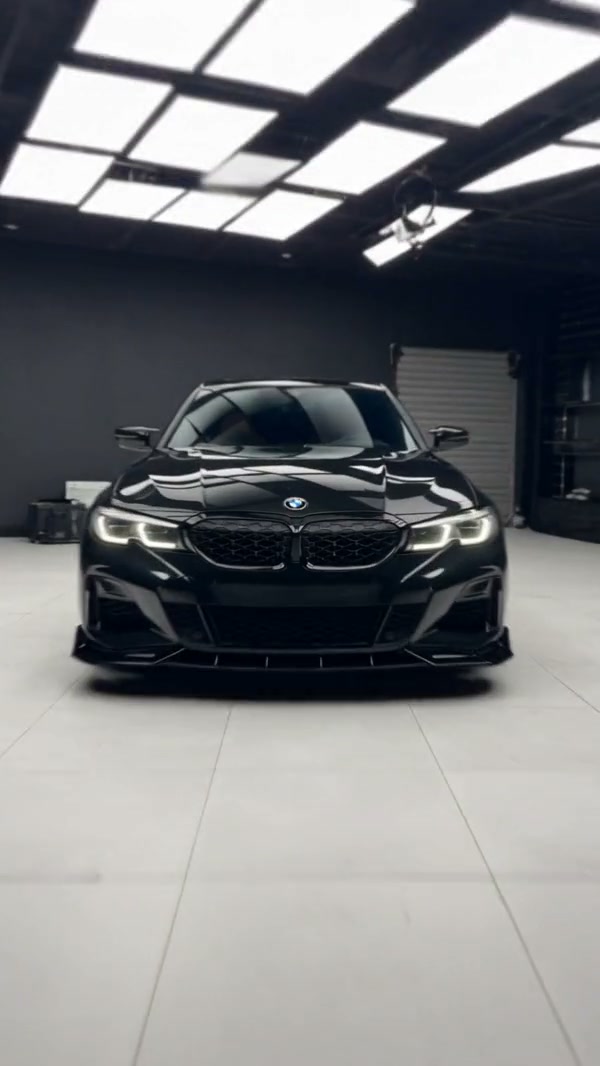
Frame from a community example showing the front of a car in a showroom

Show the car from more than one angle

The reference moves between a full-car reveal and closer views of the body, wheels and other details. The result follows that prepared sequence in a vertical video, with the original reference sound. The community example was made with seven car images; this page accepts one required image and up to three optional images.

Show the car from more than one angle

Give the model more views of the same car

Additional front, side or rear photos can give the model information that a single picture does not show. Keep the vehicle and color consistent across your uploads; the extra slots describe the same car. Badges, wheel details, body lines and reflections may still differ from your photos.

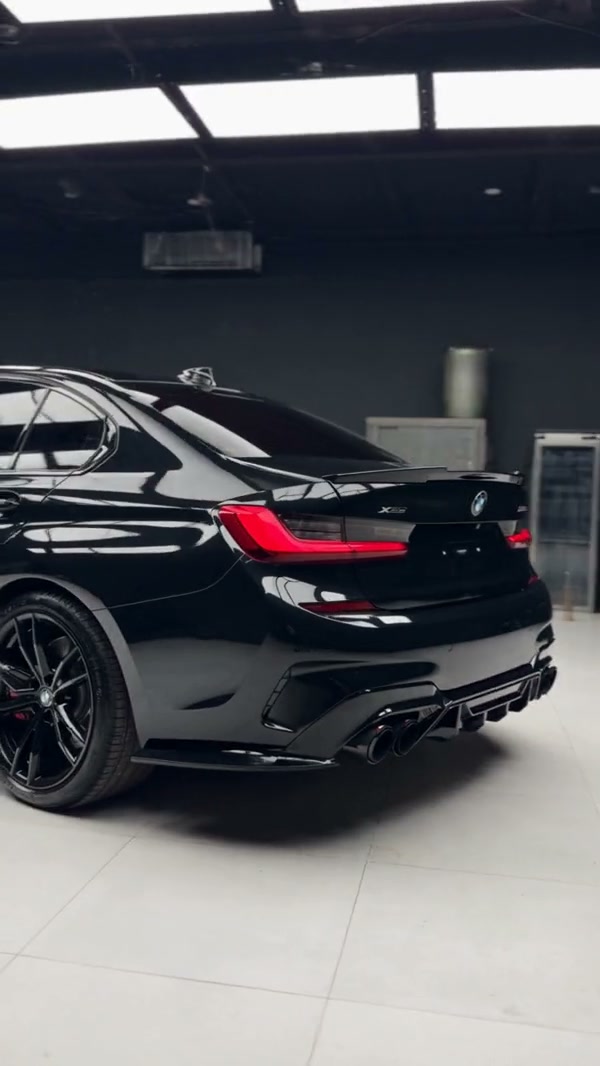
Close-up frame from the same community car showroom example

What you choose for AI Car Showroom Video

The car comes from your photos; the prepared reference guides the showroom presentation.

One required image

Start with one car photo. The remaining three slots are optional and are intended for other views of the same vehicle.

A prepared sequence

The reference supplies the shot sequence and sound. The fixed template does not require you to upload your own motion video or write the camera instructions.

Inspect identifying details

A generation can change small visual details. Review emblems, number plates and wheels before using the clip to represent a specific vehicle.

AI Car Showroom Video credits

The generator shows a credit estimate for the AI Car Showroom Video mode and settings you select. An account and sufficient credits are required.

Starter

For your first ideas.

$8.3/month

$100.0 charged yearly

2,400 credits/year

Up to 400 images

GPT Image 2Nano Banana Pro

Up to 133 videos

Seedance 2.5Kling 3.0 Motion Control
  • Up to 4K images and HD videos, depending on the model
  • Image editing, video creation & motion transfer
  • Watermark-free image & video downloads
  • Generation history in your account
Popular40% OFFSave $238.8

Pro

For a steady creative flow.

$30.0/month$49.9/month

$360.0 charged yearly

21,600 credits/year

Up to 3,600 images

GPT Image 2Nano Banana Pro

Up to 1,200 videos

Seedance 2.5Kling 3.0 Motion Control
  • Up to 4K images and HD videos, depending on the model
  • Image editing, video creation & motion transfer
  • Watermark-free image & video downloads
  • Generation history in your account
  • Use credits across image and video models
Best Value50% OFFSave $599.8

Business

For more creations, more often.

$49.9/month$99.9/month

$599.0 charged yearly

48,000 credits/year

Up to 8,000 images

GPT Image 2Nano Banana Pro

Up to 2,666 videos

Seedance 2.5Kling 3.0 Motion Control
  • Up to 4K images and HD videos, depending on the model
  • Image editing, video creation & motion transfer
  • Watermark-free image & video downloads
  • Generation history in your account
  • Use credits across image and video models

Basic

$0

Try before you subscribe

  • 18 one-time signup credits
  • Generation history included
  • Watermarked previews & downloads
  • Up to 3 images or 1 video
  • Watermark-free downloads require payment

Prices in USD; taxes and total shown at checkout. Subscriptions renew automatically; cancel in Billing settings. Subscription credits expire each period; one-time credits never expire.

Refunds: request within 72 hours. Used purchased credits and applicable non-refundable processing costs (up to 6%) are deducted. Terms · Refund Policy

AI Car Showroom Video questions

Photos, reference length, settings and what to expect.

How many photos do I need for an AI Car Showroom Video?

One car photo is required. You can add up to three more views of the same vehicle, for four images in total.

Can the extra slots show different cars?

The slots are intended to describe one car from additional angles. Use a separate generation if you want to feature another vehicle.

What kind of car image should I choose?

Start with a sharp, well-lit view that shows the whole car. If a particular angle is important, add a matching photo of the same vehicle from that side.

How long is the showroom reference?

The prepared source is about nine seconds and uses a vertical frame. Check the mode and duration shown in the workspace before you generate.

Does the clip have sound?

The prepared reference includes audio. Listen to the finished clip, especially if you plan to add your own sound or edit the timing afterward.

Will the generated car match every detail?

No generation can guarantee an exact match. Small marks, text, reflections, wheels and shapes may change between shots; inspect the result if those details matter.

Do I need to write a prompt or film a showroom?

The fixed AI Car Showroom Video template provides the reference and instructions. You choose the car photos and available settings.

How much does an AI Car Showroom Video cost?

The generator shows a credit estimate for the selected mode and settings before you submit. An account and sufficient credits are required.

Create your AI Car Showroom Video

Choose your photos, review the settings and start your AI Car Showroom Video.

AI Car Showroom Video