
Car Assembly AI Video Generator
Give your car a desert showcase. Car Assembly AI puts its shape, paint and wheels into a prepared montage of driving shots, close-ups and layered assembly effects. Start with one photo; add up to three more views of the same car.
0:00 / —:—
Car Assembly AI video ideas
Explore community remixes of this performance. Open a video for a closer look.
What is Car Assembly AI?
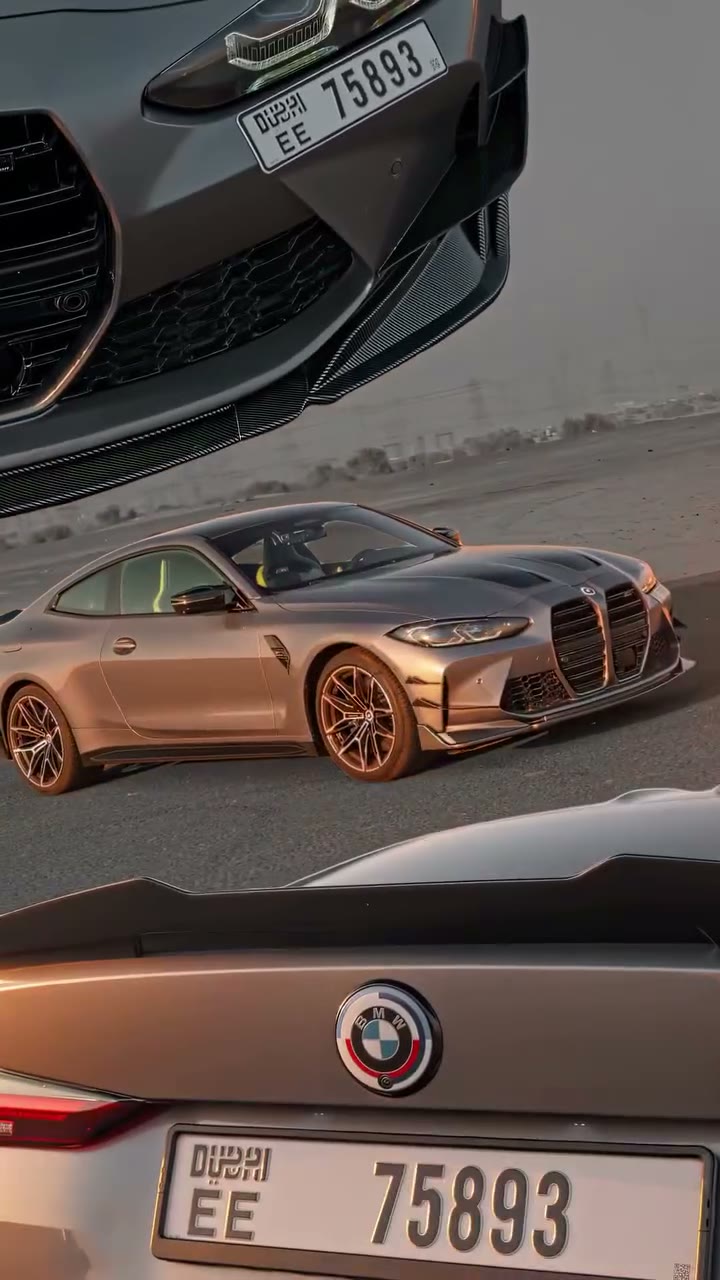
Car Assembly AI turns photos of your car into a stylized vehicle showcase guided by a prepared desert video. The sequence combines moving car shots, grille and wheel details, glowing outlines and panels that slide over one another. On Motion Transfer, Photo 1 defines the featured car; up to three optional photos provide other views of that same vehicle. Car Assembly AI follows the roughly eighteen-second vertical edit and includes its reference audio. The effect is a visual montage: it does not simulate a mechanically accurate factory build or demonstrate how to assemble a real car.
How to create a Car Assembly AI video
Choose one vehicle, add useful angles and review the finished edit.
STEP 1
Upload your car photo
Start Car Assembly AI with one clear car photo. Show the complete vehicle where possible. Optionally add up to three other angles of that same car, in the order shown.
STEP 2
Choose settings and generate
Review the Car Assembly AI reference, select an available resolution and check the credit quote on Generate. Sign in with sufficient credits to submit; uploading alone does not start generation.
STEP 3
Check the car across the cuts
Watch your Car Assembly AI result in My creations. Compare the front, rear, wheels and paint across the montage, listen to the sound, then download the completed clip.
A Car Assembly AI showcase built around your car
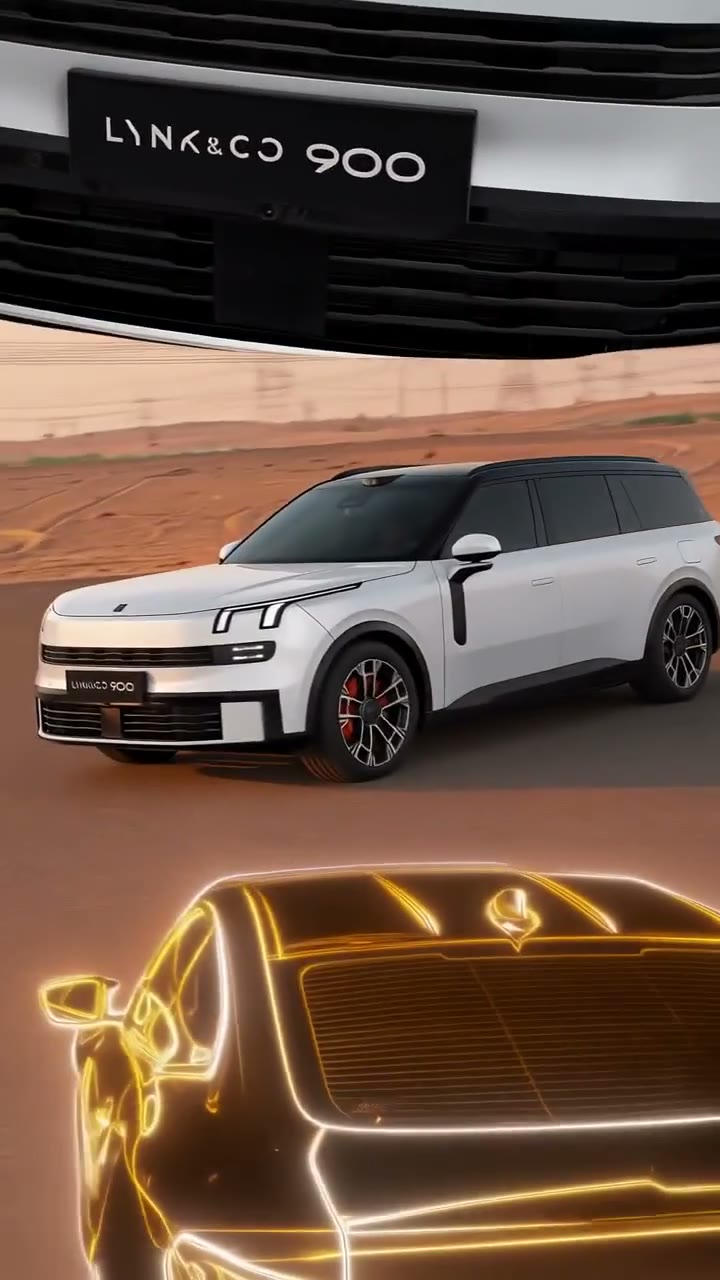
See a short community SUV reveal alongside the original driving, detail and layered-panel sequence.
Give the entire car your chosen appearance
Car Assembly AI transfers the vehicle’s body shape, paint, wheels, lights and proportions across the prepared shots. Bring a favorite coupe, your own car or a concept you have permission to use. Additional front, side and rear photos can provide details that one angle hides. Car Assembly AI uses those images as evidence for one vehicle, so you do not need to select a different car for every shot. The result can help you explore how a particular design reads in motion; check badges and fine trim before using it as a representation of a real product.
Get a multi-angle showcase from still photos
The reference already supplies the desert location, moving camera and close-up sequence. Car Assembly AI lets you concentrate on the car you want to feature without arranging a road shoot or editing those cuts by hand. A wheel detail and a wider driving view communicate different parts of the design, while layered panels keep several angles in the same vertical composition. Watch the reference first: Car Assembly AI follows that specific visual rhythm, so this page suits a stylized car reveal more closely than a plain walkaround or a technical inspection.
Keep the edit, vertical framing and reference sound together
Car Assembly AI gives you one downloadable clip with the prepared sequence and its reference audio. The 9:16 format is useful for a car enthusiast post, a design moodboard or a personal reveal. You can review the whole edit before deciding where to share it, with no separate audio upload needed. Car Assembly AI does not add a custom soundtrack or narration. The original reference shows the complete sequence; the community preview is a short interpretation of the layered reveal. Review your own result before publishing.
Choose Car Assembly AI for a stylized car reveal
The prepared edit is most useful when its setting and visual effects fit your idea.
One vehicle across several angles
Car Assembly AI supports one main car image and up to three supplementary views. Keep the make, body style and modifications consistent across those photos; conflicting cars give the model conflicting instructions.
Design presentation with a fixed setting
Car Assembly AI preserves the desert, camera movement, panels and shot order. There is no location picker or separate driver slot. A car-only photo keeps the intended subject clear.
A different automotive scene
For a ramp stunt, try Roadster AI. For an original location or your own shot sequence, bring a suitable reference video to the Motion Transfer homepage. This page keeps the prepared montage.
Car Assembly AI credits and plans
Car Assembly AI requires an account and sufficient credits. Generate shows the quote for the selected resolution and reference duration; plan examples may describe other models or lengths.
Starter
For your first ideas.
$8.3/month
$100.0 charged yearly
2,400 credits/year
Up to 400 images
GPT Image 2Nano Banana Pro
Up to 133 videos
Seedance 2.5Kling 3.0 Motion Control
- Up to 4K images and HD videos, depending on the model
- Image editing, video creation & motion transfer
- Watermark-free image & video downloads
- Generation history in your account
Popular40% OFFSave $238.8
Pro
For a steady creative flow.
$30.0/month$49.9/month
$360.0 charged yearly
21,600 credits/year
Up to 3,600 images
GPT Image 2Nano Banana Pro
Up to 1,200 videos
Seedance 2.5Kling 3.0 Motion Control
- Up to 4K images and HD videos, depending on the model
- Image editing, video creation & motion transfer
- Watermark-free image & video downloads
- Generation history in your account
- Use credits across image and video models
Best Value50% OFFSave $599.8
Business
For more creations, more often.
$49.9/month$99.9/month
$599.0 charged yearly
48,000 credits/year
Up to 8,000 images
GPT Image 2Nano Banana Pro
Up to 2,666 videos
Seedance 2.5Kling 3.0 Motion Control
- Up to 4K images and HD videos, depending on the model
- Image editing, video creation & motion transfer
- Watermark-free image & video downloads
- Generation history in your account
- Use credits across image and video models
Basic
$0Try before you subscribe
- 18 one-time signup credits
- Generation history included
- Watermarked previews & downloads
- Up to 3 images or 1 video
- Watermark-free downloads require payment
Prices in USD; taxes and total shown at checkout. Subscriptions renew automatically; cancel in Billing settings. Subscription credits expire each period; one-time credits never expire.
Refunds: request within 72 hours. Used purchased credits and applicable non-refundable processing costs (up to 6%) are deducted. Terms · Refund Policy
Car Assembly AI questions
Photo angles, the fixed montage and what to check before sharing.
How many photos does Car Assembly AI need?
Car Assembly AI requires one car photo and accepts up to three additional views of the same vehicle. Extra images are optional. Add them in order so the first photo remains the main vehicle reference.
Which car photo works best for Car Assembly AI?
Use a sharp photo showing the full body, wheels and paint in even light. A front three-quarter view often exposes several useful details. Avoid collages, cropped bumpers and groups of cars that make the subject unclear.
Can I combine different cars in Car Assembly AI?
Use photos of the same car. Car Assembly AI treats Photos 2–4 as additional views of Photo 1, not as separate vehicles or a sequence of different designs. For another car, create a separate generation.
Does Car Assembly AI show a real assembly process?
The reference uses visual assembly effects, glowing outlines and layered shots. Car Assembly AI does not model individual mechanical parts or produce engineering instructions. Its purpose is a stylized vehicle showcase.
Does Car Assembly AI include music or sound?
Car Assembly AI restores the supplied reference audio to the result. It has no custom music picker or narration input. Listen to the preview and check the audio rights for your planned use.
Can Car Assembly AI change the desert or camera shots?
This page follows the supplied desert montage, including its cuts and vertical layout. Car Assembly AI does not accept a separate background image. Use the homepage with your own reference for another setting.
How long is a Car Assembly AI video?
The reference runs for about eighteen seconds in a 9:16 frame. Car Assembly AI follows that sequence. Settings offers available resolution choices; there is no independent length or aspect-ratio control for this fixed effect.
What should I check in my Car Assembly AI result?
Compare the wheels, grille, headlights, rear lights and paint across every cut. Car Assembly AI can reinterpret fine geometry or text. Watch reflections and layered panels too, especially where multiple views overlap.
Is Car Assembly AI free to generate?
You can inspect the reference before submitting. Car Assembly AI generation requires signing in and enough credits for the displayed quote. Each new generation is a separate task; downloading an existing completed result does not create another.
Can I use Car Assembly AI for a car advertisement?
Check the completed video against the vehicle you intend to describe and obtain the necessary photo, design and audio permissions. Car Assembly AI does not guarantee exact product details or grant additional rights to the reference material. Avoid presenting AI details as verified vehicle features.
Make your Car Assembly AI showcase
Choose one car and give its complete design a moving desert presentation.