Create a video

Target vehicle · Photo 1

Toy Car to Real Car AI Video Generator

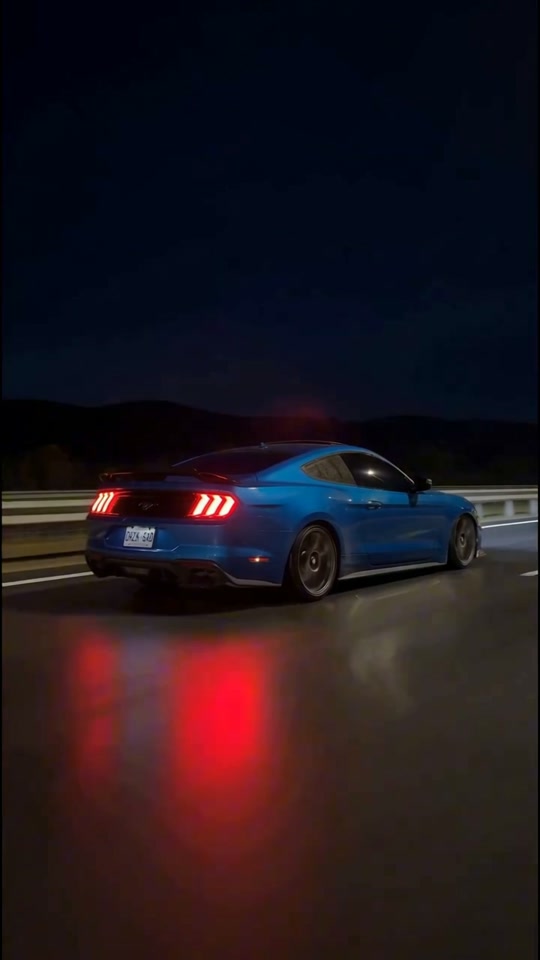
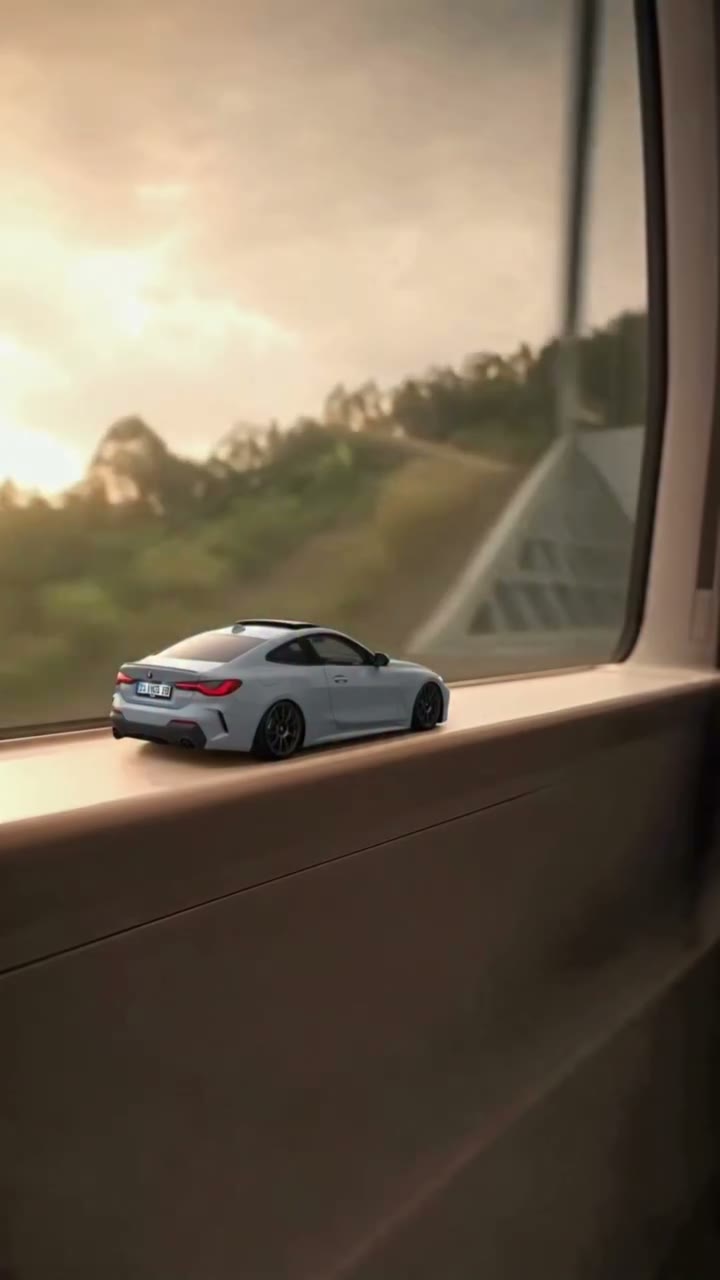
Your car, first on a train windowsill, then out on the night road. Use Toy Car to Real Car AI with one vehicle photo to recreate the miniature-to-full-size transition, camera movement and original sound.

0:00 / —:—

Toy Car to Real Car AI video ideas

Explore community remixes of this performance. Open a video for a closer look.

What is Toy Car to Real Car AI?

Toy Car to Real Car AI is a scale-transition video: a miniature car sits on the ledge of a moving train, then becomes a full-size car as the scene passes through a tunnel and onto a night road. On Motion Transfer, one photo defines the car at both sizes. The prepared reference supplies the train, tunnel, lighting, camera movement and driving sequence. Toy Car to Real Car AI produces a portrait clip of about 22 seconds with the reference soundtrack. You choose the vehicle; the template supplies the transformation and drive, without needing a physical toy or footage of your own car in motion.

A miniature white car on a train windowsill becomes a full-size car on a night road

How to make Toy Car to Real Car AI

Start with a car photo; the motion reference is already prepared.

  1. STEP 1

    Choose your car photo

    Upload one clear vehicle image to Toy Car to Real Car AI. A rear three-quarter view can help with the windowsill and driving angles; keep the whole body and wheels visible.

  2. STEP 2

    Preview the transformation

    Watch the Toy Car to Real Car AI reference and listen to its sound. Select an available resolution in Settings and review the credit quote before you generate.

  3. STEP 3

    Generate and review

    Sign in and submit when ready. Watch your Toy Car to Real Car AI result through the tunnel change and final drive, then download it from My creations.

Toy Car to Real Car AI examples

Community remixes of the train-window transformation. Each car gives the same sequence a different identity.

Make the miniature and the real car yours

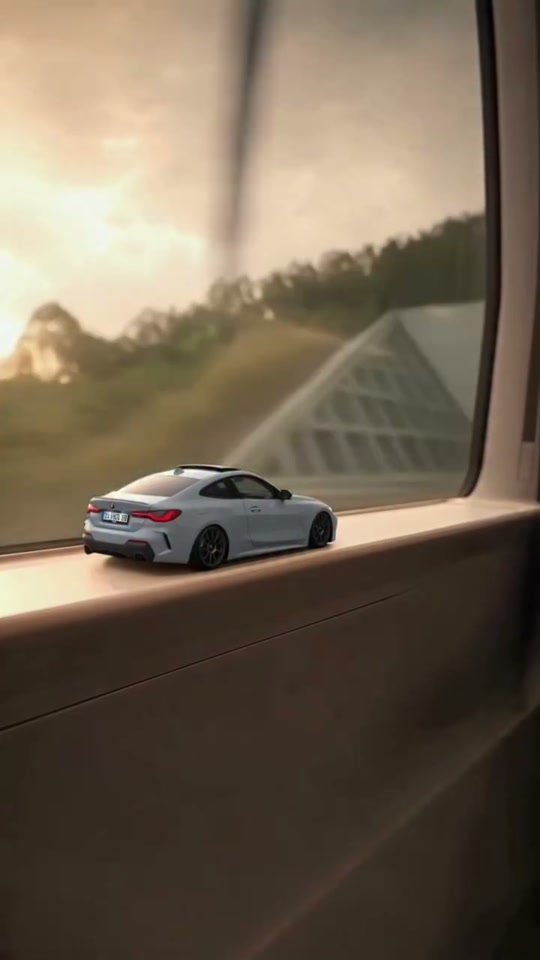
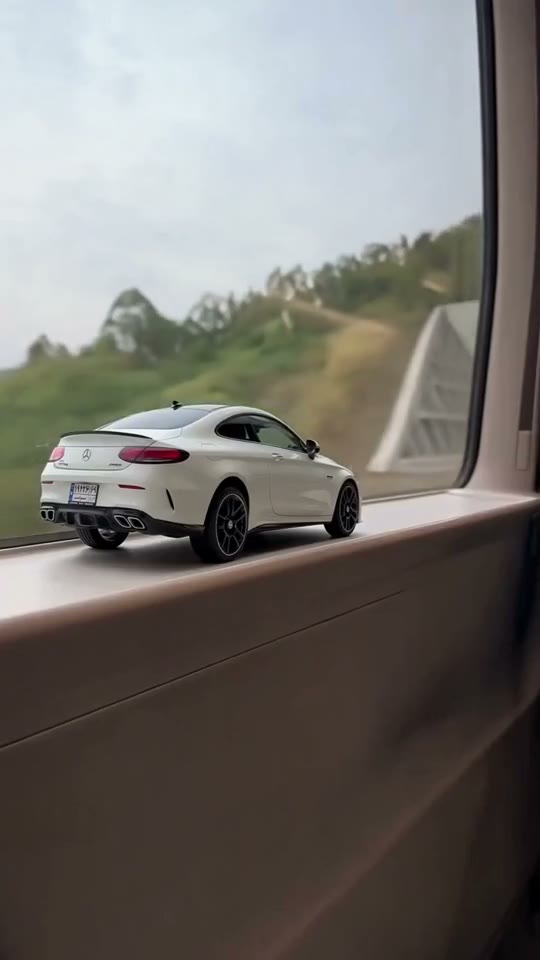
A recognizable vehicle makes the transformation personal. Toy Car to Real Car AI uses one image for the small model on the windowsill and the larger car on the road, so the same paint, silhouette and wheels guide both parts. You do not need separate photos of a diecast model and a real vehicle. Toy Car to Real Car AI asks the model to carry the design between scales; small badges and plate text may still change, especially as the car moves into darkness.
Make the miniature and the real car yours

Build a reveal around the tunnel transition

The setting gives the change a clear beginning and payoff. Toy Car to Real Car AI starts with a tiny car framed by the train window, uses the darker tunnel as the transition, then lets the larger vehicle continue onto the road. The supplied sequence connects those moments with the original camera movement and timing. Toy Car to Real Car AI keeps this particular setting; it does not offer a choice of railway, tunnel or city.

Build a reveal around the tunnel transition

Finish with a moving vehicle, not a still reveal

The scale change is followed by a night drive, giving your chosen car time on screen after the transformation. Toy Car to Real Car AI follows the original road movement, changing reflections and rear-quarter framing. The reference soundtrack carries through the finished clip, so the opening and ending arrive as one prepared sequence. Use the result as a short car introduction, then add a personal caption in your usual editor if you want one. Toy Car to Real Car AI aims to preserve the design through the drive, but unseen surfaces and changing light still require interpretation from a single photograph.

Finish with a moving vehicle, not a still reveal

What you choose in Toy Car to Real Car AI

The vehicle and the prepared sequence have separate roles.

One vehicle design

Your Toy Car to Real Car AI photo supplies body shape, paint, wheels and visible details. It defines both scales, with no second upload slot for an unrelated toy or another car.

One prepared transition

Toy Car to Real Car AI follows the train windowsill, tunnel and road sequence. The photo background is not a replacement location; the camera path and timing come from the reference.

A portrait video with sound

Toy Car to Real Car AI keeps the reference framing and soundtrack. Choose the available resolution, then use your own editor for additional captions or a different final presentation.

Toy Car to Real Car AI credits

An account and sufficient credits are required to generate. The quote shown before submission reflects the selected resolution and reference length. Shared plan examples can use different models or durations.

Starter

For your first ideas.

$8.3/month

$100.0 charged yearly

2,400 credits/year

Up to 400 images

GPT Image 2Nano Banana Pro

Up to 133 videos

Seedance 2.5Kling 3.0 Motion Control
  • Up to 4K images and HD videos, depending on the model
  • Image editing, video creation & motion transfer
  • Watermark-free image & video downloads
  • Generation history in your account
Popular40% OFFSave $238.8

Pro

For a steady creative flow.

$30.0/month$49.9/month

$360.0 charged yearly

21,600 credits/year

Up to 3,600 images

GPT Image 2Nano Banana Pro

Up to 1,200 videos

Seedance 2.5Kling 3.0 Motion Control
  • Up to 4K images and HD videos, depending on the model
  • Image editing, video creation & motion transfer
  • Watermark-free image & video downloads
  • Generation history in your account
  • Use credits across image and video models
Best Value50% OFFSave $599.8

Business

For more creations, more often.

$49.9/month$99.9/month

$599.0 charged yearly

48,000 credits/year

Up to 8,000 images

GPT Image 2Nano Banana Pro

Up to 2,666 videos

Seedance 2.5Kling 3.0 Motion Control
  • Up to 4K images and HD videos, depending on the model
  • Image editing, video creation & motion transfer
  • Watermark-free image & video downloads
  • Generation history in your account
  • Use credits across image and video models

Basic

$0

Try before you subscribe

  • 18 one-time signup credits
  • Generation history included
  • Watermarked previews & downloads
  • Up to 3 images or 1 video
  • Watermark-free downloads require payment

Prices in USD; taxes and total shown at checkout. Subscriptions renew automatically; cancel in Billing settings. Subscription credits expire each period; one-time credits never expire.

Refunds: request within 72 hours. Used purchased credits and applicable non-refundable processing costs (up to 6%) are deducted. Terms · Refund Policy

Toy Car to Real Car AI questions

Photo choices, the tunnel transition and what to expect in your result.

Do I need a toy car for Toy Car to Real Car AI?

No. Upload a photo of the vehicle you want to show. The template asks the model to represent that design as a miniature on the windowsill and as the larger car on the road.

Which photo works best for Toy Car to Real Car AI?

Use one sharp, well-lit image with the complete car visible. A rear three-quarter angle is useful because this reference shows the rear and side during the transition and drive.

Can Toy Car to Real Car AI use any vehicle?

The workflow is designed around a car. Sedans and coupes are represented in the community examples. Very tall, long or unusual vehicles can be harder to fit into the windowsill composition. Motorcycles and arbitrary objects have not been validated for this template.

Will my car stay identical throughout Toy Car to Real Car AI?

The prompt targets one consistent design across the miniature and road scenes. Generation can still alter wheels, rear lights, badges or proportions during the scale change. Inspect those details in the result before sharing; the examples do not guarantee an exact replica of every vehicle.

Can I change the tunnel or driving route?

This page uses a fixed train-window sequence. It has no separate location upload, route control or transition editor. For a different scene, return to the general Motion Transfer workspace and supply a suitable motion reference for that task.

Does Toy Car to Real Car AI include the original sound?

Yes. The workflow adds the prepared reference audio to the generated video. There is no separate music upload on this page, and the sound does not record your own vehicle. Listen to the preview and make sure you can use the soundtrack wherever you plan to publish.

How long is a Toy Car to Real Car AI video?

The prepared reference is about 22 seconds and uses a vertical 9:16 frame. The length and aspect ratio follow that reference. Settings lets you choose an available resolution; it does not offer a different driving duration. The exact credit quote is shown before submission.

How does Toy Car to Real Car AI differ from Venom Car AI?

This effect uses a miniature on a train windowsill, a tunnel transition and a night drive. Venom Car AI focuses on black liquid forming a vehicle in a garage. Choose according to the reveal you want; both use a vehicle photo, but their scenes and movements differ.

Create your Toy Car to Real Car AI video

Choose one car photo and give it a miniature opening and a night-road finish.

A miniature white car on a train windowsill becomes a full-size car on a night road