
Bulin 47 AI Trend: Make a Rap Video from One Photo
The Bulin 47 AI trend puts your chosen character into a close, moving rap performance. One photo defines the replacement performer, while the person holding the portable speaker stays in the foreground. Open the Bulin 47 AI tool to make your version, or follow this guide to choose a photo and know which moments to check before downloading.
Try Bulin 47 AI
What changes in a Bulin 47 AI video?
This is a whole-character recasting of a specific performance. In the original reference, the main performer wears sunglasses and an open light-pink shirt behind a person holding a portable speaker. Your photo supplies the new face, hair, skin tone, body shape, clothing, and accessories. The reference supplies the dance, gestures, expressions, lip movements, and timing.
The Bulin 47 AI template uses an approximately 23-second vertical clip. The camera moves through a close crowd, and people sometimes overlap the performer. The goal is to follow the same character through those changes while keeping the speaker holder, other people, setting, and original soundtrack. You do not need to film the dance yourself.
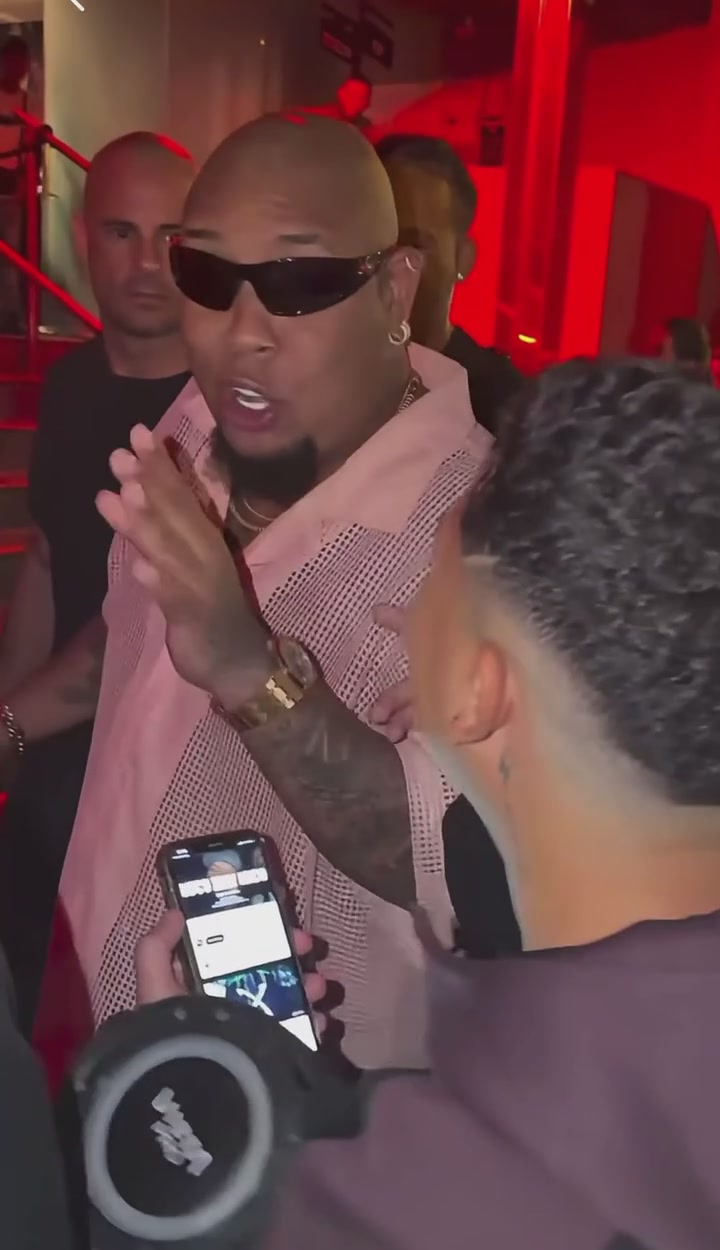
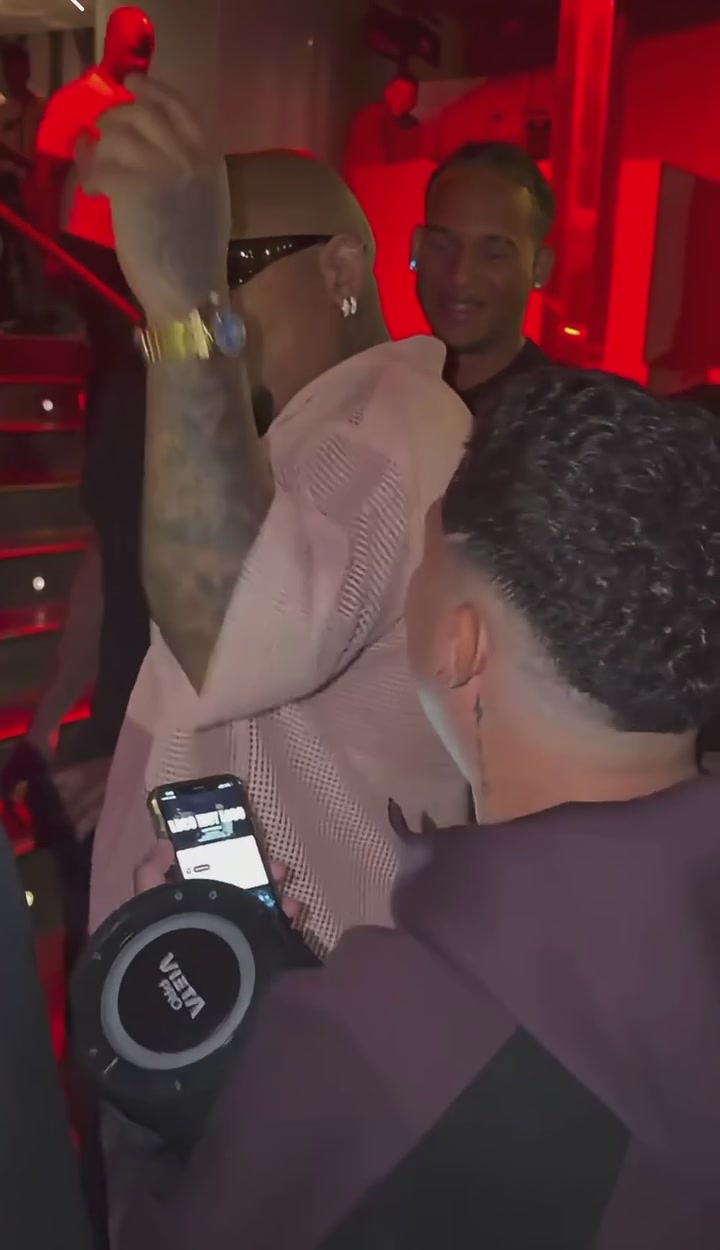
Use those two roles to judge the edit: the rapper changes, the speaker holder stays. A new face on the foreground person would be the wrong assignment, even if the clip otherwise looks convincing. Watch the source once before uploading so you can recognize both people when they turn or cross paths.
Choose one photo for the complete character
For Bulin 47 AI, choose the person and outfit together. A sharp, single-person photo with a readable face and visible torso communicates more than a tightly cropped headshot. Include more of the body when possible, leaving space around the head and arms. The original shirt and sunglasses are not the requested wardrobe unless your photo also shows them.
Show the look you want
Choose a photo that already contains the hairstyle, top, and accessories you want to see. A simple, clearly visible outfit is easier to evaluate during fast motion than tiny jewelry or intricate lettering. Do not rely on the source performer’s clothes to fill in missing parts of your reference.
Keep the face unobstructed
Avoid motion blur, a phone across the face, heavy shadow, or another person leaning into the image. A front or gentle three-quarter view gives a clear starting identity. You do not need to imitate a rap gesture or hold a speaker in the photo.
Upload one person, not a cast sheet
The prepared tool has one Main character photo slot. A collage, group portrait, or outfit grid introduces competing subjects. Crop to the intended performer before uploading; the background people in this template do not have separate replacement slots.
Use a photo you can transform
Choose your own photo, an authorized portrait, or a character image you have permission to use. Its background can differ from the video. The prepared instructions preserve the source setting and take the replacement appearance from the person in your image.
How to make a Bulin 47 AI video
The Bulin 47 AI workspace opens with the reference performance, Seedance 2.5 Edit, and a prepared prompt. You only need the character photo to begin. There is no separate music upload or audio-generation switch to configure for this template.
1Open the template and watch the reference
Go to the Bulin 47 AI generator. Play the loaded reference and identify the rapper behind the speaker holder. This is the performance your character will follow, including its camera movement and length.
2Upload your main character
Add one photo in Main character · Photo 1. Check the thumbnail for the correct face and clothes. Use Replace if you picked the wrong image. Uploading prepares the draft; it does not start a generation.
3Generate your video
Leave the prepared prompt in place for your first attempt. Settings offers 480p, 720p, or 1080p; choose the output resolution you need. Click Generate and sign in if prompted. The control shows the current credit cost before you submit.
4Preview and download
Open the finished clip in My creations. Watch with sound, then inspect the main performer, the foreground speaker holder, and moments when they overlap. Download the result you want to keep. If the appearance needs work, choose a clearer photo or make one focused prompt change before another attempt.
How the Bulin 47 AI prompt assigns the role
The prepared prompt names @Video 1 as the source performance and @Image 1 as the complete appearance reference. Those references keep the jobs of the two inputs clear: the video controls the performance, and the photo controls the replacement character. You do not need to rename your image or paste a new prompt to use the template.
The target is described by the original sunglasses, open light-pink shirt, and position behind the speaker holder. Keep that description even if your replacement photo has a completely different outfit. It identifies who should change in the source; it does not tell the new character to wear pink.
If you edit Custom prompt in Settings, preserve the whole-character instruction and the request to leave every other person unchanged. Avoid adding another replacement person, new lyrics, a different camera angle, or a new location to the same request. Each competes with the fixed performance you selected.
Compare different Bulin 47 AI character ideas
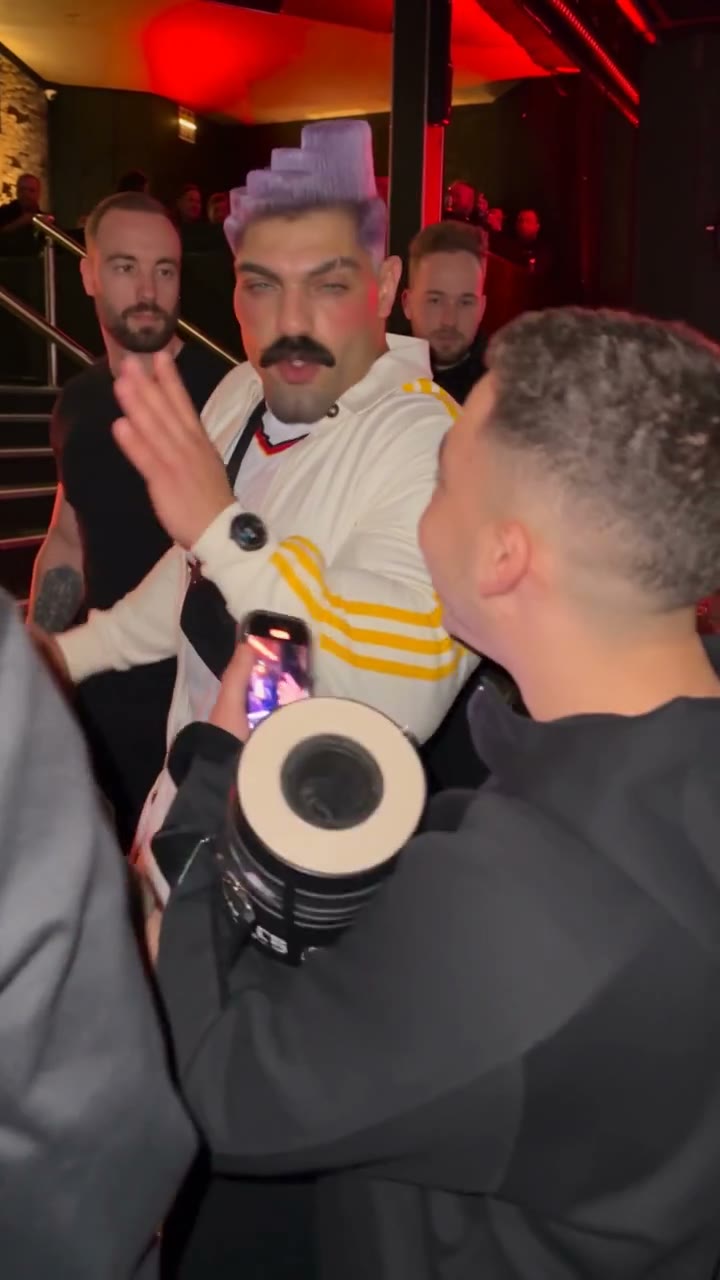
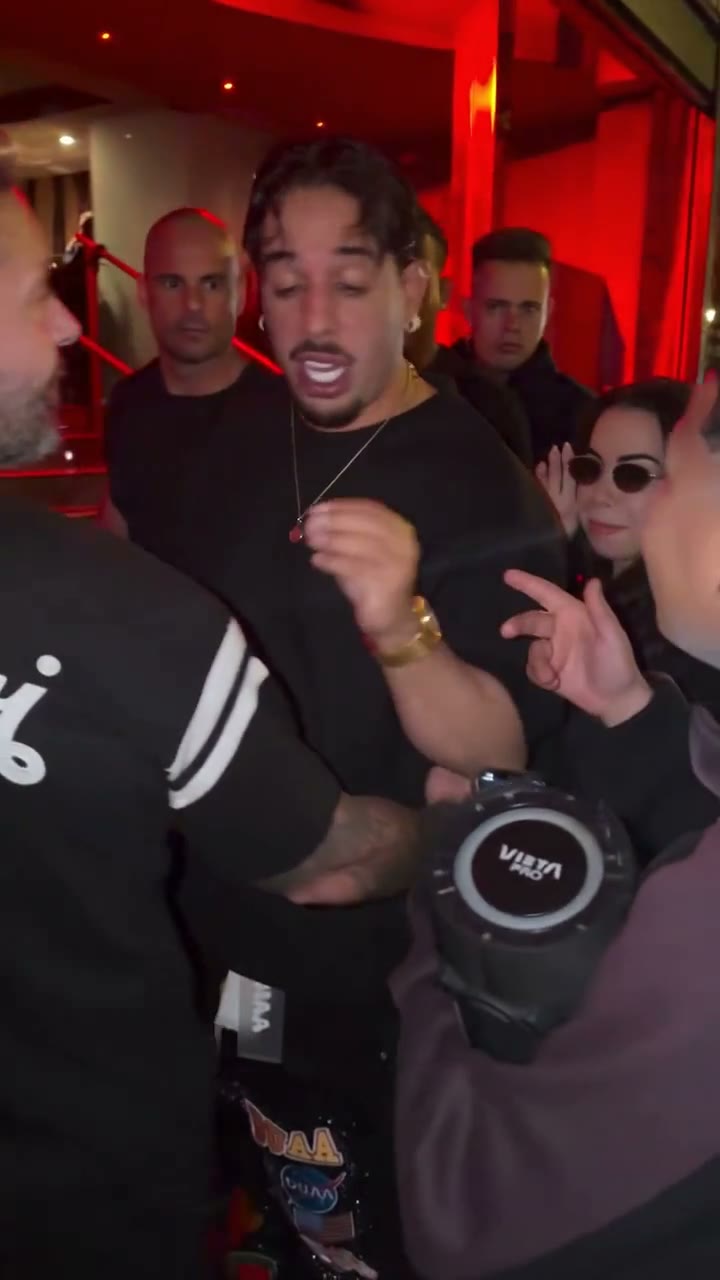
These community adaptations illustrate how much of the idea comes from the character’s look. A tracksuit creates a different impression from a plain dark top, even when the performance remains recognizable. Pick one visual direction, then use a reference photo that shows it clearly.
Compare the character through motion rather than judging only the first frame. An outfit can look right in a still and change when an arm crosses the torso. For your own version, keep a copy of the uploaded photo nearby so you can compare the face, neckline, hair, and visible accessories at several points.
Check three moments before sharing
AI video results can vary between attempts. This performance combines turns, a moving camera, and people blocking one another, so identity and contact details can shift even with a clear photo. Review the full Bulin 47 AI clip once at normal speed, then pause around these three situations.
When the performer turns
Compare the face and hairstyle before and after a head turn. Check that the uploaded outfit remains recognizable and that the original pink shirt or sunglasses have not returned unexpectedly.
If appearance drifts, try a sharper reference with more of the head and torso visible. Keep the same role description so the next request still targets the rapper.
When someone crosses the foreground
Watch the person holding the portable speaker. Their face, clothes, and hands should remain their own. The speaker should stay a separate object, without merging into the replacement body.
If the wrong person changes, restore the prepared prompt before retrying. Adding another photo is not supported by this single-character template.
When the main character reappears
Follow the performer after a person, arm, or phone blocks the view. Look for a sudden face change, duplicate body, or clothing edge that jumps. Listen through the ending as well as the opening.
Change one input for a specific reason if you try again. Keep the earlier clip for comparison; a new generation can introduce different imperfections.
When to use another performance
Bulin 47 AI is a good fit when you want this rapper’s movement with a different character. For your own dance, room, or camera path, use the Motion Transfer workspace and upload a reference that already shows the performance you want. Choose a compatible model and describe the intended roles.
If your idea needs a lead plus optional supporting people, the Burning Bridges AI guide explains that separate workflow. For a two-person studio performance, see the Hotel Lobby AI guide. Choose the scene whose casting already matches your idea.
Bulin 47 AI questions
How many photos do I need for Bulin 47 AI?
One photo of the replacement main character. The prepared template keeps the speaker holder and other people unchanged; it has no separate background-cast upload slots.
Do I need sunglasses or a pink shirt in my photo?
No. Those details identify the original performer to replace. The template takes the new character’s clothing and accessories from your photo, so upload the look you want in the finished clip.
Does Bulin 47 AI keep the original sound?
The template includes the reference soundtrack in the finished video. You do not need to upload a song or enable audio generation. Preview with sound before downloading to check the delivered result.
Can I make the performer rap new lyrics?
This template follows the original performance and soundtrack. A custom text instruction does not provide a new vocal recording. Use a different source performance for a different song or delivery.
Can I change the length of the Bulin 47 AI template?
The output follows the loaded reference of about 23 seconds. Use your own motion video in the homepage workspace when you need a different excerpt or duration, subject to the chosen model’s limits.
Make your Bulin 47 AI video
Bring one clear character photo. The performance and original soundtrack are ready in the template.
Try Bulin 47 AI