
Create a video

Required photos1
Settings
Mode
Video length8s
Resolution

Soccer Header AI Video Generator

Upload one photo to place your chosen player in an airborne football header.

0:00 / —:—
0:00 / —:—

What is Soccer Header AI?

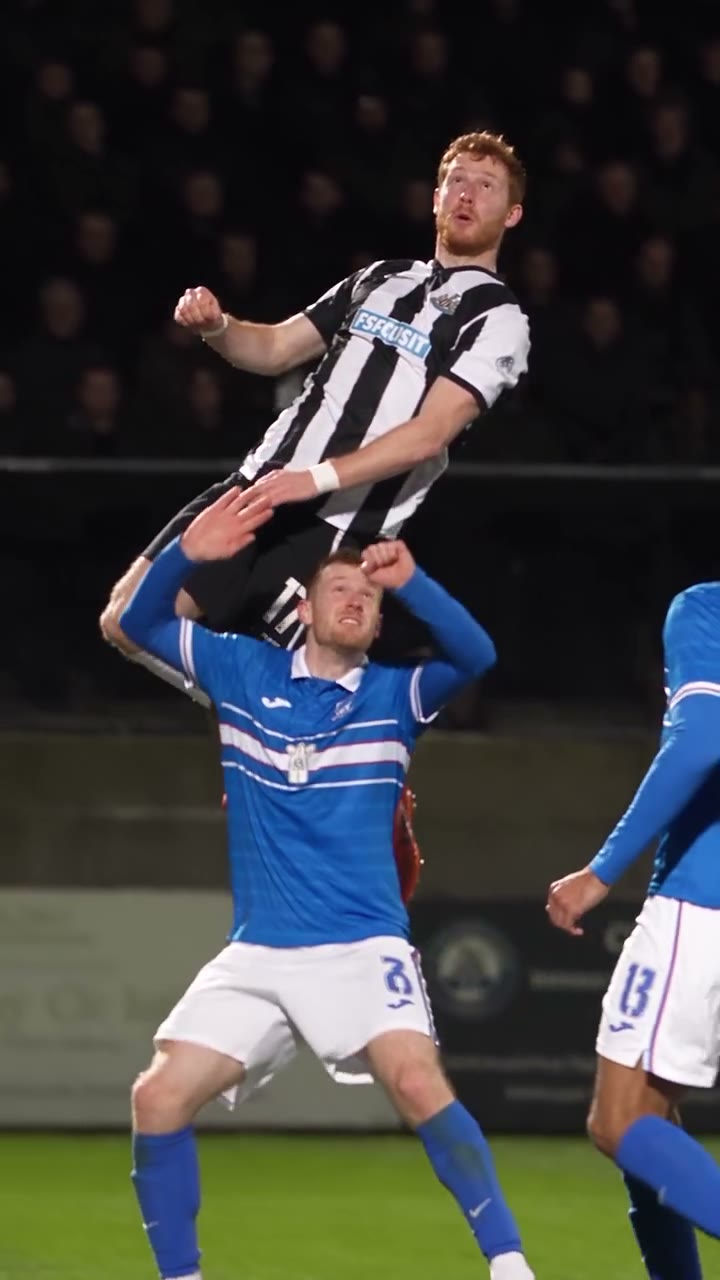
Soccer Header AI is a photo-to-video template built around a close football header. The featured player rises above a defender and meets the ball while the stadium and surrounding players remain in view. One person photo guides the airborne player; the ball, jump, camera and other footballers come from the fixed reference.

A different player jumps for a header above defenders

How to make a Soccer Header AI video

Add your photo, review the scene and choose a mode.

  1. STEP 1

    Choose your photo

    For Soccer Header AI, upload a clear photo of the person you want to cast as the player. The photo does not need to show a jump.

  2. STEP 2

    Preview and choose a mode

    Watch the Soccer Header AI scene. The complete reference is about eight seconds. Economy, Standard and Original use that same short scene with different generation settings.

  3. STEP 3

    Generate and review

    Check the credit estimate, generate, then review the airborne player’s identity, body position and contact with the ball before downloading.

Explore Soccer Header AI ideas

See how different photos can personalize the prepared football header.

Cast the player making the header

Choose a well-lit photo with one person clearly visible. Soccer Header AI uses that image for the player in the air, including their face, body and outfit where visible. The short scene changes the player’s pose and camera angle, so the model must infer unseen details. The defender and crowd remain part of the reference.
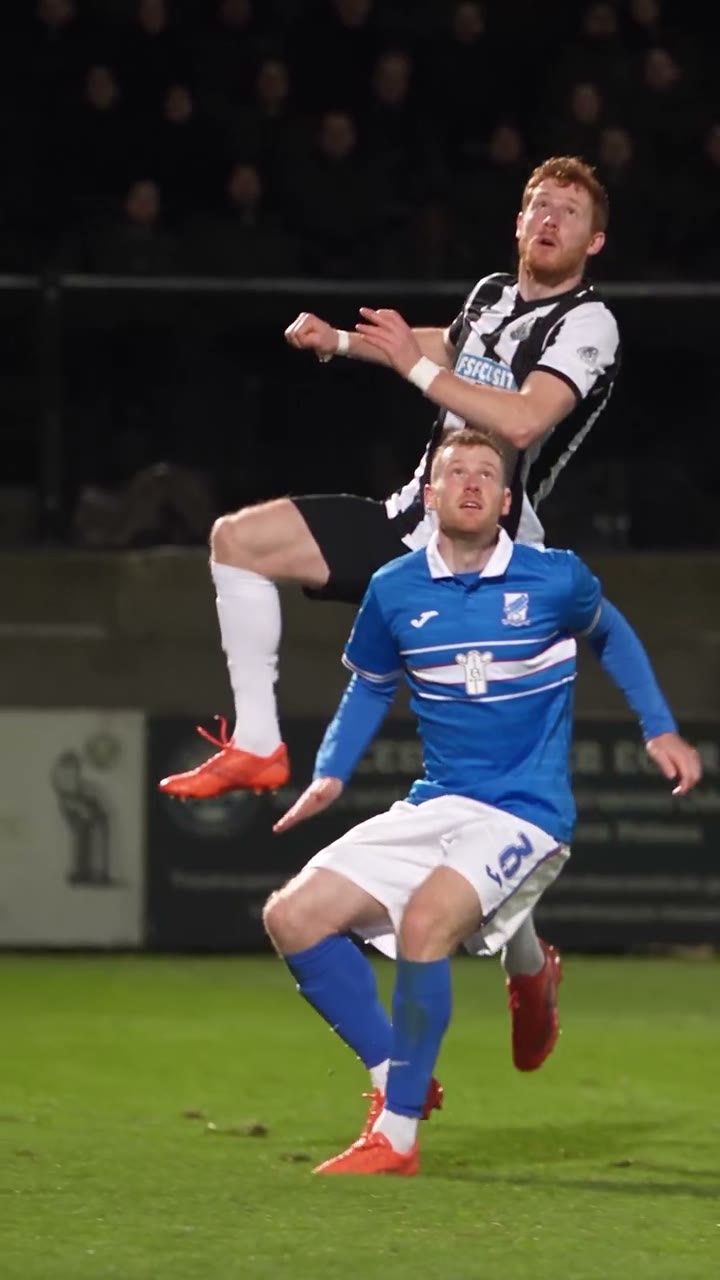
Cast the player making the header

Ideas for Soccer Header AI

The prepared football header gives your photo a clear action and setting.

Create a dramatic aerial moment

Use Soccer Header AI to put a familiar subject into this prepared scene.

Try a favorite player portrait

Choose an image that suits the football header and compare the result with the source photo.

Use the header in a sports montage

Combine the finished clip with other material you have permission to use.

Plan your Soccer Header AI video

Understand the role, reference and choices before you generate.

Photo input

One portrait guides the airborne player; the prepared motion supplies the jump and ball contact.

Prepared scene

Soccer Header AI follows a prepared stadium, jump and ball flight. The defenders and camera do not have separate controls.

Reference and duration

The complete reference is about eight seconds. Economy, Standard and Original use that same short scene with different generation settings.

Sound and result

The workflow attempts to restore reference audio. Listen to the finished Soccer Header AI video and check the airborne player’s identity, body position and contact with the ball.

Soccer Header AI questions

Photo input, reference, modes and results.

What do I upload for Soccer Header AI?

Choose one clear picture of the person you want to cast. A portrait or full-body photo can both be used.

What happens in Soccer Header AI?

Soccer Header AI follows the featured player jumping to meet the ball while the defender and stadium stay in the scene.

Which photo works well for Soccer Header AI?

Choose a clear, well-lit photo of one person. Keep the face and distinctive appearance visible; a wider view can provide useful body and clothing detail.

Can I change the setting in Soccer Header AI?

The football header, setting, camera and timing follow the prepared reference. This page does not provide a separate background or timeline control.

How long is Soccer Header AI?

The complete reference is about eight seconds. Economy, Standard and Original use that same short scene with different generation settings.

How do the Soccer Header AI modes differ?

Economy, Standard and Original use different generation settings. The workspace shows the available resolution, reference duration and current credit estimate before submission.

Can I upload a video for Soccer Header AI?

The motion reference is already prepared for this fixed template. You only add the requested photo or photos.

Will the result match my photo exactly?

The photo guides appearance, while the model interprets unseen angles and movement. Review the airborne player’s identity, body position and contact with the ball across the finished clip.

Does Soccer Header AI include audio?

The reference includes an audio track, and the workflow attempts to restore it after generation. Listen to the result and check rights before sharing.

What if the subject is hard to recognize?

Try a sharper image with one clearly visible player. Good lighting and an unobstructed face provide more useful details for the model.

How much does Soccer Header AI cost?

Generation uses credits. The workspace displays a current estimate for the selected mode and settings before submission.

Where can I find the finished video?

Open My creations to follow the task. Once it is ready, play or download the result there.

Create your Soccer Header AI video

Add a photo and personalize the prepared football header.

Soccer Header AI