
Create a video

Required photos1
Settings
Mode
Video length7s
Resolution

PS5 Bathtub Prank AI Video Generator

Add one photo to create a PS5 Bathtub Prank AI video in a prepared bathroom selfie scene.

0:00 / —:—
0:00 / —:—

PS5 Bathtub Prank AI video ideas

Explore examples of this effect. Open a video for a closer look.

What is PS5 Bathtub Prank AI?

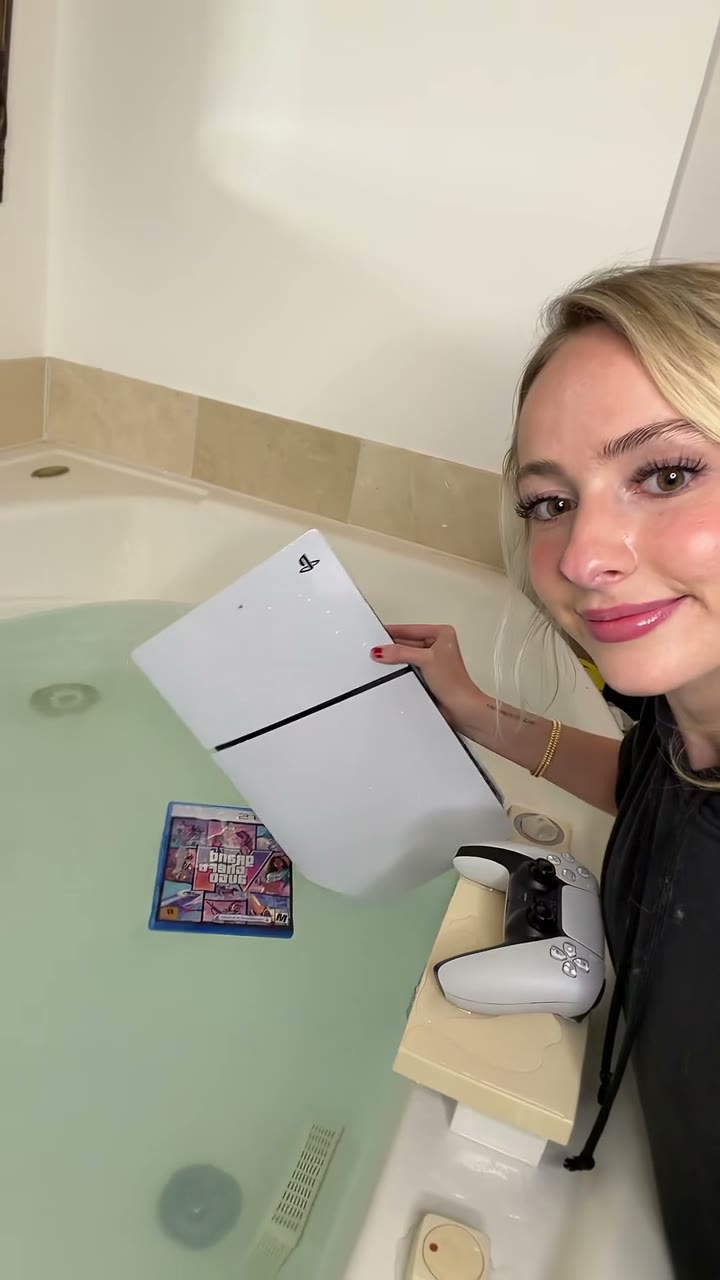
PS5 Bathtub Prank AI is a photo-to-video template based on a playful bathroom selfie sequence. A person lowers a game console into a bathtub, reaches for a controller and reacts to the camera. Upload one person’s photo to guide the person beside the tub; the bathroom, objects and timing follow the prepared reference. The scene is also described as Cleaning My Boyfriend’s PS5. The video is generated from the reference, so you do not need to put a real console in water.

A person beside a bathtub holds a game console above the water

How to make a PS5 Bathtub Prank AI video

Choose one person and use the prepared scene.

  1. STEP 1

    Upload one photo

    For PS5 Bathtub Prank AI, choose a clear image of the person who should appear beside the bathtub.

  2. STEP 2

    Review the scene

    Watch the PS5 Bathtub Prank AI preview and choose Economy, Standard or Original. The three modes use the same complete short reference.

  3. STEP 3

    Generate and review

    Check the credit estimate, generate your PS5 Bathtub Prank AI clip and open My creations to play or download it.

Explore PS5 Bathtub Prank AI ideas

See different people in the same bathtub scene.

Put a familiar face in the selfie

A clear photo gives PS5 Bathtub Prank AI an appearance to use for the person near the bathtub. The reference stays close to that person while their hand moves between the console and controller. Pick a well-lit image with a visible face and hair; a photo showing the intended outfit provides more clothing detail. The second video shows another interpretation of the scene. Your result can differ in expression, clothing and small object details.
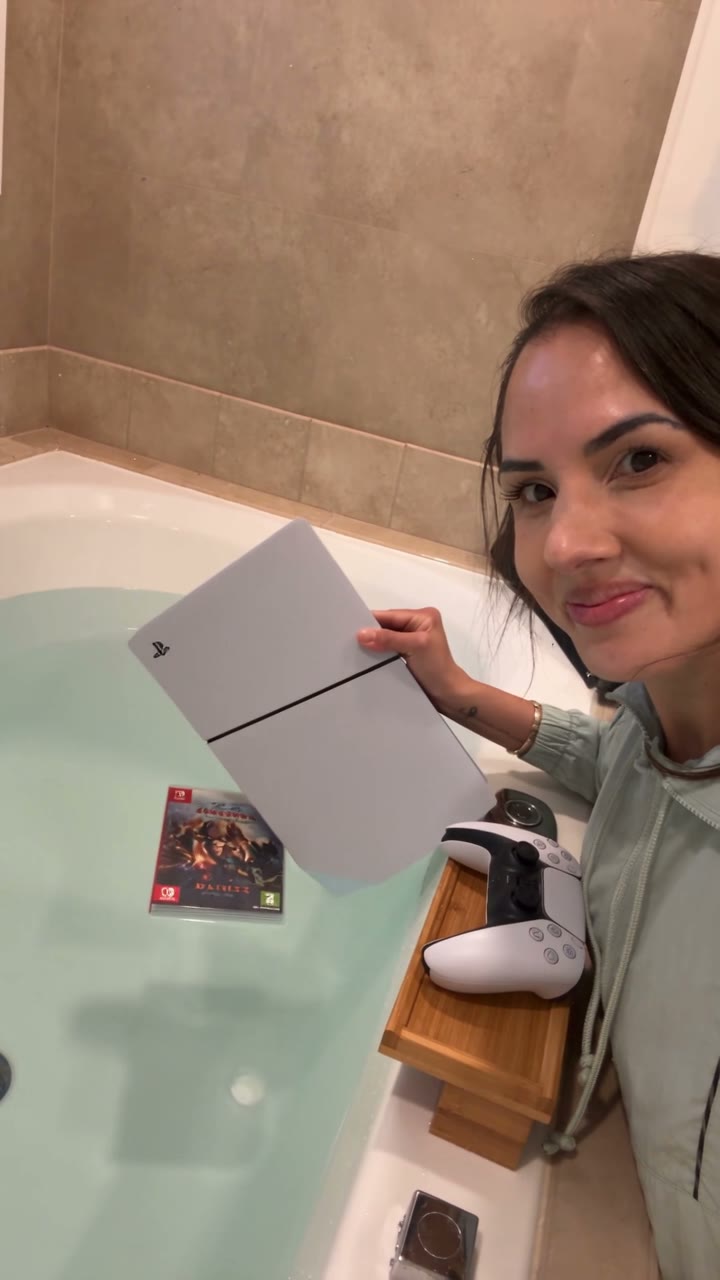
Put a familiar face in the selfie

Ideas for PS5 Bathtub Prank AI

Use the prepared selfie and game-console setup as a short fictional reaction scene.

A gaming joke

Use PS5 Bathtub Prank AI as a quick setup in a game-night or couple-themed edit.

A personalized selfie

PS5 Bathtub Prank AI casts one person from a photo while the prepared bathroom scene supplies the motion and camera.

A short vertical clip

Add the finished video to an edit or share it with people who enjoy the original joke.

Plan your PS5 Bathtub Prank AI video

Understand the input, fixed scene and available modes.

One person photo

PS5 Bathtub Prank AI replaces the person beside the bathtub. The photo guides their visible appearance and outfit; no second person photo is requested.

A ready-made setup

PS5 Bathtub Prank AI follows the reference for the bathroom, water, console, controller and camera. There is no separate control for the objects or location.

A short reference

The PS5 Bathtub Prank AI source is about seven and a half seconds. Economy, Standard and Original all use the full reference with different generation settings.

Audio from the scene

The PS5 Bathtub Prank AI reference includes sound. The workflow attempts to restore its audio after generation; listen to the result before sharing.

PS5 Bathtub Prank AI questions

Photo tips, the prepared sequence and mode choices.

What photo does PS5 Bathtub Prank AI need?

Upload one clear photo of the person who should appear beside the bathtub. The page supplies the reference video.

Is this the Cleaning My Boyfriend’s PS5 trend?

Yes. The prepared clip follows a bathtub selfie with a console and controller, matching the joke often described by that phrase.

Do I need a real console or bathtub?

No. PS5 Bathtub Prank AI uses a prepared video for the setting and objects. You provide the person photo.

Can I change the console or bathroom?

Those details are part of the fixed reference. There is no separate object upload, background selector or timeline on this page.

Which photo works best?

Try a well-lit portrait with one unobstructed face and visible hair. Include the outfit if you want to guide clothing in the generated scene.

How long is PS5 Bathtub Prank AI?

The source is approximately seven and a half seconds. The workspace displays the duration for the selected mode.

How do the three modes differ?

Economy, Standard and Original use different generation settings while following the same complete short reference. Review resolution and estimated credits before submitting.

Can I upload a second person?

The scene has one featured person and accepts one required person photo. A second person is not a separately selectable role.

Will the person look identical throughout?

The photo guides identity, but expressions, hair, clothing and hand details may vary as the person moves. Review the result before using it.

Does PS5 Bathtub Prank AI include audio?

The reference has an audio track, which the workflow attempts to restore after generation. Listen to the finished result and check the rights for your intended use.

How much does a video cost?

Generation uses credits. The workspace shows the current estimate for the selected mode and settings before submission.

Where is my finished clip?

Open My creations to follow the task. Once complete, play the video there or use the download control.

Create your PS5 Bathtub Prank AI video

Add a photo and personalize the prepared selfie scene.

PS5 Bathtub Prank AI