
Create a video

Required photos1
Settings
Mode
Video length10s
Resolution

Gamer Dog AI Video Generator

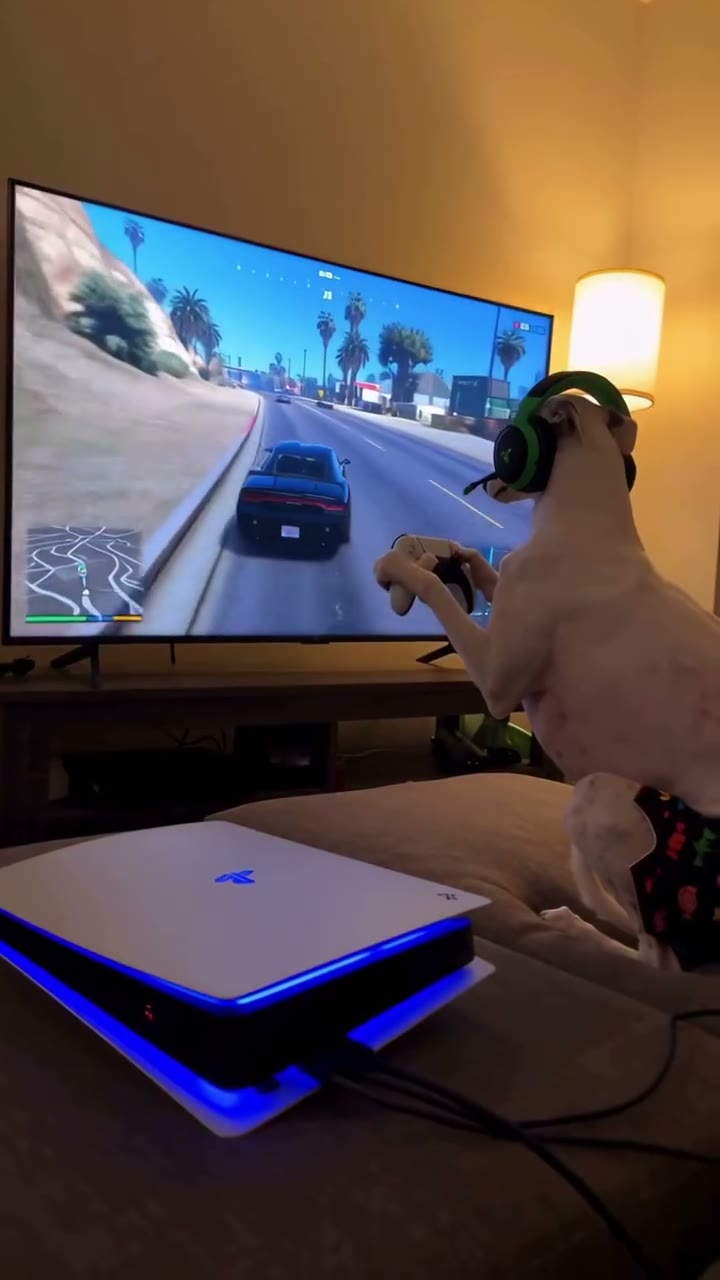
Turn one pet photo into a Gamer Dog AI video: your pet plays in front of the TV, then reacts when the screen goes dark.

0:00 / —:—
0:00 / —:—

Gamer Dog AI video ideas

Explore examples of this effect. Open a video for a closer look.

What is Gamer Dog AI?

Gamer Dog AI is a photo-to-video template that places your pet in a ready-made gaming scene. A dog sits at a television wearing a headset and holding a controller. The screen switches off, and the dog turns toward the camera, takes off the headset and stands up. Upload one pet photo to guide the featured animal; the room, game screen, console and sequence come from the reference video. If you are looking for Dog Playing GTA AI, this is the gaming-reaction scene shown in the preview.

A dog holds a controller in front of a television before turning around

How to make a Gamer Dog AI video

Prepare one pet photo and select a generation mode.

  1. STEP 1

    Add your pet

    For Gamer Dog AI, upload one clear picture of the animal you want to cast. Choose an image where its face and distinctive markings are visible.

  2. STEP 2

    Preview and choose

    Watch the Gamer Dog AI sequence and select Economy, Standard or Original. Each mode uses the same complete short reference.

  3. STEP 3

    Generate and watch

    Check the displayed credit estimate, generate your Gamer Dog AI video and open My creations to play or download it.

Explore Gamer Dog AI ideas

See the gaming-room scene with different pets.

Give your pet the player’s seat

Choose a photo that makes your pet easy to recognize. In Gamer Dog AI the animal is seen from behind and then faces the camera, so a clear face, ears, coat and body shape give the model useful visual clues. The example shows a different dog in the same sequence. Your result can interpret the headset, paws and clothing differently as the pet moves; review the whole clip before sharing it.
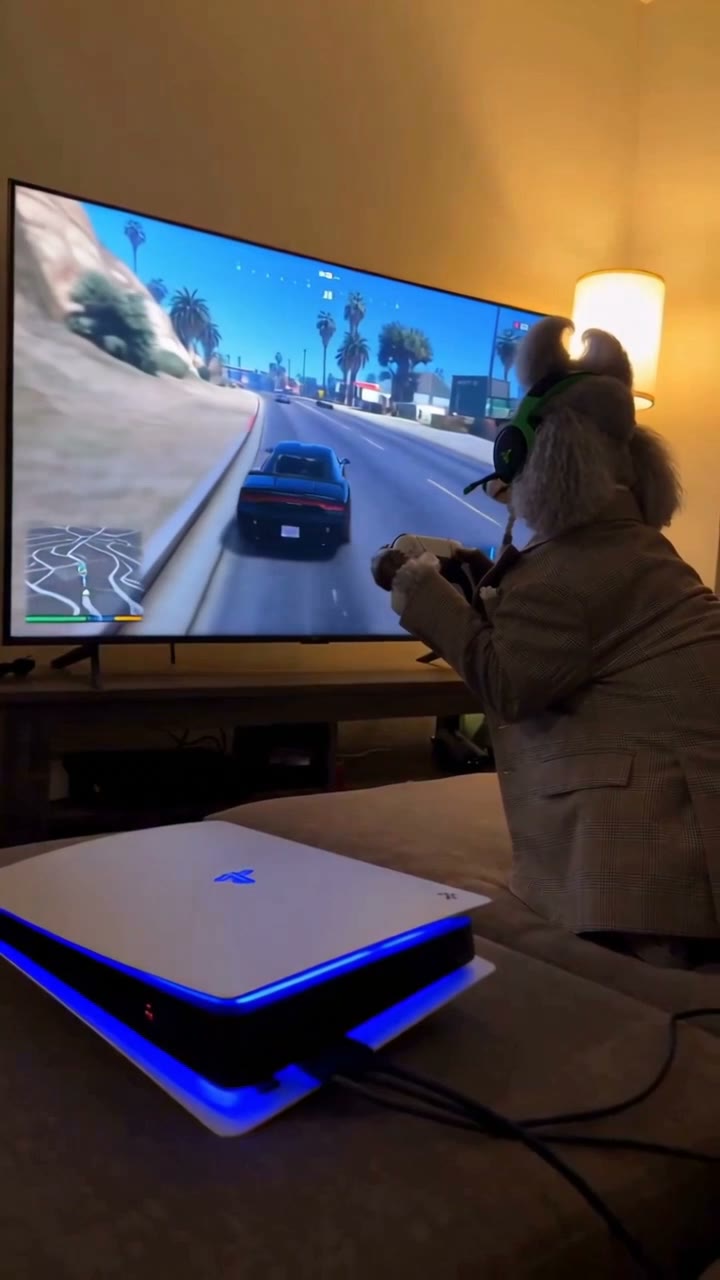
Give your pet the player’s seat

Where can you use Gamer Dog AI?

The gaming setup and the sudden reaction make a compact vertical pet clip.

A gamer-pet introduction

Use Gamer Dog AI to give a familiar pet a new role in a game-night edit.

A reaction moment

The screen turning off provides a clear setup for a surprised-pet reaction in your own montage.

Compare pet portraits

Try one pet photo at a time and compare how its markings and face carry through the scene.

Plan your Gamer Dog AI clip

Know what your image controls and what comes from the prepared scene.

One featured animal

Gamer Dog AI needs one pet photo. A sharp, well-lit image with an unobstructed face is a useful starting point; the model fills in unseen angles.

A fixed gaming sequence

Gamer Dog AI follows the reference for the room, screen, controller, headset and camera. The page does not offer separate controls for the game or background.

Three ways to generate

Economy, Standard and Original use different generation settings. All three use the approximately ten-second reference because it is already shorter than 15 seconds.

Reference sound

The reference includes an audio track. The workflow attempts to restore it after generation; listen to the completed Gamer Dog AI video to check the result.

Gamer Dog AI questions

Learn about pet photos, the gaming scene and generation.

What do I upload for Gamer Dog AI?

Upload one photo of the pet you want to feature. The gaming video is already prepared, so a separate motion video is not required.

What makes a good Gamer Dog AI photo?

Choose a sharp picture with one animal visible and its eyes, ears, muzzle and coat markings clear. A body view also helps guide the wider shots.

Can I try a cat or another pet?

You can try another pet photo. The source movement follows a dog, so another animal’s proportions and paws may be interpreted less predictably.

Is this the Dog Playing GTA AI scene?

Yes. This page uses a gaming-room reference with a dog in front of driving gameplay. Your photo guides the pet; it does not change the game footage.

Can I choose a different game or console?

The television image, console and headset belong to the fixed reference. This page does not provide a separate upload or selector for them.

How long is Gamer Dog AI?

The prepared reference is about ten seconds. All three modes use the full clip; check the duration shown in the workspace before submitting.

How are the Gamer Dog AI modes different?

Economy, Standard and Original use different generation settings with the same short source. The available resolution and credit estimate appear in the workspace.

Will my pet look exactly the same in every shot?

The uploaded photo guides the pet, but the model invents unseen angles and movement. Face shape, coat, clothing and paws can vary, especially while the animal turns.

Does Gamer Dog AI include audio?

The reference has sound, and the workflow attempts to restore it after generation. Check the finished file and your rights before sharing audio.

What if my pet is hard to recognize?

Try a brighter photo with one animal, a clear face and visible markings. A different body angle can also give the model more useful information.

How much does Gamer Dog AI cost?

Generation uses credits. The workspace displays the current estimate for your selected mode before you submit.

Where can I find my finished video?

Open My creations to follow the task and play or download the video when it is ready.

Create your Gamer Dog AI video

Choose one pet photo and step into the gaming-room scene.

Gamer Dog AI