Create a video

ModelSeedance 2.5 Edit

Configured for this template

Hotel Lobby performance
Left person
Right person

AI Rap Duo Generator for Two Performers

Make an AI rap duo by casting two people onto one preset stage. The left photo and the right photo supply the performers. The loaded clip supplies the movement and the reference audio.

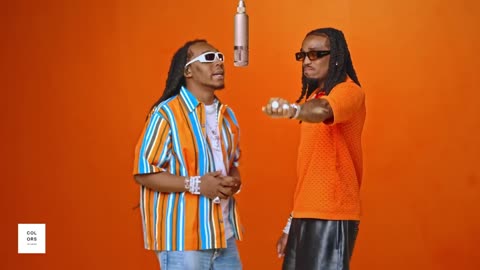
Two performers on an orange stage under a hanging microphone

Longer photo checks and the COLORS background are in the Hotel Lobby guide

Pairs you can study before you upload

Six community remixes show different pairs in the same orange frame. Motion Transfer did not generate these clips. Use them to judge casting, not as a promise about your own result.

Cat meets dog
A golden duo
A black-tie remix
Two cats, one mic
Friends on stage
A feline co-star

What this AI rap duo page includes

Turn a favorite pairing into a shared performance. Two friends, a creative partnership, or a pair of original characters can take the left and right positions on the orange stage. The loaded video supplies the gestures and camera movement, so you can concentrate on choosing the cast. Start with two clear photos you have permission to transform.

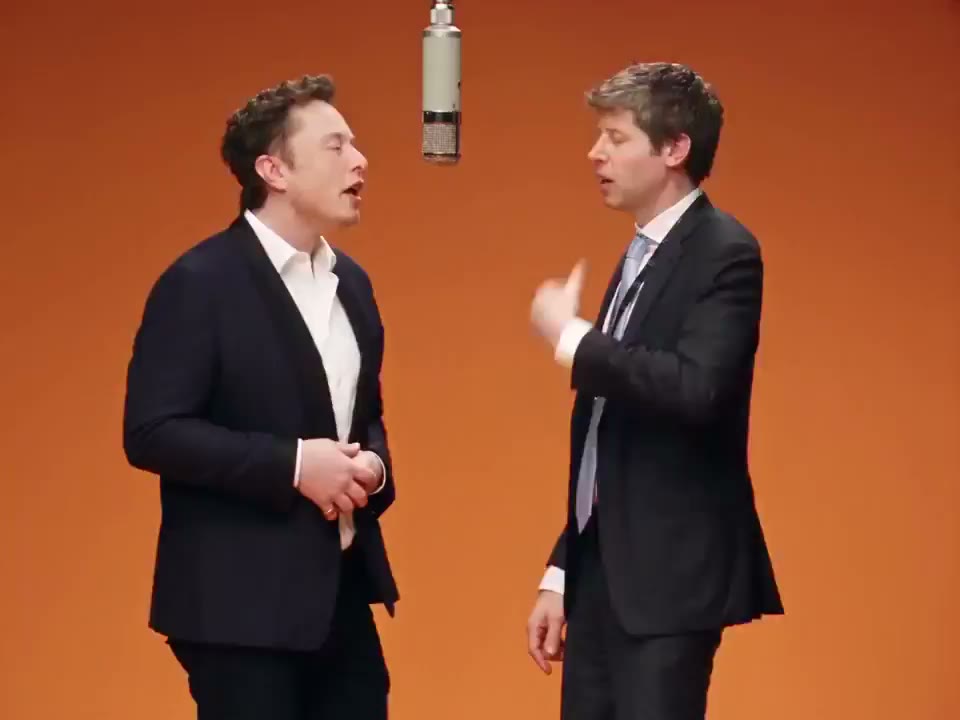
Two suited characters standing together in the orange studio

How to start an AI rap duo

The performance template is already selected. These steps match the controls on this page.

  1. STEP 1

    Preview the loaded clip

    Play the performance before you add photos. Confirm that the orange stage and the gestures are the piece you want. Length follows that source video. This page does not offer a separate duration or aspect-ratio control.

  2. STEP 2

    Add the left photo, then the right

    The Left person control stays first. The Right person control stays unavailable until the left photo is in place. Use one person in each file. Replace changes only the side you select.

  3. STEP 3

    Check credits, then generate

    Open Settings if you want 480p, 720p, or 1080p. The page starts at 480p. Higher resolution changes the estimate and the file detail. It does not guarantee a closer face match. Sign in when you are ready. The result appears under My creations.

Choose the cast, then keep the performance

The stage, the gestures, and the reference audio stay with the loaded clip. Your decision is who appears in each labeled slot.

Where the people, the motion, and the audio come from

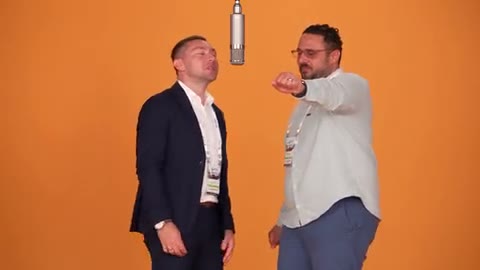
The first slot is labeled Left person. The second slot is labeled Right person. Add the left photo before the right photo, then use Replace if you want to change one side only. Preview the loaded clip and keep each person on the side you chose. Movement and camera follow that clip. The reference audio comes from the same performance, not from a song you type.
Where the people, the motion, and the audio come from

Cast two friends who should share one frame

Use this when the decision is which two people belong together. A clear face, a readable outfit, and one person per photo make the pair easier to review. Similar jackets or covered faces make it harder to tell the sides apart once the arms start moving. Different photo backgrounds are acceptable because the stage comes from the template.

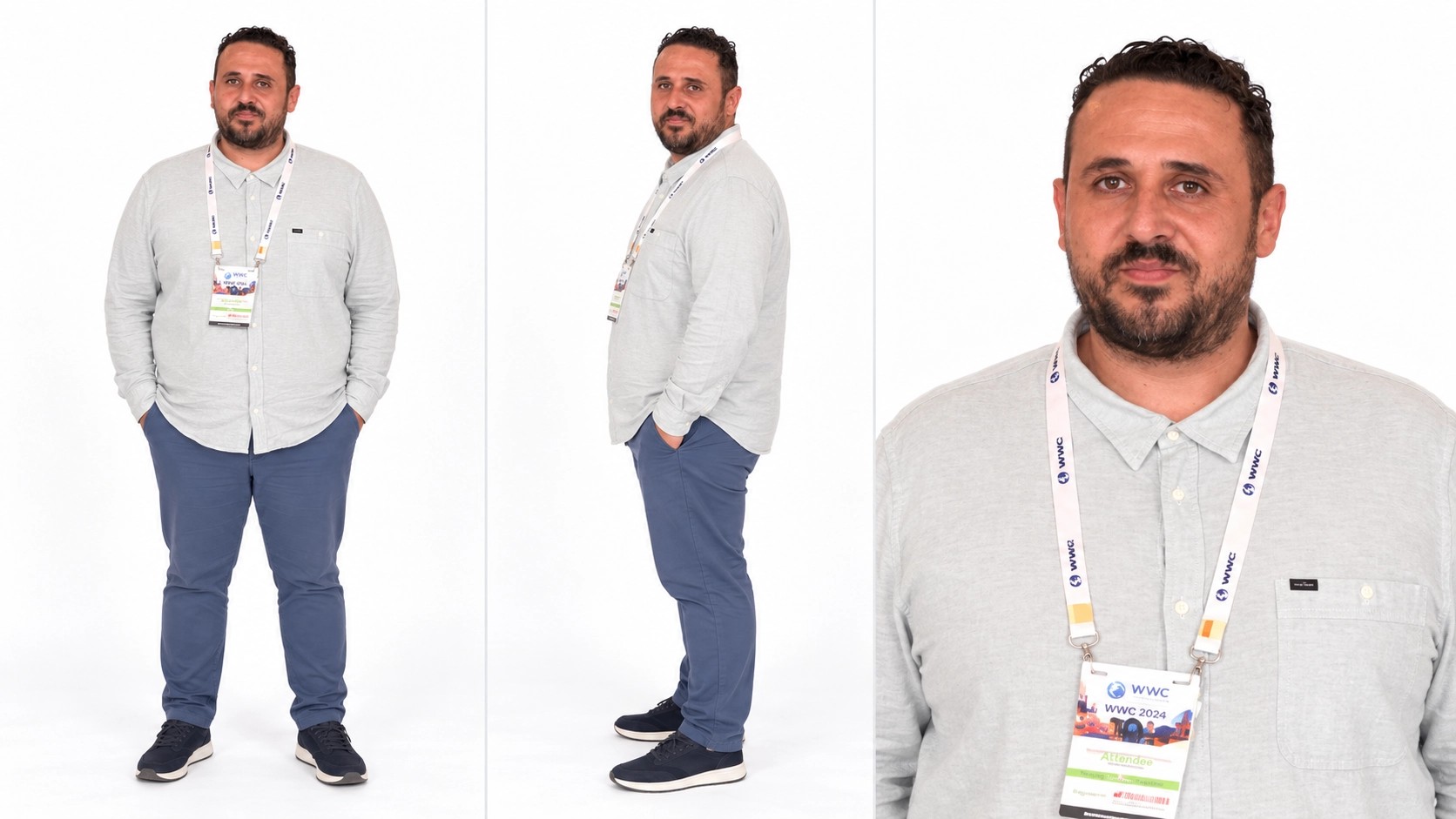
Character sheet with a navy suit, a wider body view, and a face crop

Try original characters without building the stage

Illustrated characters, costumes, and stylized portraits can occupy either slot. The template still expects a readable face and enough of the body to follow a standing performance. A tight face crop gives the model less outfit information. Identity is not guaranteed: faces, hands, clothing, and which person is on which side can drift while the clip plays. Review the start, the middle, and the overlap before you download.

Split the upload when two people are collaborating

Each collaborator can supply one photo. Agree on left and right before anyone generates, because the slots are the assignment. Removing the left photo is blocked while the right photo is still attached, so the sides do not silently swap. Check both previews and the loaded performance. Uploading a file does not start a job.

Character sheet with a light shirt and several views of one person

When an AI rap duo page is the right start

Start with a pairing that has a story: friends celebrating a milestone, two contrasting costumes, or characters from the same fictional world. Preview the performance to see whether its energy suits your idea.

The scene is already chosen

Preview the loaded room and gestures. If that performance does not fit the pair, start from another template on the Motion Transfer home.

Each person has a slot

Left person and Right person are separate uploads, so one collaborator or costume can change without clearing both photos.

The track is the reference audio

This generator does not write lyrics or clone a voice. Mouth movement may not match the reference audio, and the video can still be saved without sound if that processing fails.

What you can change before you generate

Prepare your pair, choose a resolution, and review the estimated credits. The performance settings are already prepared for this stage.

Two labeled photos

One file per performer. The right upload waits for the left photo, and the left photo cannot be cleared while the right photo remains.

Performance settings already prepared

Seedance 2.5 Edit is selected for this two-person performance, so you can start with your photos without comparing models.

Three resolution choices

Settings offers 480p, 720p, and 1080p, starting at 480p. The clip still follows the source video.

The familiar performance audio

The clip uses audio from the reference performance. Preview the finished result to check how the sound and the new performers work together.

Continue after signing in

Prepare both photos before signing in, then return to your draft to continue. Your finished clips appear in My creations beside the workspace.

Review before download

My creations plays the finished clip on this page. Download choices and any watermark follow the entitlements on your account. The page does not grant rights to the performance, the music, or anyone’s likeness.

Credits for this two-person clip

The plans below are the account plans. The number beside Generate is the estimate for the current resolution and this reference-video job. A two-photo edit can cost more than the sample counts printed on a card.

Starter

For your first ideas.

$8.3/month

$100.0 charged yearly

2,400 credits/year

Up to 600 images

GPT Image 2Nano Banana Pro

Up to 240 videos

Seedance 2.5Kling 3.0 Motion Control
  • Up to 4K images and HD videos, depending on the model
  • Image editing, video creation & motion transfer
  • Watermark-free image & video downloads
  • Generation history in your account
Popular40% OFFSave $238.8

Pro

For a steady creative flow.

$30.0/month$49.9/month

$360.0 charged yearly

21,600 credits/year

Up to 5,400 images

GPT Image 2Nano Banana Pro

Up to 2,160 videos

Seedance 2.5Kling 3.0 Motion Control
  • Up to 4K images and HD videos, depending on the model
  • Image editing, video creation & motion transfer
  • Watermark-free image & video downloads
  • Generation history in your account
  • Use credits across image and video models
Best Value50% OFFSave $599.8

Business

For more creations, more often.

$49.9/month$99.9/month

$599.0 charged yearly

48,000 credits/year

Up to 12,000 images

GPT Image 2Nano Banana Pro

Up to 4,800 videos

Seedance 2.5Kling 3.0 Motion Control
  • Up to 4K images and HD videos, depending on the model
  • Image editing, video creation & motion transfer
  • Watermark-free image & video downloads
  • Generation history in your account
  • Use credits across image and video models

Basic

$0

Try before you subscribe

  • 18 one-time signup credits
  • Generation history included
  • Watermarked previews & downloads
  • Up to 4 images or 1 video
  • Watermark-free downloads require payment

Prices in USD; taxes and total shown at checkout. Subscriptions renew automatically; cancel in Billing settings. Subscription credits expire each period; one-time credits never expire. Refund requests: within 72 hours. Eligible refunds deduct used purchased credits and, where permitted, actual non-returned processing fees. Processing fees are capped at 6% of the original purchase amount, excluding separately charged taxes. Terms · Refund Policy.

AI rap duo questions

Casting, audio, credits, and how this page differs from the other orange-stage entries.

What does the AI rap duo page actually generate?

A video that places your two photos into the loaded performance: the orange stage, that clip’s gestures, and its reference audio if processing succeeds. It does not write lyrics, clone a voice, or build a new stage.

Which photo is the left performer?

Left person is the left performer and Right person is the right performer. Add the left photo first. Preview the reference to confirm your choice.

Can I use two friends or two original characters?

Yes. Friends, costumes, and illustrated characters can each use one slot. Use one person per photo, with a visible face and outfit. A group photo makes the intended person less clear, and the result can still drift.

Will both people stay recognizable?

Results vary. Clear, well-lit faces and distinct outfits help you judge the pair, but faces, hands, clothing, and positions can drift during movement. Review the full clip, especially moments when the performers overlap. Trying another photo creates a new generation.

Where does the audio come from?

It is the audio on the loaded performance, added after the picture is produced. It is not a song written for your photos. If audio processing fails, the video can still be saved without sound.

Can I prepare an AI rap duo before I sign in?

You can open the page, preview the template, and add both photos before signing in. Starting generation requires an account and enough credits. The estimate beside Generate changes if you switch among 480p, 720p, and 1080p.

Can I use the download commercially?

This page does not give you a license to the performance, its music, or the likeness in a photo. Download formats and any watermark follow your account entitlements. Use photos you have permission to upload and transform.

How is this different from Hotel Lobby AI and Migos AI?

All three pages lock the same orange-stage template, the same edit model, and the same two photo slots. This page is for choosing the pair. Hotel Lobby AI is the named template page. Migos AI explains the orange-stage trend and states that it is not an official artist service. The guide covers the longer origin and troubleshooting notes.

Create your AI rap duo

Preview the loaded clip, assign a photo to each side, and check the estimate before you generate.

Two performers on an orange stage under a hanging microphone