
Create a video

Required photos1
Settings
Mode
Video length12s
Resolution

AI Makeup Mirror Video Generator

Create an AI Makeup Mirror Video clip from one photo of the person you want at the makeup mirror. The preview is a community example with brushes. Your photo does not become a cloned voice, and the page does not name a celebrity.

0:00 / —:—

What is AI Makeup Mirror Video?

AI Makeup Mirror Video is a makeup mirror with brushes and a short spoken moment. You upload one photo of the person who should sit there. The prepared reference supplies the mirror, the brush movement, the timing and the audio, and the result is a short vertical clip you can download without filming the routine or typing a script. There is no second photo slot, and the page does not cast a named celebrity.

AI Makeup Mirror Video

How to make an AI Makeup Mirror Video

Add one person, compare the full-length modes, then listen before you download.

  1. STEP 1

    Upload the person at the mirror

    Use one clear photo of the face, hair and outfit you want. There is no second slot and no celebrity preset.

  2. STEP 2

    Compare the three modes

    All three modes keep the full mirror moment. Read the duration, resolution and credit estimate beside Generate.

  3. STEP 3

    Listen, then download

    Open the result in My creations. Play the sound, check the face, and do not expect a script box or a cloned voice.

Brushes and a short spoken moment

The video and stills are one community example of AI Makeup Mirror Video. Your face, hair and outfit can look different.

Use your own photo at the mirror

The upload is the face, the hair and the outfit for the person holding the brushes. A clear, front-facing photo gives AI Makeup Mirror Video more to follow than a heavy crop or a group shot. You do not need to match the community example. There is no slot for a second person and no menu of famous faces.
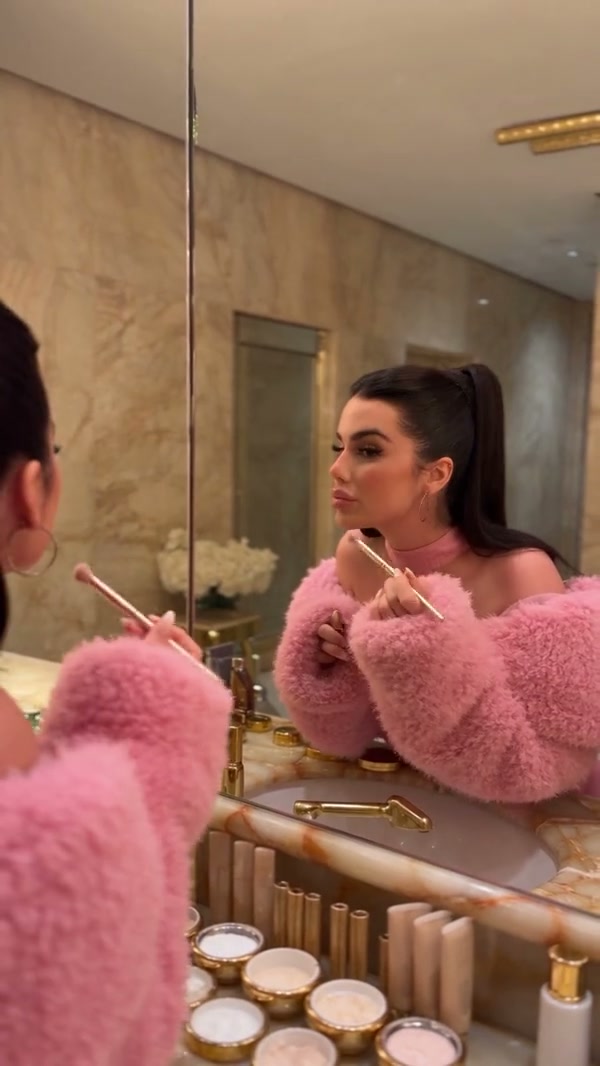
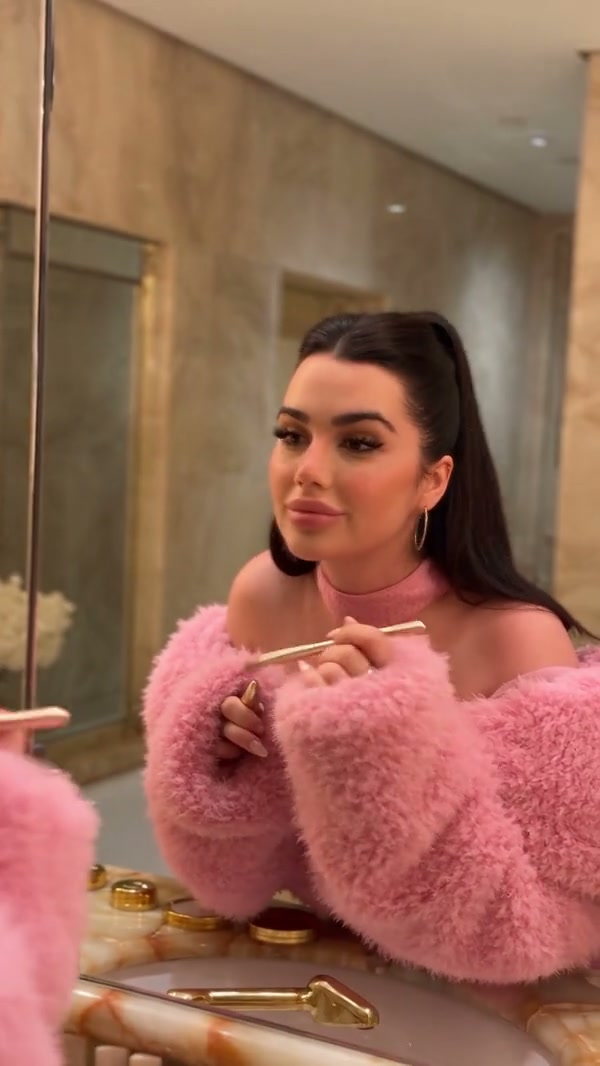
A community example of a person at a makeup mirror with brushes

Keep the brushes and the reference audio

The prepared motion is the mirror, the brush movement and the short spoken moment. You do not upload the vanity or write the line. The video and stills are frames from one community example of that moment. The restored audio is the reference track. It is not a voice cloned from your photo, and there is no script field if you wanted different words.

Keep the brushes and the reference audio

Play the full mirror moment in every mode

The prepared reference is about 12.2 seconds, already inside the short-mode limit, so Economy, Standard and Original each play the full AI Makeup Mirror Video. A lower-cost mode does not cut the spoken moment. The duration beside Generate can show 13 seconds because the output length rounds that source up. Listen to the restored audio before you share the clip.

Frame from the same community example during the brush movement

What you control in AI Makeup Mirror Video

The person comes from one photo. The mirror, the brushes and the audio stay with the AI Makeup Mirror Video reference.

Your photo, not a named cast

The page does not ship a celebrity to imitate. The upload is the person in the result.

No script to rewrite

There is no prompt field for different words, a different mirror or a second person.

Reference audio, not a clone

The spoken moment uses the prepared track. A still photo does not become a new voice.

AI Makeup Mirror Video questions

The single photo, the brushes, the voice, modes and what this page will not clone.

What photo does AI Makeup Mirror Video need?

One clear photo of the person you want at the mirror. There is no optional slot and no second person.

Does AI Makeup Mirror Video cast a celebrity?

No. AI Makeup Mirror Video does not name a celebrity and does not ask you to match the community example. Use a photo of the person you have rights to feature. The example on this page is a third-party community clip.

Can I change the spoken line in AI Makeup Mirror Video?

No. There is no script field. The short spoken moment and its audio come from the prepared reference. Your photo does not clone a voice. If you need different words, edit the downloaded file in your usual editor.

How do the AI Makeup Mirror Video modes differ?

Economy, Standard and Original each use the full reference, about 12.2 seconds. None of them is a shorter highlight. The duration beside Generate can read 13 seconds after rounding. Resolution and the credit estimate are what change with the mode.

Does AI Makeup Mirror Video include sound?

Yes. The mirror reference has audio, and the result restores that track. You do not upload a song or record a replacement line. Listen before you share the clip.

Can I type a prompt or switch to a floor mirror in AI Makeup Mirror Video?

No. AI Makeup Mirror Video keeps this makeup mirror, these brushes and this timing. There is no prompt field for a full-body floor pose. Use Floor Mirror Selfie AI when the legs and the floor glass are the point.

Will the face match my photo through the brushes in AI Makeup Mirror Video?

A clear photo helps the model follow the face and hair, but both can shift while the brushes move. The page does not promise a perfect match. Check the result before you download it.

How is AI Makeup Mirror Video different from the floor-mirror page?

Floor Mirror Selfie AI is a full-body pose in a floor mirror and asks for the legs in frame. This page is the closer makeup mirror. Use the preview here when the brushes and the short spoken moment are the point.

How much does AI Makeup Mirror Video cost?

The generator shows a credit estimate for the mode and resolution you select. An account with enough credits is required. Plan details live on the Pricing page.

Where do I download my AI Makeup Mirror Video?

My creations holds the finished clip. Play it with sound, check the face, and use the download control on that result.

Create your AI Makeup Mirror Video

Add one person photo, review the AI Makeup Mirror Video estimate, and start from the generator.

AI Makeup Mirror Video