Create a video

Required photos2
Settings
Mode
Video length15s
Resolution

Jisoo Addicted AI Dance Generator

Make a Jisoo Addicted AI Dance from two photos. Photo 1 is the first dancer to appear alone and Photo 2 is the dancer introduced next. Each photo stays with that person after they move, and the photo sets the full look.

0:00 / —:—

Jisoo Addicted AI Dance video ideas

Explore examples of this effect. Open a video for a closer look.

What is a Jisoo Addicted AI Dance?

A Jisoo Addicted AI Dance puts two people into a paired hallway dance. In the fifteen-second example, Photo 1 follows the opening solo dancer and Photo 2 follows the next solo dancer. Their positions change during the shared dance. Each photo supplies that person’s hair, face, body, clothes and shoes, and stays with them after they move.

Jisoo Addicted AI Dance

How to make a Jisoo Addicted AI Dance

Assign the two dancers, read the mode, then generate the prepared Jisoo Addicted AI Dance.

  1. STEP 1

    Add two full-body photos

    Photo 1 takes the opening solo in the Jisoo Addicted AI Dance. Photo 2 takes the next solo, around four seconds in. Use separate pictures with a clear face, visible hair and the outfit you want. Keep the hands and the shoes in frame.

  2. STEP 2

    Choose Economy, Standard or Original

    All three Jisoo Addicted AI Dance modes use the same complete reference, about 14.8 seconds, with a 15-second generation setting. The public example shows this sequence with a different cast. Compare the available model, resolution and credit quote for Economy, Standard and Original. Sign in when your photos and the quote look right.

  3. STEP 3

    Play and download the result

    Open the finished Jisoo Addicted AI Dance in My creations, listen to the restored audio, and download it. Trim or add your own caption afterward. The template does not write a caption for you.

One hallway Jisoo Addicted AI Dance to follow

The public Jisoo Addicted AI Dance example is a fifteen-second hallway sequence you can follow before you generate.

Two photos, two continuous looks

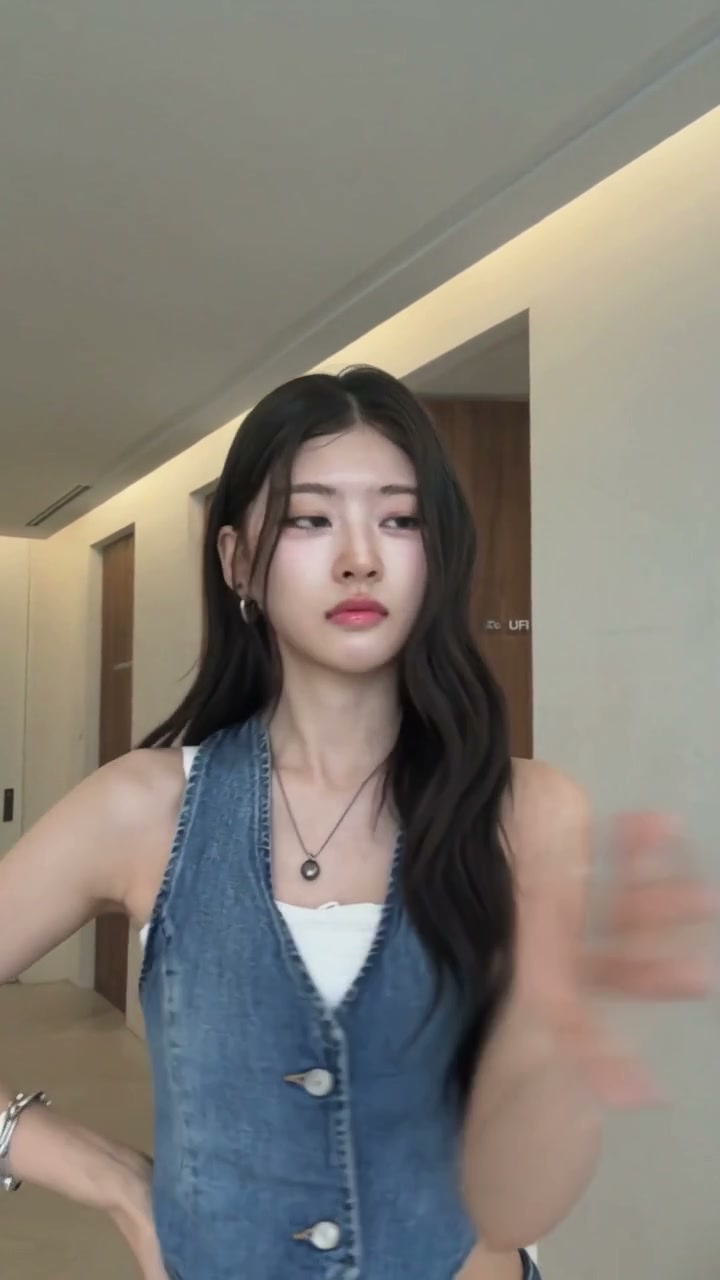
In this Jisoo Addicted AI Dance, Photo 1 is the opening dancer in black and Photo 2 is the next solo dancer in denim. Those clothes help you identify the people in the preview. Your photos set the complete look, and each stays with its person through the turns, crossing paths and shoulder contact. A group photo does not fill both slots.
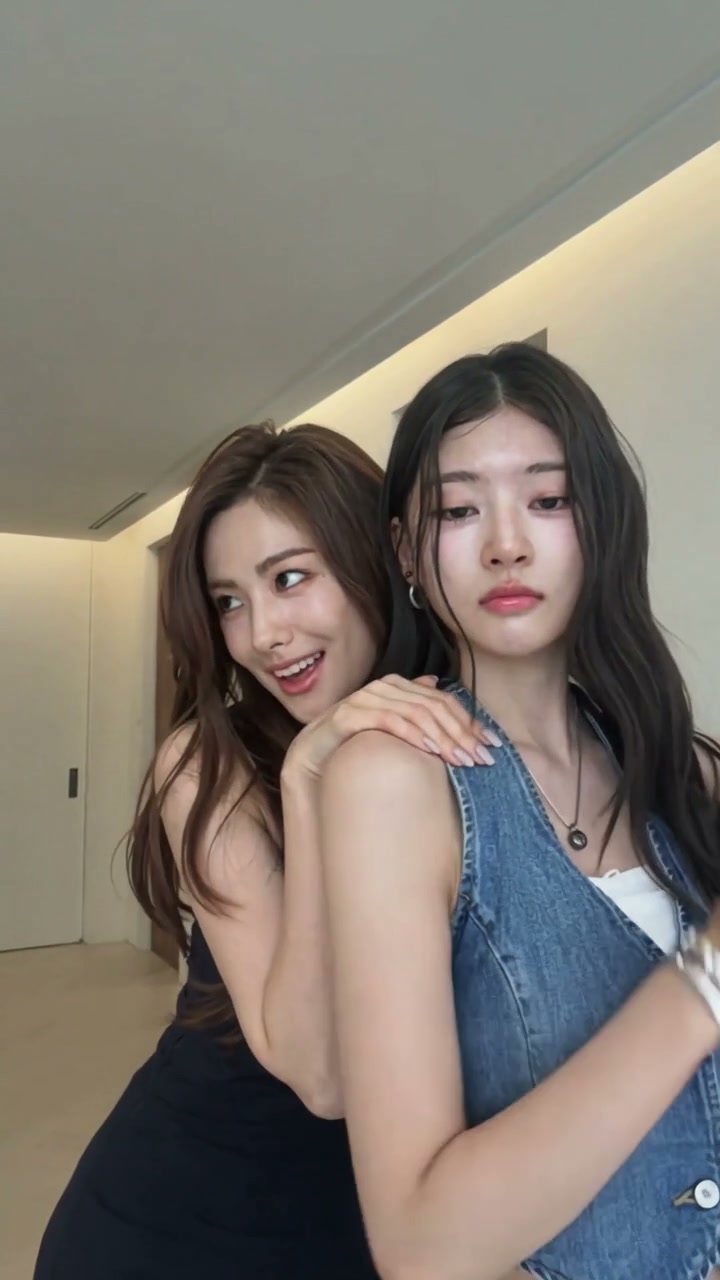
Both dancers together in the final shoulder pose

Solo moments lead into a shared dance

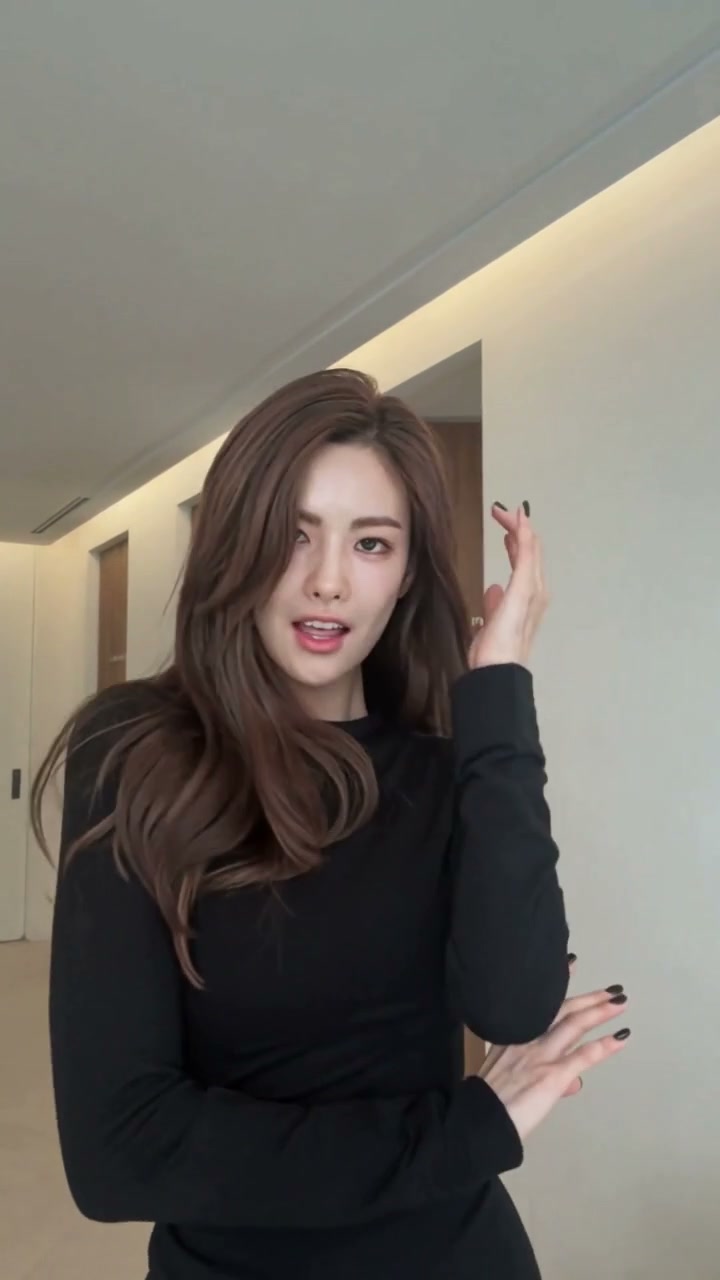
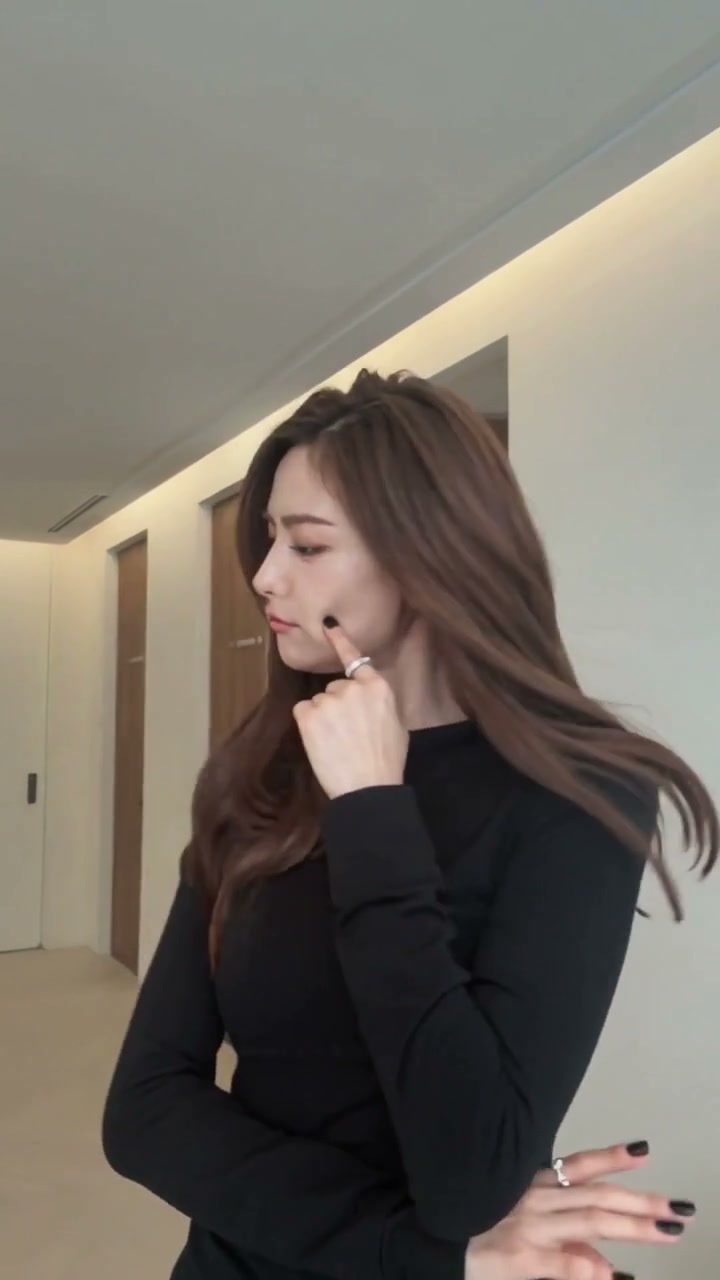
The Jisoo Addicted AI Dance opens with one dancer touching her face and hair, then introduces the second dancer in another solo shot. They share the hallway for turns and arm gestures before the first dancer comes behind the second and rests her hands on the second dancer’s shoulders. Keep each photo tied to its person across every shot.

The second dancer in denim during her solo introduction

Sound stays with the prepared clip

A Jisoo Addicted AI Dance restores the reference audio for the segment the selected mode uses. The photo does not clone a voice, and the page does not ask you to paste lyrics. Generated timing can drift, so play the result with sound before you download it. If you want a different track, download the video and replace the audio in your own editor. The fixed form has no prompt box and no reference-video upload.

The opening dancer gestures near her hair during the hallway performance

What you choose in a Jisoo Addicted AI Dance

The photos choose the people in a Jisoo Addicted AI Dance. The template keeps the dance, the timing and the soundtrack.

Two required portraits

Both photos are required. Photo 1 stays with the opening dancer and Photo 2 stays with the next solo dancer after they move.

A fixed reference, not a prompt

You do not paste choreography text into the Jisoo Addicted AI Dance form. The guide explains how to download the hallway example and edit it yourself in another tool.

Mode, length and resolution

Read the duration on the selected Jisoo Addicted AI Dance mode before you spend credits. A higher resolution changes output size. It does not repair a blurry face in the photo.

Jisoo Addicted AI Dance credits

The quote next to Generate is the price for the Jisoo Addicted AI Dance mode and resolution you selected. An account and enough credits are required. Plan examples elsewhere on the site can use other models and lengths.

Starter

For your first ideas.

$8.3/month

$100.0 charged yearly

2,400 credits/year

Up to 400 images

GPT Image 2Nano Banana Pro

Up to 133 videos

Seedance 2.5Kling 3.0 Motion Control
  • Up to 4K images and HD videos, depending on the model
  • Image editing, video creation & motion transfer
  • Watermark-free image & video downloads
  • Generation history in your account
Popular40% OFFSave $238.8

Pro

For a steady creative flow.

$30.0/month$49.9/month

$360.0 charged yearly

21,600 credits/year

Up to 3,600 images

GPT Image 2Nano Banana Pro

Up to 1,200 videos

Seedance 2.5Kling 3.0 Motion Control
  • Up to 4K images and HD videos, depending on the model
  • Image editing, video creation & motion transfer
  • Watermark-free image & video downloads
  • Generation history in your account
  • Use credits across image and video models
Best Value50% OFFSave $599.8

Business

For more creations, more often.

$49.9/month$99.9/month

$599.0 charged yearly

48,000 credits/year

Up to 8,000 images

GPT Image 2Nano Banana Pro

Up to 2,666 videos

Seedance 2.5Kling 3.0 Motion Control
  • Up to 4K images and HD videos, depending on the model
  • Image editing, video creation & motion transfer
  • Watermark-free image & video downloads
  • Generation history in your account
  • Use credits across image and video models

Basic

$0

Try before you subscribe

  • 18 one-time signup credits
  • Generation history included
  • Watermarked previews & downloads
  • Up to 3 images or 1 video
  • Watermark-free downloads require payment

Prices in USD; taxes and total shown at checkout. Subscriptions renew automatically; cancel in Billing settings. Subscription credits expire each period; one-time credits never expire.

Refunds: request within 72 hours. Used purchased credits and applicable non-refundable processing costs (up to 6%) are deducted. Terms · Refund Policy

Jisoo Addicted AI Dance questions

Photos, solo shots, partner interaction and the prepared reference.

How many photos does a Jisoo Addicted AI Dance need?

Two, both required. Photo 1 is the first dancer to appear alone and Photo 2 is the dancer introduced next. One group snapshot cannot fill both slots in a Jisoo Addicted AI Dance.

Which person does each photo replace in the Jisoo Addicted AI Dance?

Photo 1 replaces the opening solo dancer, shown in black in the example. Photo 2 replaces the next solo dancer, shown in denim. They change positions later, so follow the person rather than a fixed side of the screen. Your photos set their full appearance and outfits.

How does a Jisoo Addicted AI Dance handle the final shoulder pose?

At the end of the Jisoo Addicted AI Dance, the first dancer stands behind the second and puts her hands on the second dancer’s shoulders. The prepared instructions keep each photo assigned through that contact. Clear portraits help, though faces and fingers can still need another attempt.

Can I upload my own dance video?

Not on this Jisoo Addicted AI Dance page. The reference is already attached. The guide shows how to download the example and pair it with your photos in an editor you choose.

Will the photos clone a singing voice?

No. A Jisoo Addicted AI Dance restores the prepared reference audio. A face photo does not become a cloned vocal.

Where is the finished Jisoo Addicted AI Dance?

My creations holds the finished Jisoo Addicted AI Dance. Play it with sound, then download it. You can crop the ending or add text in your own editor afterward.

Can one photo cover both dancers in a Jisoo Addicted AI Dance?

No. A Jisoo Addicted AI Dance needs two separate photos so each look stays attached when the framing changes. A single snapshot of two people leaves the slots empty.

Start a Jisoo Addicted AI Dance

Bring two separate photos for a Jisoo Addicted AI Dance. The template supplies the performance and the soundtrack.

Jisoo Addicted AI Dance