
Create a video

Required photos2
Settings
Mode
Video length8s
Resolution

Hop Hop Hop AI Dance Generator

Create a Hop Hop Hop AI Dance from two photos. The opening foreground person presses their palms while the person behind crouches, then a hard cut swaps who is close to the camera.

0:00 / —:—
0:00 / —:—

Hop Hop Hop AI Dance video ideas

Explore examples of this effect. Open a video for a closer look.

What is a Hop Hop Hop AI Dance?

A Hop Hop Hop AI Dance is a two-person room routine with one hard cut in the middle. Photo 1 is the opening foreground and Photo 2 is the opening background. After the cut those depths reverse, and each photo stays with the same person. Naming someone the front dancer for the whole clip puts the wrong face on the second half.

Hop Hop Hop AI Dance

How to make a Hop Hop Hop AI Dance

Assign the opening positions, then generate the full short clip.

  1. STEP 1

    Match photos to the opening

    Photo 1 is the Hop Hop Hop AI Dance foreground at the first frame. Photo 2 is the person farther back. Use separate full-body pictures. Do not swap the files because you prefer the second half.

  2. STEP 2

    Pick a mode and read the quote

    All three modes follow the whole Hop Hop Hop AI Dance. The screen can show the source length near eight seconds while the output setting is nine. That rounding is the existing duration rule. Credits follow the quote, not a fixed second price.

  3. STEP 3

    Check the cut, then download

    In My creations, pause the Hop Hop Hop AI Dance on the hard cut and confirm the faces traded places with the bodies. Download it once that swap looks right, and trim any extra frame at the end.

Two Hop Hop Hop AI Dance casts

The opening foreground and background change clothes. The swap in the middle stays the point of the template.

Lock the roles to the opening frame

At the start of the Hop Hop Hop AI Dance, the closer person moves their palms up and down. Farther back, the second person bends their knees and crouches. Around four seconds the edit cuts and the two exchange places. Your photos need a clear face and a full outfit because each person is seen both large and small. The reference clip uses a woman in purple and black in front and a man in dark clothes behind.
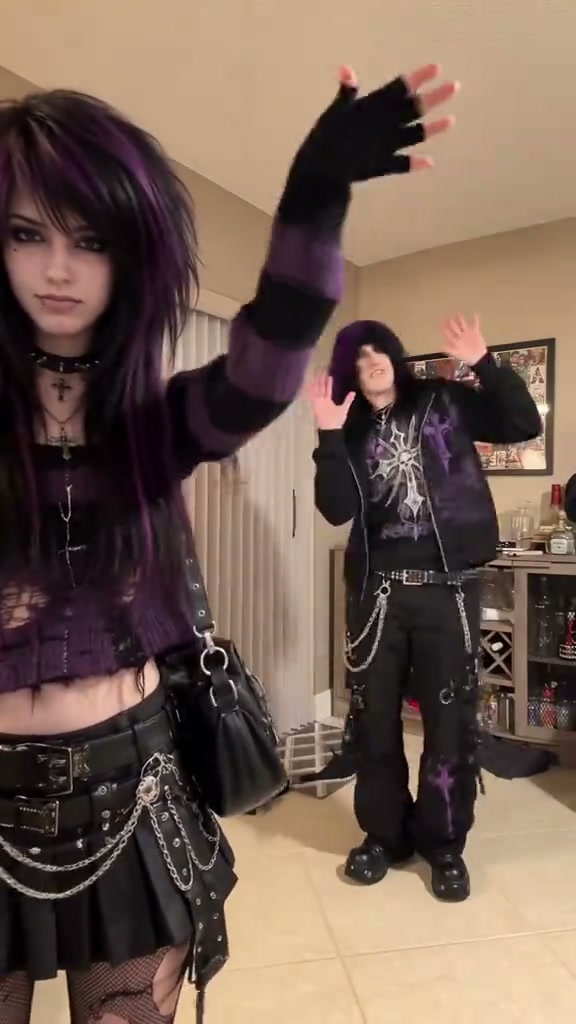
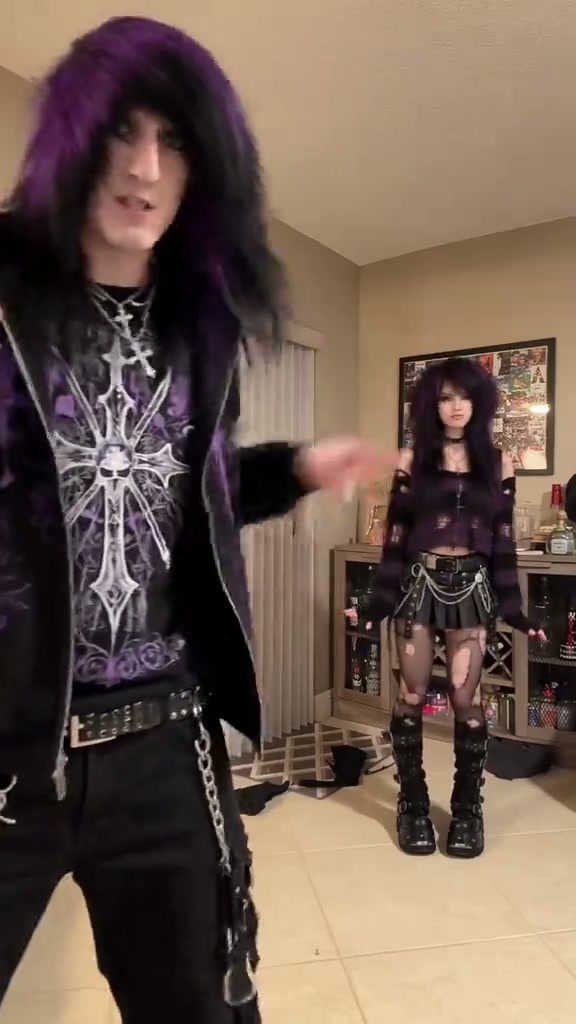
The opening foreground dancer in purple and black with the partner behind

A second cast with the same swap

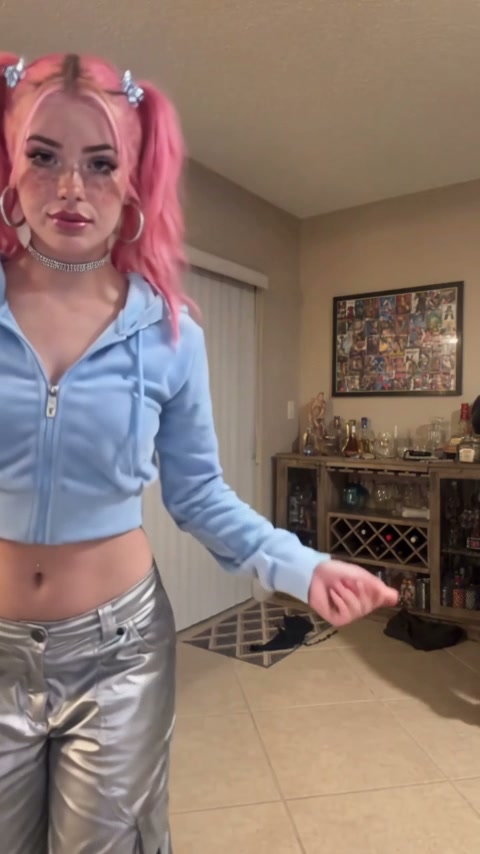
The other public Hop Hop Hop AI Dance keeps the room and the cut, with exaggerated ordinary characters: pink hair and a light-blue outfit in the opening foreground, and a man in an orange vest behind. The guide’s download is this second clip, so the tutorial can name those opening positions without treating front and back as permanent. Both files include the reference audio.

A second cast with the same swap

One edit is enough

Prefer one Hop Hop Hop AI Dance pass that keeps both people and the cut. Split the clip at the hard cut only if identities jump. Each piece still has to meet the model’s minimum length, so do not feed a one-second fragment to a single-shot model. The source is a little over eight seconds. The billed output rounds up to nine seconds, and you can trim a spare tail after download. Original, Economy and Standard all use the full short reference.

After the cut the dark-clothed partner is closer and the first dancer is behind

What stays fixed in a Hop Hop Hop AI Dance

You choose the two people in a Hop Hop Hop AI Dance. The room, the palm press, the crouch and the cut stay in the reference.

Two required photos

A Hop Hop Hop AI Dance uses both photos. Photo 1 is the opening foreground and Photo 2 is the opening background.

Positions are opening-only

The slot text describes the first shot of the Hop Hop Hop AI Dance. After the cut, the same photos stay with the same people in their new depth.

No custom prompt on the form

The Hop Hop Hop AI Dance page does not take an uploaded dance or a pasted prompt. Use the guide when you want to rebuild the edit yourself.

Hop Hop Hop AI Dance credits

The Generate control shows the Hop Hop Hop AI Dance quote for the current mode and resolution. Sign in with enough credits. Plan cards elsewhere may describe other models.

Starter

For your first ideas.

$8.3/month

$100.0 charged yearly

2,400 credits/year

Up to 400 images

GPT Image 2Nano Banana Pro

Up to 133 videos

Seedance 2.5Kling 3.0 Motion Control
  • Up to 4K images and HD videos, depending on the model
  • Image editing, video creation & motion transfer
  • Watermark-free image & video downloads
  • Generation history in your account
Popular40% OFFSave $238.8

Pro

For a steady creative flow.

$30.0/month$49.9/month

$360.0 charged yearly

21,600 credits/year

Up to 3,600 images

GPT Image 2Nano Banana Pro

Up to 1,200 videos

Seedance 2.5Kling 3.0 Motion Control
  • Up to 4K images and HD videos, depending on the model
  • Image editing, video creation & motion transfer
  • Watermark-free image & video downloads
  • Generation history in your account
  • Use credits across image and video models
Best Value50% OFFSave $599.8

Business

For more creations, more often.

$49.9/month$99.9/month

$599.0 charged yearly

48,000 credits/year

Up to 8,000 images

GPT Image 2Nano Banana Pro

Up to 2,666 videos

Seedance 2.5Kling 3.0 Motion Control
  • Up to 4K images and HD videos, depending on the model
  • Image editing, video creation & motion transfer
  • Watermark-free image & video downloads
  • Generation history in your account
  • Use credits across image and video models

Basic

$0

Try before you subscribe

  • 18 one-time signup credits
  • Generation history included
  • Watermarked previews & downloads
  • Up to 3 images or 1 video
  • Watermark-free downloads require payment

Prices in USD; taxes and total shown at checkout. Subscriptions renew automatically; cancel in Billing settings. Subscription credits expire each period; one-time credits never expire.

Refunds: request within 72 hours. Used purchased credits and applicable non-refundable processing costs (up to 6%) are deducted. Terms · Refund Policy

Hop Hop Hop AI Dance questions

Opening roles, the hard cut, and the nine-second output.

Which photo is in front for a Hop Hop Hop AI Dance?

Photo 1 is in front only at the start. Photo 2 begins in the background. The hard cut swaps those depths, and each photo must follow its person rather than a permanent front or back label.

When does the Hop Hop Hop AI Dance cut?

The prepared Hop Hop Hop AI Dance cuts near 4.4 seconds, after the palm press and the crouch. Watch the file you are editing if you split it. Do not assume a cut that is not in that file.

Can I make the Hop Hop Hop AI Dance with one photo?

No. A Hop Hop Hop AI Dance requires both people. A single-person motion mode also does not cover this two-character swap.

Should I generate the halves separately?

Start with one full Hop Hop Hop AI Dance. Split at the real cut only when the faces fail to travel with the bodies. Keep each half long enough for the model you pick.

Why is the output nine seconds?

The Hop Hop Hop AI Dance source is about 8.3 seconds, and the integer output rounds up to nine. Trim the spare ending if you need the source length. The displayed Original duration can still show the rounded source length.

Does the Hop Hop Hop AI Dance include audio?

Yes. The Hop Hop Hop AI Dance restores the reference audio. A photo does not clone a voice, and a newly generated track from the guide is not a copy of the original song.

Are the people in the preview a required costume?

No. Purple and black, or pink hair and an orange vest, are the two public casts. Your Hop Hop Hop AI Dance uses whatever complete outfits are in the two photos.

Where is my Hop Hop Hop AI Dance saved?

My creations stores the Hop Hop Hop AI Dance. Play the cut with sound, download the file, and trim it in your editor if the nine-second output added a short tail.

Make a Hop Hop Hop AI Dance

Bring two photos for a Hop Hop Hop AI Dance and assign them to the opening foreground and background.

Hop Hop Hop AI Dance