
Choose who sits in each front seat
Photo 1 is the driver on the viewer’s right; Photo 2 is the passenger on the viewer’s left. Separate portraits help distinguish their appearances when they turn toward each other during the ride.
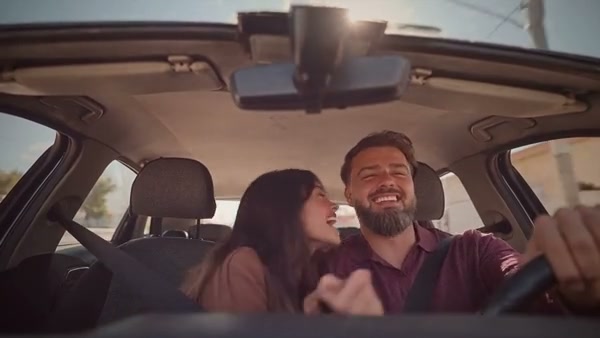
Put two people in a dashboard-view singalong. The sample shows the full scene; Economy and Standard use the opening 15 seconds.
Carpool Karaoke AI turns two photos into a car singalong scene. A driver and front passenger sing, gesture and react together in a landscape dashboard view. The prepared performance supplies the car, framing and sequence of movements.
Choose your photos, review the settings and create the prepared scene.
STEP 1
Choose one clear photo per person, with the face, hair and upper-body outfit visible. Avoid group shots so each seat has one clear reference.
STEP 2
Review the available mode, duration and credit estimate in the workspace.
STEP 3
Create the video, then open My creations to play and download it.
Put two people in the front seats for a dashboard-view singalong and a shared road-trip moment.
Photo 1 is the driver on the viewer’s right; Photo 2 is the passenger on the viewer’s left. Separate portraits help distinguish their appearances when they turn toward each other during the ride.
The pair sing along, gesture and share a close moment in the same dashboard view. It is suited to a road-trip-style clip featuring friends, partners or two original characters.
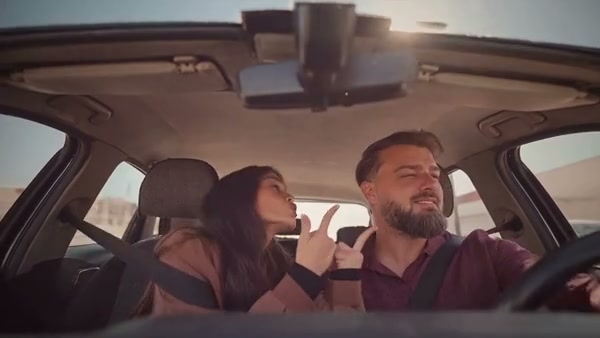
Your two photos cast the front seats, while the prepared scene supplies the drive and singalong.
Photo 1 takes the driver position on the viewer’s right. Photo 2 takes the passenger position on the viewer’s left.
The camera faces the pair from the dashboard in a wide, landscape frame. Upper-body photos give the model more outfit information than face-only crops.
The reference guides their reactions, hand gestures and the moment the passenger leans toward the driver. The pair and small details may vary in the output.
Photos, timing and the prepared performance.
Two photos are required, one for the driver and one for the front passenger.
Photo 1 is the driver on the viewer’s right; Photo 2 is the passenger on the viewer’s left.
This scene is configured for two front-seat roles. For a carpool scene with four roles, try Migos Carpool AI.
The full reference is about 23 seconds. Shorter modes use a portion of the same scene; review the available duration in the workspace.
No. Photos guide appearance. The prepared performance supplies the scene and its soundtrack.
Use a separate, well-lit photo of each person showing the face, hair and upper-body clothing. Avoid group shots for role assignment.
The selected mode and settings determine the displayed credit estimate. Review it in the workspace before creating.
Put two people in the front seats for a dashboard-view singalong and a shared road-trip moment.