
Create a video

Required photos1
Customize more (optional)0/3
Settings
Mode
Video length10s
Resolution

AI Truck Morph Video Generator

Make an AI Truck Morph Video from one vehicle photo. A glowing orb on a beach resolves into that vehicle, and up to three more photos can show the same vehicle from other angles. The preview is a community example, so paint and reflections in your result can differ.

0:00 / —:—

What is AI Truck Morph Video?

AI Truck Morph Video is a forward beach shot in which a glowing orb gathers and becomes one vehicle. Your photos decide which vehicle appears. The prepared reference supplies the shoreline, the orb, the camera path and the audio, and the result is a short vertical clip you can download without filming the beach or typing a prompt. Extra photos are other views of that same vehicle. They do not add a second car or a manufacturer badge.

AI Truck Morph Video

How to make an AI Truck Morph Video

Add the vehicle, compare three full-length modes, then check the body before you download.

  1. STEP 1

    Upload the vehicle

    Add one clear photo of the vehicle that should appear in the AI Truck Morph Video. If you have them, add up to three more views of that same vehicle. Skip a slot you do not need.

  2. STEP 2

    Compare the three modes

    Economy, Standard and Original all keep the 10 second morph. Read the duration, resolution and credit estimate beside Generate, then pick the quote you want.

  3. STEP 3

    Check the body, then download

    Open the result in My creations. Compare paint, wheels and glass with your photos, confirm that no badge was added, play the sound, and download the file you want to keep.

A beach morph for one vehicle

The video and stills are one community example of AI Truck Morph Video. Your vehicle, paint and reflections can look different.

Put your vehicle in the orb

Photo 1 is the vehicle that comes out of the orb in an AI Truck Morph Video. A front or three-quarter view gives the body, paint and wheels a readable shape to follow. Photos 2, 3 and 4 are optional. Use a side, a rear or a wheel detail when that part should stay recognizable, and leave a slot empty when you only have one picture. An empty slot does not invent another car, and there is no field for a logo you want printed on the body.
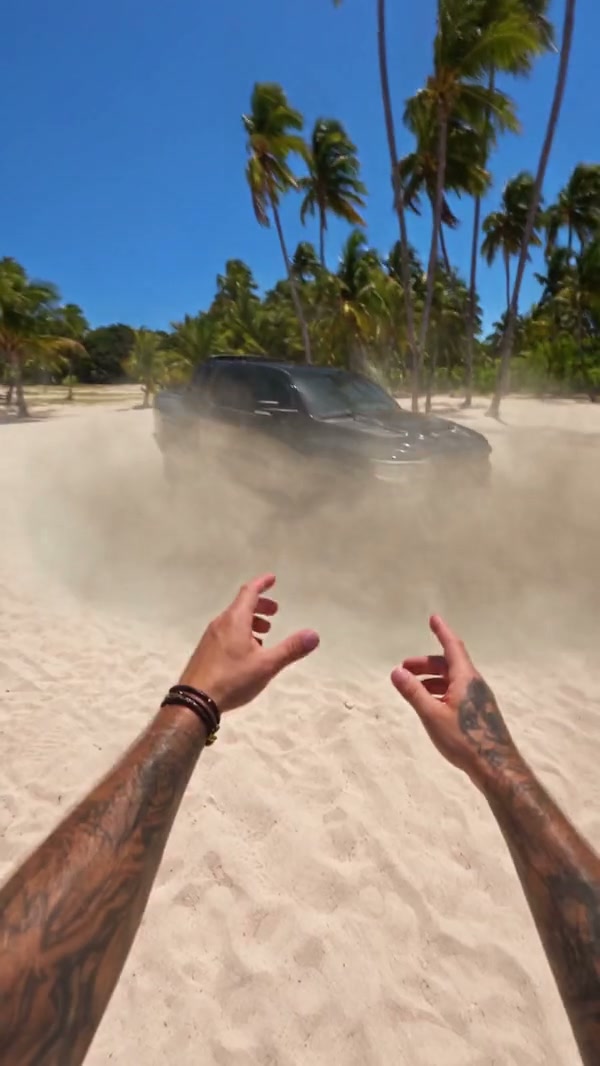
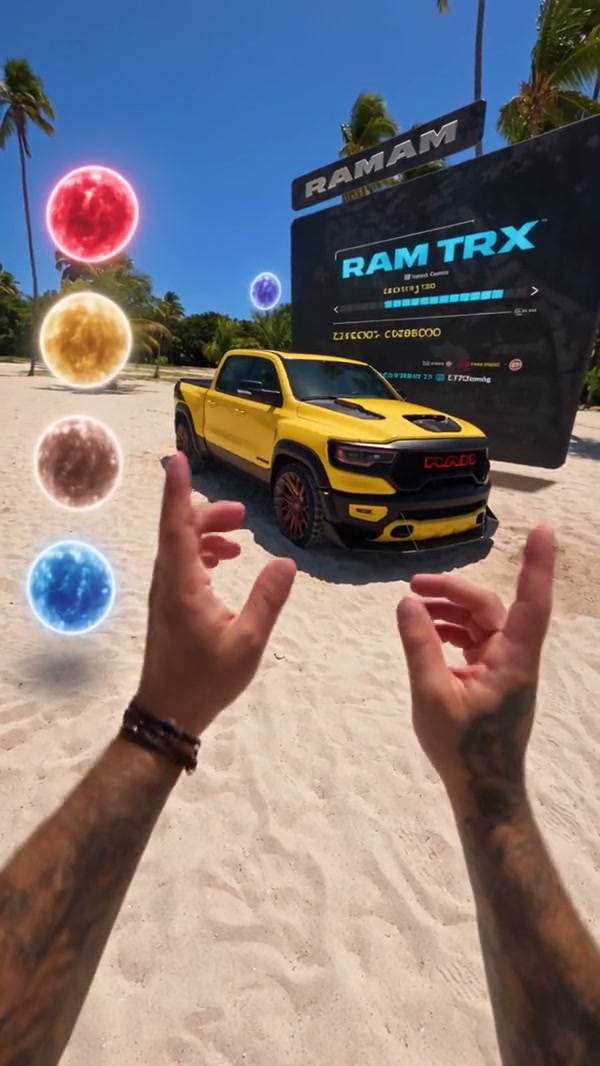
A community example of a vehicle appearing from a glowing orb on a beach

Keep the beach path and the gathering orb

The camera travels along the beach, the orb gathers, and the vehicle takes its place on that path. You do not upload the shoreline or redirect the move. The video and stills here are frames from one community example of that morph, not three different beaches. Glass, panel gaps and wheel spokes in your AI Truck Morph Video can still land differently from the example while the timing stays with the reference.

Keep the beach path and the gathering orb

Keep the full morph in every mode

The prepared reference is 10 seconds, so Economy, Standard and Original each play the full AI Truck Morph Video, including the orb and the moment the vehicle appears. A lower-cost mode does not cut that ending. Resolution and the credit estimate still follow the mode you select. The restored audio is the beach track for those same 10 seconds. The photo does not become a narrator or a new song.

Frame from the same community example after the vehicle has appeared

What you control in AI Truck Morph Video

The vehicle comes from your photos. The beach, the orb and the audio stay with the AI Truck Morph Video reference.

Which views to upload

One photo is enough to start. Extra photos only describe the same vehicle from another side. They are not a lineup of different cars.

The path you cannot redraw

There is no prompt box for a different shoreline, a second vehicle or a new camera move. The orb and the beach timing stay prepared.

The sound you will hear

The result restores the reference audio for the full clip. A still photo does not create a voice-over.

AI Truck Morph Video questions

Photo slots, the beach path, modes, sound and what the morph will not add.

What photos does AI Truck Morph Video need?

One photo of the vehicle is required. You may add up to three more, and each extra photo must be another view of that same vehicle. Four photos is the maximum on this page. A set of different cars needs separate generations.

Which angle should I upload first in AI Truck Morph Video?

Start with a sharp front or three-quarter view so the body and wheels are visible. Add a side or a rear when that part should stay recognizable. A crop that shows only a badge, or a car blocked by other vehicles, gives the morph less of the body to follow.

Will AI Truck Morph Video add a brand badge?

No. The template follows the vehicle in your photos and does not print a manufacturer name or badge onto the body. Panels, lamps and reflections can still drift while the orb resolves. Check those details if the clip needs to represent one specific vehicle.

How do the AI Truck Morph Video modes differ?

Economy, Standard and Original all use the full 10 second reference, so none of them is a shorter highlight. They can differ in resolution and in the credit estimate shown beside Generate. Read that estimate before you submit.

Does AI Truck Morph Video include sound?

Yes. The beach reference has audio, and the result restores that track for the prepared clip. You do not upload a song or record a voice. Listen before you share the file, especially if you plan to replace the sound in an editor later.

Can I type a prompt or change the beach in AI Truck Morph Video?

No. AI Truck Morph Video keeps the prepared shoreline, the glowing orb and the timing. There is no prompt field for a city street, a second vehicle or a different ending. For an indoor orbit around one car, use AI Car Showroom Video instead of trying to rewrite this beach.

Will the vehicle match my photos the whole way through in AI Truck Morph Video?

A clear photo helps the model identify the body, but glass, wheel spokes and panel lines can change as the orb finishes. The page does not promise a perfect match. Compare the result with your uploads before you download it.

How is AI Truck Morph Video different from the showroom page?

AI Car Showroom Video moves around one car indoors and does not use this beach orb. Toy Car to Real Car AI starts from a toy. Use the preview on this page when you want the orb to become the vehicle.

How much does AI Truck Morph Video cost?

The generator shows a credit estimate for the mode and resolution you select. An account with enough credits is required. Plan details live on the Pricing page.

Where do I download my AI Truck Morph Video?

My creations holds the finished clip. Play it with sound, check the body against your photos, and use the download control on that result.

Create your AI Truck Morph Video

Add the vehicle photo, review the AI Truck Morph Video estimate, and start from the generator.

AI Truck Morph Video