Create a video

Driver · Photo 1

Night Tunnel Driver AI Video Generator

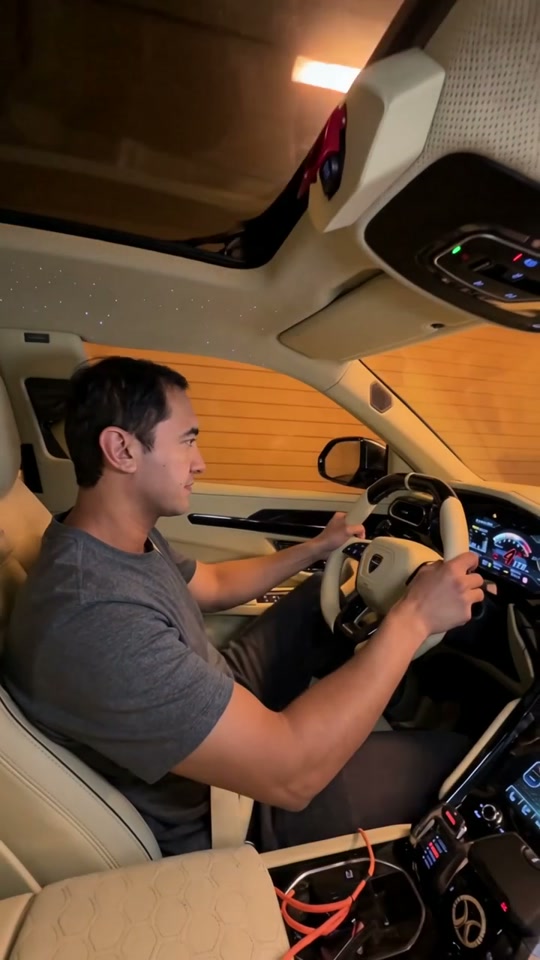
Your character at the wheel, amber lights passing outside. Use Night Tunnel Driver AI with one photo to recreate a passenger-view drive through a tunnel, including the dashboard camera sweep and reference sound.

0:00 / —:—

Night Tunnel Driver AI video ideas

Explore community remixes of this performance. Open a video for a closer look.

What is Night Tunnel Driver AI?

Night Tunnel Driver AI is a character video effect filmed from the passenger-seat viewpoint of a car traveling through a lit tunnel. The camera watches the driver, turns across the dashboard toward the road and returns to the person at the wheel. On Motion Transfer, one photo defines the driver’s complete appearance, hair, body and clothing. The prepared clip supplies the steering movements, car interior, tunnel lights, camera path and sound. Night Tunnel Driver AI produces a vertical scene of about 13 seconds without requiring you to record a drive.

Passenger-seat view of a driver under amber tunnel lights, with a camera sweep across the dashboard and back

How to create Night Tunnel Driver AI

One clear driver photo starts your Night Tunnel Driver AI video.

  1. STEP 1

    Choose the driver

    Upload one permitted photo showing a single person’s face, hair and clothing. Night Tunnel Driver AI uses the reference video for the seated pose and hand movement.

  2. STEP 2

    Review the ride and quote

    Watch the prepared clip and listen to its sound. Select an available resolution in Settings, then check the Night Tunnel Driver AI credit quote beside Generate.

  3. STEP 3

    Generate and review

    Sign in with enough credits and submit. When your Night Tunnel Driver AI result is ready, check the driver before and after the camera sweep in My creations, then download the clip.

Give Night Tunnel Driver AI a different lead

Your photo changes the character while the prepared ride supplies the camera movement and atmosphere.

Give the driver your own look

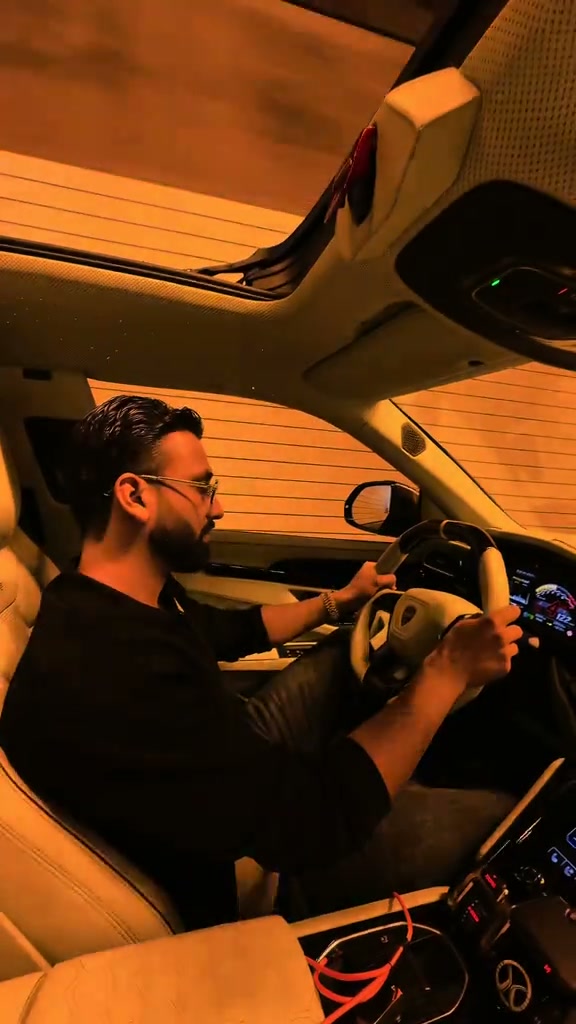
Choose yourself, a willing friend or an original character for the driver’s seat. Night Tunnel Driver AI takes the whole visible look from your photo, including the outfit, rather than asking you to supply a separate car image. A casual shirt or a distinctive jacket can change the character of the scene while the setting stays familiar. Use Night Tunnel Driver AI when the person is the point of the clip: a small character introduction, a mood edit or an imagined nighttime journey.
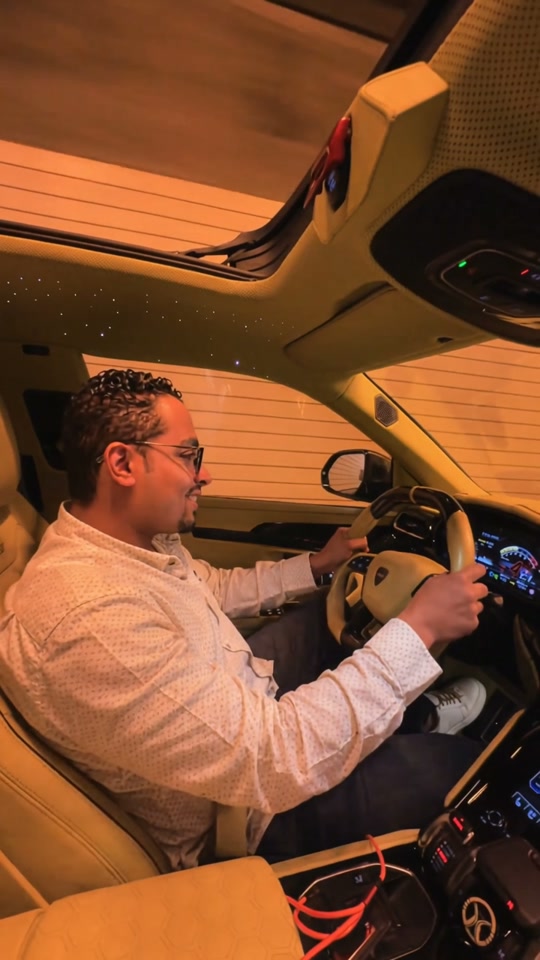
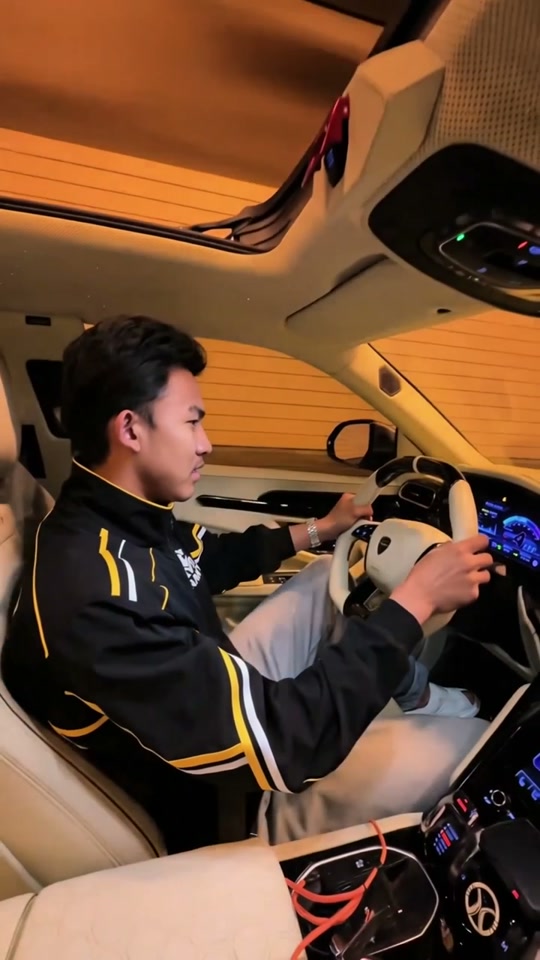
Give the driver your own look

Build the moment around a passenger’s view

The camera moves as though someone beside the driver is recording the ride. Night Tunnel Driver AI follows that handheld sweep, briefly leaving the face to show the wheel, illuminated dashboard and tunnel ahead before returning. It gives your character context without a sequence of unrelated cuts. The steering and gaze come from the reference, so a normal photograph is enough to define the person. Night Tunnel Driver AI keeps this particular camera path; it has no control for another seat, a new route or a different driving maneuver.

Build the moment around a passenger’s view

Create a short night-drive scene with sound

Passing amber light, dark windows and dashboard glow give the scene its atmosphere. Night Tunnel Driver AI combines that prepared look with your chosen driver and restores the reference audio after video generation. Use the result as a short fictional scene or combine it with a caption in your own edit. The portrait composition keeps the driver and interior close, with the tunnel visible through the windshield. Night Tunnel Driver AI follows the source lighting, so expect a dim, moving scene rather than a bright studio portrait. Check the complete result before sharing.

Create a short night-drive scene with sound

What changes in Night Tunnel Driver AI?

Your input defines the driver. The source defines the ride around them.

Complete appearance and outfit

Night Tunnel Driver AI uses your photo for the driver’s face, hair, body and clothes. Visible sleeves and upper-body detail help guide the parts of the outfit shown around the steering wheel.

One continuous driver role

Night Tunnel Driver AI keeps the same person assigned to the wheel as the camera pans away and back. You cannot use extra images to add a passenger or introduce a second driver.

The prepared interior and tunnel

The original car, dashboard, road and lighting remain the scene’s reference. Night Tunnel Driver AI does not use a vehicle upload to replace the car or create a custom dashboard.

Night Tunnel Driver AI credits

Generating needs an account and sufficient credits. Check the quote for your selected resolution before submitting; general plan examples can use other models and clip lengths.

Starter

For your first ideas.

$8.3/month

$100.0 charged yearly

2,400 credits/year

Up to 400 images

GPT Image 2Nano Banana Pro

Up to 133 videos

Seedance 2.5Kling 3.0 Motion Control
  • Up to 4K images and HD videos, depending on the model
  • Image editing, video creation & motion transfer
  • Watermark-free image & video downloads
  • Generation history in your account
Popular40% OFFSave $238.8

Pro

For a steady creative flow.

$30.0/month$49.9/month

$360.0 charged yearly

21,600 credits/year

Up to 3,600 images

GPT Image 2Nano Banana Pro

Up to 1,200 videos

Seedance 2.5Kling 3.0 Motion Control
  • Up to 4K images and HD videos, depending on the model
  • Image editing, video creation & motion transfer
  • Watermark-free image & video downloads
  • Generation history in your account
  • Use credits across image and video models
Best Value50% OFFSave $599.8

Business

For more creations, more often.

$49.9/month$99.9/month

$599.0 charged yearly

48,000 credits/year

Up to 8,000 images

GPT Image 2Nano Banana Pro

Up to 2,666 videos

Seedance 2.5Kling 3.0 Motion Control
  • Up to 4K images and HD videos, depending on the model
  • Image editing, video creation & motion transfer
  • Watermark-free image & video downloads
  • Generation history in your account
  • Use credits across image and video models

Basic

$0

Try before you subscribe

  • 18 one-time signup credits
  • Generation history included
  • Watermarked previews & downloads
  • Up to 3 images or 1 video
  • Watermark-free downloads require payment

Prices in USD; taxes and total shown at checkout. Subscriptions renew automatically; cancel in Billing settings. Subscription credits expire each period; one-time credits never expire.

Refunds: request within 72 hours. Used purchased credits and applicable non-refundable processing costs (up to 6%) are deducted. Terms · Refund Policy

Night Tunnel Driver AI questions

Photo choice, the fixed vehicle and what to expect from the night-drive effect.

What photo works best for Night Tunnel Driver AI?

Choose one person with a clear face, visible hair and enough of their upper body to show the outfit. A three-quarter view can give useful shape information, but you do not need a photograph taken inside a car. Avoid heavy filters, a cropped forehead or another person overlapping the subject. Hidden details may be inferred during generation.

Does the photo need to show someone holding a steering wheel?

No. Night Tunnel Driver AI uses the reference video for the seated driving pose, gestures and steering movement. Your image supplies the person’s appearance and clothing. Hands around the wheel are a useful part of the final clip to review because overlap, motion blur and low light can make those details difficult to reproduce.

Can Night Tunnel Driver AI use my own car?

This page replaces the driver and retains the supplied car interior. There is no vehicle photo slot or model selector for a different car here. If your goal is a vehicle-centered effect, try Roadster AI or Car Assembly AI from the related tools. Those are different scenes with their own inputs and reference motions.

Why does the Night Tunnel Driver AI preview look dark?

The source is a night-drive recording with warm tunnel lighting, dark interior areas and a moving handheld camera. Those visual traits are part of this effect. Higher output resolution does not turn it into a daylight scene or guarantee sharper facial detail. Use another reference on the homepage if you need a brighter setting.

How long is Night Tunnel Driver AI, and does it include audio?

The prepared reference lasts about 13 seconds and uses a portrait frame. The finished video includes the reference audio; listen with the preview sound control before generating. There is no music selector or voice recording input on this page. Check the permissions needed for your intended use of the soundtrack.

Will Night Tunnel Driver AI keep the same look after the camera returns?

The template requests the same appearance and outfit for the whole driver role. Review the opening view and the final return to check the face, hair and sleeves. Generated details, dashboard elements or hand positions can vary, as they can in community remixes. The examples illustrate the effect and are not a guarantee of a particular output.

Where can I download my Night Tunnel Driver AI result?

Open the completed video in My creations and use its download action. Review it with sound first, then add captions or combine clips in your own editor if needed. Treat it as an AI-created scene when sharing; the output does not prove the pictured person drove the car or traveled through this tunnel.

Create your Night Tunnel Driver AI scene

Choose the driver and bring their look into the prepared night ride.

Passenger-seat view of a driver under amber tunnel lights, with a camera sweep across the dashboard and back