
Ozil Goal AI Trend: Put Your Character in the Winning Run
The Ozil Goal AI trend puts a new character into a football run: lift the ball past the goalkeeper, recover it, evade the defenders, and finish. One photo supplies the scorer’s complete appearance, from face to footwear. Open the Ozil Goal AI tool to use the prepared clip, or read on for photo choices and the touches worth checking in your result.
Make an Ozil Goal AI video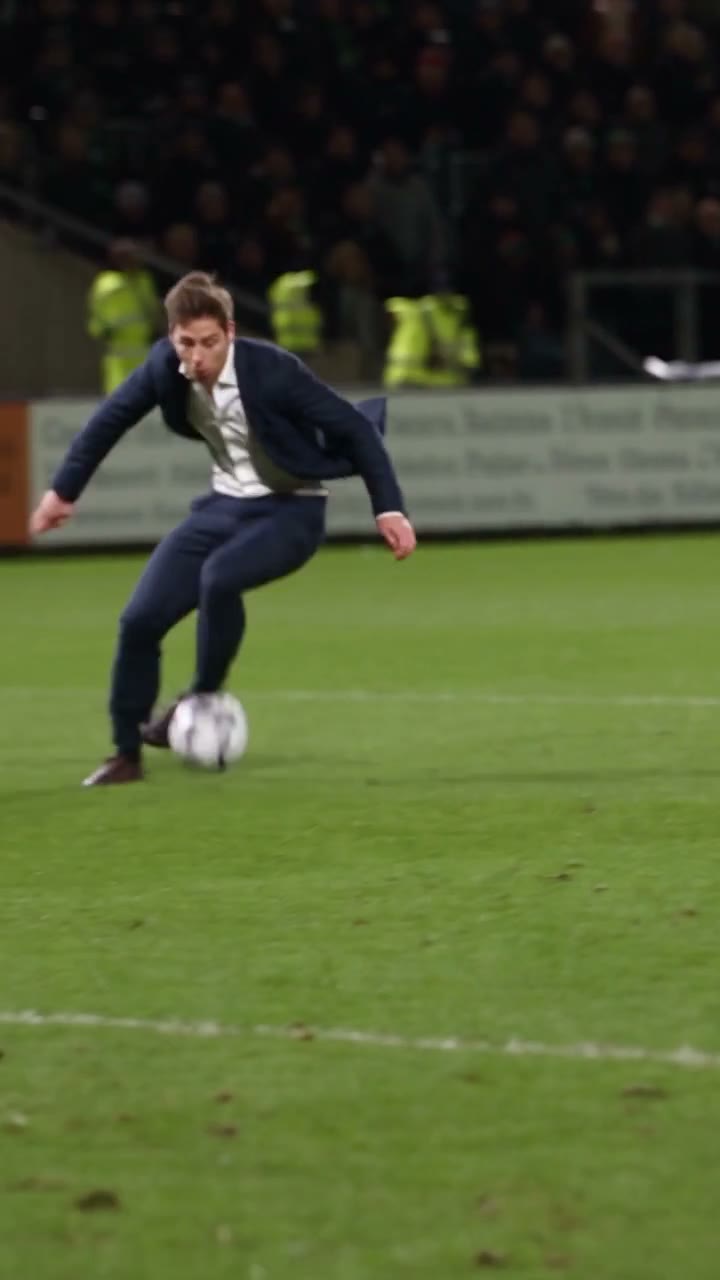
Which Ozil goal does this recreate?
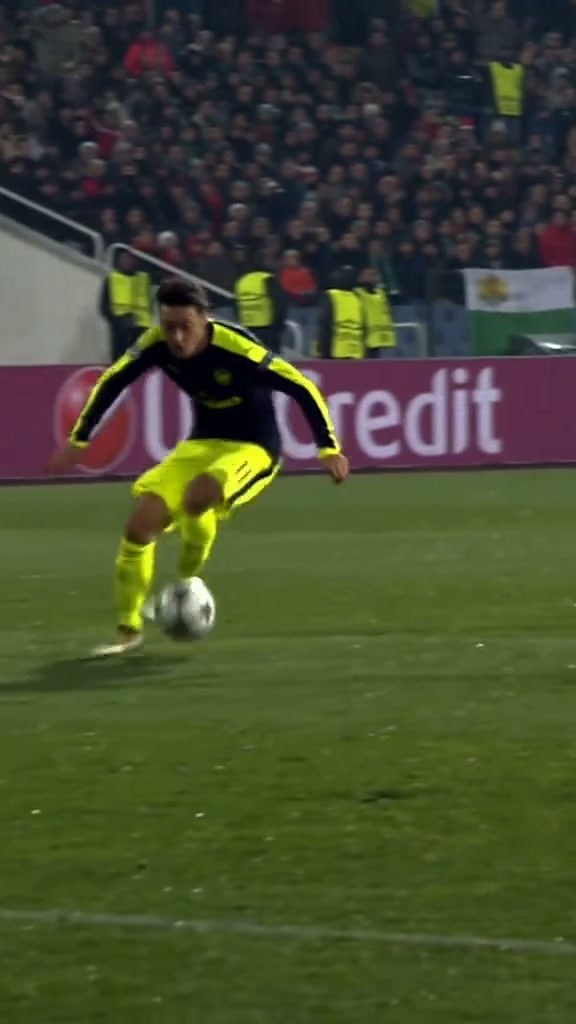
The sequence echoes Mesut Özil’s late winner for Arsenal away to Ludogorets on November 1, 2016. Arsenal came back from two goals down to win 3–2. UEFA’s match report records the solo finish. That is the football background; the AI edit lets you recast the player performing the run.
In the loaded reference, the ball carrier wears a dark shirt and bright yellow shorts. The goalkeeper reaches for the lifted ball, the attacker follows its drop, and the play continues through close defensive challenges. This template follows approximately 15 seconds of that action in a vertical frame. Preview it first: a search for an Ozil goal or bounce goal can lead to different clips, and this page uses this specific chip-and-finish sequence.
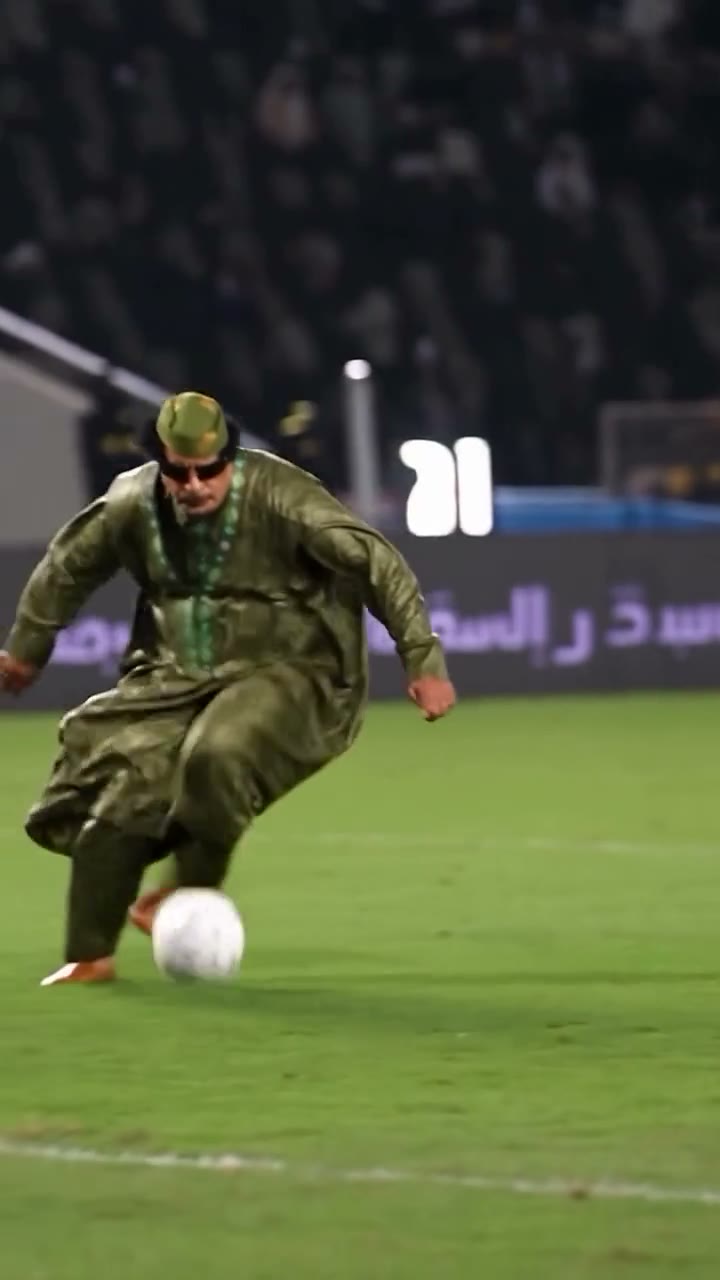
The contrast is the joke: a suited character or someone in a flowing robe takes on an elite football move. Your upload assigns the ball-carrying lead only. The surrounding players, pitch, camera path, and match setting come from the reference. You do not need photos of the goalkeeper, defenders, ball, or stadium.
Pick a photo that explains the whole player
Ozil Goal AI uses one Main character · Photo 1 slot. A clear standing photo is a useful starting point because this edit shows much more than a face. The character turns, raises a leg, runs, and changes direction; the image should give the model a readable body and outfit to carry through those movements.
Keep the face readable
Choose one person, facing forward or at a gentle angle, in good light. Avoid a distant figure whose face is only a few pixels high. If the full-body photo makes the face too small, a clear three-quarter view is a reasonable alternative, with less guidance for the lower legs and shoes.
Show the legs and footwear when possible
Keep both legs distinguishable and avoid a bag or furniture hiding the knees. Include the shoes if you want a particular pair. The model must connect the hips, knees, and feet during quick turns, so a headshot alone leaves much of this appearance unspecified. You do not have to photograph yourself kicking a ball.
Choose the outfit in the same photo
Use the football kit, suit, or everyday clothes you want to see in the clip. There is no separate wardrobe slot. The green-robe example illustrates how a long garment changes the silhouette around the legs; if footwork is your priority, an outfit that leaves the leg shapes easy to distinguish gives you a clearer reference to judge.
Remove competing subjects
Use a photo you have permission to animate, with one intended scorer. Crop out other people rather than uploading a team photo or collage. Avoid motion blur and heavy obstructions across the face. The photo background can differ from the stadium; the template takes its scene from the video.
How to make your Ozil Goal AI video
The dedicated tool has the goal clip and replacement instructions ready. You do not need to source match footage, describe every touch, or paste a prompt. Start with the person and outfit you want to cast.
1Open and watch the reference
Go to the Ozil Goal AI generator. Play the Original video to confirm the sequence. Notice how the camera follows the attacker and how the other players pass close to the lead.
2Upload one character photo
Add your image to Main character · Photo 1. Check the selected thumbnail before continuing. Use Replace if you want to change the photo or outfit; the goalkeeper and defenders do not need uploads.
3Generate, then preview and download
Choose 480p, 720p, or 1080p in Settings. Select Generate and sign in if prompted; the button shows the current credit cost. Once complete, open My creations, watch the full video with sound, and download the result you want to keep.
The template follows the reference length and portrait framing. Its finished video is configured to include the reference soundtrack, with no separate music upload or audio-generation switch required. Marketing previews play muted; use the reference player or your completed video to listen.
Check the goal in three passes
Watch once at normal speed to see whether the whole run reads naturally. Then review the opening lift, the crowded middle, and the finish separately. A convincing face in the first frame does not establish that the ball and body stay coherent. AI results can vary, and a clear photo cannot guarantee exact physics or unchanged details throughout.
The ball rises and comes back down
Track the same ball from the opening touch through its drop. Check that it does not split into two, vanish, or jump to a new position. Look at the kicking foot just before and after contact as well as the ball in the air.
Compare this part with the loaded reference to separate the original fast motion from a new discontinuity. A still image cannot establish ball continuity; play the surrounding seconds. Changing your photo can clarify the scorer’s appearance, but it does not give direct control over the ball trajectory.
Players overlap during the turns
Follow your character’s clothing and head before and after the goalkeeper or a defender crosses nearby. Make sure the lead does not acquire another player’s face, that two bodies remain separate, and that a leg is not left attached to the wrong person.
If the chosen photo includes another person or hides much of the body, simplify that input first. If it is already clear, do not assume another identical attempt will fix every overlap. Identify the specific moment that makes the result unsuitable before deciding whether to generate again.
The feet turn and the shot leaves the boot
Watch the planted foot during each change of direction, then the striking foot near the finish. Sliding shoes, legs bending at an extra joint, or a ball moving without a plausible touch can break the illusion even when the outfit remains recognizable.
Use the source as the timing reference. Review both sides of a blurred contact frame rather than judging one frozen image. If your input cuts off the legs or shoes, a clearer full-body image supplies more appearance detail; it still cannot guarantee a flawless strike.
Want another goal, camera angle, or sporting action?
Ozil Goal AI is the shortcut for this prepared play. For a different goal or a landscape camera view, start with suitable footage in the Motion Transfer workspace. Choose a model that supports your reference, add your character photo, and enable custom instructions when needed. Select footage that already contains the action you want; changing a character description does not reliably invent a different match.
For a solo sports routine without ball contact or defenders, see the Boxing AI photo guide. It covers a different kind of fast motion, with a person or pet behind a sofa. Choose between the football run and the boxing combination based on the joke or scene you want to make.
Share the finished football clip as an AI recreation. The familiar match setting can look convincing in a feed, so make the edit clear in your caption rather than presenting it as genuine footage of the person playing for a club.
Ozil Goal AI photo and result questions
Do I need a football kit in my photo?
No. The photo supplies the complete replacement appearance, including clothes and accessories. A kit, suit, or casual outfit can work as the visual idea. Choose the intended look in the same image; there is no separate clothing upload.
Can I replace the goalkeeper as well?
This fixed template assigns the single photo to the ball-carrying scorer. It asks to preserve the goalkeeper and defenders. For a different casting plan, use your own reference and instructions in the main workspace; multiple replacements are not guaranteed.
Where do I paste an Ozil Goal AI prompt?
You do not need to paste one on the dedicated page. It supplies the instructions for the prepared goal sequence. Use the main workspace if you want custom instructions and a different reference.
Why does the ball look wrong when the face looks right?
Identity consistency and foot-to-ball contact are separate parts of the edit. Fast movement, small objects, and overlapping bodies can introduce defects. Compare the affected seconds with the source; a more detailed face photo alone does not guarantee correct ball motion.
Cast your character in the Ozil goal
Choose one clear photo, follow the prepared run, and review the full finish before sharing.
Make an Ozil Goal AI video