Create a video

Broom rider · Photo 1
Settings
Mode
Video length10s
Resolution

Broom Riding AI Video Generator

Make a Broom Riding AI video from one photo. Hover beside a car window, lean forward and fly into the evening sky with your own look and outfit.

0:00 / —:—

Broom Riding AI video ideas

Explore community remixes of this performance. Open a video for a closer look.

What is Broom Riding AI?

Broom Riding AI turns a person photo into a fantasy flight. On this page, a rider hovers beside an open car window, leans forward, then launches upward over a neighborhood at dusk. One required photo supplies the full appearance, hair, clothing and shoes. Broom Riding AI keeps the broom, viewpoint, surroundings and reference soundtrack. You do not need a prop photo or motion upload.

A rider in a green hoodie hovering on a broom beside a car window at dusk

How to make your Broom Riding AI video

The scene and instructions are prepared. Start with your photo, then review the current generation quote.

  1. STEP 1

    Choose your Broom Riding AI rider

    Add one clear full-body person photo to Broom rider. Include the desired clothing and shoes; a normal standing photo is enough. The scene already includes the broom and car.

  2. STEP 2

    Review the mode and quote

    Choose Economy, Standard or Original and an available resolution. Check the current credits and displayed length before generating. The prepared clip is selected for you.

  3. STEP 3

    Check your Broom Riding AI flight

    Open the result in My creations. Watch the hover, launch and flight with sound, then download. Look for consistent appearance and believable contact with the broom.

See the Broom Riding AI sequence

A supplied human-rider example and two reference frames illustrate the hover, personal appearance and takeoff. They are examples, not a promise of an identical result.

Put your own look on the broom

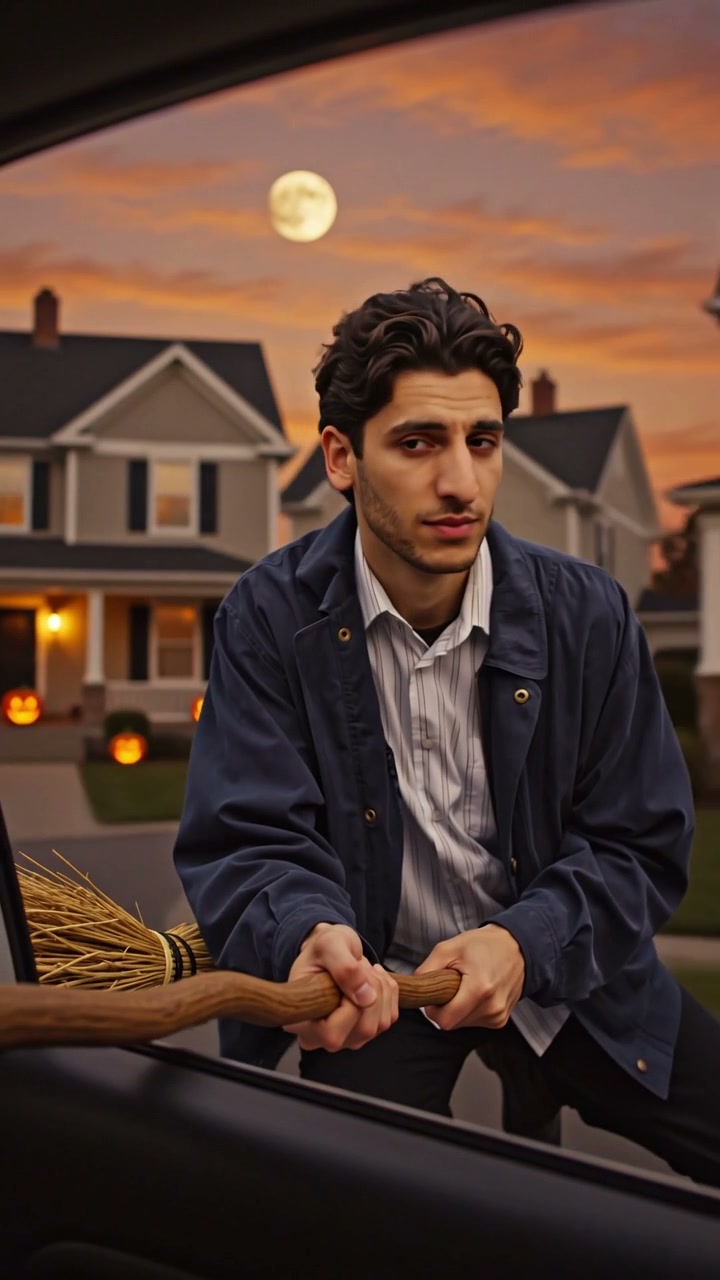
Choose a costume-party look or an unexpectedly ordinary outfit. Broom Riding AI uses the person photo for both character and clothes, so a hoodie, jacket or fantasy costume becomes part of the scene. No witch costume or prop is required. Include the whole body and shoes: the seated hover reveals details absent from a close portrait. Broom Riding AI carries that appearance through the launch, though fine accessories become less readable as the rider moves away.
Put your own look on the broom

Start close enough for the surprise to land

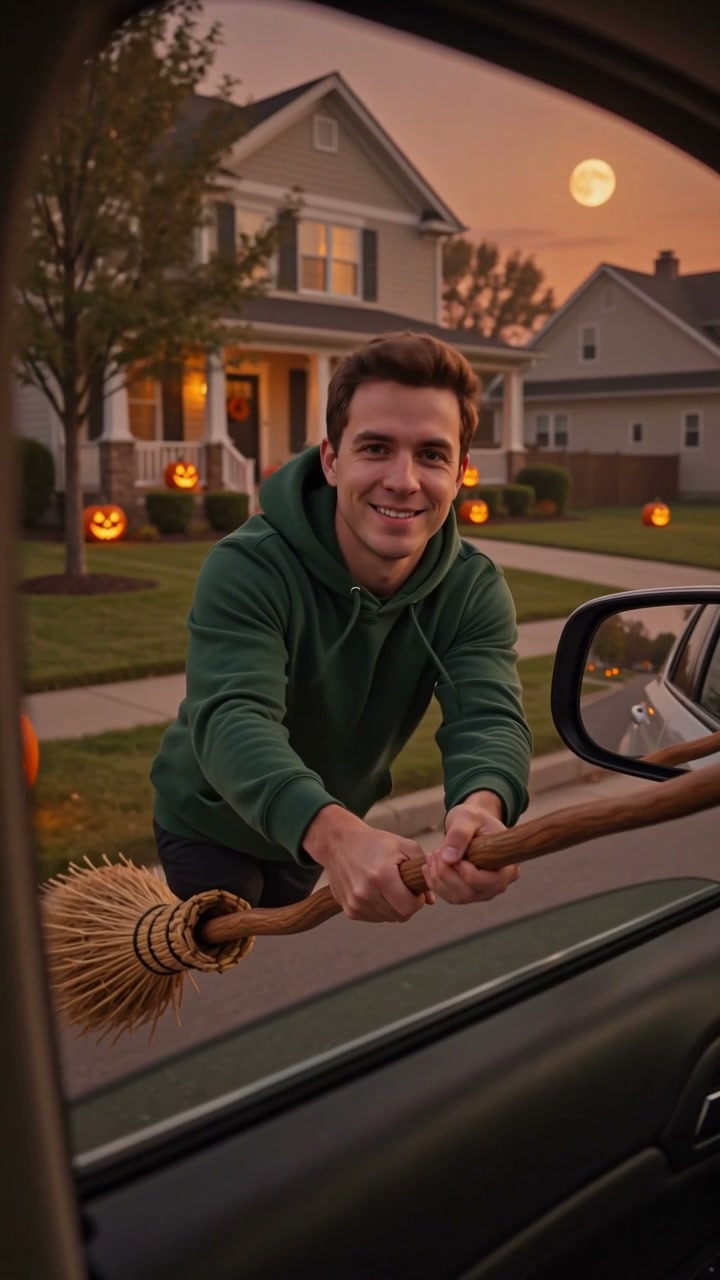
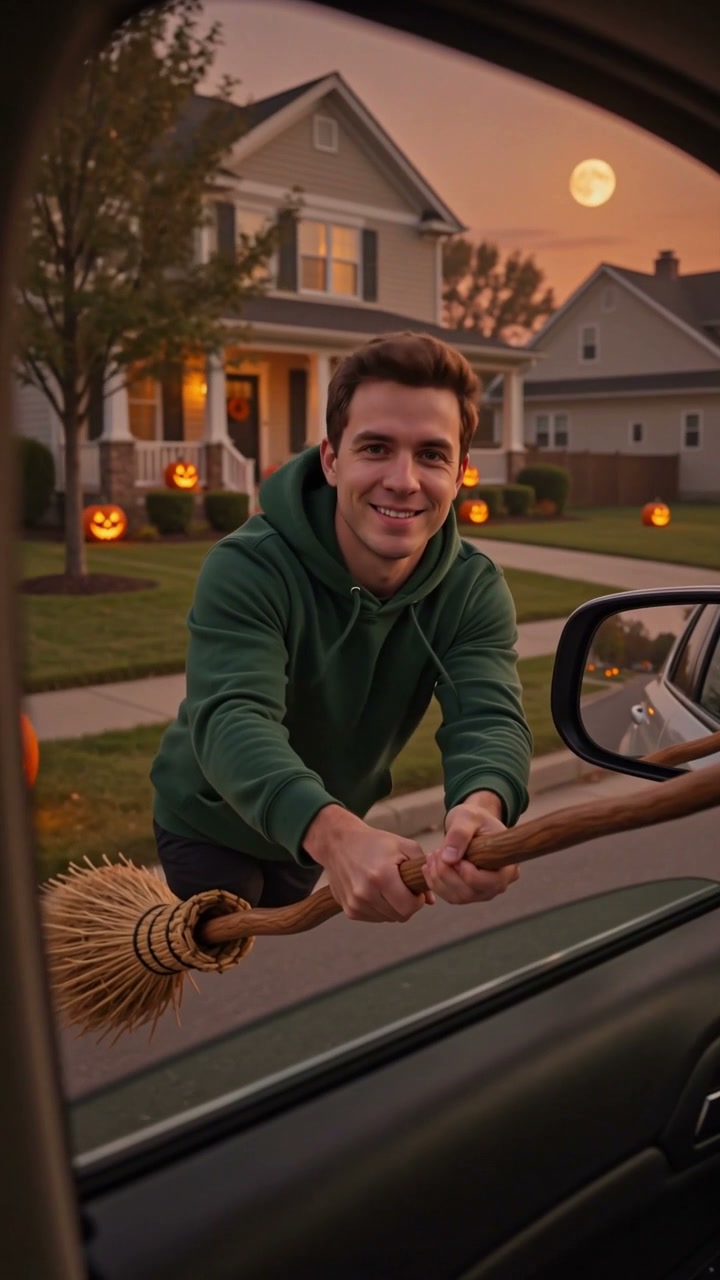
The car-window viewpoint gives Broom Riding AI a familiar opening before the flight. Your character hovers nearby, close enough to recognize the outfit and expression. Evening houses and seasonal decorations establish the setting without a background upload. Use Broom Riding AI for a playful arrival announcement, Halloween greeting or magical introduction. This source frame shows the hover before takeoff.

Reference frame showing the broom rider close to the open car window

Give the clip a clear departure

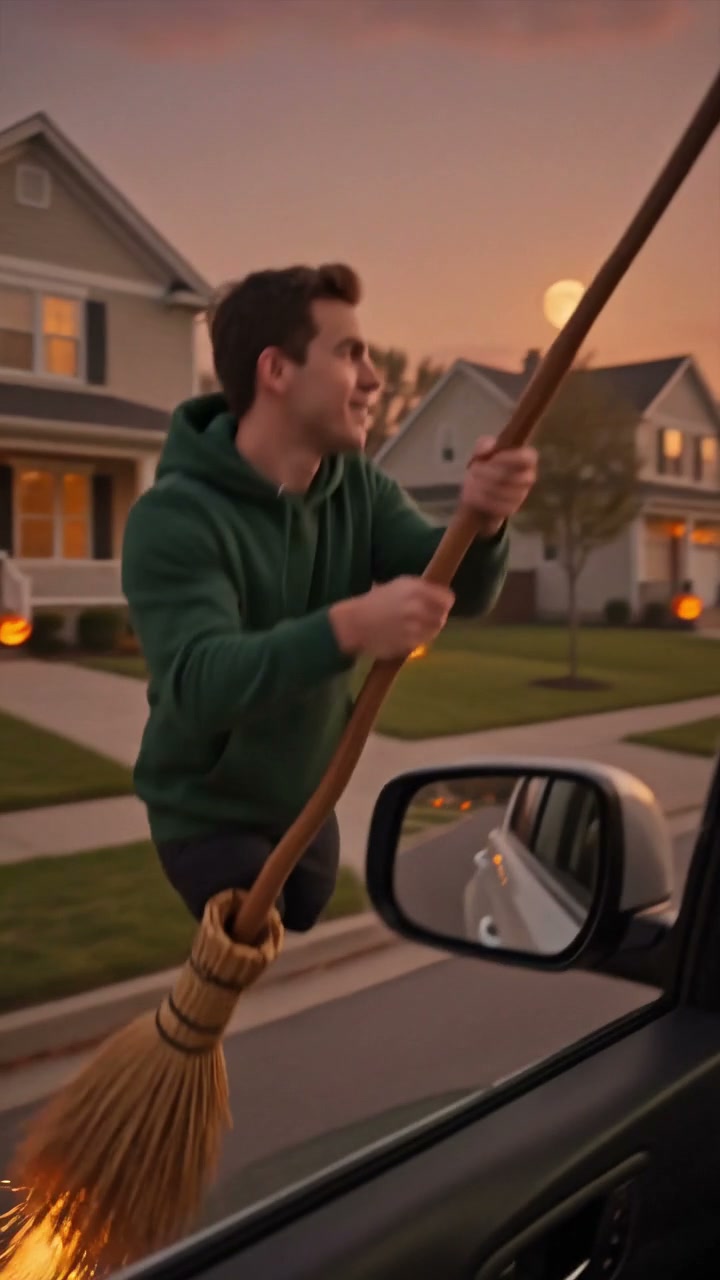
Broom Riding AI moves from a nearby hover to a clear departure: the rider leans, rises and travels away, with sparks accenting the launch. Keep the full frame so viewers can follow the path into the sky. Broom Riding AI includes reference audio; add a departure message in your usual editor afterward if wanted. Check hands, legs and broom contact during the launch, when fast motion can hide small changes.

Reference frame showing the rider lifting into the evening sky

What you choose in Broom Riding AI

Your image supplies the person. The prepared video supplies the sequence and setting.

One required person image

Broom Riding AI has one human rider role. There are no optional photos for a broom, car, companion or sky. Your single image should show the outfit and body details you want carried into the flight.

The same source in every mode

All Broom Riding AI modes use the complete car-window reference, a little over ten seconds long. Original follows its length; Economy and Standard request an eleven-second output. Movement and timing may differ between modes.

A prepared scene with reference audio

Broom Riding AI supplies the evening neighborhood, takeoff path and sound. You choose the available mode and resolution. The final clip is generated, so clothing details and broom contact still deserve a visual check.

Broom Riding AI credits and plans

Check the quote on Generate for your selected mode and resolution. An account and sufficient credits are required. General plan examples below may use different models or lengths.

Starter

For your first ideas.

$8.3/month

$100.0 charged yearly

2,400 credits/year

Up to 400 images

GPT Image 2Nano Banana Pro

Up to 133 videos

Seedance 2.5Kling 3.0 Motion Control
  • Up to 4K images and HD videos, depending on the model
  • Image editing, video creation & motion transfer
  • Watermark-free image & video downloads
  • Generation history in your account
Popular40% OFFSave $238.8

Pro

For a steady creative flow.

$30.0/month$49.9/month

$360.0 charged yearly

21,600 credits/year

Up to 3,600 images

GPT Image 2Nano Banana Pro

Up to 1,200 videos

Seedance 2.5Kling 3.0 Motion Control
  • Up to 4K images and HD videos, depending on the model
  • Image editing, video creation & motion transfer
  • Watermark-free image & video downloads
  • Generation history in your account
  • Use credits across image and video models
Best Value50% OFFSave $599.8

Business

For more creations, more often.

$49.9/month$99.9/month

$599.0 charged yearly

48,000 credits/year

Up to 8,000 images

GPT Image 2Nano Banana Pro

Up to 2,666 videos

Seedance 2.5Kling 3.0 Motion Control
  • Up to 4K images and HD videos, depending on the model
  • Image editing, video creation & motion transfer
  • Watermark-free image & video downloads
  • Generation history in your account
  • Use credits across image and video models

Basic

$0

Try before you subscribe

  • 18 one-time signup credits
  • Generation history included
  • Watermarked previews & downloads
  • Up to 3 images or 1 video
  • Watermark-free downloads require payment

Prices in USD; taxes and total shown at checkout. Subscriptions renew automatically; cancel in Billing settings. Subscription credits expire each period; one-time credits never expire.

Refunds: request within 72 hours. Used purchased credits and applicable non-refundable processing costs (up to 6%) are deducted. Terms · Refund Policy

Broom Riding AI questions

Photos, the prepared sequence, settings and the finished video.

How do I create a Broom Riding AI video?

Upload one person photo, choose a generation mode and resolution, then review the credit quote and submit after signing in. Broom Riding AI already includes the reference and instructions. Find the finished video in My creations.

What photo should I use for Broom Riding AI?

Use a clear full-body image with one person, visible shoes and an unobstructed outfit. A standing pose is fine. Avoid cropped legs or several people competing for attention. Broom Riding AI supplies the seated pose and flight; you do not need to sit on a real broom.

Do I need a costume or a broom photo?

No additional prop image is required. The prepared scene contains the broom, and your person photo supplies their clothes. Broom Riding AI can bring an everyday outfit into the fantasy setting. If you want a costume, include it in the same person image rather than uploading a separate garment.

Can Broom Riding AI animate my pet?

This page is configured for one human rider, with no animal role. Pet broom videos use a different body position and handling. Choose a pet-specific template for an animal subject.

Which Broom Riding AI scene will I get?

The reference shows a rider beside a car window in an evening neighborhood, followed by an upward launch and flight away. Preview the entire clip before choosing your photo. Forest riding, moon silhouettes and crash endings are different setups and are not selectable versions of this page.

How long is a Broom Riding AI result?

The source is approximately ten seconds, slightly longer than ten seconds at its final video frame. Original uses the full source length. Economy and Standard use the same reference with an eleven-second output request. The workspace shows the current length; there is no trimming or custom-duration control.

Does Broom Riding AI include sound?

The reference audio is added to the generated result. Listen to the preview to hear the scene before submitting. Broom Riding AI does not provide a song upload or separate sound-generation setting. You can edit the downloaded video with a permitted soundtrack afterward if needed.

What can go wrong in a Broom Riding AI flight?

Hands can lose contact with the broom, legs can move abruptly, or details can shift as the rider recedes. Check the hover-to-launch transition and final flight path. Visible limbs give the model more information than a cropped portrait, but the effect remains an AI interpretation.

How much does Broom Riding AI cost?

Use the credits shown on Generate for your current mode and resolution. Submission requires an account and sufficient credits, and a new attempt has its own cost. Changing settings or watching the Broom Riding AI preview does not submit a generation.

Can I download and share my Broom Riding AI video?

Download the result from My creations after checking the sequence and sound. Keep the vertical framing to show both the nearby hover and distant departure.

Create your Broom Riding AI video

Upload your photo and bring your own look into the prepared scene.

A rider in a green hoodie hovering on a broom beside a car window at dusk