
City Giant AI Video Generator
Walk between buildings at giant scale. City Giant AI places your complete look into a prepared city VFX sequence, with street-level, car-window and upward views. One character photo supplies the face, hair, outfit and shoes.
0:00 / —:—
City Giant AI video ideas
Explore community remixes of this performance. Open a video for a closer look.
Mascot at city scale
Your look, larger
What is City Giant AI?
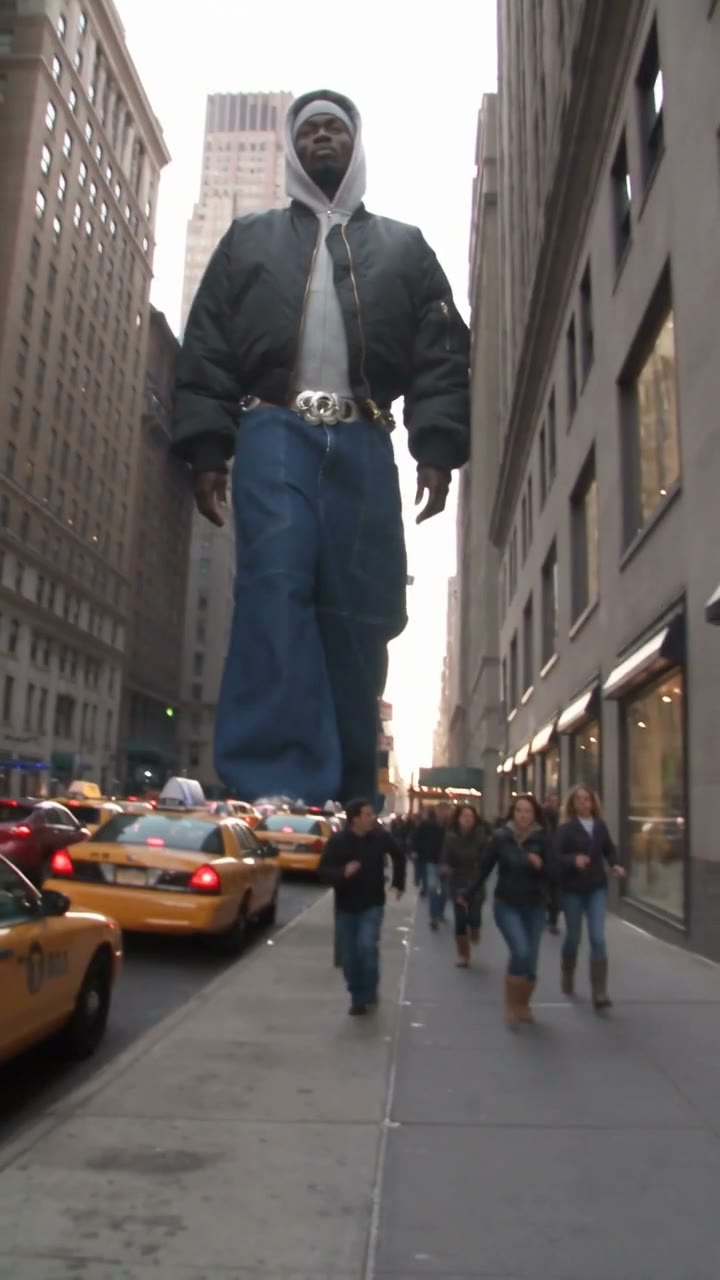
City Giant AI is a visual effect that turns a person into a towering figure moving through a city while pedestrians and traffic remain normal-sized. On Motion Transfer, one photo supplies the giant character’s complete appearance and clothing. A prepared VFX reference supplies the walk, buildings, traffic and three changing viewpoints. Your City Giant AI result follows that roughly ten-second vertical sequence with the reference sound. The source is an effects video, not footage of a real giant; the page recreates its scale contrast with your chosen character.
How to create a City Giant AI video
Provide one character; the city and camera sequence are prepared.
STEP 1
Choose a complete character photo
Upload one clear photo for City Giant AI. Include the full outfit and shoes where possible, and choose one subject without other people overlapping them.
STEP 2
Preview and choose resolution
Watch the City Giant AI reference, choose an available resolution and check the quote on Generate. Sign in with sufficient credits to submit the fixed sequence.
STEP 3
Check the giant across all shots
Open your City Giant AI result in My creations. Review face, clothing, scale, feet and the car-window transition with sound, then download the completed video.
Give City Giant AI a recognizable character
Explore three community takes on the towering walk, full-character styling and changing city viewpoints.
Make your whole look the landmark
City Giant AI transfers more than the face: hairstyle, body proportions, jacket, trousers, shoes and visible accessories all help define the towering character. Use a full-body photo when you want a specific outfit to remain recognizable in the wide and low-angle shots. City Giant AI can turn a personal style photo or a permitted fictional character image into an exaggerated city appearance. The scale makes clothing a large part of the frame, so review patterns, hems and footwear as carefully as the face before you share the result.
See the same giant through three viewpoints
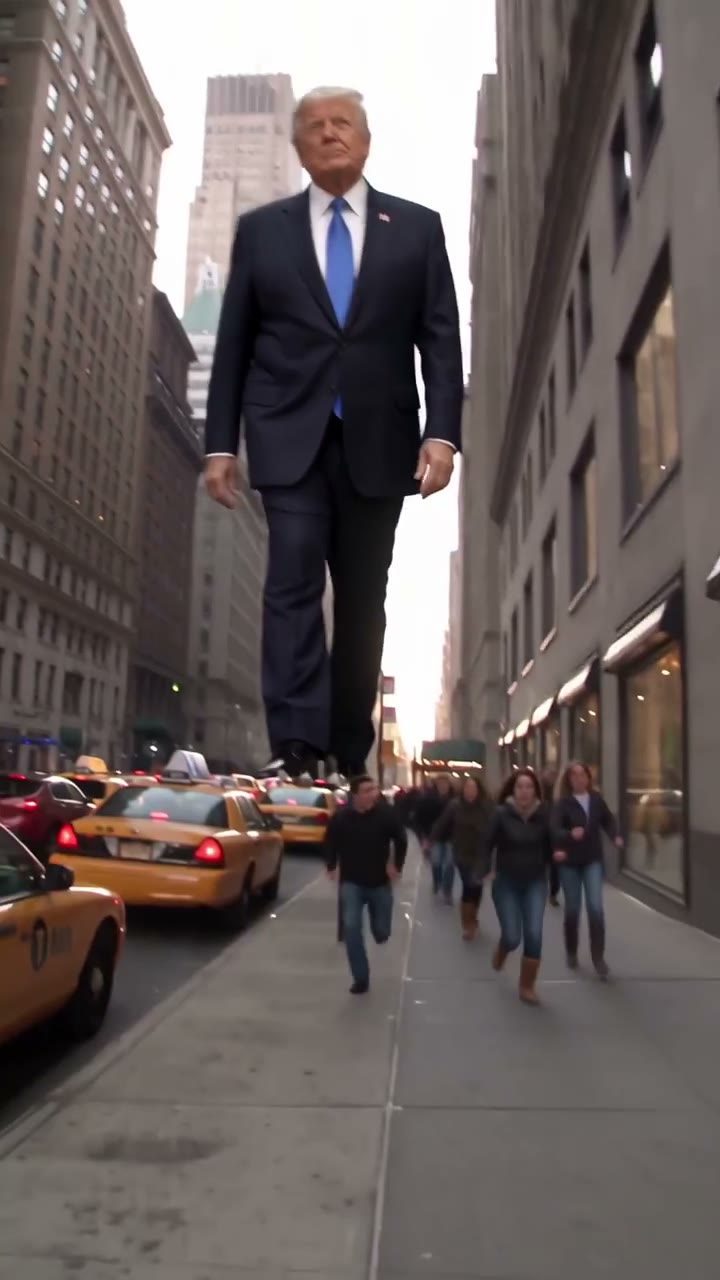
The reference moves from a street-level view to a vehicle window and then looks upward. City Giant AI follows those cuts, giving the character a sense of size through several perspectives without asking you to shoot or assemble the sequence. People, cars and helicopters provide the smaller-scale context. City Giant AI keeps the same subject across the views; one photo is enough for the full sequence. Watch for a consistent outfit and body shape through the car-window shot, where framing and perspective reveal different details.
Get the city scale contrast in one short clip
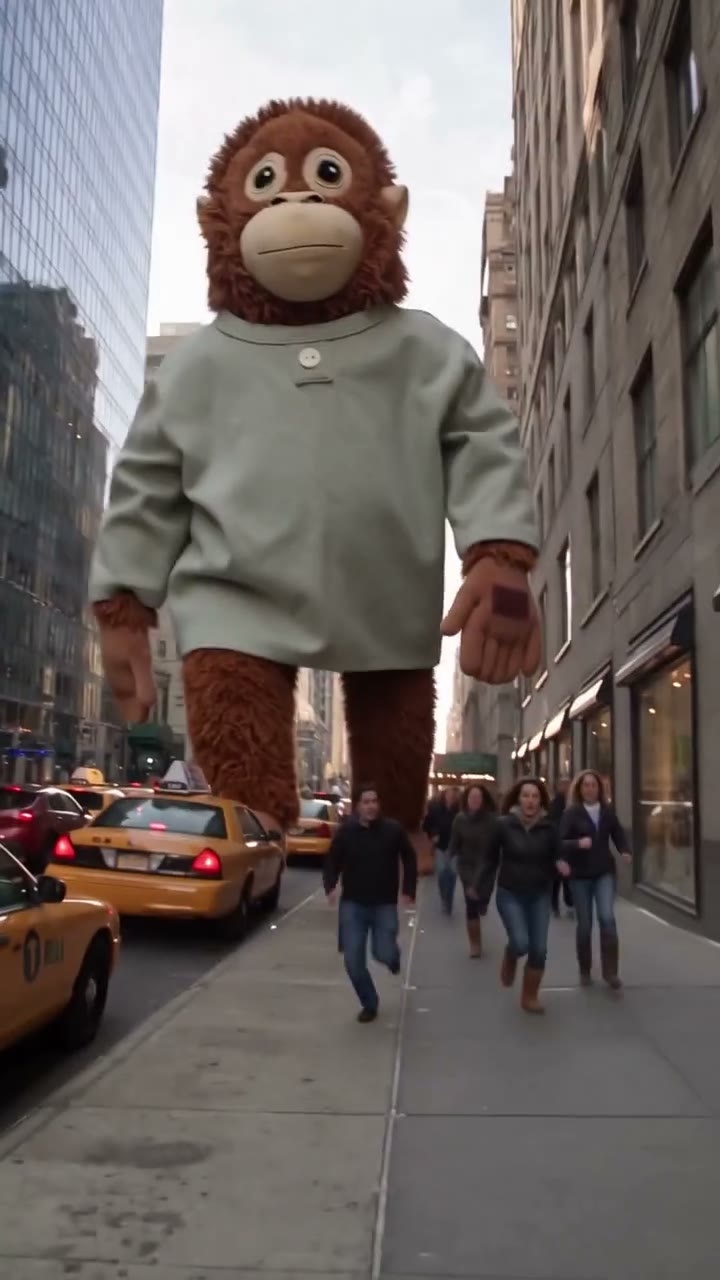
City Giant AI delivers the prepared scene as a vertical video with its reference audio. Use the completed clip for a playful personal post, a character concept or a larger-than-life outfit reveal. The timing and camera sequence are already supplied, so there is no editing timeline to arrange on this page. City Giant AI keeps the existing streets and traffic rather than offering a city picker. Community previews show different characters in the same scale effect; check your own result for foot contact, building edges and continuity.
Choose City Giant AI for a city-scale character reveal
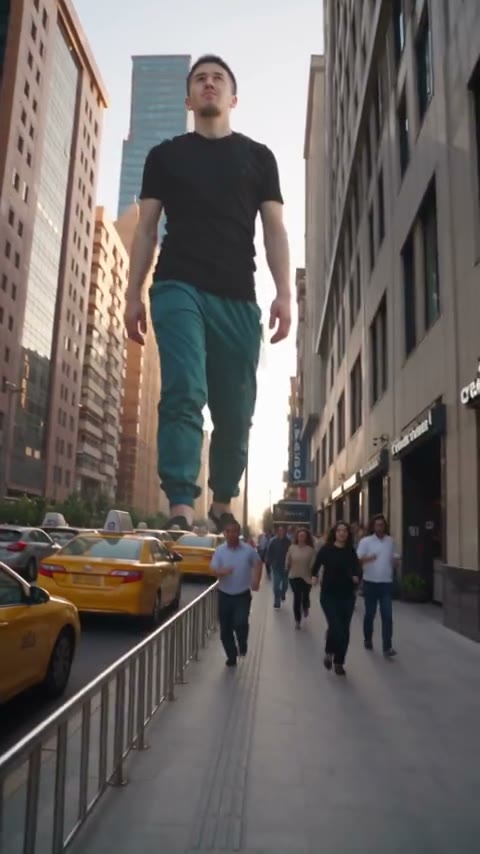
The appeal comes from one large subject within an otherwise familiar street.
A full look with a dramatic size change
City Giant AI makes the chosen character the central visual element. A full-body reference is useful because the final upward shot shows the outfit and shoes prominently.
An existing city and camera route
City Giant AI preserves the reference’s architecture, pedestrians, traffic and camera cuts. It does not add a second giant, choose a new city or create a destruction sequence.
Another scale or movement
For a different walk, city or action, use your own suitable motion reference on the homepage. For a room-scale action performance, explore Boxing AI instead.
City Giant AI credits and plans
City Giant AI requires an account and enough credits for the selected resolution and reference length. Check the Generate quote; plan examples may use other models or durations.
Starter
For your first ideas.
$8.3/month
$100.0 charged yearly
2,400 credits/year
Up to 400 images
GPT Image 2Nano Banana Pro
Up to 133 videos
Seedance 2.5Kling 3.0 Motion Control
- Up to 4K images and HD videos, depending on the model
- Image editing, video creation & motion transfer
- Watermark-free image & video downloads
- Generation history in your account
Popular40% OFFSave $238.8
Pro
For a steady creative flow.
$30.0/month$49.9/month
$360.0 charged yearly
21,600 credits/year
Up to 3,600 images
GPT Image 2Nano Banana Pro
Up to 1,200 videos
Seedance 2.5Kling 3.0 Motion Control
- Up to 4K images and HD videos, depending on the model
- Image editing, video creation & motion transfer
- Watermark-free image & video downloads
- Generation history in your account
- Use credits across image and video models
Best Value50% OFFSave $599.8
Business
For more creations, more often.
$49.9/month$99.9/month
$599.0 charged yearly
48,000 credits/year
Up to 8,000 images
GPT Image 2Nano Banana Pro
Up to 2,666 videos
Seedance 2.5Kling 3.0 Motion Control
- Up to 4K images and HD videos, depending on the model
- Image editing, video creation & motion transfer
- Watermark-free image & video downloads
- Generation history in your account
- Use credits across image and video models
Basic
$0Try before you subscribe
- 18 one-time signup credits
- Generation history included
- Watermarked previews & downloads
- Up to 3 images or 1 video
- Watermark-free downloads require payment
Prices in USD; taxes and total shown at checkout. Subscriptions renew automatically; cancel in Billing settings. Subscription credits expire each period; one-time credits never expire.
Refunds: request within 72 hours. Used purchased credits and applicable non-refundable processing costs (up to 6%) are deducted. Terms · Refund Policy
City Giant AI questions
Photo choice, scale, the fixed city scene and sharing your result.
How many photos does City Giant AI need?
City Giant AI needs one photo of one character. That image defines the giant across all three viewpoints. There is no separate photo slot for the pedestrians, traffic or helicopters.
Should I use a full-body photo for City Giant AI?
A clear full-body photo gives City Giant AI visible information about clothing, body proportions and shoes. A tight portrait leaves more of the giant’s appearance for the model to infer, especially in the final upward view.
Does City Giant AI replace clothing as well as the face?
Yes. City Giant AI uses the complete appearance from your image, including hair, body, outfit, footwear and visible accessories. It asks for that same look throughout, although fine details may vary in generated frames.
Is the City Giant AI reference real footage?
The City Giant AI reference is a VFX or AI effects sequence. Its giant and scale contrast are fictional. Treat the completed clip as an AI edit and follow the destination platform’s labeling rules.
Can I choose another city in City Giant AI?
This page keeps the prepared city, traffic, pedestrians and shot order. City Giant AI has no location picker or background-photo input. Use the homepage with another reference if you want a different street or skyline.
Does City Giant AI add destruction or more giants?
The supplied City Giant AI scene shows one giant walking and appearing through several viewpoints. The fixed page has no destruction setting or second-character slot. It follows the reference actions and city context.
Does City Giant AI include sound?
City Giant AI restores the supplied reference audio to the result. Preview it with the sound control. There is no custom voice or music selection, and using the template does not grant additional audio rights.
What length and format does City Giant AI use?
City Giant AI follows the roughly ten-second reference in a 9:16 frame. The available resolution choices are in Settings. The sequence length and frame shape are fixed by the supplied video.
What should I inspect in a City Giant AI result?
Check the character across the street, window and upward shots. City Giant AI can produce artifacts around feet, fingers, clothing edges or building overlaps. Watch for consistent size and appearance through each cut.
Can I generate City Giant AI without paying?
The reference can be inspected before submission. City Giant AI generation requires an account and enough credits for the displayed quote. Use photos you have permission to edit; check all source-material rights before promotional or commercial use.
Create your City Giant AI appearance
Choose one complete character photo and see the look at city scale.