Create a video

Dancer · Photo 1
Settings
Mode
Video length8s
Resolution

AI Moonwalk Video Generator

Slide backward without learning the footwork. AI Moonwalk brings your complete look and outfit into an eight-second studio glide from one full-body photo.

0:00 / —:—

What is AI Moonwalk?

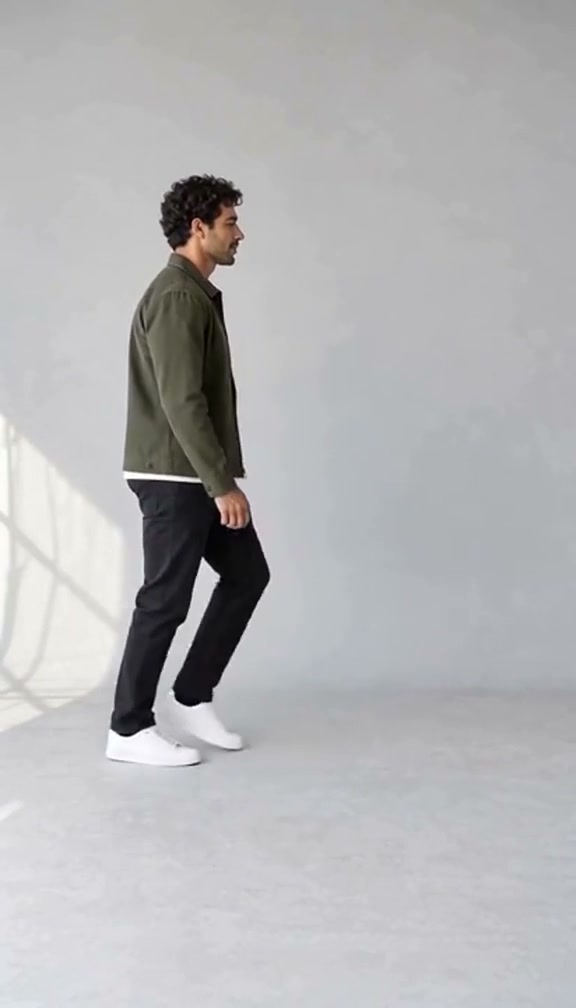
AI Moonwalk animates one chosen character performing the backward slide: the body travels backward while alternating heel lifts and foot placement suggest forward steps. This Motion Transfer page uses the side-view studio routine shown above. AI Moonwalk replaces the solo dancer's full appearance, including hair, body proportions, clothing and shoes, while keeping the room, floor, lighting and prepared movement. One photo is required. You do not need to record a dance, upload a reference clip or describe every step. The fixed routine lasts about eight seconds and includes its reference audio. It is a short moonwalk sequence, not a complete concert performance or a selectable collection of songs.

A solo dancer gliding backward in a bright studio with both feet visible

How to create your AI Moonwalk video

The reference and instructions are ready. Choose your photo and review the quote before generating.

  1. STEP 1

    Choose your AI Moonwalk dancer

    Choose one sharp full-body photo with both shoes visible. Keep the hairstyle and outfit you want in the same image; no dance pose is needed.

  2. STEP 2

    Choose a mode and generate

    Choose a generation mode and an available resolution in Settings, then review the current credit quote. Sign in and submit when ready. Selecting photos alone does not start a paid job.

  3. STEP 3

    Preview your AI Moonwalk result

    Watch the backward travel and each foot contact, check the outfit, then download the finished dance from My creations.

See the AI Moonwalk sequence

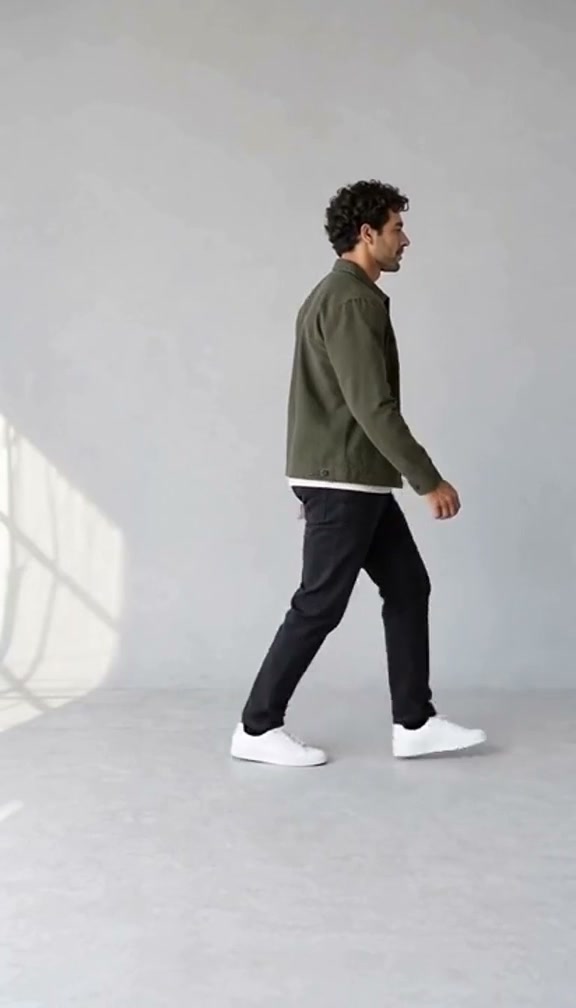
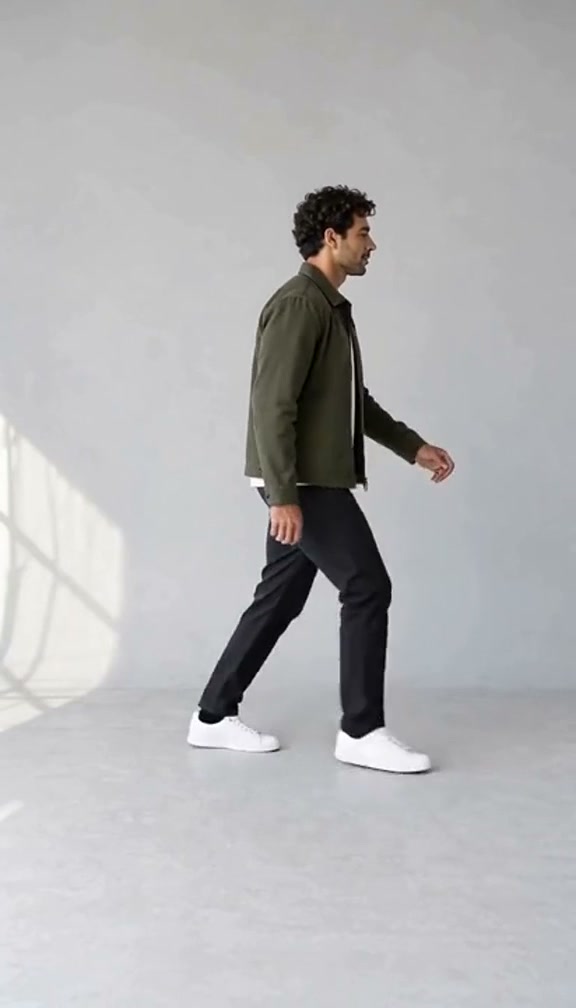
The images below are moments from the prepared reference, showing the action and the role your photo will change.

Let your outfit become part of the dance

AI Moonwalk keeps the attention on one full-body performer. Choose a casual jacket, a coordinated outfit or an original character look, and the photo provides those details as the dancer glides across the floor. You do not need a specific hat, glove or stage costume. AI Moonwalk works as a playful personal intro or an unexpected finish to a message from friends. Shoes are especially useful in the image because the heel lifts carry the illusion. Keep both feet visible so the model has less to invent during the sliding steps.
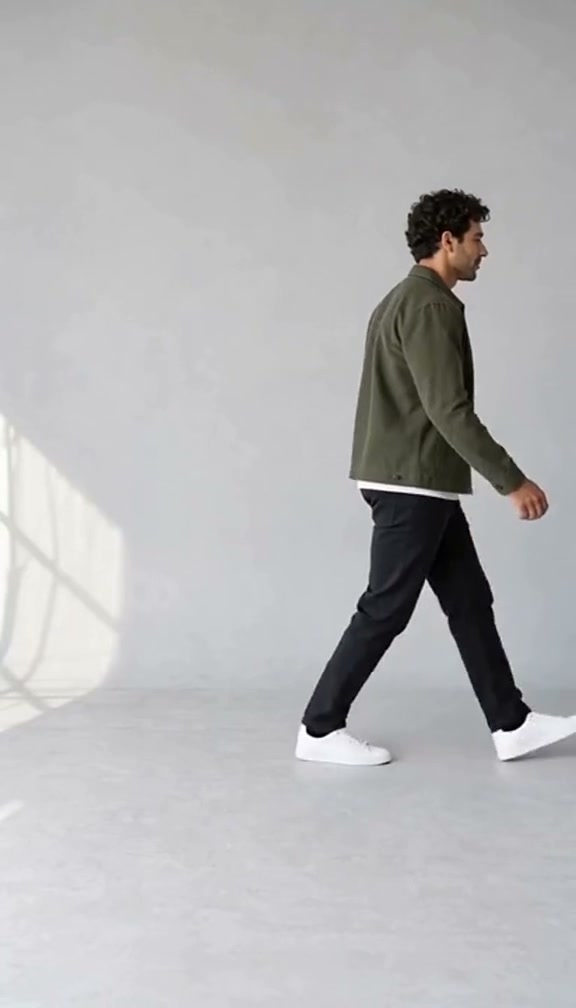
Let your outfit become part of the dance — frame from the prepared AI Moonwalk sequence

Show the glide from a clear side view

The side-on camera makes the backward travel easy to read. AI Moonwalk asks for the same alternating foot contacts and relaxed arm movement as the reference, with a simple studio behind the dancer. The uncluttered setting helps viewers focus on the movement and your chosen outfit. You get a recognizable dance moment without needing to master it physically. AI Moonwalk can still vary ankle shapes or floor contact, so review those details when the clip finishes. The fixed framing keeps the feet in view; cropping closely around the head afterward would hide the move.

Show the glide from a clear side view — frame from the prepared AI Moonwalk sequence

Give a short greeting a moving punchline

An AI Moonwalk clip can finish a birthday greeting, introduce an original character or add a playful reaction to a conversation. The routine is brief enough for the viewer to see the idea without a long build-up. Add your own message or music in an editor after downloading if your post needs it. AI Moonwalk supplies the prepared performance, not captions, multiple scenes or a new song. A short sequence also makes review straightforward: watch the shoes, then the body's direction of travel, then the appearance from start to finish.

Give a short greeting a moving punchline — frame from the prepared AI Moonwalk sequence

What you choose in AI Moonwalk

Your photo defines the character. The prepared reference supplies the action and setting.

One person and one outfit

AI Moonwalk takes one required character photo. The complete look comes from that image; there are no separate costume, partner or background slots.

A prepared studio routine

All three AI Moonwalk modes use the same eight-second source. Economy and Standard do not switch to a different dance. The generated movement may vary by mode.

A vertical clip ready to review

This reference uses a portrait frame with the whole body visible. AI Moonwalk offers the available resolutions and current quote in the workspace. The reference soundtrack is included.

AI Moonwalk credits and plans

Generation requires an account and sufficient credits. Use the quote on Generate for your chosen mode and resolution; general plan examples below can use different models and lengths.

Starter

For your first ideas.

$8.3/month

$100.0 charged yearly

2,400 credits/year

Up to 400 images

GPT Image 2Nano Banana Pro

Up to 133 videos

Seedance 2.5Kling 3.0 Motion Control
  • Up to 4K images and HD videos, depending on the model
  • Image editing, video creation & motion transfer
  • Watermark-free image & video downloads
  • Generation history in your account
Popular40% OFFSave $238.8

Pro

For a steady creative flow.

$30.0/month$49.9/month

$360.0 charged yearly

21,600 credits/year

Up to 3,600 images

GPT Image 2Nano Banana Pro

Up to 1,200 videos

Seedance 2.5Kling 3.0 Motion Control
  • Up to 4K images and HD videos, depending on the model
  • Image editing, video creation & motion transfer
  • Watermark-free image & video downloads
  • Generation history in your account
  • Use credits across image and video models
Best Value50% OFFSave $599.8

Business

For more creations, more often.

$49.9/month$99.9/month

$599.0 charged yearly

48,000 credits/year

Up to 8,000 images

GPT Image 2Nano Banana Pro

Up to 2,666 videos

Seedance 2.5Kling 3.0 Motion Control
  • Up to 4K images and HD videos, depending on the model
  • Image editing, video creation & motion transfer
  • Watermark-free image & video downloads
  • Generation history in your account
  • Use credits across image and video models

Basic

$0

Try before you subscribe

  • 18 one-time signup credits
  • Generation history included
  • Watermarked previews & downloads
  • Up to 3 images or 1 video
  • Watermark-free downloads require payment

Prices in USD; taxes and total shown at checkout. Subscriptions renew automatically; cancel in Billing settings. Subscription credits expire each period; one-time credits never expire.

Refunds: request within 72 hours. Used purchased credits and applicable non-refundable processing costs (up to 6%) are deducted. Terms · Refund Policy

AI Moonwalk questions

Inputs, the prepared sequence, generation settings and your finished result.

How do I create an AI Moonwalk video from a photo?

Add one photo to the Dancer slot, choose a mode and resolution, then review the credits and submit. AI Moonwalk supplies the reference and instructions. Your completed clip appears in My creations.

What photo should I upload for AI Moonwalk?

A clear full-body photo is the most useful starting point. Include both shoes, the legs, arms and hairstyle, with one person against a reasonably simple background. You do not have to be standing sideways or already doing the move. AI Moonwalk takes appearance from your photo and movement from the prepared reference.

Does AI Moonwalk need a special outfit?

Your own clothes and shoes can appear in the result. Visible footwear is more useful than feet hidden beneath a long hem. AI Moonwalk may vary fine patterns or details absent from the photo.

Is AI Moonwalk a live filter or a dance lesson?

AI Moonwalk generates a video from a still photo. It does not track a live camera or teach physical dance technique. Preview the short studio glide to decide whether it fits your idea.

Can I use AI Moonwalk for two dancers or a pet?

AI Moonwalk has one upright human-performer role. Use one person or a compatible original human-shaped character. Duets and pets need templates designed for those subjects; this page has no second role.

Can I choose the AI Moonwalk song or studio?

The studio and audio follow the prepared reference. Neither has a separate upload control. Listen to the preview, then add your own permitted soundtrack or caption to the downloaded AI Moonwalk clip if needed.

How long is an AI Moonwalk result?

The prepared source is eight seconds. All three modes use that same short sequence, with no trimming step for the user. Original follows the complete reference; Economy and Standard reinterpret the supplied movement and can differ in timing details. There is no longer-performance selector on the AI Moonwalk page.

Why might the feet look wrong in AI Moonwalk?

The illusion depends on alternating heel lifts while the body slides backward. A generation can change shoe shapes, merge feet or make them appear to float. Inspect the result at normal speed and pause at the transitions. A sharper photo showing both shoes can reduce missing visual information, though it cannot guarantee a perfect result.

How much does AI Moonwalk cost?

Generate shows the current quote for your mode and resolution. Submission requires an account and sufficient credits. Each new AI Moonwalk attempt uses credits; replaying a completed result does not.

Where can I download and share my AI Moonwalk clip?

Open the completed result in My creations, review the entire glide and use its download action. You can then add a caption in your usual editor or share it where appropriate. Use photos you have permission to animate, and present the performance as AI-created when viewers could otherwise mistake it for a real recording.

Create your AI Moonwalk video

Choose your photo and bring your idea into the prepared sequence.

A solo dancer gliding backward in a bright studio with both feet visible