
Upside Down AI Hand-Flip Video Generator
Flip your palm, cover the lens and reveal your next look. Upside Down AI brings your complete appearance into the prepared indoor-to-outdoor transition. Use one photo, or add a second look of the same person. The reference is silent.
0:00 / —:—
Upside Down AI video ideas
Explore community remixes of this performance. Open a video for a closer look.
Outdoor reveal
What is Upside Down AI?
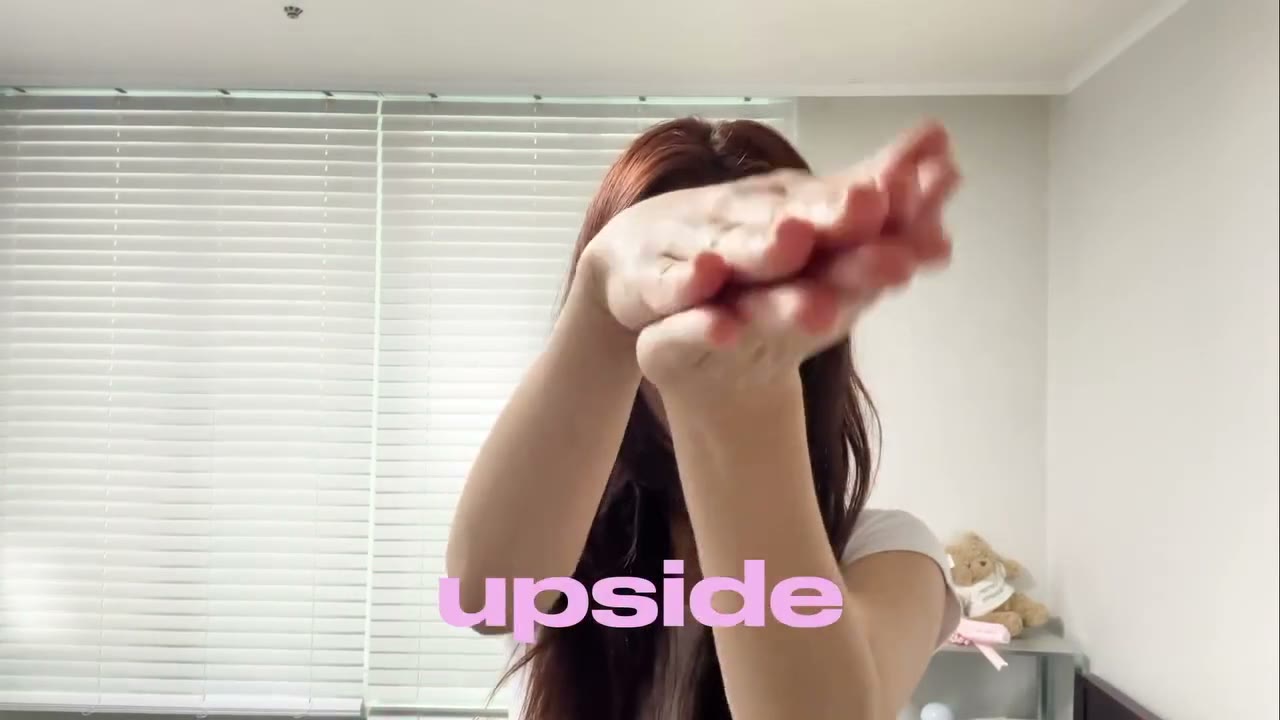
Upside Down AI is a photo-driven hand-flip transition: a person raises a hand and turns the palm indoors, covers the camera, then appears outside for a look reveal. Pink lyric text follows the original sequence. On Motion Transfer, Photo 1 supplies the main character’s complete face, hair, body and clothing; an optional Photo 2 supplies that same person’s revealed look. Upside Down AI follows the roughly ten-second landscape reference. This page recreates the gesture-and-outfit edit shown in the preview, with no audio track or generated dialogue.
How to create an Upside Down AI video
Choose your character and decide whether to change their look.
STEP 1
Choose the opening look
Upload one clear photo for Upside Down AI, with the person’s face, hair and outfit visible. Optionally add a second photo of the same person for the outdoor reveal.
STEP 2
Review the silent reference
Watch the Upside Down AI gestures and pink lyrics. Pick an available resolution, check the Generate quote, then sign in with sufficient credits to submit.
STEP 3
Check the reveal and download
Review your Upside Down AI result in My creations. Check the hand cover, identity, outfit change and lyric text, then download. Add licensed audio separately if you want music.
Make the Upside Down AI reveal yours
See two community takes on the hand-led transition, the outdoor reveal and the pink lyric design.
Show a second look without filming two takes
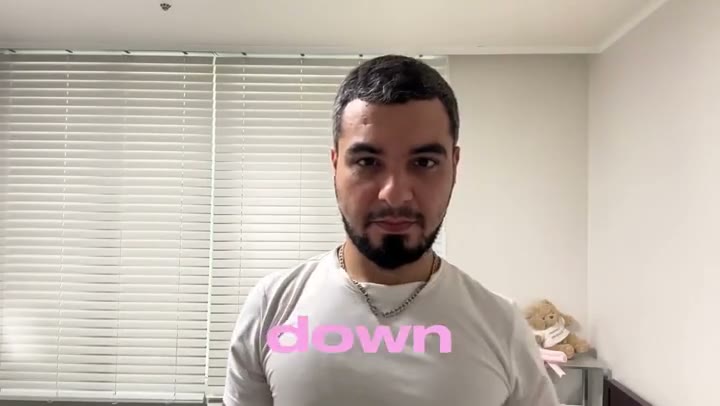
Upside Down AI lets you choose how much the appearance changes at the reveal. Use one photo to carry a recognizable look through both locations, or add a second photo of the same person in a different outfit for the outdoor section. The input controls the full appearance and clothing, so a visible hairstyle and outfit give the model more to work with than a close face crop. Upside Down AI can support a personal style comparison or playful outfit post. Review both sides of the transition for identity and clothing continuity.
Keep the gesture that connects the two scenes
The palm flip and lens cover give the edit a visible transition point. Upside Down AI follows the source hand movement, expressions and camera timing, letting you use the prepared performance without recording the gestures yourself. The indoor blinds and outdoor street remain part of the scene. Upside Down AI keeps one continuous character through that change of setting; the second photo is a look for the same person, not an extra performer. Watch the hand sequence first to see whether its pace and reveal fit your intended post.
Keep the pink lyric design in a silent clip
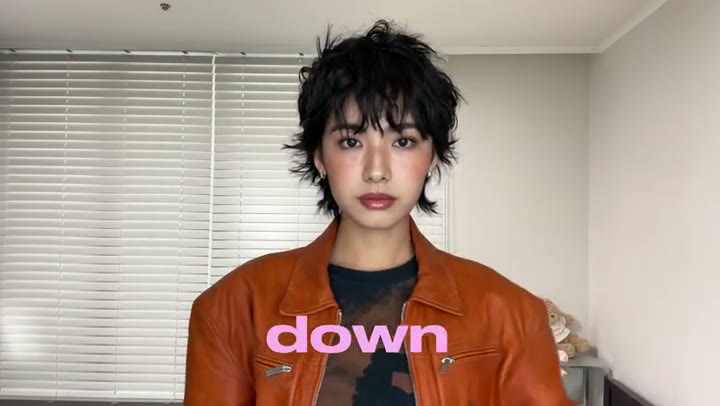
Upside Down AI retains the reference’s pink on-screen lyrics, their placement and timing. The source has no audio track, so your result is silent too. You can add music you are allowed to use in a separate editor or posting app after downloading. Upside Down AI provides the visual performance and wide composition without assuming a soundtrack license or inventing speech. The community previews show how different people carry the same gesture and lyric layout. Check the lyric shapes and fingers in your own result before sharing it.
Choose Upside Down AI for a two-look reveal
The prepared gesture and locations stay the same while you choose the character.
One person, one or two looks
Upside Down AI needs one photo. The optional second photo changes the outdoor look of that same person. Use a consistent identity in both images so the transition has a clear subject.
A visual transition with existing lyrics
Upside Down AI keeps the supplied pink text and landscape framing. There is no lyric editor, music selector or background-photo slot on this page.
Another kind of outfit sequence
For four consecutive looks, explore Ceiling Fan AI. For a different gesture, location or text layout, use a suitable reference on the Motion Transfer homepage.
Upside Down AI credits and plans
Upside Down AI needs an account and enough credits for the displayed quote. Resolution and reference length determine the quote; plan examples can describe other video modes.
Starter
For your first ideas.
$8.3/month
$100.0 charged yearly
2,400 credits/year
Up to 400 images
GPT Image 2Nano Banana Pro
Up to 133 videos
Seedance 2.5Kling 3.0 Motion Control
- Up to 4K images and HD videos, depending on the model
- Image editing, video creation & motion transfer
- Watermark-free image & video downloads
- Generation history in your account
Popular40% OFFSave $238.8
Pro
For a steady creative flow.
$30.0/month$49.9/month
$360.0 charged yearly
21,600 credits/year
Up to 3,600 images
GPT Image 2Nano Banana Pro
Up to 1,200 videos
Seedance 2.5Kling 3.0 Motion Control
- Up to 4K images and HD videos, depending on the model
- Image editing, video creation & motion transfer
- Watermark-free image & video downloads
- Generation history in your account
- Use credits across image and video models
Best Value50% OFFSave $599.8
Business
For more creations, more often.
$49.9/month$99.9/month
$599.0 charged yearly
48,000 credits/year
Up to 8,000 images
GPT Image 2Nano Banana Pro
Up to 2,666 videos
Seedance 2.5Kling 3.0 Motion Control
- Up to 4K images and HD videos, depending on the model
- Image editing, video creation & motion transfer
- Watermark-free image & video downloads
- Generation history in your account
- Use credits across image and video models
Basic
$0Try before you subscribe
- 18 one-time signup credits
- Generation history included
- Watermarked previews & downloads
- Up to 3 images or 1 video
- Watermark-free downloads require payment
Prices in USD; taxes and total shown at checkout. Subscriptions renew automatically; cancel in Billing settings. Subscription credits expire each period; one-time credits never expire.
Refunds: request within 72 hours. Used purchased credits and applicable non-refundable processing costs (up to 6%) are deducted. Terms · Refund Policy
Upside Down AI questions
The optional look, silent source and fixed visual sequence.
How many photos does Upside Down AI need?
Upside Down AI needs one photo of the main character. You may add one more photo of that same person for the revealed outdoor look. With only Photo 1, its appearance is used throughout.
What should Photo 2 show in Upside Down AI?
Use the same person in the outfit and hairstyle you want after the transition. Upside Down AI assigns Photo 2 to the outdoor reveal only. Avoid substituting another person or a clothing-only product photo.
Does Upside Down AI replace the full outfit?
Yes. Upside Down AI uses the person’s complete appearance, body and outfit from the supplied images. Show the relevant clothing clearly; details outside the photo crop must be inferred and may vary.
Does Upside Down AI include the song?
No. The supplied Upside Down AI video has no audio track, even though lyrics appear on screen. The result is silent. Add music separately using audio you have permission to use.
Can I edit the pink lyrics in Upside Down AI?
This page keeps the existing lyric overlay and its timing. Upside Down AI has no text editor or subtitle removal setting. AI can alter lettering, so inspect the text in the generated result.
Can Upside Down AI change the locations?
The indoor blinds and outdoor street come from the fixed reference. Upside Down AI has no background upload. Bring your own video to the homepage if you need different locations or a different reveal.
How long and wide is an Upside Down AI result?
Upside Down AI follows the approximately 9.9-second, 16:9 reference. You can choose an available resolution. Length and frame shape follow the source rather than a separate duration or crop control.
What should I check in an Upside Down AI result?
Watch the fingers as the palm turns and covers the lens. Check that the same person remains recognizable after the cut, that the selected reveal outfit appears and that the pink text stays readable.
Is Upside Down AI free to generate?
You can preview the visual reference before submitting. Upside Down AI generation requires signing in and sufficient credits for the quote. Choosing a photo or playing the preview does not itself submit a generation.
Can I share my Upside Down AI video?
Use photos with permission and review your completed clip before posting. Upside Down AI does not grant extra rights to the reference or its existing lyrics. Any soundtrack you add needs its own permission; follow the destination platform’s AI labeling rules.
Create your Upside Down AI reveal
Choose your opening look and an optional second outfit for the same character.