
Kung Fu Kick AI Video Generator
Put your chosen person into the airborne kick sequence. Kung Fu Kick AI uses one photo for the central performer's full appearance and outfit, keeping the target holders, canyon scene and reference audio.
0:00 / —:—
Kung Fu Kick AI video ideas
Explore community remixes of this performance. Open a video for a closer look.
Summer-outfit performance
What is Kung Fu Kick AI?
Kung Fu Kick AI is a short martial-arts performance built around a run-up, airborne turns and kicks aimed at pads held in two rows. The performer travels toward the camera before a final high kick and landing, with a tall canyon opening behind the group. On Motion Transfer, one person photo replaces the central kicker's full appearance and clothing. Kung Fu Kick AI creates an approximately eight-second portrait video following this fixed action, setting and soundtrack. The surrounding target holders stay in their original roles.
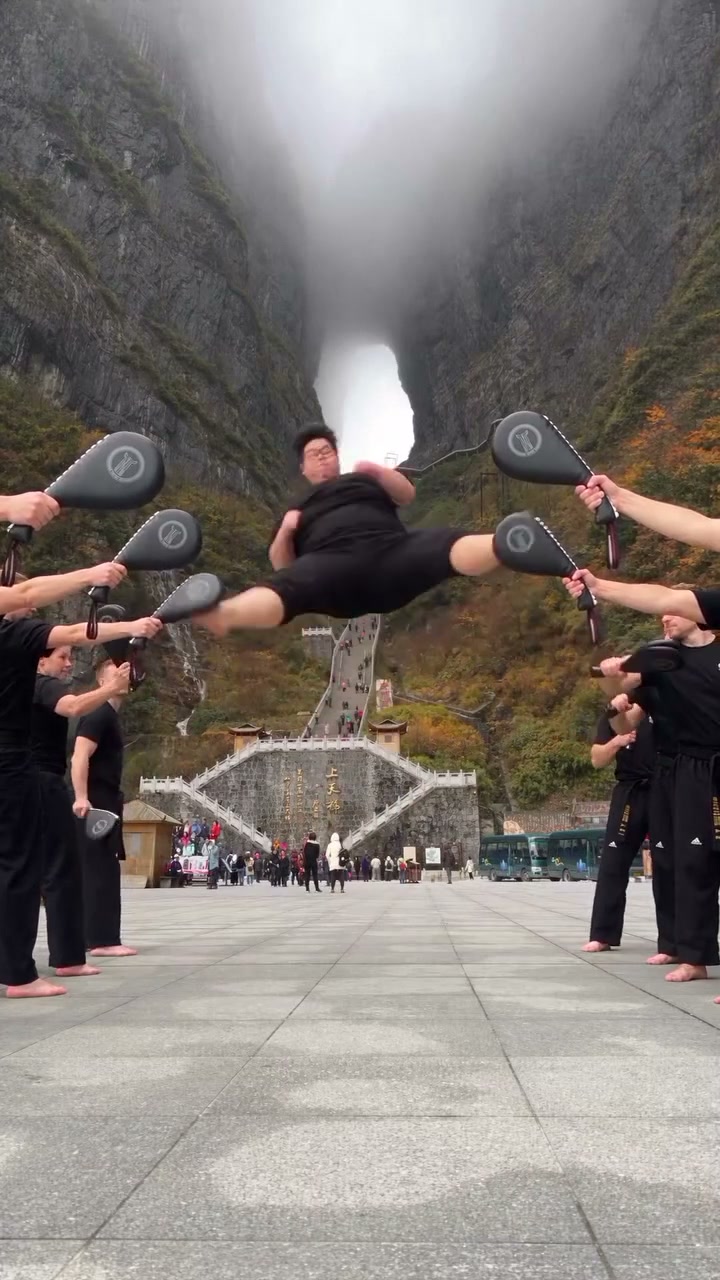
How to create a Kung Fu Kick AI video
Choose the person, review the action and generate.
STEP 1
Upload a Kung Fu Kick AI photo
Choose one clear person photo with visible hair, face and clothing. A wider portrait helps establish the full outfit.
STEP 2
Generate your Kung Fu Kick AI sequence
Preview the fixed action, choose a resolution in Settings, check the credits and sign in to submit.
STEP 3
Review your Kung Fu Kick AI result
Open My creations, inspect the turns, target contact and landing with sound, then download the finished clip.
Kung Fu Kick AI community examples
Two central performers follow the same airborne target-kick sequence.
Take the central Kung Fu Kick AI role
Give your chosen person the lead in a fast-moving action clip without filming a physical stunt. Kung Fu Kick AI carries their appearance and outfit into the prepared sequence, so the same performance can feel personal with an everyday look or a deliberately chosen character style. The two visible community examples show different central performers within the shared setting. Choose Kung Fu Kick AI when the joke, greeting or introduction depends on seeing a particular person carry the action from start to finish.
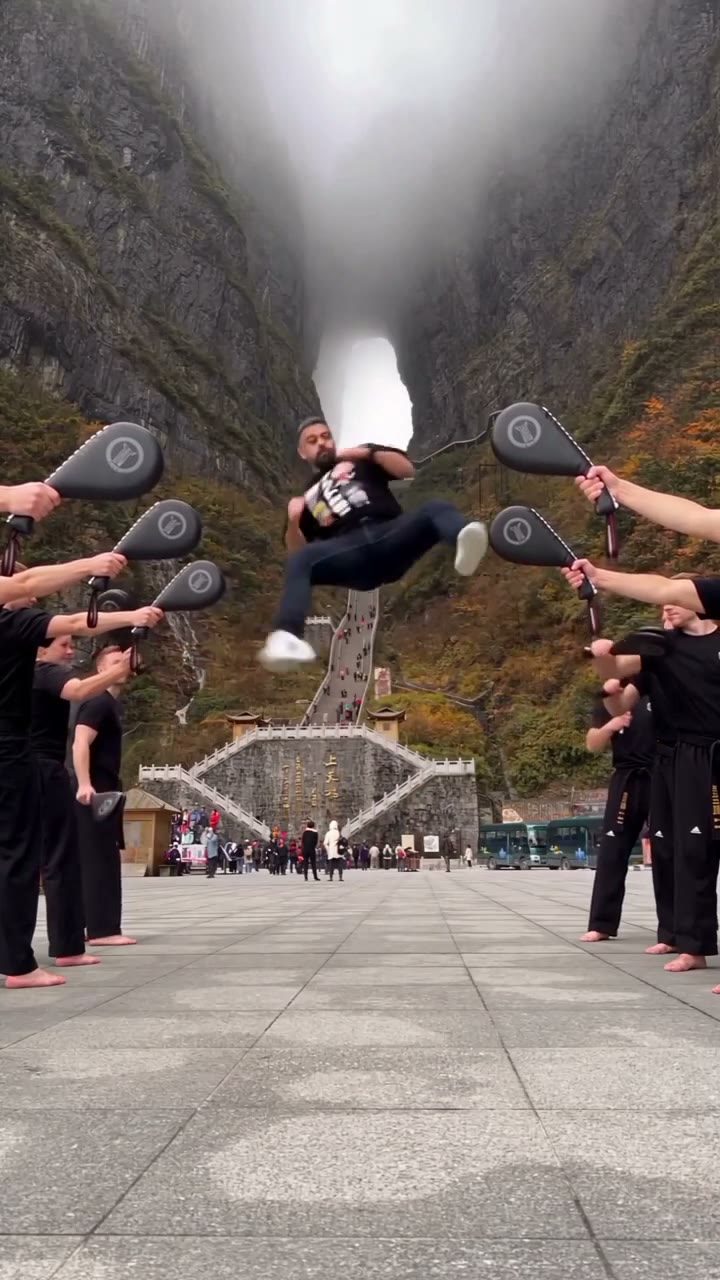
Follow each turn through to the landing
The clip has a clear progression: an approach from the background, alternating airborne kicks and a closer finishing move. Kung Fu Kick AI follows that motion rather than asking you to record a matching series of jumps. The portrait framing keeps the growing figure in view as they move toward the camera. Preview the entire Kung Fu Kick AI sequence to see how the outfit reads during turns and how the final stance closes the performance before deciding which photo to upload.
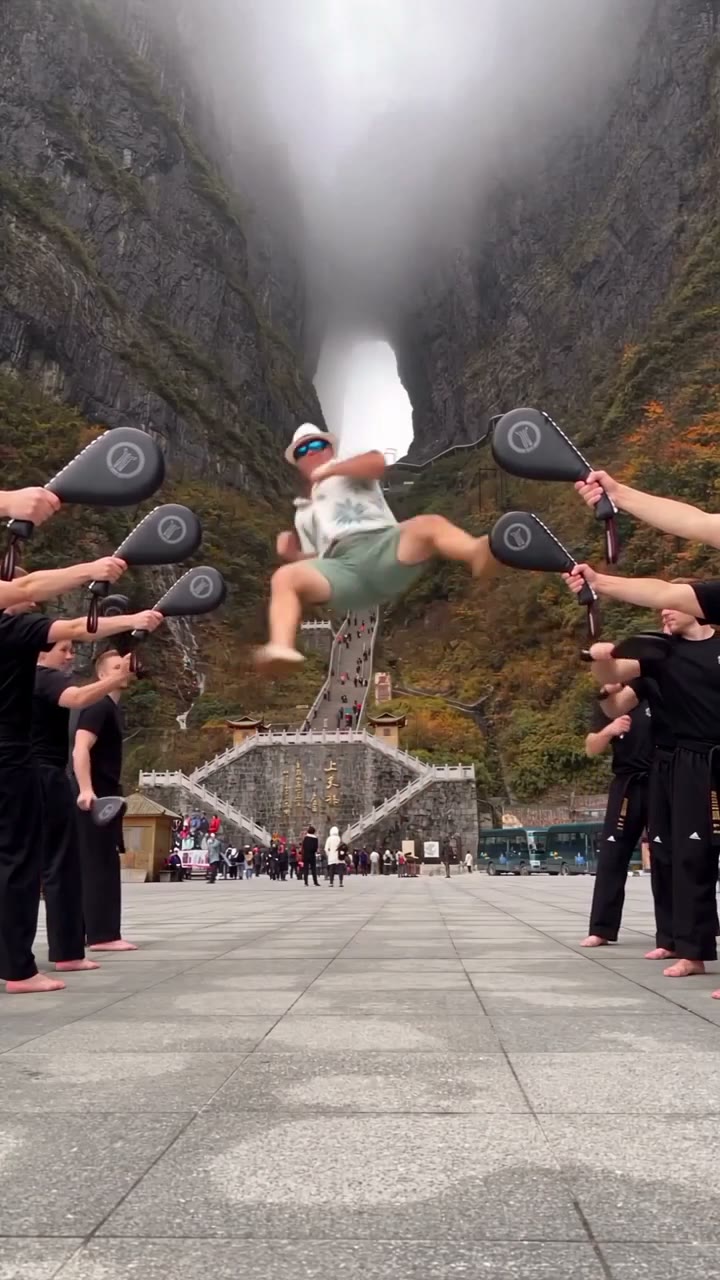
Make a Kung Fu Kick AI action reply
Use the short burst of movement as a playful response, a personal challenge edit or an energetic character reveal. Kung Fu Kick AI keeps the pad holders and canyon background, giving the action a visible path and a sense of depth. The supplied sound accompanies the completed video, so the scene can stand on its own before you add a caption in your usual editor. A Kung Fu Kick AI result is a generated performance; review the movement and contact points before sharing it.
When Kung Fu Kick AI fits your idea
Choose a personal action clip with a fixed sequence and supporting cast.
One photo for the central performer
Kung Fu Kick AI maps your image to the kicker moving down the middle. Both lines of target holders stay in the reference; you do not need photos for the surrounding people.
Your full look through the movement
The photo supplies the face, hairstyle, body and clothing. Kung Fu Kick AI uses the prepared kicks and camera framing, with no separate controls for individual moves, target positions or outfits.
A short portrait action video
The approximately eight-second reference includes its own audio and a completed landing. Kung Fu Kick AI retains that timing and tall composition while offering available output resolutions.
Kung Fu Kick AI credits and plans
An account and enough credits are required. Check the workspace quote for this reference and resolution; general plan examples may use other models or durations.
Starter
For your first ideas.
$8.3/month
$100.0 charged yearly
2,400 credits/year
Up to 400 images
GPT Image 2Nano Banana Pro
Up to 133 videos
Seedance 2.5Kling 3.0 Motion Control
- Up to 4K images and HD videos, depending on the model
- Image editing, video creation & motion transfer
- Watermark-free image & video downloads
- Generation history in your account
Popular40% OFFSave $238.8
Pro
For a steady creative flow.
$30.0/month$49.9/month
$360.0 charged yearly
21,600 credits/year
Up to 3,600 images
GPT Image 2Nano Banana Pro
Up to 1,200 videos
Seedance 2.5Kling 3.0 Motion Control
- Up to 4K images and HD videos, depending on the model
- Image editing, video creation & motion transfer
- Watermark-free image & video downloads
- Generation history in your account
- Use credits across image and video models
Best Value50% OFFSave $599.8
Business
For more creations, more often.
$49.9/month$99.9/month
$599.0 charged yearly
48,000 credits/year
Up to 8,000 images
GPT Image 2Nano Banana Pro
Up to 2,666 videos
Seedance 2.5Kling 3.0 Motion Control
- Up to 4K images and HD videos, depending on the model
- Image editing, video creation & motion transfer
- Watermark-free image & video downloads
- Generation history in your account
- Use credits across image and video models
Basic
$0Try before you subscribe
- 18 one-time signup credits
- Generation history included
- Watermarked previews & downloads
- Up to 3 images or 1 video
- Watermark-free downloads require payment
Prices in USD; taxes and total shown at checkout. Subscriptions renew automatically; cancel in Billing settings. Subscription credits expire each period; one-time credits never expire.
Refunds: request within 72 hours. Used purchased credits and applicable non-refundable processing costs (up to 6%) are deducted. Terms · Refund Policy
Kung Fu Kick AI questions
Photos, roles, action and the finished clip.
What photo should I use for Kung Fu Kick AI?
Choose one clear person photo with an unobstructed face, visible hair and enough body coverage to establish the clothing. A full-body or wider portrait gives more information about trousers and shoes during the jumps. Kung Fu Kick AI takes one role photo, so avoid group images, collages and heavy motion blur.
Does Kung Fu Kick AI use the whole outfit?
Yes. The image defines the central performer's complete appearance and clothing. Select a photo that already shows the desired look; the page has no separate wardrobe or shoe selector. Fine prints, accessories and fabric edges can vary during rapid turns, so simple, clearly visible clothing is easier to assess in the result.
Can Kung Fu Kick AI replace the people holding the pads?
Your single photo is assigned only to the central kicker. The two rows of pad holders remain in the scene with their original appearances and clothing. Their positions and targets help define the action. There is no second role input or group replacement option in this prepared version.
Can I choose different kicks in Kung Fu Kick AI?
The reference fixes the approach, airborne turns, target kicks, finishing move and landing. This page has no move-by-move editor or difficulty setting. Watch the preview to decide whether this sequence suits your idea. For another permitted motion reference, you can begin a separate project on the Motion Transfer homepage.
Does Kung Fu Kick AI include sound?
The finished clip uses the reference audio. Your photo does not create a voice, and there is no soundtrack composition input on this page. Turn on sound in the reference preview to hear what accompanies the movement. Check any footage and audio rights that apply before sharing a finished edit.
How long is a Kung Fu Kick AI video?
This version is approximately eight seconds and uses portrait framing. It includes the full run-up, aerial sequence and landing shown in the preview. Settings lets you choose from the available resolutions; increasing resolution does not extend the performance, add moves or guarantee more accurate details in a low-quality source photo.
How much does Kung Fu Kick AI cost?
You need to sign in and have sufficient credits to generate. The workspace displays a quote based on the selected resolution and this reference before submission. Use that quote for your decision, since general plan examples elsewhere on the page may refer to a different model or clip length.
What should I check in a Kung Fu Kick AI result?
Watch the same person through the rotations, then check feet against the pads and the final landing on the pavement. Confirm that the target holders remain separate from the lead. Fast limbs, fingers, small accessories and distant facial details can vary; review the completed video at normal speed as well as key moments.
Is Kung Fu Kick AI a martial-arts training tool?
It creates a stylized visual performance from a photograph and a prepared clip. The result does not demonstrate the photographed person's physical ability or provide coaching for the jumps. Use it for a creative video, and make its generated nature clear when sharing so viewers can understand what they are watching.
Create your Kung Fu Kick AI video
Choose the person for your airborne action sequence.