
Hallway Dance AI Video Generator
Turn four individual photos into a Hallway Dance AI relay. Your crew takes turns hopping toward the camera and weaving past one another, each with their own complete look and outfit. The prepared hallway reference supplies the moves and original sound.
0:00 / —:—
Hallway Dance AI video ideas
Explore community remixes of this performance. Open a video for a closer look.
What is Hallway Dance AI?
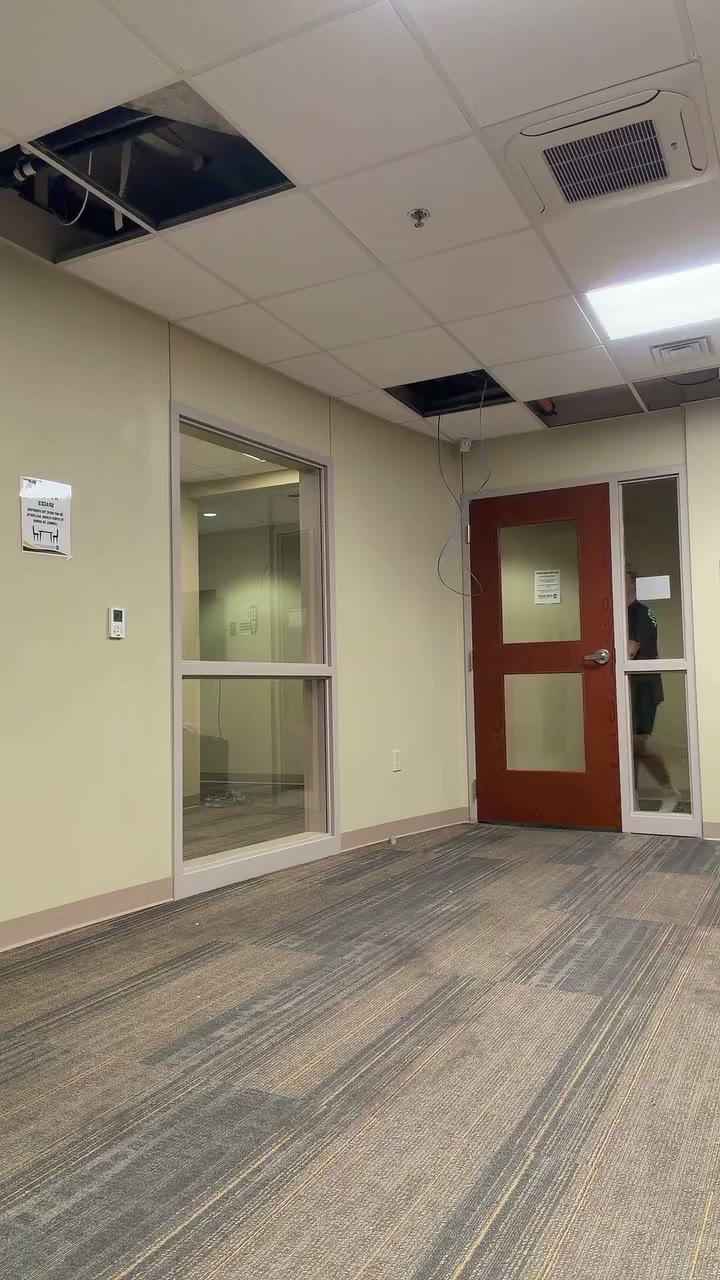
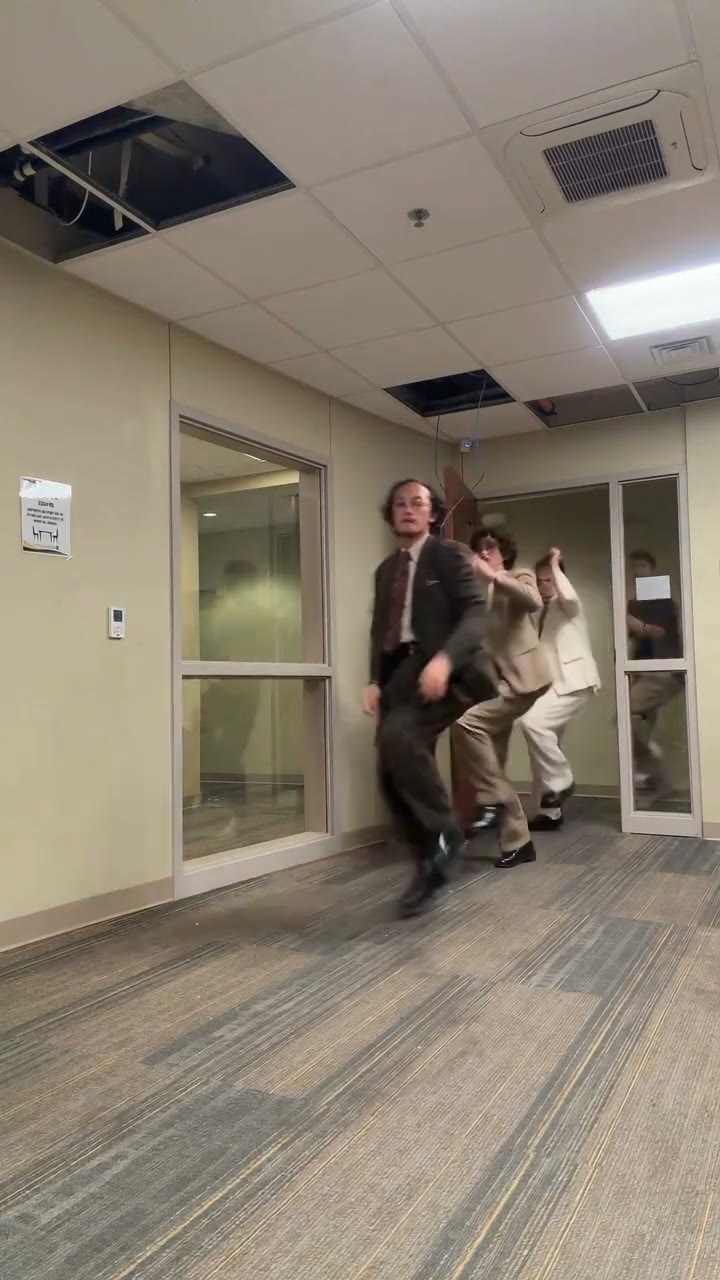
Hallway Dance AI places four uploaded characters into a prepared corridor dance. The reference opens on an empty hallway before the crew enters, then follows alternating high-knee hops, running steps, arm swings and weaving positions. Photo 1 replaces the source dancer in a black shirt and black shorts; Photo 2 follows yellow shirt and dark trousers; Photo 3 follows gray graphic shirt and black shorts; Photo 4 follows black shirt and gray sweatpants. Hallway Dance AI uses those clothes to identify roles while your photos supply the new appearances. The roughly 15-second vertical routine keeps the carpet, doors, fluorescent lighting and original audio.
How to make a Hallway Dance AI video
Choose four references, match the source roles and review the complete relay.
STEP 1
Match four photos to the source outfits
Hallway Dance AI requires four separate photos. Photo 1 follows black shirt/black shorts, Photo 2 yellow shirt/dark trousers, Photo 3 gray graphic shirt/black shorts, and Photo 4 black shirt/gray sweatpants. Choose one adult character per image, with a clear face and the clothing you want in the scene.
STEP 2
Play the reference and check the quote
Preview the Hallway Dance AI performance with sound. Open Settings for available resolution choices, then check the quote on Generate. Sign in and confirm your account has enough credits before submitting.
STEP 3
Check every pass and crossing
Find the completed Hallway Dance AI video in My creations. Review all four faces, the two black-shirt roles, raised knees and body overlaps as each person approaches and moves away. Play the soundtrack and download your result. A new submission creates a separate generation and uses credits.
Give every crew member a turn at the front
Hallway Dance AI follows a four-person relay, with changing foreground performers and a shared corridor setting that connects the whole group.
Bring four personal looks into the same relay
Hallway Dance AI gives each crew member a separate image slot, so four friends can appear together without posing for a group photograph. Build a coordinated set of outfits or choose contrasting styles that make each person easy to recognize. Every upload contributes hair, proportions, clothing, footwear and accessories. Hallway Dance AI requests those uploaded looks throughout the sequence; black, yellow and gray describe the source dancers only. For the two black-shirt roles, the original shorts and gray sweatpants distinguish who is who. Choose the right slots before generating, even when your own photos use entirely different colors.
Take turns approaching the camera
The relay gives Hallway Dance AI its group dynamic. One dancer comes forward with a high knee while another passes behind, then the foreground opens for the next person. Repeated approaches create several opportunities to recognize each member of your cast. Hallway Dance AI follows that sequence without requiring anyone to record a dance take. Identity should stay with the assigned source performer through the weaving moves, even when bodies overlap or a person passes close to the lens. Check the near-camera moments and the return to the back of the corridor for changes in face or outfit.
Keep the hallway as a shared stage
Hallway Dance AI uses the fixed vertical corridor view, retaining the doors, carpet and ceiling lights around the moving crew. The empty opening establishes the room before the dancers arrive, and the later movement leads back toward the hallway. That simple staging gives a Hallway Dance AI video a recognizable beginning and group rhythm. Use it for a playful friend-group introduction or a clearly labeled AI remix. Keep the vertical frame wide enough to show crossing bodies and raised knees, then listen through the original soundtrack before deciding whether the complete clip is ready to share.
What you choose in Hallway Dance AI
Your photos choose the cast and wardrobe; the prepared hallway clip supplies the relay sequence.
Four independent character inputs
Hallway Dance AI requires all four roles. Use separate full-body adult photos with clear faces, clothes and shoes. The source outfit labels stay fixed even if you upload matching outfits for your own crew, so decide the role assignment before submission.
One vertical reference performance
Hallway Dance AI follows the approximately 15-second hallway relay. The page has no choreography, location or camera-angle selector. Use the Motion Transfer studio with another reference when you want a different performance.
Original audio and a live credit quote
Hallway Dance AI retains the supplied reference soundtrack. Your photos provide appearances, with no voice cloning from a still image. The generator displays available resolution choices and the current credit quote before submission.
Hallway Dance AI credits and plans
Watching the original reference does not start a generation. Making a Hallway Dance AI video requires an account and sufficient credits for the displayed quote. Reference length and selected resolution affect the quote. Plan examples below may describe other durations or models.
Starter
For your first ideas.
$8.3/month
$100.0 charged yearly
2,400 credits/year
Up to 400 images
GPT Image 2Nano Banana Pro
Up to 133 videos
Seedance 2.5Kling 3.0 Motion Control
- Up to 4K images and HD videos, depending on the model
- Image editing, video creation & motion transfer
- Watermark-free image & video downloads
- Generation history in your account
Popular40% OFFSave $238.8
Pro
For a steady creative flow.
$30.0/month$49.9/month
$360.0 charged yearly
21,600 credits/year
Up to 3,600 images
GPT Image 2Nano Banana Pro
Up to 1,200 videos
Seedance 2.5Kling 3.0 Motion Control
- Up to 4K images and HD videos, depending on the model
- Image editing, video creation & motion transfer
- Watermark-free image & video downloads
- Generation history in your account
- Use credits across image and video models
Best Value50% OFFSave $599.8
Business
For more creations, more often.
$49.9/month$99.9/month
$599.0 charged yearly
48,000 credits/year
Up to 8,000 images
GPT Image 2Nano Banana Pro
Up to 2,666 videos
Seedance 2.5Kling 3.0 Motion Control
- Up to 4K images and HD videos, depending on the model
- Image editing, video creation & motion transfer
- Watermark-free image & video downloads
- Generation history in your account
- Use credits across image and video models
Basic
$0Try before you subscribe
- 18 one-time signup credits
- Generation history included
- Watermarked previews & downloads
- Up to 3 images or 1 video
- Watermark-free downloads require payment
Prices in USD; taxes and total shown at checkout. Subscriptions renew automatically; cancel in Billing settings. Subscription credits expire each period; one-time credits never expire.
Refunds: request within 72 hours. Used purchased credits and applicable non-refundable processing costs (up to 6%) are deducted. Terms · Refund Policy
Hallway Dance AI questions
Details about four-photo casting, source outfit labels, overlapping moves and the finished clip.
Does Hallway Dance AI need four photos?
Yes. Hallway Dance AI recasts four performers and requires one reference image for each. Prepare separate photos with one adult character per image. There is no one-person option that leaves the other source dancers unchanged, and an empty role cannot be filled by the video alone.
How do I tell the two black-shirt roles apart?
In Hallway Dance AI, Photo 1 belongs to the source black-shirt dancer wearing black shorts. Photo 4 belongs to the source black-shirt dancer wearing gray sweatpants. Photo 2 is yellow shirt/dark trousers and Photo 3 is gray graphic shirt/black shorts. These labels identify original roles, including when the performers change positions.
Do I have to upload black, yellow and gray outfits?
No. Hallway Dance AI requests the complete looks from your uploaded photos, including their clothing and shoes. Source colors help assign identities; they do not define your wardrobe. Clear differences between your cast’s outfits can make the relay easier to follow when people overlap near the camera.
Which photos work best for Hallway Dance AI?
Use sharp adult photos with visible faces, bodies and footwear. The routine includes raised knees and full-body movement, so a face-only crop gives less information about the clothes and legs. Avoid heavy filters, group images and large objects hiding the body. Use people who have agreed to appear in your edit.
Does Hallway Dance AI keep the reference soundtrack?
Hallway Dance AI retains the original supplied audio. Play the reference with sound to hear what accompanies the relay. There is no music picker or voice-recording control on this page. A still photo does not supply a new voice, and you should check the rights for any public or commercial use of the people and soundtrack.
Can I change the Hallway Dance AI routine or room?
This preset follows the roughly 15-second vertical hallway reference. The room, entrance, hops, weaving movements and camera framing come from that clip. Resolution changes detail, with no longer relay or different background. Use the Motion Transfer studio and another motion reference when you want a different scene.
Is the Hallway Dance AI preview a completed generation?
The preview shows the original supplied performance, so you can inspect the four roles and their timing. It is not presented as an output created by this page. AI likeness, hands, legs and clothing can vary, especially during overlaps. Watch the whole result and check every performer before sharing.
Where do I download my Hallway Dance AI result?
Use My creations to play and download the completed video. Video history lists available earlier tasks. Inspect the empty opening, each foreground pass, body crossings and the movement back down the corridor with sound. Submitting again creates another generation and uses credits; it does not alter the existing clip.
Cast your Hallway Dance AI crew
Give four characters their own place in the relay. Choose the photos, match the roles and watch the group take turns.