
Champagne Shoot AI Video Generator
Put your character into the prepared rooftop celebration: champagne spray, a sip, a bottle toss and a fictional movie-style finish. Champagne Shoot AI uses one main-character photo, with an optional second photo for the driver.
0:00 / —:—
Champagne Shoot AI video ideas
Explore community remixes of this performance. Open a video for a closer look.
Rooftop persona
What is Champagne Shoot AI?
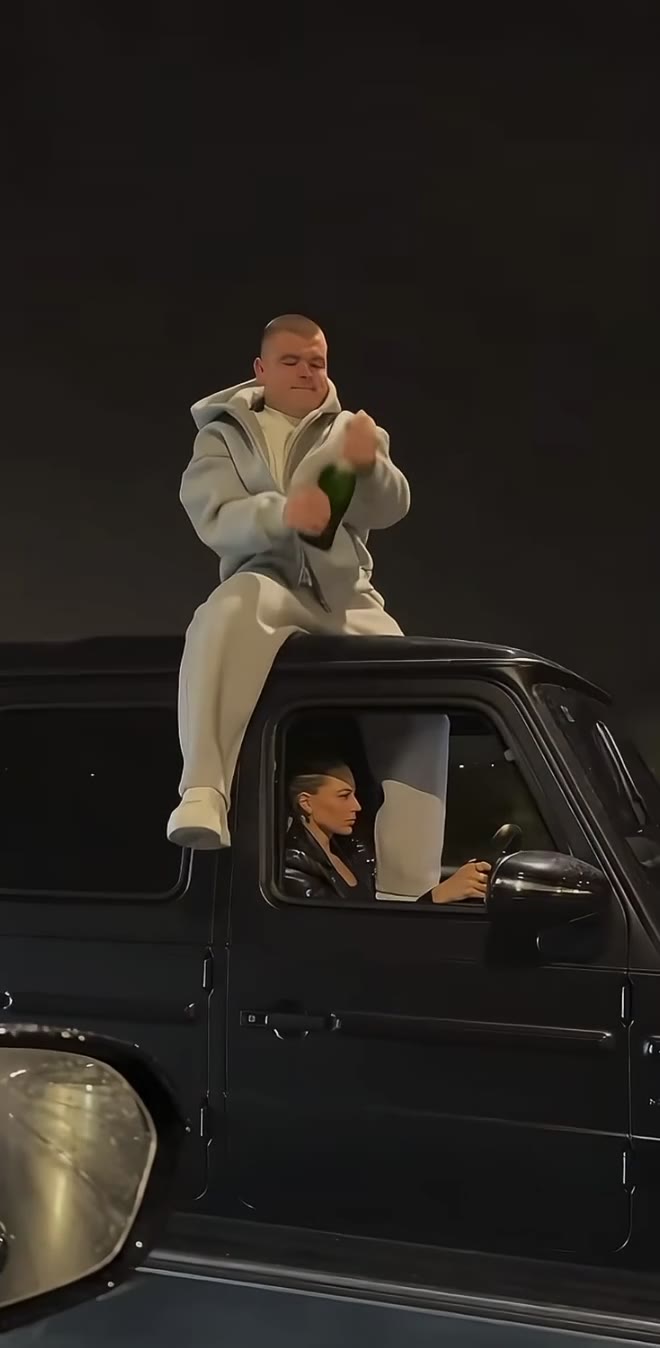
Champagne Shoot AI is a fictional nighttime SUV video effect in which a rooftop performer opens champagne, sprays it, takes a sip, tosses the bottle and follows with a stylized prop-pistol beat before celebrating as the vehicle drives away. On Motion Transfer, Photo 1 replaces that performer’s complete appearance and outfit. An optional Photo 2 replaces only the driver. Champagne Shoot AI follows the short portrait reference, including its moving camera and sound. It is a prepared cinematic edit; no driving, bottle throwing or physical stunt recording is required from you.
How to create a Champagne Shoot AI video
Choose the lead, optionally cast the driver and review the reference.
STEP 1
Upload the rooftop character
Use one clear adult photo for Champagne Shoot AI, with the intended face, hair and outfit visible. Add a second adult photo only if you want to replace the driver.
STEP 2
Review and submit
Preview the Champagne Shoot AI sequence with sound. Choose an available resolution, check the credit quote and sign in with sufficient credits to generate.
STEP 3
Check both roles and download
Watch your Champagne Shoot AI result in My creations. Review identity, fingers, bottle contact, spray and the drive-away ending, then download the finished clip.
Make the Champagne Shoot AI cast your own
Explore two community takes on the rooftop lead, the separate driver and the nighttime celebration.
Cast the rooftop lead and an optional driver
Champagne Shoot AI gives the two visible characters distinct roles. Your first photo defines the lead sitting on the roof, including hair, body, clothing and accessories. Use the second slot only when you want to change the driver as well; otherwise the reference driver stays. Champagne Shoot AI can make the scene recognizable through a chosen outfit without applying the same identity to both people. Choose clear photos of consenting adults and review each role separately in the result, especially when the lead turns or the bottle crosses their face.
Keep the bottle action and celebration in one edit
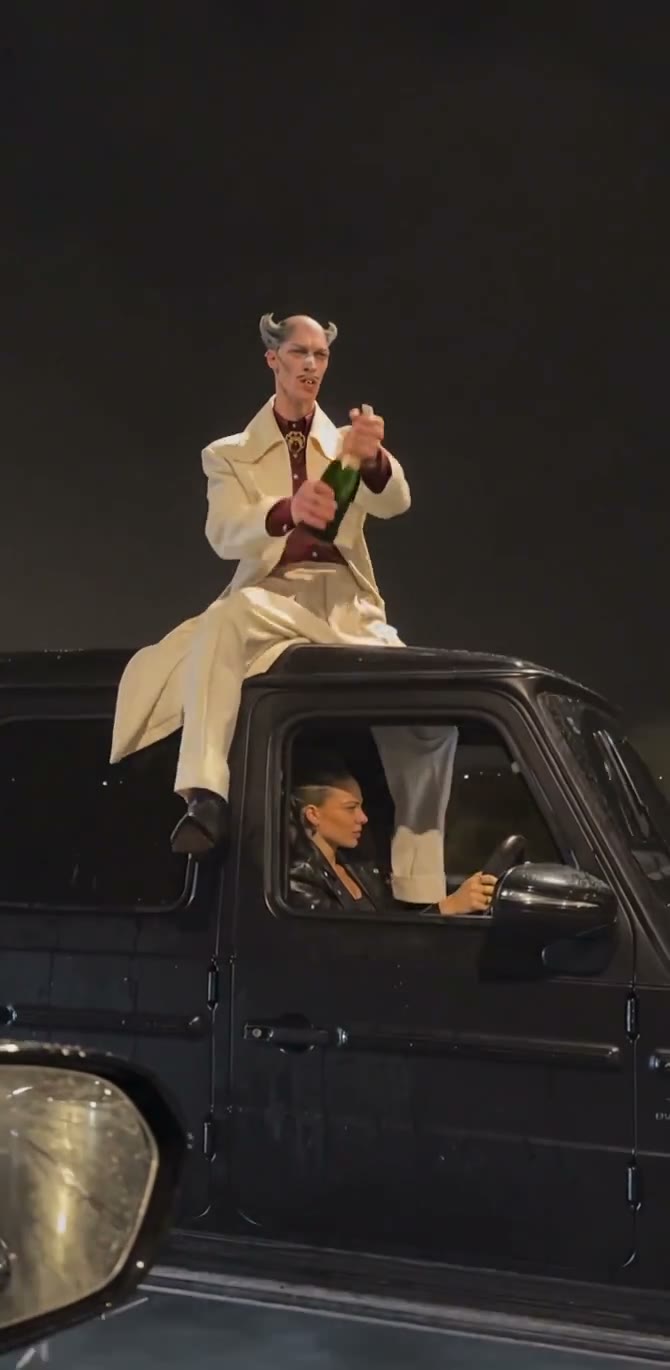
The reference supplies a specific sequence: the champagne opens and sprays, the performer drinks, the bottle leaves the hand and the fictional prop beat leads into a final celebration. Champagne Shoot AI follows this timing, so you can use the prepared scene without directing or editing each action separately. The black SUV and night-road background remain part of the composition. Champagne Shoot AI is suited to a cinematic character reveal with this particular sequence; it does not offer a menu of separate stunts or let you rearrange the action order.
Get the moving night scene with reference sound
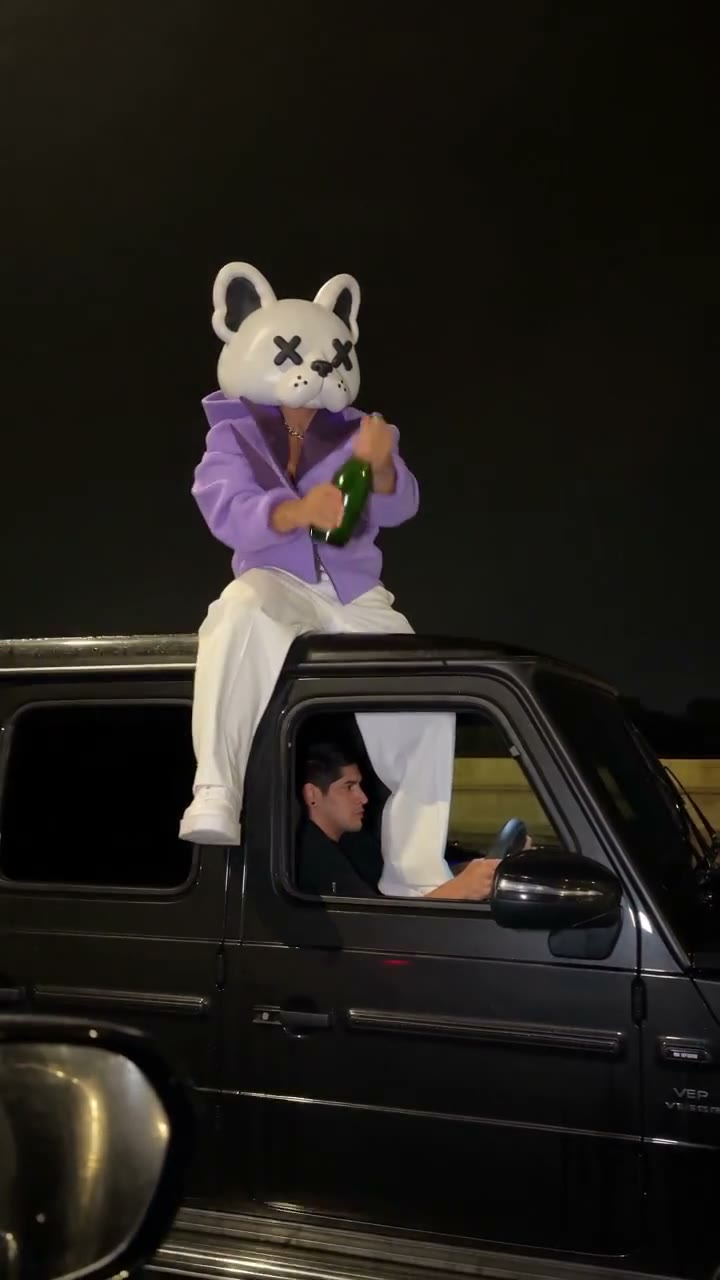
Champagne Shoot AI carries the side-tracking camera through to the vehicle’s drive-away ending and includes the supplied reference audio. The result is one short portrait clip you can review and download. Reflections, road lights and the receding SUV give the ending its sense of movement. Champagne Shoot AI keeps those elements from the prepared video, letting you focus on your chosen characters. Community previews show different rooftop personas within the same fictional scene. Watch the generated hands, bottle and final shot before deciding whether to share it.
Choose Champagne Shoot AI for this fictional night sequence
The cast changes while the vehicle, action and camera remain tied to the reference.
One lead or two distinct people
Champagne Shoot AI requires only the rooftop lead. The optional second photo belongs to the driver and does not create a second rooftop performer. Keep the intended role clear in each image.
A prepared cinematic celebration
Champagne Shoot AI preserves the champagne actions and fictional prop beat shown in the preview. Watch that reference before generating to decide whether the whole sequence fits your intended post.
A different kind of party clip
For a party entrance without the vehicle sequence, explore Bby Wow AI. For another scene or action, use the Motion Transfer homepage with a reference you have permission to use.
Champagne Shoot AI credits and plans
Champagne Shoot AI generation requires an account and enough credits for the displayed quote. The selected resolution and reference length determine the quote; plan examples can describe other modes.
Starter
For your first ideas.
$8.3/month
$100.0 charged yearly
2,400 credits/year
Up to 400 images
GPT Image 2Nano Banana Pro
Up to 133 videos
Seedance 2.5Kling 3.0 Motion Control
- Up to 4K images and HD videos, depending on the model
- Image editing, video creation & motion transfer
- Watermark-free image & video downloads
- Generation history in your account
Popular40% OFFSave $238.8
Pro
For a steady creative flow.
$30.0/month$49.9/month
$360.0 charged yearly
21,600 credits/year
Up to 3,600 images
GPT Image 2Nano Banana Pro
Up to 1,200 videos
Seedance 2.5Kling 3.0 Motion Control
- Up to 4K images and HD videos, depending on the model
- Image editing, video creation & motion transfer
- Watermark-free image & video downloads
- Generation history in your account
- Use credits across image and video models
Best Value50% OFFSave $599.8
Business
For more creations, more often.
$49.9/month$99.9/month
$599.0 charged yearly
48,000 credits/year
Up to 8,000 images
GPT Image 2Nano Banana Pro
Up to 2,666 videos
Seedance 2.5Kling 3.0 Motion Control
- Up to 4K images and HD videos, depending on the model
- Image editing, video creation & motion transfer
- Watermark-free image & video downloads
- Generation history in your account
- Use credits across image and video models
Basic
$0Try before you subscribe
- 18 one-time signup credits
- Generation history included
- Watermarked previews & downloads
- Up to 3 images or 1 video
- Watermark-free downloads require payment
Prices in USD; taxes and total shown at checkout. Subscriptions renew automatically; cancel in Billing settings. Subscription credits expire each period; one-time credits never expire.
Refunds: request within 72 hours. Used purchased credits and applicable non-refundable processing costs (up to 6%) are deducted. Terms · Refund Policy
Champagne Shoot AI questions
Character roles, the fixed sequence and reviewing your completed clip.
How many photos does Champagne Shoot AI need?
Champagne Shoot AI needs one photo of the rooftop character. A second driver photo is optional. Leave it empty to keep the driver from the reference; the two slots never represent two rooftop characters.
What should I upload for Champagne Shoot AI?
Choose one consenting adult per photo, with a clear face, hairstyle and intended outfit. Champagne Shoot AI uses the complete appearance. Avoid group photos, heavy blur or an object covering the face.
Does Champagne Shoot AI change the clothing?
Yes. Champagne Shoot AI transfers the character’s complete look, including body, hair and outfit. Show the clothes you want in the photo. Any hidden or cropped clothing detail must be inferred and can vary.
Can I replace the SUV in Champagne Shoot AI?
This page keeps the black SUV from the supplied reference. Champagne Shoot AI has no vehicle or location photo slot; Photo 2 is reserved for the driver. Use another reference on the homepage for a different car.
What happens at the end of Champagne Shoot AI?
After the spray, sip and bottle toss, the reference includes a stylized prop-pistol moment and a final celebration while the vehicle moves away. Champagne Shoot AI follows that fictional movie-style sequence, without adding a new ending.
Does Champagne Shoot AI include sound?
Champagne Shoot AI restores the supplied reference audio. Use the preview sound control to hear it. There is no separate voice or music picker, and the audio is not personalized to the people in your photos.
How long is a Champagne Shoot AI result?
Champagne Shoot AI follows the approximately 8.6-second portrait reference. Resolution choices are available in Settings. The fixed scene has no independent duration or aspect-ratio selector.
Can Champagne Shoot AI remove the prop-pistol moment?
The page uses the complete prepared sequence shown in the preview. Champagne Shoot AI has no action-removal toggle. Choose a different reference on the homepage if you want a scene without that moment.
What should I check in my Champagne Shoot AI result?
Check each character’s identity and outfit, the lead’s fingers, bottle contact, spray and the ending. Champagne Shoot AI may introduce artifacts during fast or partially obscured movements, so watch the complete result with sound.
Is Champagne Shoot AI free, and can I post the result?
Previewing the reference does not start generation. Champagne Shoot AI requires an account and sufficient credits to submit. Use permitted photos, check reference and audio rights for your intended use, and follow platform rules for labeling fictional AI content.
Create your Champagne Shoot AI scene
Choose the rooftop lead and optionally give the driver a separate identity.