
Baile Charme AI Video Generator
Put your look in the middle of the night-party dance. Baile Charme AI uses one person or pet photo for a 15-second vertical performance that includes sound. Your photo supplies the lead’s appearance; the dance is ready.
0:00 / —:—
Baile Charme AI video ideas
Explore community remixes of this performance. Open a video for a closer look.
Extended party remix
What is Baile Charme AI?
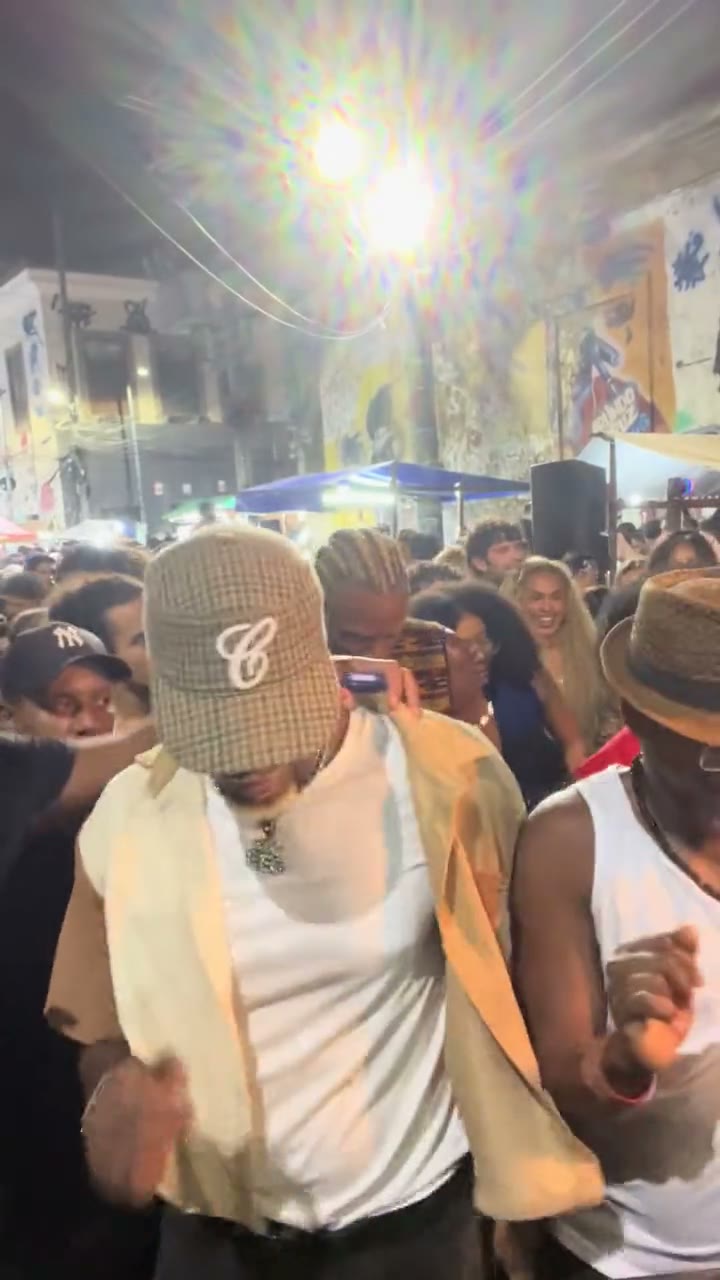
Baile Charme AI is a photo-to-dance video tool for a relaxed, crowd-surrounded night-party performance: small side steps, shoulder rhythm, low movement and a turn as the camera follows. On Motion Transfer, one photo supplies the lead dancer’s complete appearance, including hair or fur, body and clothing. The prepared reference supplies the street scene, movement and sound. This Baile Charme AI template follows the real dancer in a beige cap and tan-and-cream shirt shown here. It produces a vertical clip based on that specific 15-second performance; other versions of the trend can use different dancers, moves or scenes.
How to make a Baile Charme AI video
Your photo is the only upload needed for Baile Charme AI.
STEP 1
Choose your lead
Upload one clear photo of a person or pet. Include the hair or fur, body and outfit you want Baile Charme AI to use, with one easily identifiable subject.
STEP 2
Review and generate
Watch the prepared reference, choose an available resolution in Settings and check the quote on Generate. Sign in with enough credits to submit your Baile Charme AI request.
STEP 3
Watch the full result
Open your Baile Charme AI video in My creations. Check the subject, nearby crowd, final turn and sound before downloading or sharing the clip.
What you can create with Baile Charme AI
Bring your look into the dance, follow the night-party rhythm and make a short video with sound.
Bring your whole look into Baile Charme AI
Make the lead recognizably yours, from hairstyle to outfit. Baile Charme AI uses your photo to guide the full character, so a casual portrait, a dressed-up look or a pet picture can give the same scene a different personality. The crowd stays part of the reference, and the nearby person in a white tank top has no separate upload slot. You can focus on one subject without organizing a group shoot. For Baile Charme AI, pick the appearance you actually want to see dancing: the source dancer’s cap and sunglasses identify his role, but your photo controls the replacement look. Pet movement is an imaginative adaptation to a human performance, with variable anatomy and clothing results.
Join the rhythm without filming the routine
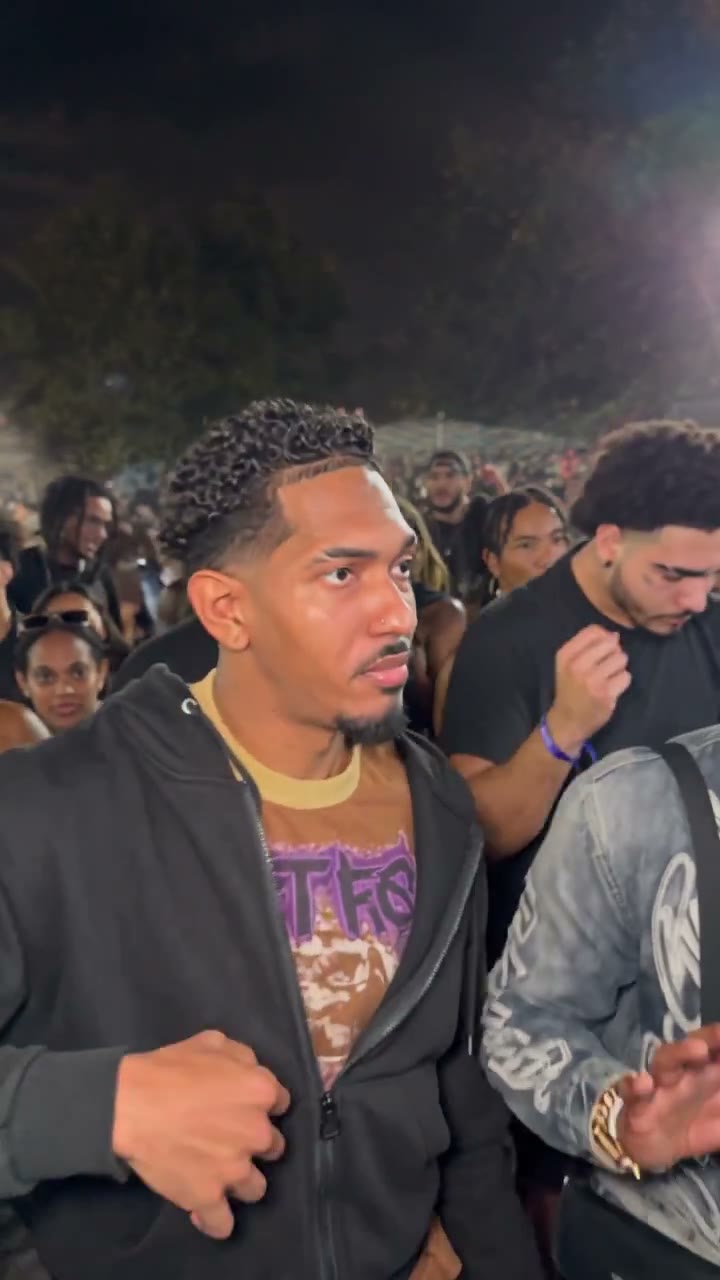
The appeal is the easygoing movement inside a busy party: head and shoulder accents, short sideways steps and a gradual turn while people move nearby. Baile Charme AI gives your still photo that prepared performance without asking you to learn the dance or record yourself outdoors. The handheld camera and surrounding activity help the clip feel like a moment caught in the crowd. This Baile Charme AI version follows the supplied sequence instead of offering a choreography editor. The framing often crops the lower legs, so it suits an expressive upper-body dance better than a detailed footwork demonstration.
Get a vertical Baile Charme AI clip with sound
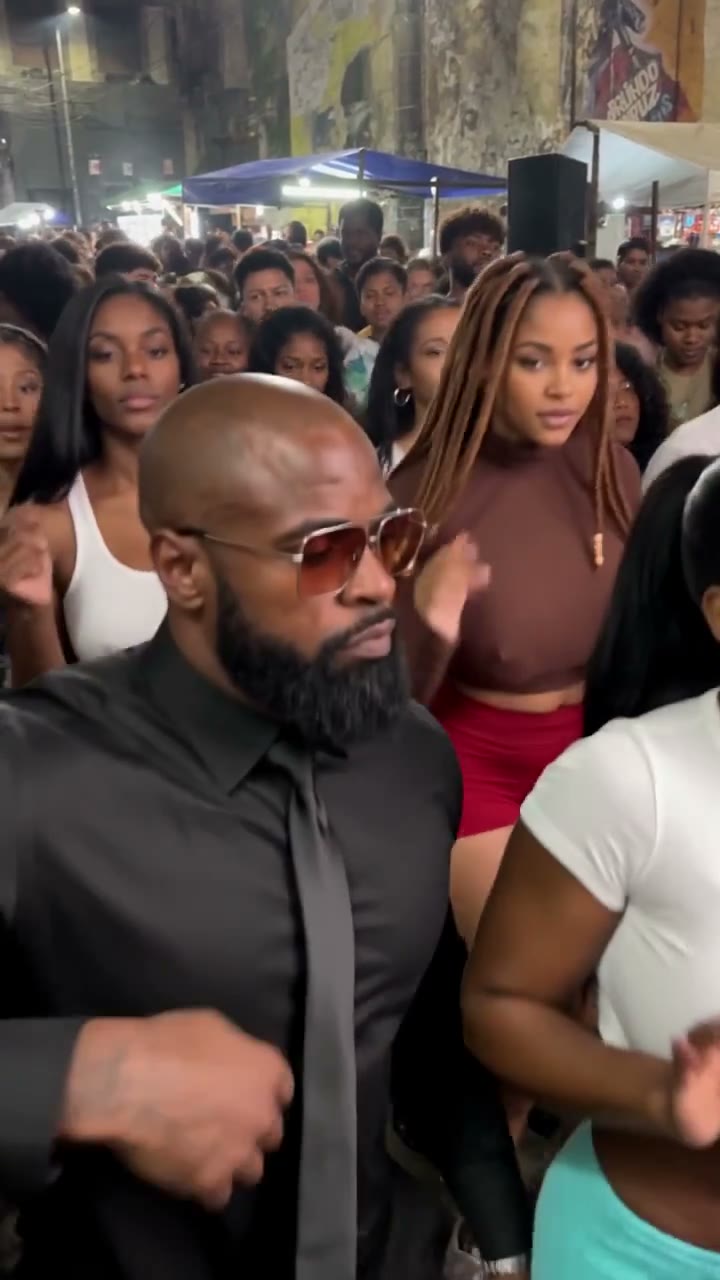
Create a short dance message, a playful pet post or an alternate outfit performance with sound included. Baile Charme AI follows the 9:16 framing and 15-second sequence, saving you from assembling a crowd scene and matching a separate audio file yourself. Watch and download the result from your creations. For a Baile Charme AI post, review the complete clip with sound and decide whether the ending works for your caption: this reference finishes during the turn, without a staged final pose. The community remixes below vary in background and length, including an extended version. Your generation follows the original 15-second reference; results vary.
What your Baile Charme AI photo controls
One character changes inside a prepared performance. These boundaries help you choose the right image and scene.
Your subject and outfit
Baile Charme AI uses one photo for the lead’s complete appearance. A clear body view provides more clothing information than a tightly cropped face. Hidden details still require interpretation.
A fixed crowd and camera
The dance, other people, street lights and camera movement come from the reference. Baile Charme AI does not offer a second character slot, a background upload or a different dance selection on this page.
Reference length and sound
Baile Charme AI creates a 15-second vertical clip that includes sound. Resolution settings do not introduce a separate duration, aspect-ratio or music selector.
Baile Charme AI credits
Generation requires an account and sufficient credits. Use the quote on Generate for the selected resolution and reference length. Plan examples below can describe other models or durations.
Starter
For your first ideas.
$8.3/month
$100.0 charged yearly
2,400 credits/year
Up to 400 images
GPT Image 2Nano Banana Pro
Up to 133 videos
Seedance 2.5Kling 3.0 Motion Control
- Up to 4K images and HD videos, depending on the model
- Image editing, video creation & motion transfer
- Watermark-free image & video downloads
- Generation history in your account
Popular40% OFFSave $238.8
Pro
For a steady creative flow.
$30.0/month$49.9/month
$360.0 charged yearly
21,600 credits/year
Up to 3,600 images
GPT Image 2Nano Banana Pro
Up to 1,200 videos
Seedance 2.5Kling 3.0 Motion Control
- Up to 4K images and HD videos, depending on the model
- Image editing, video creation & motion transfer
- Watermark-free image & video downloads
- Generation history in your account
- Use credits across image and video models
Best Value50% OFFSave $599.8
Business
For more creations, more often.
$49.9/month$99.9/month
$599.0 charged yearly
48,000 credits/year
Up to 8,000 images
GPT Image 2Nano Banana Pro
Up to 2,666 videos
Seedance 2.5Kling 3.0 Motion Control
- Up to 4K images and HD videos, depending on the model
- Image editing, video creation & motion transfer
- Watermark-free image & video downloads
- Generation history in your account
- Use credits across image and video models
Basic
$0Try before you subscribe
- 18 one-time signup credits
- Generation history included
- Watermarked previews & downloads
- Up to 3 images or 1 video
- Watermark-free downloads require payment
Prices in USD; taxes and total shown at checkout. Subscriptions renew automatically; cancel in Billing settings. Subscription credits expire each period; one-time credits never expire.
Refunds: request within 72 hours. Used purchased credits and applicable non-refundable processing costs (up to 6%) are deducted. Terms · Refund Policy
Baile Charme AI questions
Choose your input, understand the scene and know what to check.
Which person does Baile Charme AI replace?
The lead wears a beige cap, dark sunglasses and a tan-and-cream open shirt in the original. Your one photo guides that character throughout the clip, including the turn. The person beside him in the white tank top and the surrounding crowd are instructed to remain unchanged. You cannot assign them extra photos here.
Can I use a pet photo in Baile Charme AI?
Yes, the single subject can be a person or pet. Choose an image where the animal’s shape, fur and any clothing are visible. The reference contains a human dancer, so a pet result involves interpreting human gestures for that character. Check paws, body proportions and the turn carefully; a natural or identical result is not guaranteed.
What photo works best for Baile Charme AI?
Use a sharp image of one subject in even lighting, with a clearly separated outline and visible clothing. A full-body or knees-up view gives useful appearance detail. Avoid collages, groups, heavy blur or large objects covering the torso. A close selfie supplies less information about the body and outfit that appear during the dance.
Does Baile Charme AI include music or sound?
Your completed video includes the sound from the prepared reference. The preview may start muted; use its playback controls to listen. There is no song picker or custom music upload for this template. The clip’s sound belongs to this specific reference, and this page does not grant rights to the recording or any music in it.
Is this the white-haired grandpa version of Baile Charme AI?
This page uses the real night-party dancer shown in the reference. The broader trend includes other character versions, but this template follows only this footage. It does not promise the same choreography, camera path or ending as a separate grandpa clip you may have seen. Watch the source here to choose knowingly.
Can Baile Charme AI change the length or background?
The prepared clip is 15 seconds in portrait format. This page keeps its night setting, crowd and camera rather than exposing separate length or scene controls. It also ends during a turn. If you need your own performance, another location or a different ending, use the Motion Transfer homepage with a suitable motion reference.
What should I check in a Baile Charme AI result?
Watch the entire clip, especially the close movements beside the other dancer and the final back view. Look for clothing changes, distorted hands, identity drift or unwanted changes to the crowd. The instructions request consistency, but AI can interpret overlapping bodies and unseen details imperfectly.
Can I try Baile Charme AI before buying credits?
You can inspect the reference and prepare your photo before submitting a generation. Creating a video requires signing in and having enough credits for the displayed quote. Selecting a photo does not start generation. A new generation is a separate request, so review the result before deciding whether to spend credits on another version.
Can I share my Baile Charme AI video?
Download your finished clip and use photos you have permission to edit. Present the result as an AI creation when sharing it. Check footage and soundtrack permissions for the intended use, particularly advertising or other commercial publication. Motion Transfer does not imply endorsement by the original dancer, a venue, an artist or a social platform.
Create your Baile Charme AI dance
Choose one photo, preview the night-party routine and bring your character into the scene.